
1. Konec produktuview
The OnePlus Nord 6 is a high-performance smartphone designed for a seamless user experience. It features a Snapdragon 8s Gen 4 processor, a 165Hz AMOLED display, a large 9000mAh battery, and advanced camera capabilities. This manual provides essential information for setting up, operating, maintaining, and troubleshooting your device.
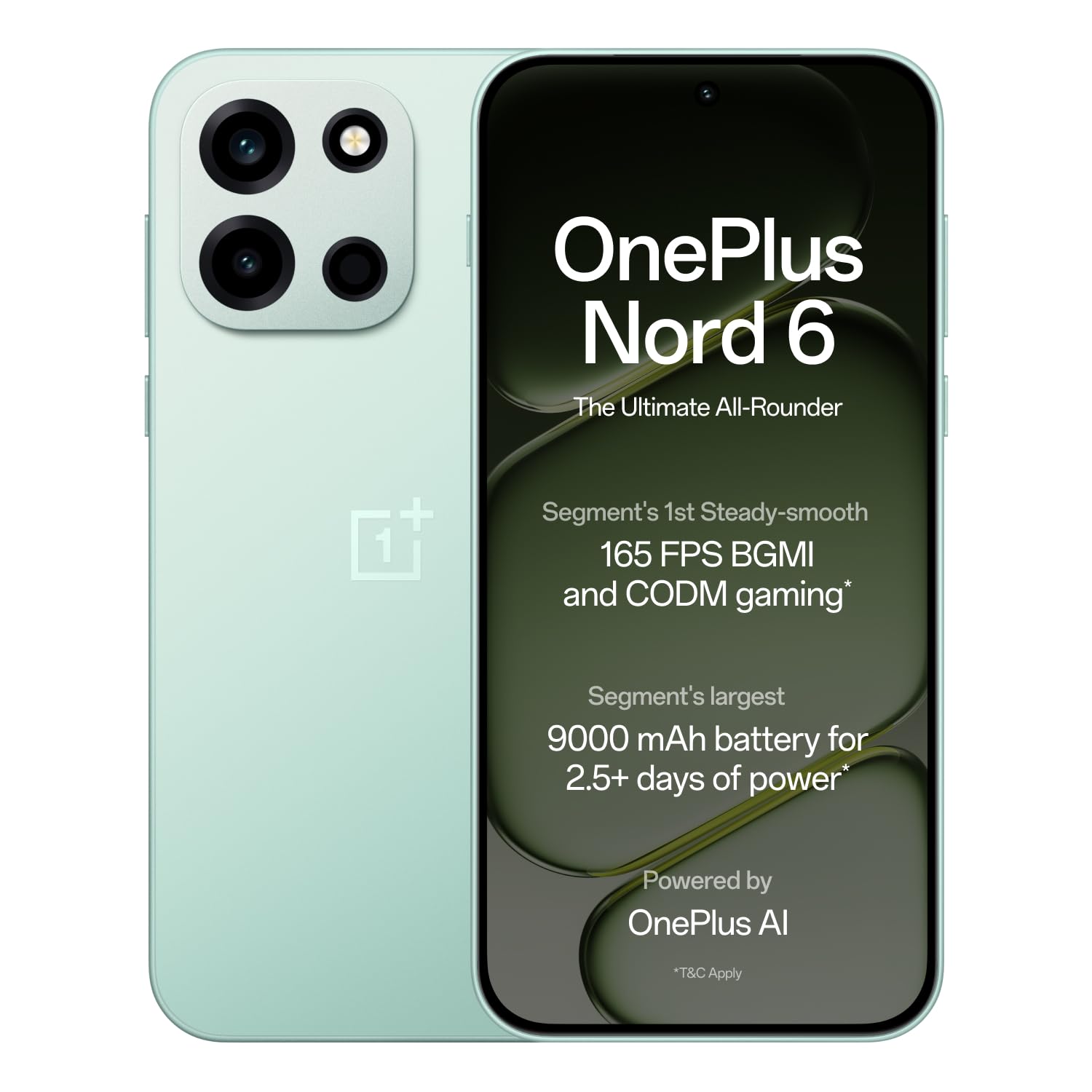
Figure 1: OnePlus Nord 6 (Fresh Mint)
2. Průvodce nastavením
2.1 Co je v krabici
Upon unboxing your OnePlus Nord 6, verify that all standard accessories are present:
- Chytrý telefon OnePlus Nord 6
- Pouzdro na telefon
- Napájecí adaptér (80W SUPERVOOC)
- USB kabel (typ C)
- Vysunutí zásobníku SIM
- Rychlý průvodce

Obrázek 2: Obsah krabice
2.2 Instalace SIM karty
The OnePlus Nord 6 supports Dual Nano SIM cards.
- Vyhledejte držák SIM karty na boku zařízení.
- Vložte nástroj pro vysunutí SIM karty do malého otvoru vedle držáku a pevně zatlačte, dokud držák nevyskočí.
- Vložte kartu (karty) Nano SIM do určených slotů v zásobníku a ujistěte se, že zlaté kontakty směřují dolů.
- Opatrně vložte zásobník SIM karty zpět do telefonu, dokud nezacvakne na místo.
2.3 Počáteční zapnutí a nastavení
To power on your device, press and hold the Power button located on the side until the OnePlus logo appears. Follow the on-screen instructions to complete the initial setup, including language selection, Wi-Fi connection, Google account login, and fingerprint/face unlock setup.
3. Návod k obsluze
3.1 Výkon a hraní her
The OnePlus Nord 6 is equipped with the Snapdragon 8s Gen 4 processor, LPDDR5X RAM, and UFS 4.1 ROM for elite performance. This configuration supports stable 165 FPS gaming in titles like BGMI and CODM, ensuring a smooth and responsive experience.

Obrázek 3: Procesor Snapdragon 8s 4. generace

Figure 4: 165 FPS Gaming Experience
3.2 Displej
The device features a 165Hz 1.5K AMOLED 'Sunburst' display with Aqua Touch 2.0, offering smooth visuals and responsive touch interaction even with wet fingers. It provides up to 1800 nits peak brightness for clear outdoor visibility and dims to 2 nits for comfortable low-light viewIng.

Figure 5: 165Hz AMOLED Display
3.3 Kamerový systém
The OnePlus Nord 6 is equipped with a versatile camera system:
- Hlavní fotoaparát: 50MP SONY LYTIA with Dual-axis OIS and multi-focusing, capable of 4K 60 FPS video.
- Přední kamera: 32MP GalaxyCore with multi-focus sensor, optimized for selfies and portraits, also supporting 4K 60 FPS video.
- Ultraširokoúhlý fotoaparát: 8MP for broader perspectives.
Dedicated multi-focusing sensors and HDR algorithms ensure clarity and natural colors in various lighting conditions.

Obrázek 6: Kamerový systém nadview
3.4 Baterie a nabíjení
The device features a 9000mAh battery, providing extended usage. It supports 80W SUPERVOOC fast charging, allowing for quick power-ups. Additionally, it offers 27W reverse charging, enabling you to charge other compatible devices.
- A 5-minute charge can provide up to 2.5 hours of YouTube streaming.
- 10 minutes of reverse charging can provide 12 hours of music playback on modern true wireless earbuds.

Obrázek 7: Baterie 9000 mAh

Figure 8: 27W Reverse Charging
3.5 Konektivita
The Nord 6 offers robust connectivity with a Wi-Fi Booster Chip and 5G-Advanced support, ensuring faster Wi-Fi speeds and lower latency for gaming. It also includes Bluetooth, Infrared, NFC, and USB Type-C connectivity.
3.6 Funkce umělé inteligence
Leverage personalized Google Gemini and flagship-level OnePlus AI for enhanced productivity. Features include:
- OnePlus Mind Space: Save photos, articles, and schedules for AI assistance.
- OnePlus AI: Translate text, videos, or calls, generate summaries, craft written content, and create mind maps/tables.
- AI Writer & AI Scanner: For document creation and lecture presentations.

Figure 9: Google Gemini & OnePlus AI
4. Údržba
4.1 Aktualizace softwaru
OnePlus is committed to providing 4 Android OS upgrades and 6 years of security updates for the Nord 6, ensuring long-term performance and security. Regularly check for and install available updates to keep your device optimized.

Figure 10: 6-Year Software Support
4.2 Odolnost proti vodě a prachu
The OnePlus Nord 6 boasts comprehensive IP ratings (IP66, IP68, IP69, and IP69K), providing high levels of dust and water resistance. This includes protection against powerful water jets, submersion, and high-temperature/high-pressure sprays.

Figure 11: IP Ratings for Water and Dust Resistance
4.3 Čištění a péče
To maintain your device, use a soft, lint-free cloth for cleaning. Avoid harsh chemicals or abrasive materials. Keep the device away from extreme temperatures and direct sunlight.
5. Řešení problémů
If you encounter issues with your OnePlus Nord 6, consider the following common solutions:
- Zařízení nereaguje: Stiskněte a podržte tlačítko napájení po dobu přibližně 10–15 sekund pro vynucení restartu.
- Rychlé vybíjení baterie: Check background app usage, reduce screen brightness, or enable power-saving modes. Ensure you are using the provided 80W SUPERVOOC charger.
- Problémy s připojením (Wi-Fi/5G): Toggle Wi-Fi or mobile data off and on. Restart your router or contact your service provider if the issue persists.
- Camera Performance in Low Light: While the camera is optimized for various conditions, very low light environments may still result in reduced image quality. Ensure the lens is clean.
- Přehřívání: If the device feels excessively warm during heavy use or charging, close demanding applications, reduce screen brightness, or disconnect from charging temporarily.
For persistent issues, refer to the support section or visit the official OnePlus support webmísto.
6. Specifikace
| Funkce | Specifikace |
|---|---|
| Značka | OnePlus |
| Model | Sever 6 |
| Operační systém | OxygenOS 16 |
| Procesor | Snapdragon 8s Gen 4 (3.2 GHz) |
| BERAN | 12 GB |
| Interní úložiště | 256 GB |
| Velikost displeje | 6.78 palce |
| Typ zobrazení | AMOLED |
| Rezoluce | 1272 x 2772 pixelů |
| Obnovovací frekvence | 165 Hz |
| Zadní kamera | 50 MP (Main) |
| Přední kamera | 32 MP |
| Kapacita baterie | 9000 XNUMX mAh |
| Nabíjení | 80W SUPERVOOC, 27W Reverse Charging |
| Slot pro SIM kartu | Duální Nano SIM karta |
| Úroveň odolnosti proti vodě | IP66, IP68, IP69, IP69K |
| Konektivita | 5G, Wi-Fi, Bluetooth, Infrared, NFC, USB Type C |
| Rozměry | 16.2 x 7.7 x 0.8 centimetrů |
| Hmotnost | 217 gramů |
7. Záruka a podpora
7.1 Informace o záruce
The OnePlus Nord 6 comes with a standard manufacturer's warranty. Additionally, OnePlus provides a lifetime display warranty for industry-wide greenline issues. For specific terms and conditions, please refer to the warranty card included in your product packaging or visit the official OnePlus webmísto.

Figure 12: Lifetime Display Warranty
7.2 Zákaznická podpora
For further assistance, technical support, or service inquiries, please contact OnePlus customer service:
- Kontaktní číslo: 1800 102 8411
- WhatsApp: +91-9289606888
- Výrobce: OPPO Mobiles India Private Limited
Můžete také navštívit úředníka Obchod OnePlus na Amazonu pro více informací o produktu a zdroje podpory.