
Konec produktuview
The OTTOCAST Mini Nova is a compact 2-in-1 wireless adapter designed to convert your vehicle's existing wired CarPlay or Android Auto system into a wireless connection. This device facilitates automatic, stable, and low-latency connectivity for your smartphone, enhancing your in-car experience.

Image: The OTTOCAST Mini Nova adapter, illustrating its ability to convert wired CarPlay and Android Auto to wireless functionality.
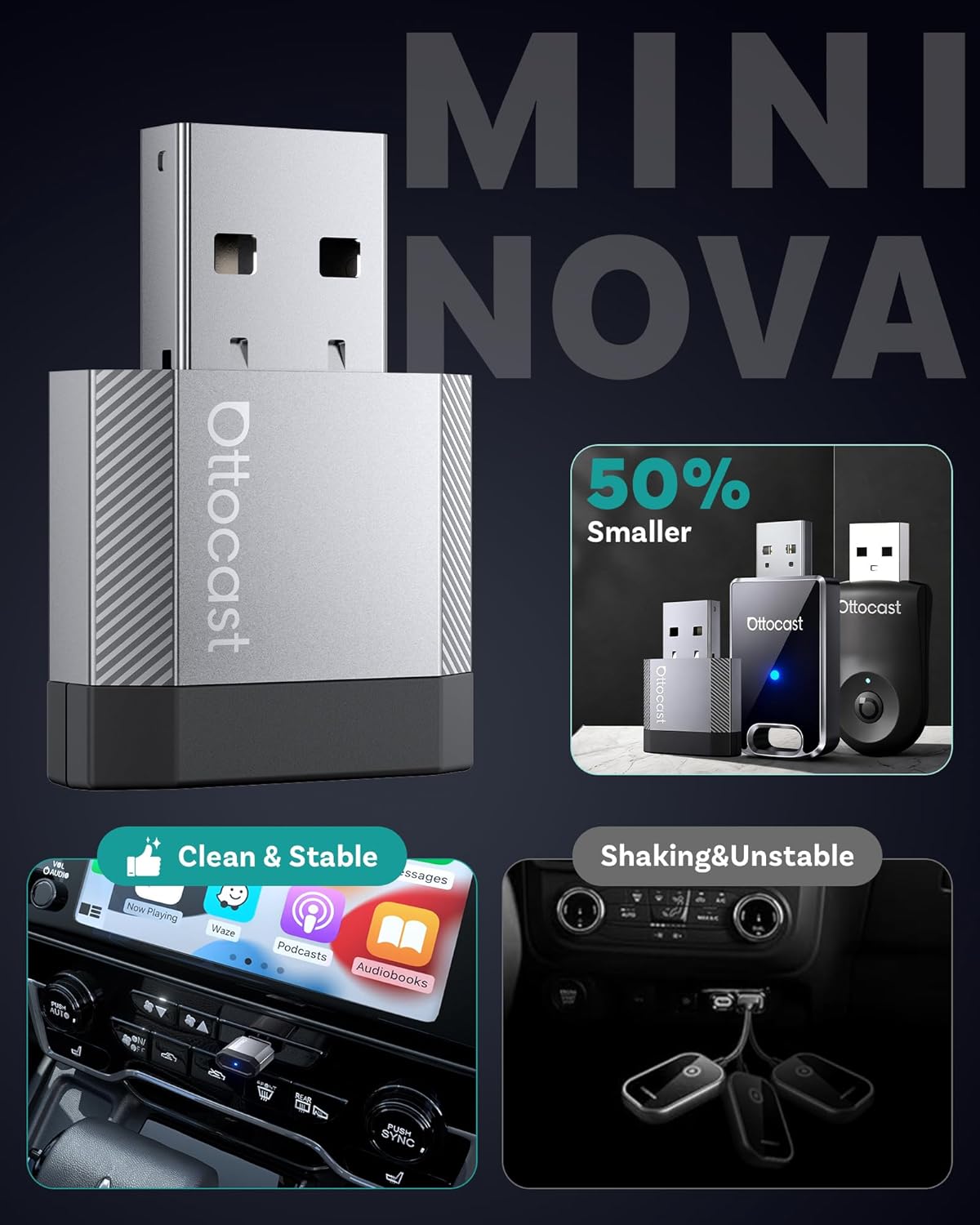
Image: A visual representation of the compact size of the OTTOCAST Mini Nova adapter, highlighting its discreet design.
Pokyny pro nastavení
Follow these steps to set up your OTTOCAST Mini Nova adapter:
- Kontrola kompatibility: Ensure your vehicle has a factory-installed wired CarPlay or Android Auto system. The adapter is not compatible with vehicles that lack these systems.
- Připojit: Connect the OTTOCAST Mini Nova adapter into your car's USB port. Use the provided USB-A to USB-C adapter if your car has a USB-C port. The adapter will power on, indicated by an LED light.
- Spárování s telefonem: On your iPhone or Android device, enable Bluetooth and Wi-Fi. Hledat the adapter's Bluetooth name (e.g., "CAR-XXXX" or "OTTOCAST-XXXX") and pair with it.
- Potvrdit připojení: Once paired, your phone will prompt you to enable CarPlay or Android Auto. Confirm the connection. The car's infotainment screen should display the wireless CarPlay or Android Auto interface.
- Automatické opětovné připojení: After the initial setup, the adapter will automatically reconnect to your phone each time you start your vehicle, provided Bluetooth and Wi-Fi are enabled on your phone.
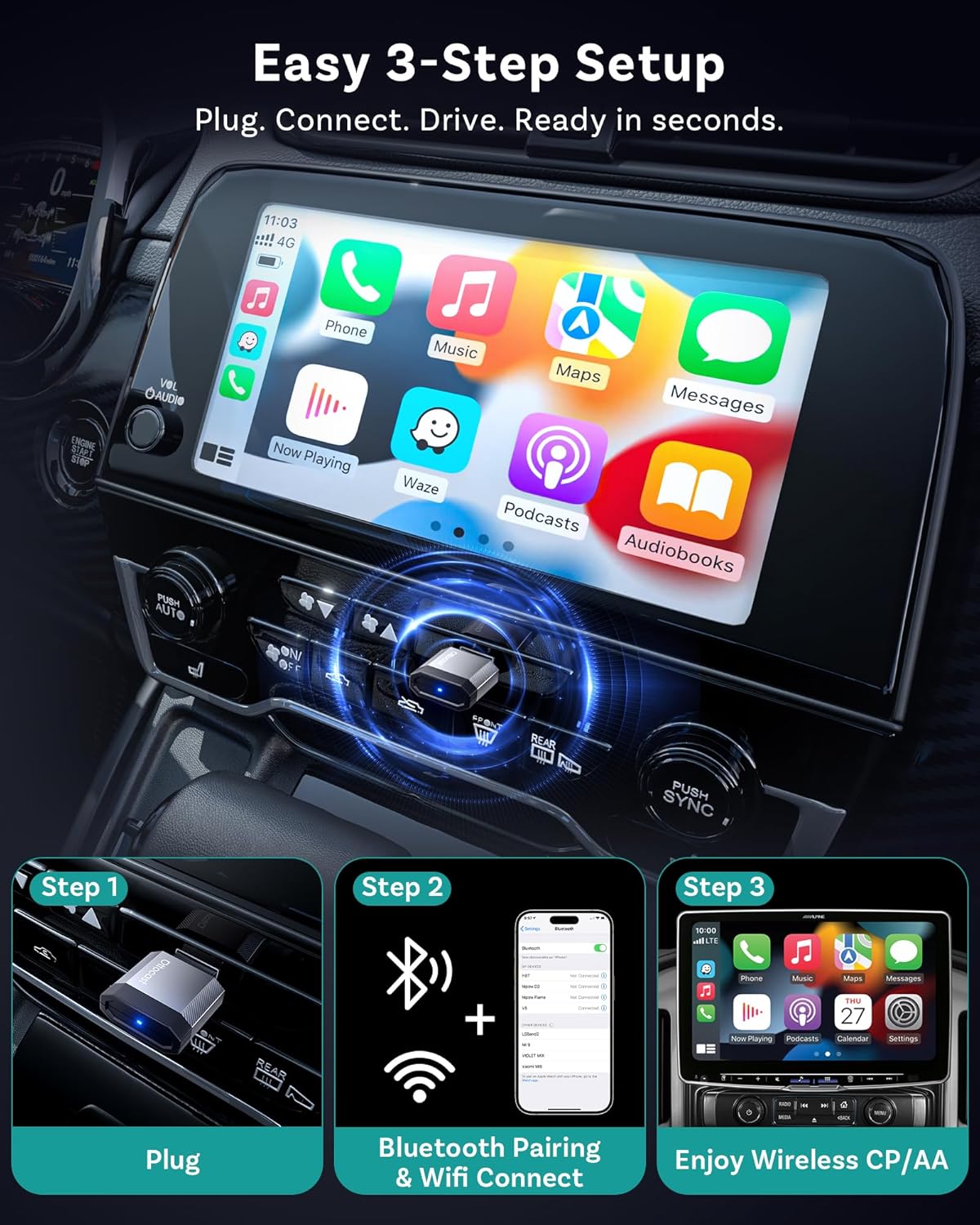
Image: A visual guide demonstrating the three simple steps to set up the OTTOCAST Mini Nova: Plug, Connect, Drive.

Image: The OTTOCAST Mini Nova adapter shown with both USB-A and USB-C connectivity options, illustrating its broad compatibility with various car ports.
Video: Official OTTOCAST demonstration on how to convert wired CarPlay to wireless using the Mini Nova adapter.
Návod k obsluze
Once connected, the OTTOCAST Mini Nova provides a seamless wireless experience for CarPlay and Android Auto:
- Přístup k aplikacím: All your favorite CarPlay or Android Auto applications, including navigation (Maps, Waze), music streaming (Spotify, Apple Music), and communication (Phone, Messages), will be accessible on your car's infotainment screen.
- Kontrolní metody: You can interact with the system using various methods:
- Hlasové ovládání: Use Siri or Google Assistant for hands-free commands (e.g., "Hey Siri, navigate to home," "Hey Google, play music").
- Dotykové ovládání: Přímo komunikujte s dotykovým displejem vozu.
- Button/Knob Control: Utilize your vehicle's physical buttons and control knobs for navigation within the interface.
- Stabilní připojení: The adapter uses Bluetooth 4.2 for initial pairing and Wi-Fi 5 (5GHz) for data transmission, ensuring a fast, stable connection with minimal latency for audio and video.
- Diskrétní design: The ultra-mini design of the adapter keeps your dashboard tidy and clutter-free.

Image: Illustration of the four control methods available with the OTTOCAST Mini Nova: voice, button, touch, and knob control.

Image: Depiction of the stable and fast connection provided by the OTTOCAST Mini Nova, utilizing Bluetooth 4.2 for pairing and Wi-Fi 5 for high-speed data transmission.
Údržba
To ensure the longevity and optimal performance of your OTTOCAST Mini Nova adapter, consider the following:
- Udržujte v čistotě: Periodically wipe the adapter with a dry, soft cloth to remove dust or debris.
- Vyhněte se vlhkosti: Protect the device from water and excessive humidity.
- Ovládání teploty: Avoid exposing the adapter to extreme temperatures, as this can affect its performance and lifespan.
- Aktualizace firmwaru: Regularly check for and install firmware updates to ensure compatibility and performance improvements. Updates are typically performed via a web interface accessible through your phone's Wi-Fi connection to the device.

Image: A visual guide illustrating the Over-The-Air (OTA) firmware update process for the OTTOCAST Mini Nova, emphasizing the need to maintain Wi-Fi connection during the update.
Odstraňování problémů
If you encounter issues with your OTTOCAST Mini Nova adapter, refer to the following common solutions:
- No Connection/Pairing Issues:
- Ensure your vehicle has factory-wired CarPlay or Android Auto. The adapter requires this existing functionality.
- Verify Bluetooth and Wi-Fi are enabled on your phone.
- Zkuste zařízení zapomenout v nastavení Bluetooth v telefonu a znovu ho spárovat.
- Restart your car's infotainment system and your phone.
- Přehřívání:
- While some warmth is normal, excessive heat may indicate an issue. Ensure the adapter is not obstructed and has adequate ventilation.
- Pokud přehřívání přetrvává, přestaňte zařízení používat a kontaktujte podporu.
- Selhání aktualizace firmwaru:
- During firmware updates, ensure your phone remains connected to the adapter's Wi-Fi network. Disconnecting can interrupt the process.
- If the update appears to fail, try again, ensuring a stable connection throughout.
- Zpoždění nebo odpojení:
- Check for any potential Wi-Fi interference in your vehicle.
- Ujistěte se, že máte aktuální operační systém telefonu.
- Perform a firmware update on the adapter if available.
Specifikace
| Funkce | Detail |
|---|---|
| Název modelu | Mini Nova |
| Značka | OTTOCAST |
| Technologie připojení | Bluetooth 4.2, Wi-Fi 5 (802.11ac) |
| Kompatibilní zařízení | Android 11+, Car with Factory wired CarPlay, iOS 10+, iPhone 17 |
| Zdroj napájení | Elektrický kabel (5 V) |
| Materiál | Hliník |
| Speciální funkce | Hands-Free Calls, Low Latency |
| Kontrolní metoda | Dotyk, Hlas |
| Hardwarové rozhraní | USB 2.0 typu A, USB 3.0 typu C |
| Rozměry položky (D x Š x V) | 0.83 cm D x 0.35 cm Š x 1.3 cm V |
| Hmotnost položky | 5.9 gramů |
Co je v krabici:
- 1 x Ottocast Mini Nova Adapter
- 1 x USB A to USB C adapter

Image: Contents of the OTTOCAST Mini Nova package, including the adapter, USB-A to USB-C adapter, user manual, and package box.
Záruka
The OTTOCAST Mini Nova adapter comes with a 2-letá záruka od data nákupu. Tato záruka se vztahuje na výrobní vady a zajišťuje spolehlivost výrobku. Uschovejte si prosím doklad o koupi pro případné reklamace.
Podpora
For further assistance, technical support, or warranty inquiries, please contact OTTOCAST customer service through their official website or the contact information provided in your product packaging. When contacting support, please have your product model (Mini Nova) and purchase details ready.