
1. Úvod
The IMILAB EC6 Dual 2K+2K is a plug-in outdoor security camera designed for comprehensive home surveillance. It features a unique dual-lens system, offering wide-angle coverage and intelligent tracking capabilities. This manual provides detailed instructions for setting up, operating, and maintaining your camera to ensure optimal performance and security.

Figure 1: IMILAB EC6 Dual 2K+2K Camera highlighting its dual-lens design for extensive coverage.
2. Co je v krabici
Ověřte, zda jsou v balení přítomny všechny komponenty:
- IMILAB EC6 Dual 2K+2K Plug-in Camera x 1
- Mounting Kit x 1 (includes screws and expansion nuts)
- Power Cable 10ft & Adapter x 1
- User Manual & Card x 1

Figure 2: Contents of the IMILAB EC6 Dual 2K+2K camera package.
3. Nastavení
3.1 Fyzická instalace
The EC6 Dual camera can be mounted on walls, ceilings, or columns. Ensure the installation location provides a clear view and stable Wi-Fi signal.
- Připravte montážní povrch: Use the provided positioning sticker to mark the drill holes on your chosen surface.
- Vrtací otvory: Drill holes approximately 30mm deep at the marked positions.
- Insert Expansion Nuts: Gently tap the four expansion nuts into the drilled holes.
- Trasa kabelů: Embed the power cable and Ethernet cable (if using wired connection) into the bracket slot for a neat installation.
- Montáž kamery: Align the camera's mounting bracket with the holes and secure it using the screws. Tighten the nuts to ensure stability.
- Upravit úhel: Adjust the camera to your desired surveillance angle. The bullet camera (upper lens) can be tilted by hand up to 10 degrees. The turret camera (lower lens) can be panned and tilted using the app.

Figure 3: Versatile installation options for the EC6 Dual camera.
Video 1: EC6 Dual Setup Guide. This video demonstrates the unboxing, physical setup, app connection, and installation process for the IMILAB EC6 Dual camera.
3.2 Připojení aplikace
To connect your camera to the app:
- Stáhněte si aplikaci: Download the Xiaomi Home/Mi Home app from your smartphone's app store.
- Zapnutí: Connect the power cable to the camera and plug it into a power outlet. Wait for a voice prompt indicating initial activation.
- Přidat zařízení: Open the app, click the '+' icon in the upper right corner, and select 'Scan'.
- Naskenujte QR kód: Scan the QR code located on the label of the power cord.
- Select Connection Type: Choose between 'Wired Network Connection' or 'Wireless Connection (Wi-Fi)'.
3.2.1 Kabelové síťové připojení
- Připojte ethernetový kabel z routeru k ethernetovému portu kamery.
- Follow the on-screen prompts in the app to complete the connection.

Figure 4: Power and Ethernet ports for wired connection.
3.2.2 Wi-Fi připojení
- Select your Wi-Fi network from the list, enter the password, and click 'Next Step'.
- The app will automatically complete the Wi-Fi connection.
4. Návod k obsluze
4.1 Dual Angle Surveillance
The EC6 Dual camera features two independent lenses for simultaneous monitoring of two angles. The lower lens can pan 360° and tilt 135° via the app, while the upper lens maintains a fixed view. This allows for comprehensive coverage and intelligent tracking of moving objects.

Figure 5: Dual angle surveillance providing two live feeds simultaneously.
4.2 2K+2K Day/Night Full-Color Vision
Both camera lenses support 2K resolution, delivering clear and detailed footage. Equipped with four LED lights and four infrared lights, the camera provides vivid full-color vision during the day and at night.

Figure 6: Clear 2K+2K live view with two-way audio and smart color night vision.
4.3 Smart Deterrence
The camera features subscription-free smart deterrence. Upon motion detection, it can automatically trigger a siren, spotlight, or a custom voice alert to deter potential threats.
- Siréna: Aktivuje zvukový alarm.
- Zaostřeno: Turns on bright LED lights.
- Custom Voice Alert: Plays a pre-recorded message.

Figure 7: Smart deterrence features in action.
Video 2: 'Catching Santa' - Demonstrates the camera's ability to detect and record activity, highlighting its dual-lens surveillance and deterrence features.
Video 3: 'You almost got me!' - Illustrates the camera's detection and two-way audio capabilities in a simulated scenario.
4.4 Obousměrný zvuk
Communicate with visitors or deter intruders in real-time using the built-in two-way audio feature accessible through the app.

Figure 8: Two-way audio functionality via the app.
4.5 Motion Detection & Notifications
Set up to two customizable motion zones within the Xiaomi Home/Mi Home app. The camera will continuously monitor these areas and send immediate push notifications to your phone when motion is detected, ensuring you stay connected and informed.

Figure 9: App interface for motion zones and notifications.
4.6 Flexibilní možnosti úložiště
The camera offers versatile storage solutions for your footage:
- MicroSD karta: Supports local storage on a MicroSD card up to 256GB (not included) for continuous 24/7 recording and enhanced privacy.
- Cloudové úložiště: A 3-month free trial is available for new users, providing cloud storage for motion-triggered clips.
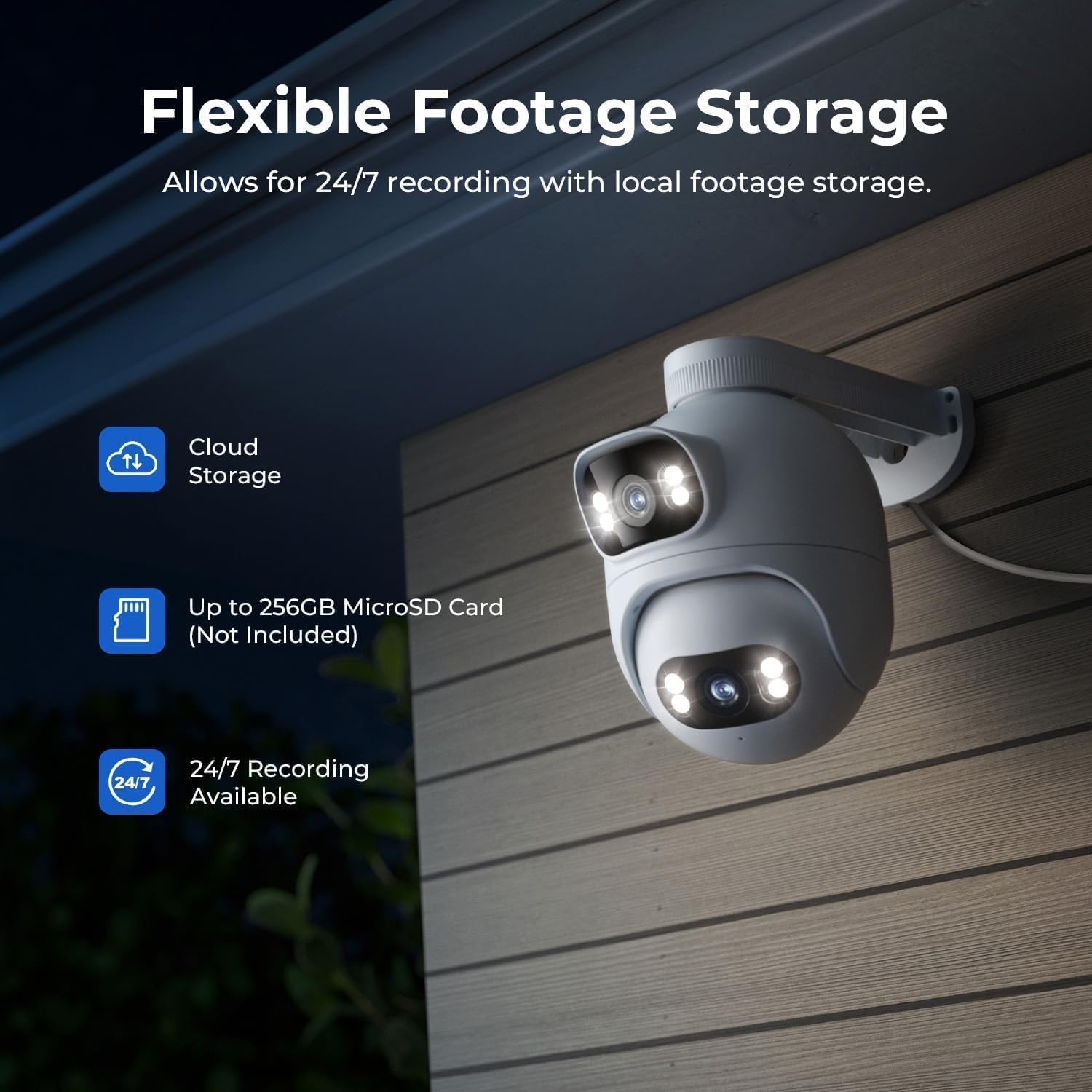
Figure 10: Flexible storage options for recorded footage.

Figure 11: Location of the MicroSD card slot.
Video 4: 'EC6 Dual 2K+2K Outdoor Camera, 24/7 Surveillance' - Highlights the camera's continuous recording and surveillance capabilities.
4.7 Dálkové ovládání otáčení a naklánění
Control the lower lens's pan (360°) and tilt (135°) movements remotely through the app. You can also set preset angles for quick access to specific viewoblasti.

Figure 12: 360-degree pan functionality.
4.8 Night Vision Settings
Adjust night vision settings in the app's 'Camera Settings' menu. Options include:
- Černo/bílé noční vidění: Displays a black and white image.
- Barevné noční vidění: Displays a color image with spotlights on at night or in low light.
- Inteligentní barevné noční vidění: When a person is detected, the spotlights turn on automatically, providing a color image at night or in low light, while conserving power when no motion is detected.
5. Údržba
- Čištění: Pravidelně otírejte čočky fotoaparátu měkkým hadříkemamp hadříkem, abyste zajistili ostrý a kvalitní obraz. Nepoužívejte abrazivní čisticí prostředky.
- Aktualizace firmwaru: Check the Xiaomi Home/Mi Home app periodically for firmware updates to ensure your camera has the latest features and security enhancements.
- Napájení: Ujistěte se, že je kamera připojena ke stabilnímu zdroji napájení. Vyhněte se častým výpadkům napájení.
- Kontrola kabelů: Periodically inspect the power and Ethernet cables for any signs of wear or damage.
6. Řešení problémů
| Problém | Možná příčina | Řešení |
|---|---|---|
| Kamera se nezapíná | Napájecí adaptér není připojen nebo je vadný. | Zkontrolujte připojení k napájení. Zkuste jinou zásuvku. |
| Nelze se připojit k Wi-Fi | Incorrect Wi-Fi password; camera too far from router; Wi-Fi signal interference. | Verify Wi-Fi password. Move camera closer to router. Reduce interference from other devices. Ensure 2.4GHz Wi-Fi is used. |
| Špatná kvalita obrazu | Dirty lens; low network bandwidth. | Clean the camera lens. Check your internet speed and network stability. |
| Detekce pohybu nefunguje | Motion detection disabled; incorrect motion zone settings. | Enable motion detection in the app. Adjust motion zone sensitivity and areas. |
| Problémy s obousměrným zvukem | Microphone/speaker muted; network issues. | Zkontrolujte nastavení aplikace pro vypnutí zvuku. Zajistěte stabilní síťové připojení. |
7. Specifikace
| Funkce | Specifikace |
|---|---|
| Název modelu | EC6 Dual 2K+2K |
| Číslo modelu | CMSXJ68A |
| Rozlišení záznamu videa | 2K + 2K |
| Technologie připojení | Kabelové, bezdrátové (Wi-Fi) |
| Speciální funkce | Dual Lens, 24/7 Recording, 800LM Adjustable Lights, 360° PTZ, 3X Zoom, Local Storage, No Monthly Fee |
| Vnitřní/venkovní použití | Venkovní |
| Typ ovladače | Amazon Alexa, Google Assistant, Xiaomi Home/Mi Home App |
| Typ montáže | Wall/Ceiling/Pole Mount |
| Úroveň odolnosti proti vodě | Voděodolný (IP65) |
| Noční vidění | Starlight, Color Night Vision |
| Typ paměti Flash | Micro SD (až 256 GB) |
| Zdroj napájení | Elektrický kabel |
| Provozní teplota | -30 °C až 60 °C |
8. Záruka a podpora
Your IMILAB EC6 Dual 2K+2K Outdoor Security Camera comes with a 2letá záruka výrobceNavíc, a 30denní zásada bezplatného vrácení is available. For technical support, troubleshooting assistance, or warranty claims, please refer to the contact information provided in the 'User Manual & Card' included in your package or visit the official IMILAB webmísto.