
Zavedení
The Roku Hiro 32-inch 720p HD Smart TV offers an integrated Roku streaming experience. This television features an HD display for clear picture quality and speakers with enhanced audio. It supports Bluetooth for private listening with headphones and includes Wi-Fi for internet connectivity. The Roku operating system provides a customizable home screen, access to numerous streaming channels, and automatic updates, making it suitable for various living spaces.
Co je v krabici
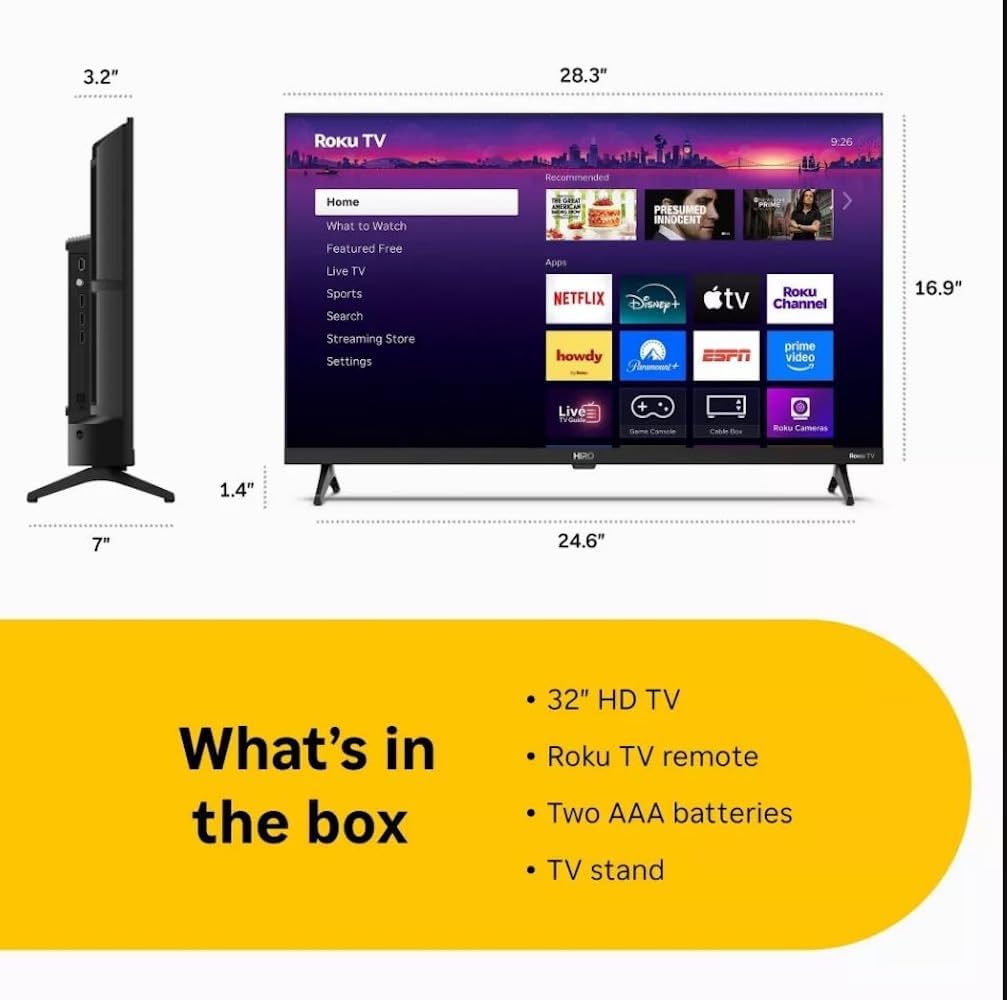
Diagram showing the dimensions of the Roku Hiro 32-inch TV and a list of included accessories: 32-inch HD TV, Roku TV remote, two AAA batteries, and TV stand.
- Hiro 32" 720p HD Smart TV Flat Screen LED Television with Roku TV
- Dálkové ovládání
- TV stojan
- Napájecí kabel
- Uživatelská příručka
Nastavení
1. Instalace stojanu
Carefully place the TV screen-down on a soft, clean surface to prevent damage. Align the TV stand with the designated slots on the bottom of the TV. Secure the stand using the provided screws. Ensure the stand is firmly attached before proceeding.
2. Připojení zařízení

Zadní view of the Roku Hiro TV, showing the input/output ports including USB, HDMI, and antenna connections.
- Moc: Připojte napájecí kabel k napájecímu vstupu televizoru a poté do zásuvky ve zdi.
- HDMI: Connect external devices such as Blu-ray players, game consoles, or cable boxes to the HDMI ports. This TV features 3 HDMI ports.
- USB: Use the USB port for media playback from a USB drive.
- Optický zvuk: Connect an external sound system using an optical audio cable for enhanced sound.
- Anténa/kabel: Pro příjem vzduchových nebo kabelových kanálů připojte anténu nebo kabelový televizní kanál k RF vstupu.
3. Počáteční nastavení
After connecting all necessary cables, power on the TV. Follow the on-screen instructions to:
- Vyberte svůj jazyk.
- Připojte se k síti Wi-Fi.
- Aktivujte si účet Roku (nebo si vytvořte nový).
- Scan for available channels if an antenna is connected.
Návod k obsluze
Funkce dálkového ovládání

Close-up of the Roku TV remote control, highlighting buttons for TV power, volume, mute, sleep timer, instant replay, options, and app shortcuts.
- Vypínač: Zapíná nebo vypíná televizor.
- Směrový ovladač (D-Pad): Prochází menu a vybírá položky.
- Tlačítko OK: Potvrzuje výběr.
- Tlačítko Domů: Návrat na domovskou obrazovku Roku.
- Tlačítko Zpět: Vrátí se na předchozí obrazovku.
- Zvýšení/Snížení hlasitosti: Nastavuje hlasitost TV.
- Tlačítko ztlumení: Ztlumí nebo zapne zvuk televizoru.
- Tlačítka zkratek aplikací: Direct access to popular streaming services (e.g., Netflix, Disney+, Apple TV+, Prime Video).
- Časovač vypnutí: Nastaví časovač pro automatické vypnutí televizoru.
- Instant Replay: Jumps back a few seconds in supported content.
- Možnosti: Accesses additional settings or information for the current content.
Navigace v operačním systému Roku

The Roku TV home screen interface, showing recommended content and various streaming applications.
The Roku home screen provides access to all your streaming channels, inputs, and settings. Use the D-Pad on your remote to navigate through the menu options on the left and the app grid on the right. You can customize the order of your channels by highlighting an app, pressing the * (Options) button, and selecting 'Move channel'.
Streamování obsahu
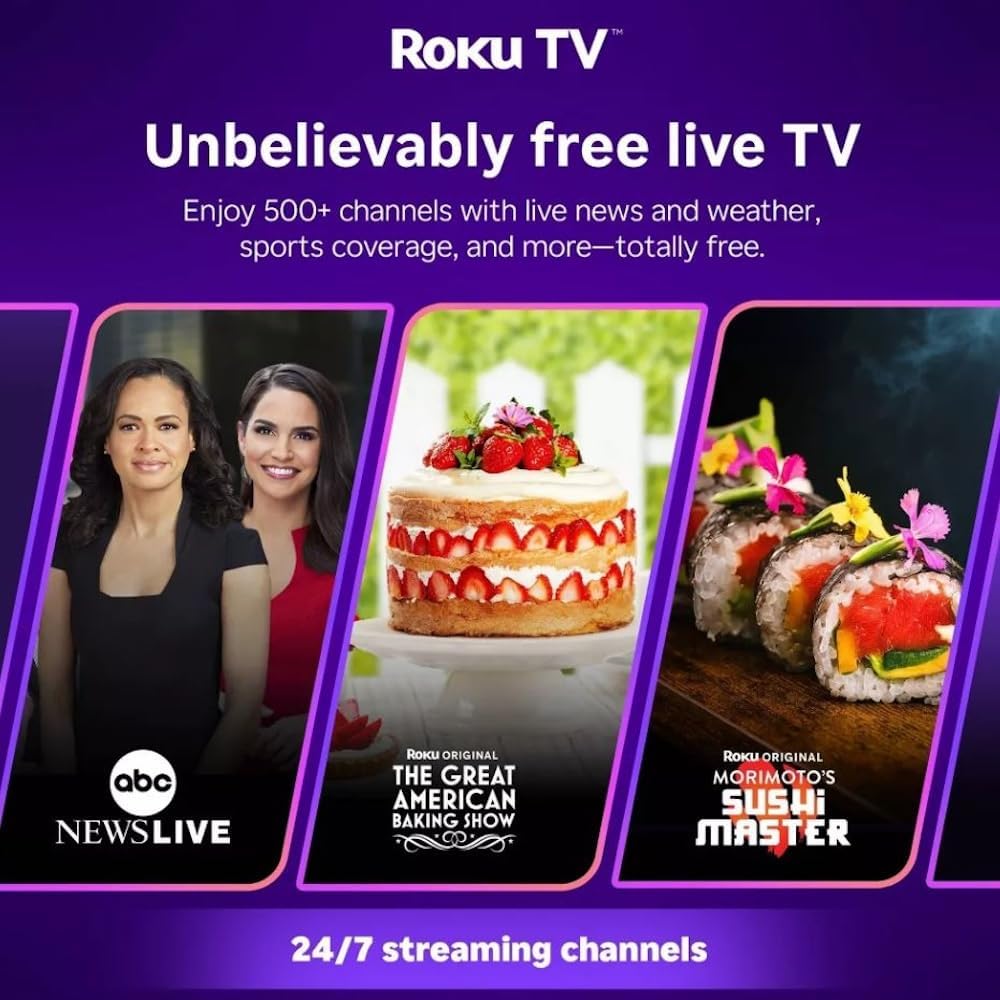
Roku TV interface promoting free live TV channels, featuring examples like ABC News Live, The Great American Baking Show, and Morimoto's Sushi Master.
Access a wide range of streaming services and free content through the Roku Channel Store. The Roku platform offers over 500 free channels, including live television, movies, and news. Use the 'Search' function on the home screen to find specific titles or channels.
Zvukové funkce

Roku Hiro TV displaying the home screen with various streaming apps, emphasizing enhanced audio quality.
The TV features enhanced audio quality. For private listening, you can pair Bluetooth headphones directly with the TV. Navigate to Settings > Remotes & devices > Bluetooth devices > Pair new device to connect your headphones.
Údržba
Čištění televizoru
- Před čištěním vždy odpojte televizor ze zásuvky.
- K jemnému otření obrazovky a skříně použijte měkký hadřík, který nepouští vlákna.
- Na odolné skvrny lehceampOmyjte hadřík vodou nebo jemným, neabrazivním čističem obrazovek. Nestříkejte čistič přímo na obrazovku.
- Nepoužívejte agresivní chemikálie, abrazivní houbičky nebo rozpouštědla.
Aktualizace softwaru
The Roku TV automatically checks for and installs software updates when connected to the internet. To manually check for updates, go to Nastavení > Systém > Aktualizace softwaru.
Odstraňování problémů
| Problém | Řešení |
|---|---|
| Žádná síla | Ujistěte se, že je napájecí kabel bezpečně připojen k televizoru i k funkční elektrické zásuvce. Zkuste jinou zásuvku. |
| Žádný obraz, ale zvuk je přítomný | Zkontrolujte vstupní zdroj. Stiskněte tlačítko Domov button on the remote and select the correct input. Ensure all HDMI cables are securely connected. |
| Žádný zvuk, ale obraz je přítomen | Zkontrolujte úroveň hlasitosti a ujistěte se, že televizor není ztlumený. Pokud používáte externí zvuk, ověřte připojení a nastavení. |
| Nelze se připojit k Wi-Fi | Verify your Wi-Fi password. Restart your router and modem. Go to Nastavení > Síť > Nastavit připojení to reconfigure. |
| Dálkové ovládání nefunguje | Vyměňte baterie v dálkovém ovladači. Ujistěte se, že mezi dálkovým ovladačem a infračerveným senzorem televizoru nejsou žádné překážky. |
Specifikace
| Název modelu | H32C2C4 |
| Velikost obrazovky | 32 palce |
| Technologie displeje | LED |
| Rezoluce | 720p |
| Obnovovací frekvence | 60 Hz |
| Operační systém | OS Roku |
| Technologie připojení | Bluetooth, HDMI, Optical Audio, USB, Wi-Fi |
| Total Number of HDMI Ports | 3 |
| Celkový počet portů USB | 1 |
| Rozměry produktu (D x Š x V) | 3.2"H x 28.3"Š x 16.9"V |
| Hmotnost položky | 7.5 libry |
| svtage | 120 voltů (AC) |
| Typ montáže | Stolní držák |
| Barva | Černý |
Informace o záruce
This Roku Hiro TV is covered by a 90-day Replacement Warranty. Please retain your proof of purchase for any warranty claims. For detailed terms and conditions, refer to the warranty documentation included with your product or visit the official Roku support webmísto.
Podpora
For further assistance, troubleshooting guides, or to contact customer support, please visit the official Roku support website. You can find comprehensive FAQs and contact information there.