
Zavedení
This manual provides essential information for setting up, operating, maintaining, and troubleshooting your Samsung 55-Inch Class QN80H Series Neo QLED 4K Smart TV. Please read this manual thoroughly to ensure proper use and to maximize your viewzkušenosti.
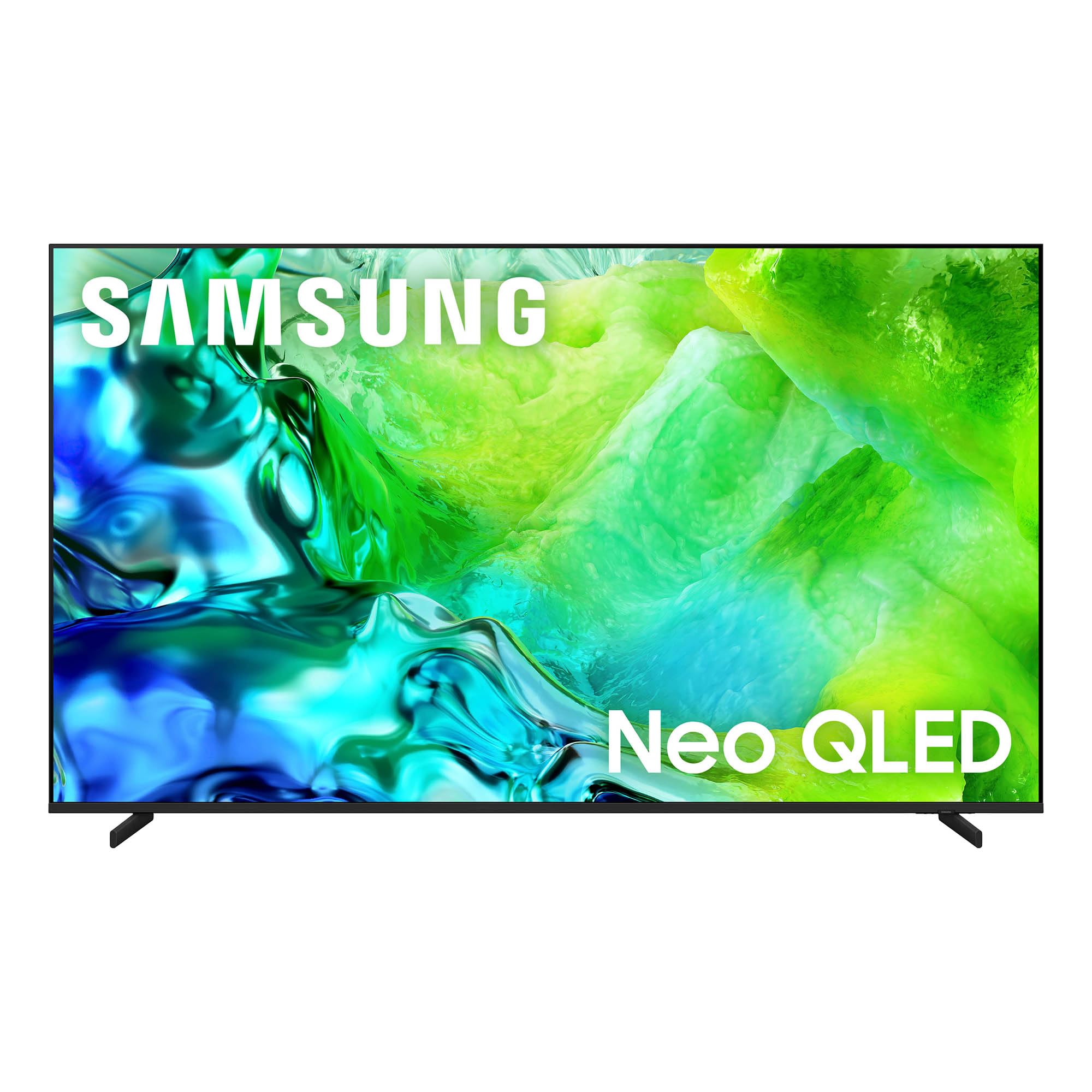
The Samsung 55-Inch Class QN80H Series Neo QLED 4K Smart TV.
Co je v krabici
Ověřte, zda jsou s vaším televizorem dodány všechny následující položky:
- Samsung QN80H Series Neo QLED 4K Smart TV
- BT Simple Remote TM2280A with batteries
- Napájecí kabel
- Komponenty stojanu
- Uživatelská příručka (tento dokument)
- Záruční list

A visual representation of the TV's dimensions and the items included in the packaging.
Nastavení
1. Vybalování
Carefully remove the TV from its packaging. It is recommended to have two people for this process due to the size and weight of the television. Retain all packaging materials for future transport or service needs.
2. Instalace na stojan nebo montáž na zeď
For stand installation, follow the instructions provided in the separate Installation Manual. Ensure the stand is securely attached before placing the TV on a stable, level surface. If wall mounting, use a VESA-compatible mount (300 x 200 mm) and consult the Installation Manual for proper procedures. Professional installation is recommended for wall mounting.
3. Připojení periferií
Connect your external devices such as cable boxes, Blu-ray players, gaming consoles, and sound systems to the TV's ports. The QN80H Series TV features multiple connectivity options:
- Porty HDMI (celkem 4): For high-definition video and audio. HDMI 3 supports eARC for enhanced audio return. HDMI 4 is optimized for 4K@144Hz gaming.
- USB Ports (2 total, 1 USB 3.0): Pro přehrávání médií z USB disků.
- Ethernet (LAN) port: Pro kabelové připojení k internetu.
- Zvukový výstup (optický): Pro připojení k soundbarům nebo receiverům.
- Kabel/ANTÉNA: Pro signály antény nebo kabelové televize.

Detailní view of the TV's connectivity ports, including HDMI, USB, Ethernet, and Audio Out.
4. Power On & Initial Setup
Plug the power cable into the TV and then into a wall outlet. Press the power button on the remote control or the TV. Follow the on-screen instructions to complete the initial setup, including network connection, channel scanning, and smart features configuration.
5. Dálkové ovládání
The included BT Simple Remote TM2280A uses Bluetooth for connectivity. Insert the provided AAA batteries. The remote should automatically pair with the TV during initial setup. If not, refer to the on-screen instructions or the full User Guide for manual pairing.
Ovládání televizoru
1. Smart Hub & Tizen OS
Your Samsung QN80H TV runs on the Tizen operating system, providing access to a wide range of internet applications such as Amazon, Netflix, YouTube, Hulu, HBO, and Disney+. Navigate the Smart Hub using your remote control to find and launch your favorite streaming services and apps.

The intuitive One UI Tizen smart TV platform for personalized content access.
2. Nastavení obrazu
The QN80H Series TV incorporates advanced technologies to deliver an exceptional visual experience:
- Quantum Mini LED Full Array: Experience precise brightness and contrast with dark scenes revealing subtle shadows and bright scenes shining with intense detail.
- Procesor NQ4 s umělou inteligencí 2. generace: This processor enhances content in real-time, delivering sharper images, smoother motion, and more vibrant colors.
- Zvýšení rozlišení na 4K pomocí umělé inteligence: Advanced AI processing upscales lower-resolution content to captivating 4K resolution.
- Motion Xcelerator 144Hz: Provides ultra-smooth 144Hz performance for fast-paced action, reducing stutter and tearing.
- Automatické HDR remasterování: Intelligently transforms SDR content to HDR-like quality with brighter highlights and more vibrant colors.
- Zesilovač barev Pro: Enhances vibrant colors through AI for a richer visual experience.
- Režim přizpůsobení umělé inteligence: Automatically detects content type and optimizes picture settings.
- Vylepšovač skutečné hloubky: Analyzes and enhances scenes to create lifelike depth.
- Ověřeno Pantone: Ensures expert-validated color and skin tones for a realistic picture.
- 100% barevný objem s kvantovými tečkami: Displays over a billion colors that remain true even in bright scenes.

Quantum Mini LED Full Array for ultra-fine contrast and brilliant brightness.

The NQ4 AI Gen2 Processor, the power behind the TV's stunning picture quality.

4K AI Upscaling transforms content to captivating 4K resolution.

Motion Xcelerator 144Hz for smooth motion in sports and gaming.

Auto HDR Remastering transforms content to HDR-like quality.

Color Booster Pro enhances vibrant colors through AI.

AI Customization Mode automatically optimizes picture settings.

Real Depth Enhancer creates pictures with true depth.

Pantone Validated ensures accurate color and skin tones.

100% Color Volume with Quantum Dot for over a billion true colors.
3. Nastavení zvuku
Enhance your audio experience with these features:
- Adaptivní zvuk Pro: Provides vivid, balanced audio by identifying sounds and optimizing audio based on your room's acoustics.
- Aktivní hlas AmpProfesionální záchranář: Enhances dialogue by identifying and amplifying voices above background sounds and room noise.
- Zvuk sledování objektů Lite: Delivers motion-based sound that moves with the action on screen for immersive audio.
- Q-Symfonie: Allows the TV and a compatible soundbar to work together for a richer, more nuanced sound experience.

Adaptive Sound Pro for scenic and spatial intelligence for vivid, yet balanced audio.

Aktivní hlas Amplifier Pro for clear dialogue with AI-powered voice enhancement.

Object Tracking Sound Lite provides motion-based sound.

Q-Symphony allows the TV and soundbar to work together in harmony.
4. Herní funkce
- Herní centrum: A central hub that brings together your favorite games from consoles, cloud services, and gaming apps.

The Gaming Hub provides a central place for all your gaming needs.
5. Chytré funkce
- Vision AI Companion: Access powerful AI features and ask your TV questions using voice control.
- Centrum SmartThings: Connect and control smart devices through your TV, simplifying your daily life.
- Rychlé dálkové ovládání: Control your TV using your smartphone to change channels, adjust volume, and access Tizen features.
- Péče o domácí mazlíčky: On-device AI detects your dog's barking and alerts you when your pet needs attention.
- Sdílení úložiště: bez problémů view multimédia files from your phone or tablet on the big screen.
- Samsung TV Plus: Instantly access over 400 channels and thousands of on-demand shows and movies for free.
- Nyní stručně: Customize widgets for essential information like weather, memo, and music.
- Zabezpečení Samsung Knox: Enjoy peace of mind with built-in triple-layer data protection, defending against harmful apps and phishing sites.
- Obchod s uměleckými předměty: Access art from world-famous galleries and artists.

Vision AI Companion allows interaction with your TV using AI features.

Use your phone as a Quick Remote to control your TV.

Pet Care feature helps you monitor your pets.

Storage Share allows seamless file sharing across Samsung devices.

Samsung TV Plus offers free access to a wide range of content.

Now Brief provides essential information for your day.

Samsung Knox Security provides built-in triple-layer data protection.

The Art Store provides access to world-famous galleries and artists.
Údržba
1. Čištění televizoru
To clean the screen, gently wipe it with a soft, lint-free cloth. For the TV body, use a soft, dry cloth. Avoid using harsh chemicals, abrasive materials, or excessive moisture, as these can damage the screen or finish.
2. Režim AI energie
The AI Energy Mode helps reduce power consumption by automatically adjusting brightness based on the room's lighting and your user activity. This feature can be enabled or disabled in the TV settings.
Odstraňování problémů
If you encounter any issues with your TV, refer to the following common troubleshooting tips. For more detailed solutions, consult the comprehensive User Guide (PDF) available online or through the provided link in the Support section.
- Bez napájení: Ujistěte se, že je napájecí kabel bezpečně připojen k televizoru i k funkční elektrické zásuvce. Vyzkoušejte zásuvku s jiným zařízením.
- Žádný obraz/zvuk: Zkontrolujte všechna kabelová připojení (HDMI, anténa atd.). Ujistěte se, že je na televizoru vybrán správný vstupní zdroj.
- Dálkové ovládání nefunguje: Vyměňte baterie v dálkovém ovladači. Ujistěte se, že mezi dálkovým ovladačem a televizorem nejsou žádné překážky. V případě potřeby znovu spárujte dálkový ovladač Bluetooth.
- Špatná kvalita obrazu: Adjust picture settings (brightness, contrast, sharpness, color). Check the resolution of the input source. Ensure your antenna or cable connection is strong.
- Problémy s připojením k síti: Verify your Wi-Fi password. Restart your router and modem. If using a wired connection, ensure the Ethernet cable is properly connected.
Specifikace
| Funkce | Specifikace |
|---|---|
| Velikost obrazovky | 55 palců |
| Značka | Samsung |
| Technologie displeje | QLED (Neo QLED Mini LED) |
| Rezoluce | 4K |
| Obnovovací frekvence | 120 Hz (Motion Xelerator 144 Hz) |
| Procesor | Procesor NQ4 AI Gen2 |
| Operační systém | Tizen |
| Konektivita | Bluetooth 5.3, HDMI (4 ports), USB (2 ports, 1 USB 3.0), Wi-Fi, Ethernet |
| Speciální funkce | Built-In Speaker, Game Mode, AI Upscaling, HDR10+, Voice Control |
| Rozměry produktu (D x Š x V) | 8.6"H x 48.2"Š x 30.3"V |
| Hmotnost položky | 29.8 libry |
| Standardní držák VESA | 300 x 200 mm |
| Číslo modelu | QN55QN80HAFXZA |
| Modelový rok | 2026 |
Informace o záruce
Your Samsung 55-Inch Class QN80H Series Neo QLED 4K Smart TV is covered by a 1letá záruka výrobce. This warranty covers defects in materials and workmanship under normal use. For specific terms, conditions, and to register your product, please refer to the Warranty Card included in your product packaging or visit the official Samsung support webmísto.
Podpora a zdroje
For further assistance, detailed instructions, or to download digital copies of your manuals, please use the following resources:
- Uživatelská příručka (PDF): Stáhněte si uživatelskou příručku
- Instalační manuál (PDF): Stáhnout instalační manuál
- Podpora Samsung Webmísto: Návštěva samsung.com/us/support/ pro registraci produktu, časté dotazy a kontaktní informace.