
MIKUSO KB-C026 Wireless Keyboard and Mouse Combo User Manual
1. Úvod
This manual provides instructions for the setup, operation, and maintenance of your MIKUSO KB-C026 Wireless Keyboard and Mouse Combo. This combo set offers a reliable 2.4G wireless connection, providing a full-size keyboard with a numeric keypad and an ergonomic mouse for efficient computing tasks. It is designed for ease of use and a clutter-free workspace.
2. Bezpečnostní informace
- Do not expose the devices to liquids or excessive moisture.
- Vyhněte se extrémním teplotám.
- Do not attempt to disassemble or repair the devices yourself. Refer to qualified service personnel.
- Uchovávejte mimo dosah dětí.
- Zlikvidujte baterie v souladu s místními předpisy.
3. Obsah balení
Zkontrolujte prosím balení, zda neobsahuje následující položky:
- MIKUSO Full-Size Wireless Keyboard
- MIKUSO Ergonomic Wireless Mouse
- Bezdrátový přijímač USB 2.4G
- Uživatelská příručka (tento dokument)
4. Nastavení
Follow these steps to set up your MIKUSO Wireless Keyboard and Mouse Combo:
- Vložte baterie: Open the battery compartments on the underside of both the keyboard and the mouse. Insert the required batteries (typically AA or AAA, not included) according to the polarity indicators.
- Připojení USB přijímače: Locate an available USB port on your computer. Plug the USB 2.4G wireless receiver into the USB port.
- Zapnutí: Turn on the keyboard and mouse using their respective power switches, usually located on the underside of each device.
- Automatické připojení: The keyboard and mouse should automatically connect to your computer. No additional software installation is required. Your computer will recognize the devices and install necessary drivers.
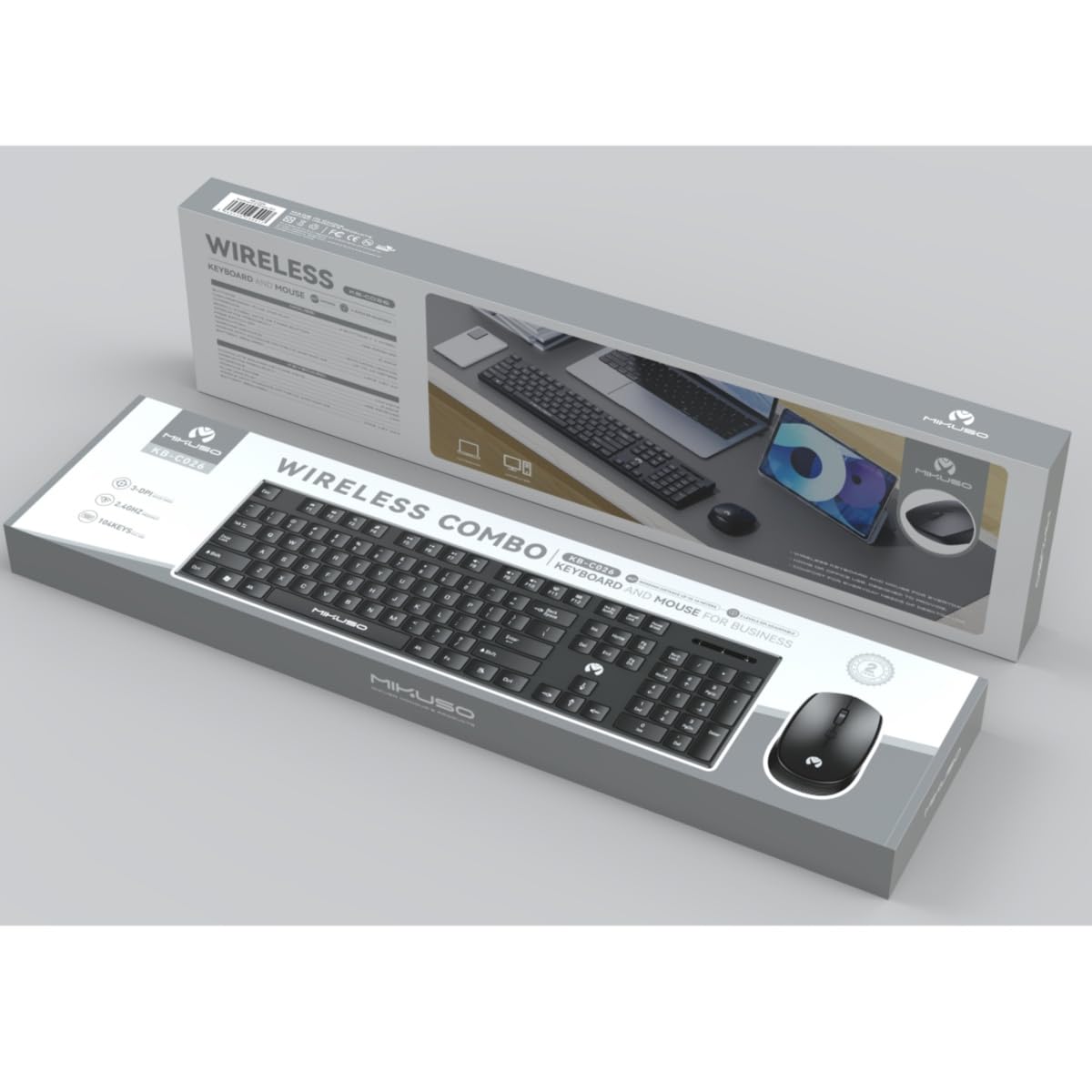
Image 1: MIKUSO KB-C026 Wireless Keyboard and Mouse Combo. This image displays the full-size keyboard, ergonomic mouse, and the compact USB receiver, illustrating the components included in the set.
5. Návod k obsluze
5.1. Použití klávesnice
- psaní: Use the full QWERTY layout for standard typing.
- Numerická klávesnice: The dedicated numeric keypad on the right side is ideal for data entry and calculations. Ensure the 'Num Lock' key is active if numbers are not registering.
- Funkční klávesy (F1–F12): These keys perform various functions, often in combination with the 'Fn' key, depending on your operating system and software.
5.2. Použití myši
- Levé kliknutí: Primární akce, výběr.
- Klikněte pravým tlačítkem myši: Otevře kontextové nabídky.
- Rolovací kolečko: Procházejte dokumenty a web pages. The scroll wheel may also function as a middle click.
- Hnutí: Pohybem myši na rovném povrchu ovládáte kurzor na obrazovce.
6. Údržba
- Čištění: K čištění povrchů klávesnice a myši používejte měkký, suchý hadřík. V případě odolných nečistot použijte lehceamp Lze použít hadřík s jemným mýdlem, ale zajistěte, aby se do zařízení nedostala žádná tekutina.
- Výměna baterie: When the devices become unresponsive or exhibit delayed input, replace the batteries. Ensure correct polarity.
- Skladování: Pokud zařízení delší dobu nepoužíváte, vypněte jej, abyste šetřili baterii. Skladujte na chladném a suchém místě.
7. Řešení problémů
| Problém | Řešení |
|---|---|
| Klávesnice/myš nereaguje |
|
| Zpoždění nebo přerušované připojení |
|
| Numerická klávesnice nefunguje |
|
8. Specifikace
- Model: KB-C026
- Konektivita: Bezdrátové připojení 2.4G
- Bezdrátový dosah: Až 10 metrů (33 stop)
- Rozložení klávesnice: Full-size QWERTY with Numeric Keypad
- Typ myši: Ergonomic, Optical
- Přijímač: USB Nano přijímač
- Kompatibilita: Windows 7, Windows 8, Windows 10, Windows 11 (Desktop and Laptop Computers)
- Zdroj napájení: Batteries (not included, typically AA/AAA for devices)
9. Záruka a podpora
This product is covered by a standard manufacturer's warranty. For specific warranty terms and conditions, please refer to the documentation provided at the time of purchase or contact your retailer. If you encounter any issues or require technical assistance, please contact the seller or manufacturer's customer support through the details provided on your purchase receipt or the product packaging.


