
1. Úvod
The TP-Link UB600 is a compact Bluetooth 6.0 USB adapter designed for PCs. It enhances connection security and stability compared to previous Bluetooth generations, providing reliable wireless connectivity for various Bluetooth-enabled devices. Its ultra-small nano design allows it to remain discreetly plugged into a USB port, making it ideal for mobile use or permanent connection.
This adapter supports Windows 11, 10, 8.1, and 7. For Windows 11, 10, and 8.1, it offers Plug & Play functionality. For Windows 7, driver installation is required.
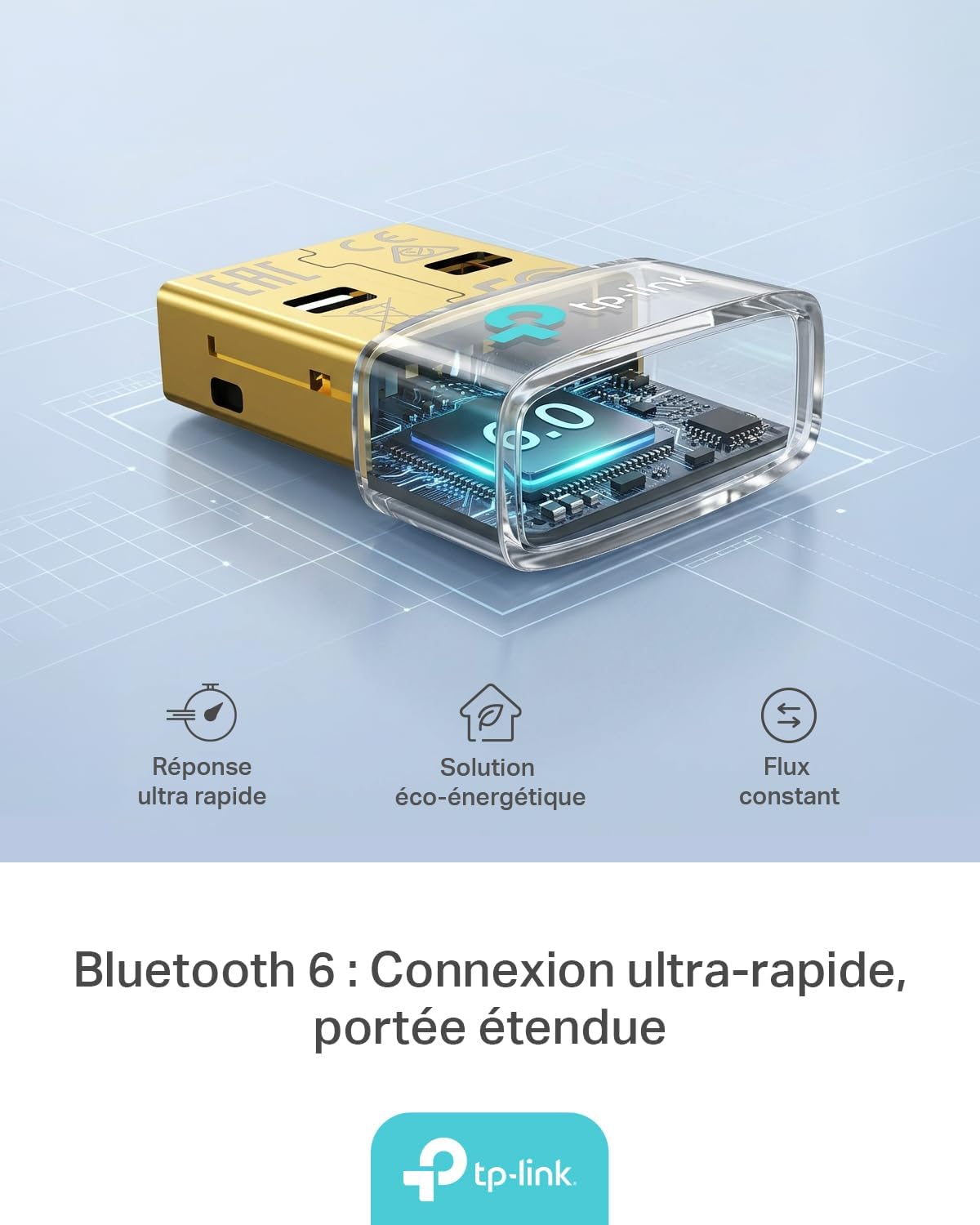
Figure 1: TP-Link UB600 Bluetooth 6.0 USB Adapter showcasing its key features: ultra-fast response, energy-saving solution, and constant data flow.
2. Pokyny k nastavení
2.1 Systémové požadavky
- Operating System: Windows 11, Windows 10, Windows 8.1, Windows 7.
- Dostupný USB port.
2.2 Instalace
- Vložte adaptér: Plug the TP-Link UB600 Bluetooth USB adapter into an available USB port on your computer.

Figure 2: The UB600 adapter discreetly plugged into a laptop's USB port, demonstrating its compact design.
- Instalace ovladače:
- For Windows 11, 10, 8.1: The adapter is Plug & Play. Your operating system should automatically detect and install the necessary drivers. No manual installation is typically required.
- Pro Windows 7: Driver installation is required. Please visit the official TP-Link webweb (www.tp-link.com) to download the latest drivers for the UB600 model. Follow the on-screen instructions to complete the installation.

Figure 3: Visual representation of the UB600's compatibility with different Windows versions and various Bluetooth peripherals like smartphones, headphones, controllers, and keyboards.
- Ověření: After installation, check your computer's Device Manager to ensure the Bluetooth adapter is recognized and functioning correctly.
3. Návod k obsluze
3.1 Párování zařízení Bluetooth
Once the UB600 adapter is installed, you can pair it with your Bluetooth-enabled devices:
- Povolit Bluetooth: Ensure Bluetooth is enabled on your computer. You can usually find this in the Windows Settings (Settings > Devices > Bluetooth & other devices).
- Put Device in Pairing Mode: Place your Bluetooth device (e.g., headphones, mouse, keyboard) into pairing mode. Refer to your device's manual for specific instructions.
- Přidat zařízení: On your computer, click "Add Bluetooth or other device" and select "Bluetooth".
- Vyberte zařízení: Váš počítač prohledá zařízení Bluetooth v okolí. Vyberte své zařízení ze seznamu a dokončete proces párování podle pokynů na obrazovce.
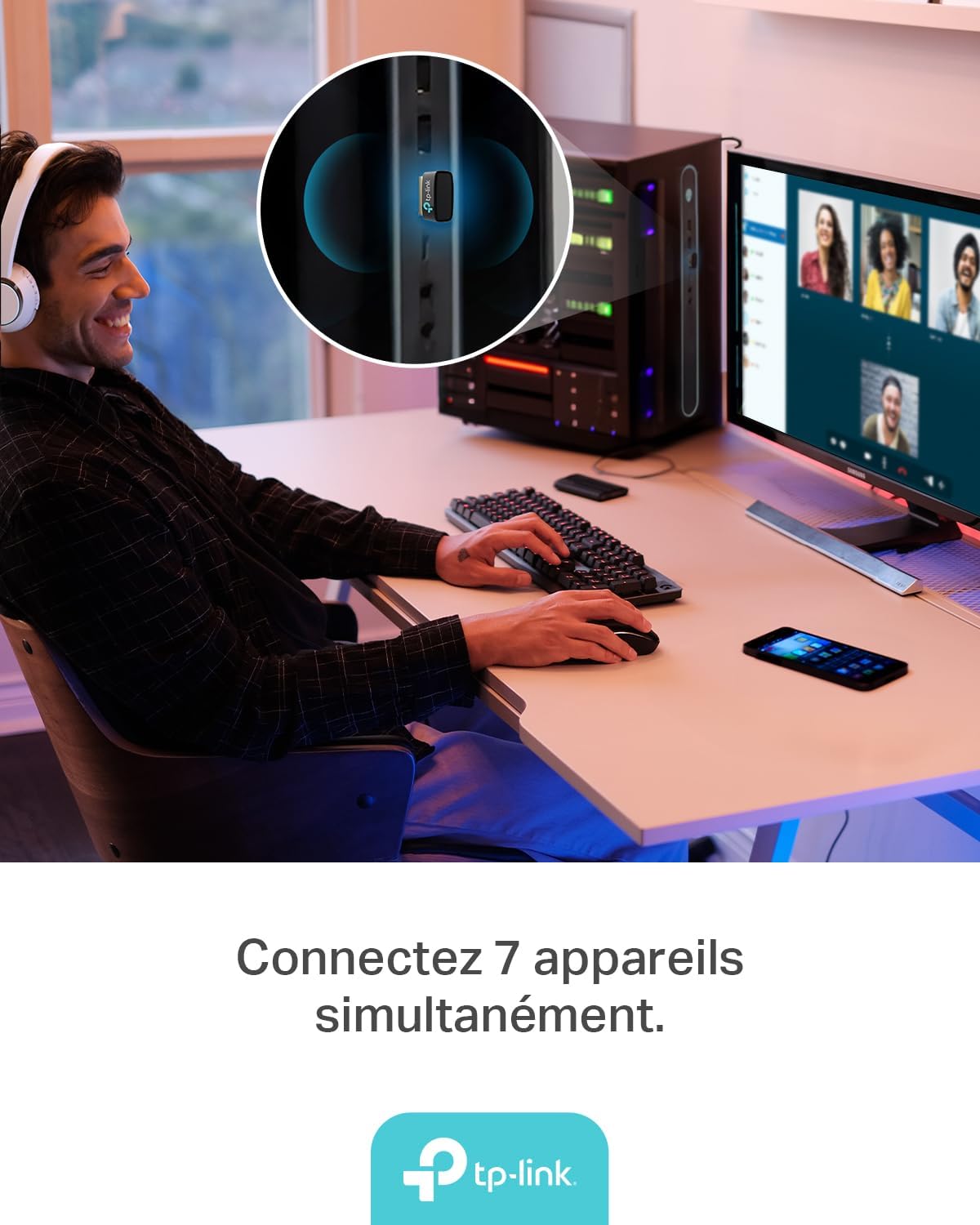
Figure 4: The UB600 adapter allows simultaneous connection of up to 7 Bluetooth devices, enhancing productivity and convenience.
3.2 Bluetooth 6.0 Advantages
The UB600 utilizes Bluetooth 6.0 technology, offering several improvements:
- Vylepšené zabezpečení: Provides improved security features for your wireless connections.
- Increased Stability: Offers a more stable and reliable connection compared to older Bluetooth versions.
- Faster Speeds (EDR): Supports Enhanced Data Rate (EDR) for quicker data transfer.
- Reduced Power Consumption (BLE): Utilizes Bluetooth Low Energy (BLE) for energy-efficient operation, especially beneficial for battery-powered devices.

Figure 5: The UB600 adapter contributes to daily efficiency with faster speeds (EDR) and reduced power consumption (BLE).
4. Údržba
The TP-Link UB600 is designed for durability and requires minimal maintenance. To ensure optimal performance and longevity:
- Udržujte v čistotě: Periodically clean the adapter's exterior with a soft, dry cloth. Avoid using liquid cleaners or solvents.
- Chraňte před poškozením: While compact, avoid subjecting the adapter to physical shocks, extreme temperatures, or moisture.
- Pevné připojení: Ensure the adapter is securely plugged into the USB port to prevent intermittent connections.
5. Řešení problémů
If you encounter issues with your TP-Link UB600 adapter, consider the following steps:
- Adaptér nebyl detekován:
- Zkuste zapojit adaptér do jiného USB portu.
- Restartujte počítač.
- For Windows 7, ensure drivers are correctly installed from the TP-Link webmísto.
- Nelze spárovat zařízení:
- Ensure Bluetooth is enabled on your computer and the device you are trying to pair.
- Make sure your device is in pairing mode.
- Check if the device is already paired with another computer or adapter.
- Move the device closer to the computer to rule out range issues.
- Přerušované připojení:
- Ensure there are no major obstructions between the adapter and the Bluetooth device.
- Avoid placing the adapter near sources of strong electromagnetic interference (e.g., Wi-Fi routers, microwaves).
- Update your computer's operating system and Bluetooth drivers to the latest versions.
Pro další pomoc navštivte oficiální podporu TP-Link. webmísto.
6. Specifikace
| Funkce | Detail |
|---|---|
| Číslo modelu | UB600 |
| Rozhraní | USB |
| Verze Bluetooth | Bluetooth 6.0 |
| Rychlost přenosu dat | 2 Mbps |
| Kompatibilní operační systémy | Windows 11, Windows 10, Windows 8.1, Windows 7 |
| Kompatibilní zařízení | Computer, Laptop (for connecting mouse, keyboard, headset, smartphone, controller, etc.) |
| Rozměry (D x Š x V) | 0.68 x 1.89 x 1.48 cm |
| Hmotnost | 10 gramů |
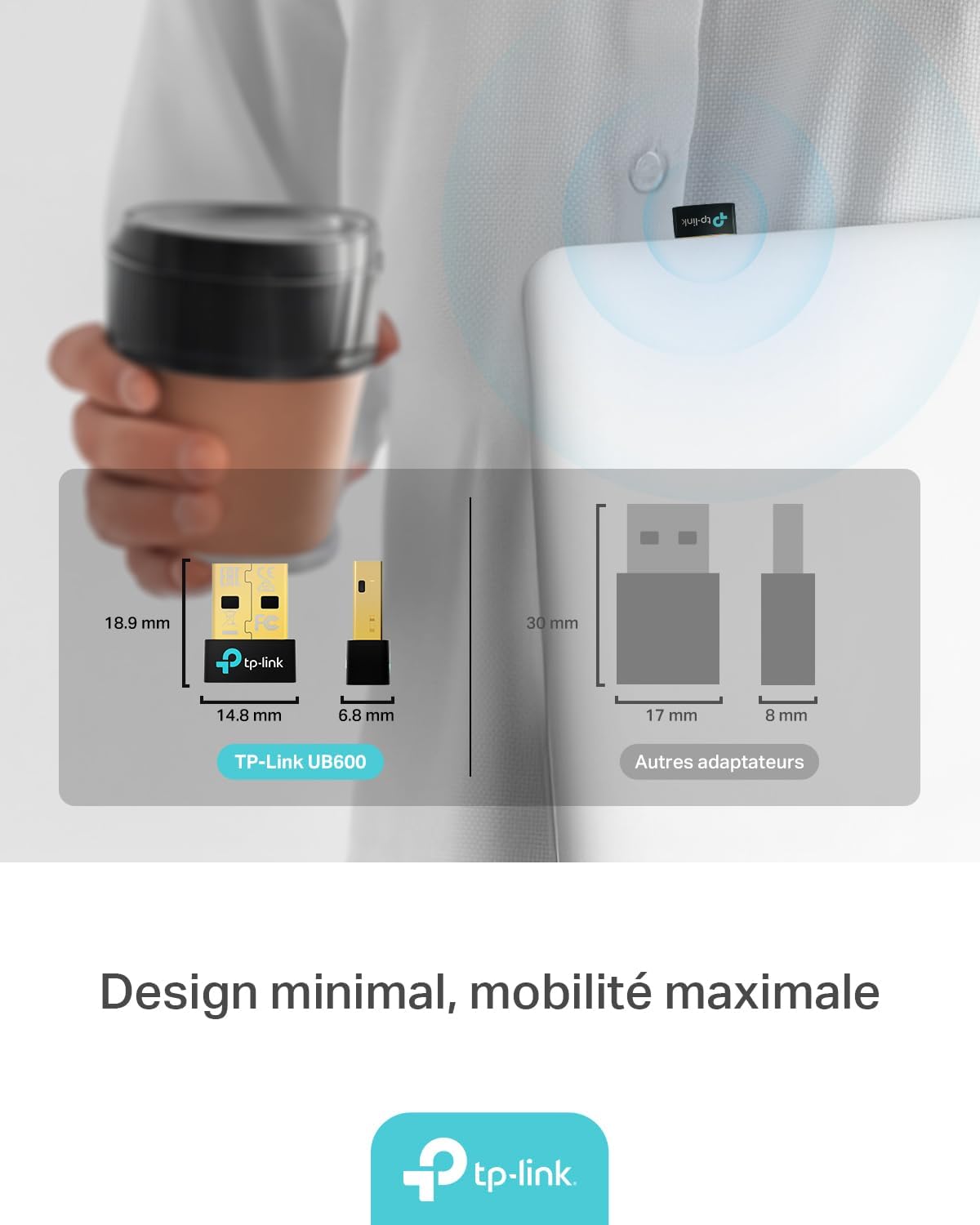
Figure 6: The UB600's minimal design ensures maximum mobility and discreet integration with your device.
7. Informace o záruce
Podrobné informace o záruce naleznete v záruční kartě dodané s vaším produktem nebo na oficiálních webových stránkách TP-Link. webZáruční podmínky se mohou lišit v závislosti na regionu.
8. Technická podpora
If you require technical assistance or have questions regarding your TP-Link UB600 Bluetooth USB Adapter, please visit the TP-Link support webmísto:
You can find FAQs, driver downloads, and contact information for customer service on their webmísto.