
1. Úvod
This manual provides essential instructions for the safe and efficient operation of your TATTMUSE A28U Portable Thermal Printer. Please read this manual thoroughly before using the device and retain it for future reference. The TATTMUSE A28U is a compact, inkless thermal printer designed for portability and convenience, supporting various paper sizes including A4, A5, and B5.
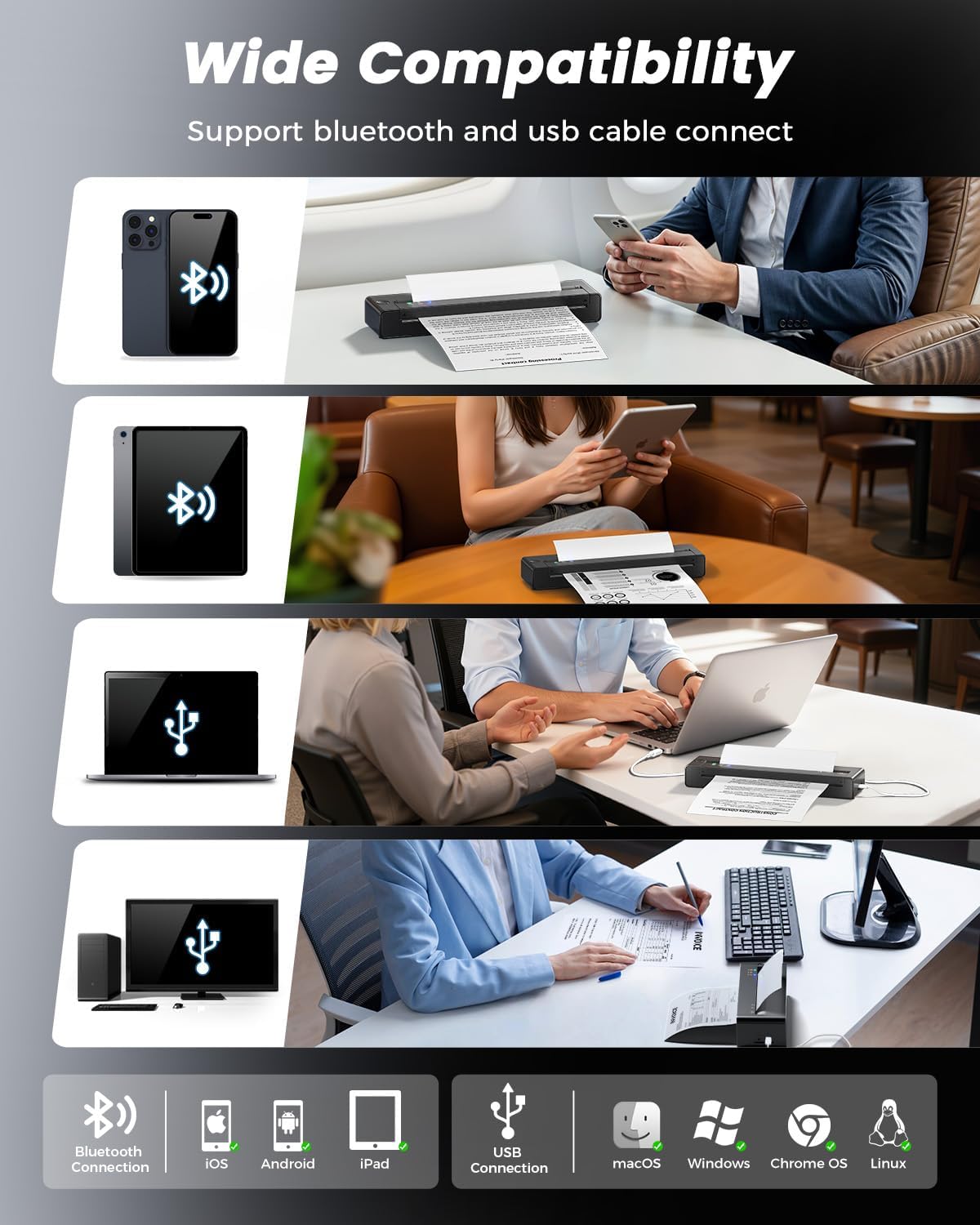
The printer utilizes advanced thermal direct technology, eliminating the need for ink cartridges, toner, or ribbons. It features an upgraded print head with dual-zone heat control for consistent print quality and a jam reversal function for reliable paper handling. Connectivity options include Bluetooth and USB, making it compatible with iOS, Android, tablets, and laptops.
2. Co je v krabici
Před zahájením instalace ověřte, zda jsou v balení přítomny všechny položky.
- 1 x TATTMUSE A28U Portable Printer
- 10 x A4 Size Thermal Papers
- 1 x Uživatelská příručka
- 1 x USB-C kabel

3. Nastavení
3.1 Zapnutí a nabíjení
To power on the printer, press and hold the power button until the indicator lights illuminate. For initial use, ensure the printer is fully charged using the provided USB-C cable. The printer features cool charging technology to extend battery lifespan.


3.2 Vkládání papíru
The TATTMUSE A28U printer supports thermal paper only. It is compatible with single sheets and continuous roll thermal paper in various sizes (A4, A5, B5, Letter). To load paper, gently insert the paper into the paper slot until the printer automatically feeds it into position. Ensure the paper is centered for optimal printing.


Video: Instructions on how to correctly load roll thermal paper into the printer for the first time, including removing the initial adhesive section.
3.3 App and Driver Installation
For mobile devices (iOS/Android), download the "SoPrint" app from your device's app store. For computers (Windows/macOS/Chrome OS/Linux), drivers can be found on the official TATTMUSE website (refer to the included Quick Start Guide for the specific URL).


3.4 Konektivita
The printer supports both Bluetooth and USB connectivity.
- Připojení Bluetooth: After installing the "SoPrint" app, enable Bluetooth on your mobile device. Open the app and follow the on-screen instructions to pair with the A28U printer.
- USB připojení: Connect the printer to your computer using the provided USB-C cable. Ensure the appropriate drivers are installed for your operating system. The printer should then appear as an available printing device.

4. Návod k obsluze
4.1 Printing from the Mobile App
- Ensure the printer is powered on and connected via Bluetooth to your mobile device.
- Open the "SoPrint" app.
- Select the document or image you wish to print. The app supports various file types including Word, TXT, PDF, Excel, JPG, and PPT.
- Adjust print settings (e.g., paper size, density) within the app if necessary.
- Klepnutím na tlačítko tisku spusťte tisk.

4.2 Tisk z počítače
- Ensure the printer is powered on and connected via USB to your computer, or paired via Bluetooth if supported by your computer's operating system.
- Otevřete dokument popř file chcete tisknout na počítači.
- Go to the print option (usually File > Tisk).
- Select "TATTMUSE A28U" from the list of available printers.
- Podle potřeby upravte nastavení tisku (např. velikost papíru, orientaci).
- Kliknutím na tlačítko „Tisk“ odešlete úlohu do tiskárny.
Video: A general user operation guide for a portable thermal printer, demonstrating basic printing steps.
5. Údržba
5.1 Čištění tiskové hlavy
To maintain optimal print quality, regularly clean the print head. Turn off the printer and allow it to cool. Gently wipe the print head with a soft, lint-free cloth lightly dampened with isopropyl alcohol. Do not use abrasive materials or harsh chemicals.
5.2 Péče o baterii
To prolong battery life, avoid fully discharging the printer frequently. Store the printer in a cool, dry place when not in use for extended periods. Charge the printer regularly, even if not in active use, to prevent deep discharge.
6. Řešení problémů
6.1 Zaseknutý papír
If a paper jam occurs, the TATTMUSE A28U features an automatic jam reversal function. Double-tap the designated area on the printer (refer to the Quick Start Guide for exact location) to activate this function, which will automatically reverse stuck paper. Avoid manually pulling out jammed paper, as this can damage the printer mechanism.

6.2 Špatná kvalita tisku
- Ujistěte se, že používáte termopapír. This printer does not support regular copy paper.
- Vyčistěte tiskovou hlavu podle pokynů v části Údržba.
- Check the paper for any damage or wrinkles before loading.
- Ensure the paper is loaded correctly and centered.
6.3 Problémy s připojením
- Bluetooth: Ensure Bluetooth is enabled on your device and the printer is within range. Restart both the printer and your device. Try unpairing and re-pairing the printer in your device's Bluetooth settings.
- USB: Verify the USB-C cable is securely connected to both the printer and the computer. Ensure the correct drivers are installed on your computer. Try a different USB port or cable.
7. Specifikace
| Funkce | Specifikace |
|---|---|
| Značka | TATTMUSE |
| Název modelu | A28U |
| Technologie připojení | Bluetooth, USB |
| Technologie tisku | Tepelný |
| Tiskový výstup | Monochromatický |
| Maximální rychlost černobílého tisku | 15 ppm |
| Hmotnost položky | 841 gramů |
| Rozměry produktu (D x Š x V) | 10.6 D x 34.8 W x 7.9 V centimetrů |
| Typ ovladače | Android, iOS |
| Tisková média | Termální papír |
| Rezoluce | 203 x 203 dpi |
| Maximální podporovaná velikost papíru | Letter (8.5 x 11 inches) / A4 / A5 / B5 |
| Maximální kapacita listů | 50 |
| Kapacita baterie | 1500 XNUMX mAh |
| Oboustranný tisk | Žádný |
8. Záruka a podpora
8.1 Záruka na produkt
The TATTMUSE A28U Portable Thermal Printer comes with a 1-year product warranty from the date of purchase. This warranty covers manufacturing defects and malfunctions under normal use. It does not cover damage caused by misuse, accidents, unauthorized modifications, or use of non-approved consumables.
8.2 Zákaznická podpora
For technical assistance, troubleshooting, or warranty claims, please contact TATTMUSE customer support through the official website or the contact information provided in your purchase documentation. Please have your model number (A28U) and proof of purchase ready when contacting support.