
1. Nastavení
This section guides you through the initial setup of your ATTACK SHARK R68 HE keyboard.
1.1 Připojení klávesnice
The R68 HE keyboard is a wired device. Connect the provided USB-C cable to the keyboard's port and the other end to an available USB port on your PC or Mac. The keyboard will be automatically recognized by your operating system.
1.2 Instalace ovladačů a softwaru
For full customization and advanced features, it is recommended to use the dedicated software. You can access the web-based driver or download the software from the official ATTACK SHARK webmísto.
Quick Calibration Guide
Follow these steps to calibrate your keyboard for optimal performance:
- Otevřete web driver or the downloaded software.
- In the "Keyboard Setting" panel, find "Travel Calibration" on the right side and click it.
- In the pop-up window, select "Start Calibration."
- Follow the on-screen instructions, then click "Calibration Complete" to finish.

Image: Software interface showing the steps for quick calibration, including selecting 'Travel Calibration' and 'Start Calibration'.
2. Návod k obsluze
Understand the advanced features and controls of your R68 HE keyboard.
2.1 Funkce výkonu
The R68 HE is engineered for high-performance gaming:
- Rapid Trigger (RT) Technology: Features 0.005mm adjustable RT technology for ultra-fast keystroke registration and lightning-fast stops.
- Ultra nízká latence: Achieves 0.08ms latency with an 8000Hz polling rate.
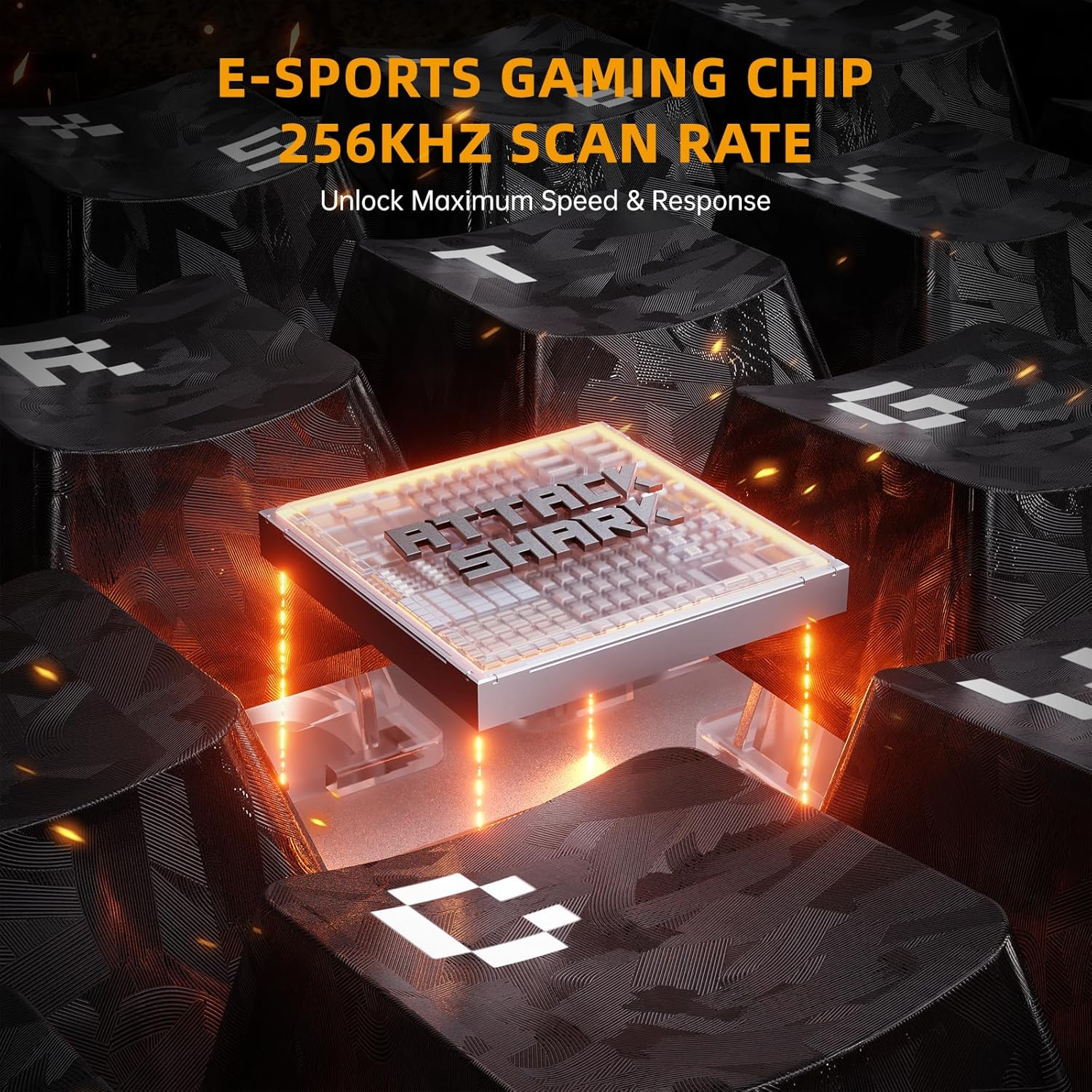
- Vysoká rychlost skenování: Equipped with a 256K scan rate for maximum speed and response.
- Nastavitelný bod aktivace: Customize the actuation distance from 0.1mm to 3.4mm across the entire key travel.
- Dynamic Keystrokes: Supports advanced functions like DKS (Dynamic Key Stroke), MT (Macro Trigger), and TGL (Toggle).

Image: A composite image highlighting key features such as 8000Hz polling rate, 0.005mm RT accuracy, 256K scan rate, and adjustable actuation point.
2.2 Magnetické spínače s Hallovým efektem
The keyboard features pre-installed custom magnetic switches that offer a smooth feel and precise actuation. These switches are hot-swappable, allowing you to replace them with 8 types of high-performance magnetic switches to suit your playstyle.
Obrázek: Podrobný view of a magnetic switch, illustrating its components and specifications.
2.3 Přizpůsobení RGB osvětlení
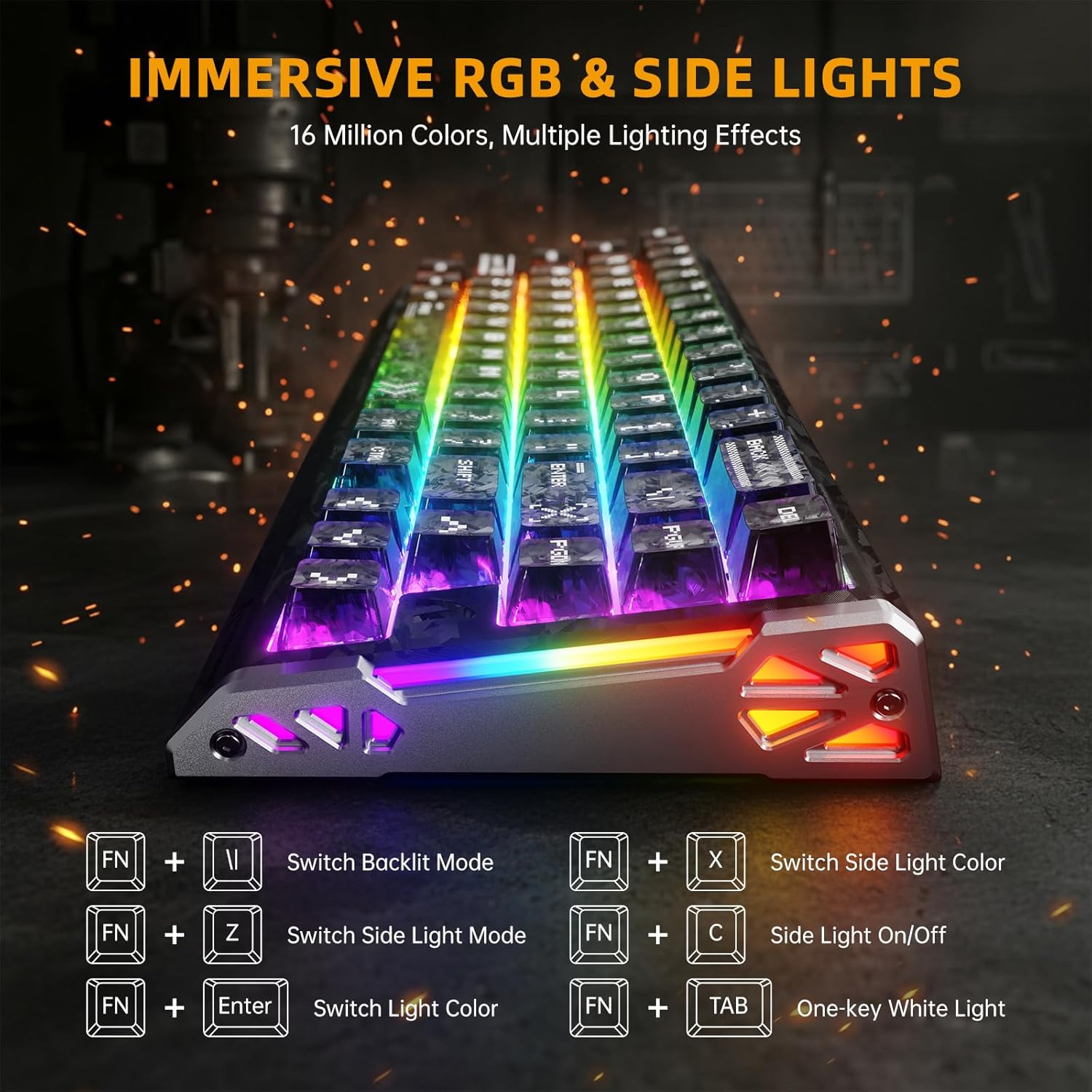
Elevate your setup with dual-sided dynamic RGB light strips and custom per-key RGB featuring 16.8 million colors. Use the following FN key combinations to control the lighting:
- FN + \|: Switch Backlit Mode
- FN + X: Switch Side Light Color
- FN + Z: Switch Side Light Mode
- FN + C: Side Light On/Off
- FN + Enter: Přepnout barvu světla
- FN + Tab: One-key White Light
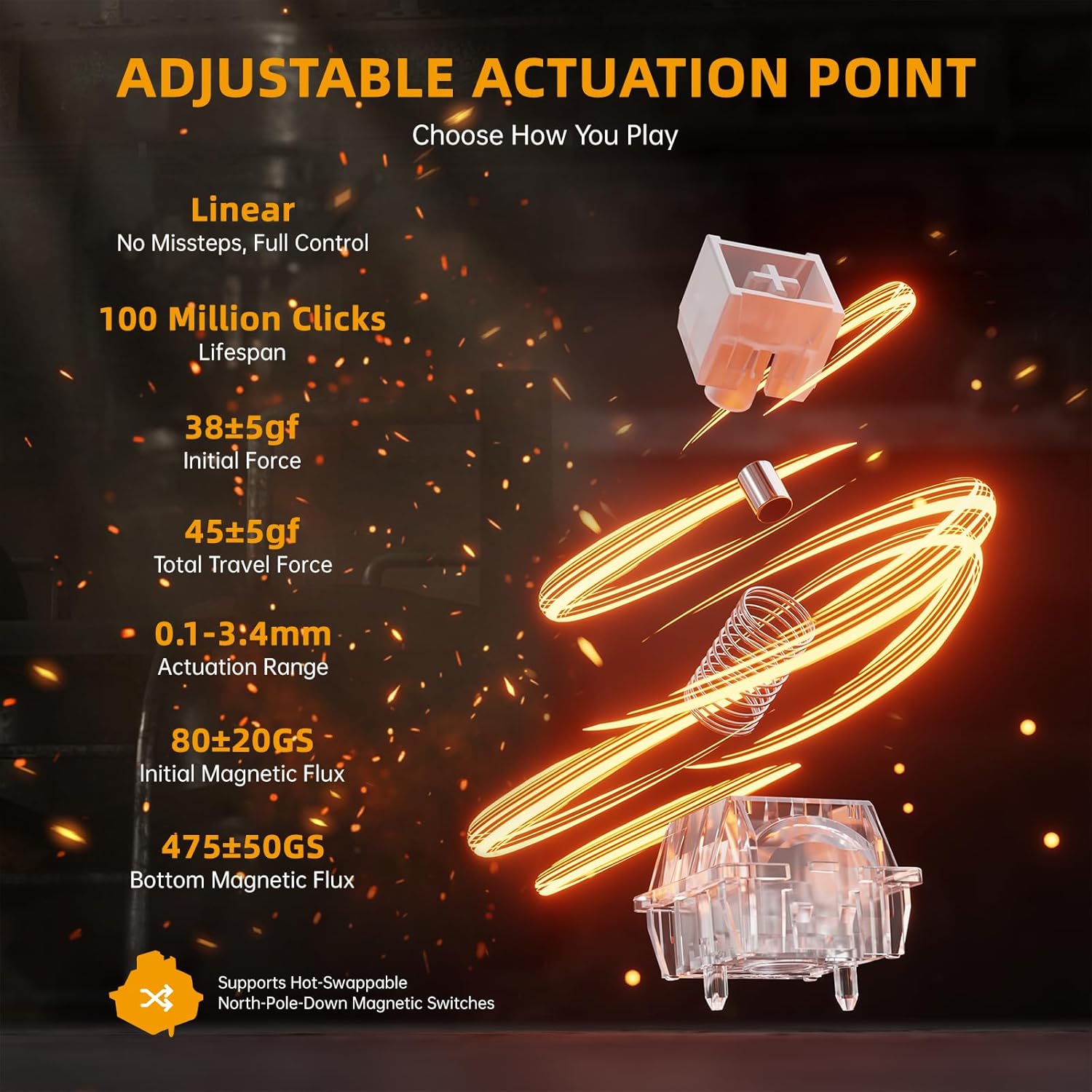
Image: The keyboard displaying various RGB lighting effects, with a diagram of FN key combinations for lighting control.
2.4 Macro Programming and Compatibility
Intuitivní web-based driver or downloaded software allows for full-key macro programming. Create complex macros like Rapid Trigger (RT), SOCD (Simultaneous Opposite Cardinal Directions), and other advanced functions. Your settings are saved even when you switch devices. The keyboard is compatible with Windows and Mac systems.
Video: Oficiální video s produktemasing the ATTACK SHARK R68 HE keyboard's features, including its rapid trigger, low latency, magnetic switches, and customizable RGB lighting. This video provides a visual demonstration of the keyboard's performance and design.
3. Údržba
Správná údržba zajistí dlouhou životnost a výkon vaší klávesnice.
3.1 Čištění klávesnice
Chcete-li vyčistit klávesnici, odpojte ji od počítače. Použijte měkký hadřík, který nepouští vlákna, lehce navlhčený.ampened with water or a mild cleaning solution to wipe down the keycaps and chassis. For dust and debris between keys, use compressed air. Avoid spraying liquids directly onto the keyboard.
3.2 Péče o klávesy a spínače
The R68 HE features hot-swappable magnetic switches. If you wish to replace keycaps or switches, use the provided keycap puller and switch puller tools. Gently pull keycaps straight up to remove them. For switches, use the switch puller to carefully dislodge them. Ensure proper alignment when reinserting to avoid damage.
Zvuk Dampsystém
The keyboard incorporates a 6-layer sound dampening system for an optimal typing sound. This internal structure is not user-serviceable and should not be disassembled.
Obrázek: Explodoval view diagram of the keyboard's internal 6-layer sound dampeningová struktura.
4. Řešení problémů
Řešení běžných problémů naleznete v této části.
4.1 Keyboard Not Connecting/Responding
- Zkontrolujte kabelové připojení: Ensure the USB-C cable is securely plugged into both the keyboard and your computer. Try a different USB port.
- Restartujte počítač: Problémy s připojením může často vyřešit jednoduchý restart.
- Driver/Software Check: Verify that the keyboard software is installed correctly and up to date. Reinstall if necessary.
- Test na jiném zařízení: Pokud je to možné, vyzkoušejte klávesnici na jiném počítači, abyste zjistili, zda je problém s klávesnicí nebo s vaším systémem.
4.2 RGB Lighting Not Working Correctly
- Check FN Key Combinations: Ensure you are using the correct FN key combinations to cycle through lighting modes and colors (refer to section 2.3).
- Nastavení softwaru: Open the keyboard software and check the RGB lighting settings. Ensure no profiles are overriding your desired effects.
- Aktualizace firmware: Check for any available firmware updates for your keyboard through the official software.
4.3 Klávesy se neregistrují nebo se píší dvakrát
- Čištění pod klávesami: Dust or debris under the keycaps can interfere with switch operation. Refer to section 3.1 for cleaning instructions.
- Rekalibrace přepínačů: Perform the travel calibration process as described in section 1.2.
- Zkontrolujte fyzické poškození: Inspect the affected switch for any visible damage. If a switch is faulty, it may need to be replaced (refer to section 3.2).
5. Specifikace
Detailed technical specifications for the ATTACK SHARK R68 HE keyboard.
| Funkce | Detail |
|---|---|
| Značka | ÚTOČNÉHO ŽRALOKA |
| Model | R68 HE |
| Technologie připojení | Kabelové USB-C |
| Popis klávesnice | Mechanické |
| Typ přepínače | Linear Hall Effect Magnetic Switch |
| Míra hlasování | 8 kHz |
| Latence | 0.08 ms |
| Přesnost RT | 0.005 mm |
| Rychlost skenování | 256 tis |
| Rozsah ovládání | 0.1-3.4 mm (nastavitelné) |
| Materiál krytky klíče | PBT (Forged Carbon Fiber Pattern) |
| Materiál podvozku | Carbon Fiber (top case), CNC Aluminum Alloy (side accents) |
| Zvuk Dampening | 6-Layer Filling System |
| Podsvícení | Custom Per-Key RGB, Dual-sided Dynamic RGB Strips |
| Počet klíčů | 68 |
| Rozložení klávesnice | 60% ANSI (QWERTY) |
| Kompatibilní zařízení | PC, Mac, Laptop |
| Podpora operačního systému | Windows 10+, Mac OS 10.15+ |
6. Záruka a podpora
ATTACK SHARK products are manufactured to high-quality standards. This product comes with a standard manufacturer's warranty against defects in materials and workmanship.
6.1 Informace o záruce
Please retain your proof of purchase for warranty claims. The warranty period typically covers manufacturing defects under normal use. Damage resulting from misuse, accidents, unauthorized modifications, or improper installation is not covered.
6.2 Zákaznická podpora
For technical assistance, warranty claims, or product inquiries, please contact ATTACK SHARK customer support through their official website or the retailer where you purchased the product. You can also visit the Obchod ATTACK SHARK na Amazonu další informace a zdroje podpory.