
Zavedení
Thank you for choosing the Aiwa AW-TR102 Bluetooth Trolley Party Speaker. This manual provides essential information for the safe and efficient operation of your speaker. Please read it thoroughly before use and retain it for future reference.
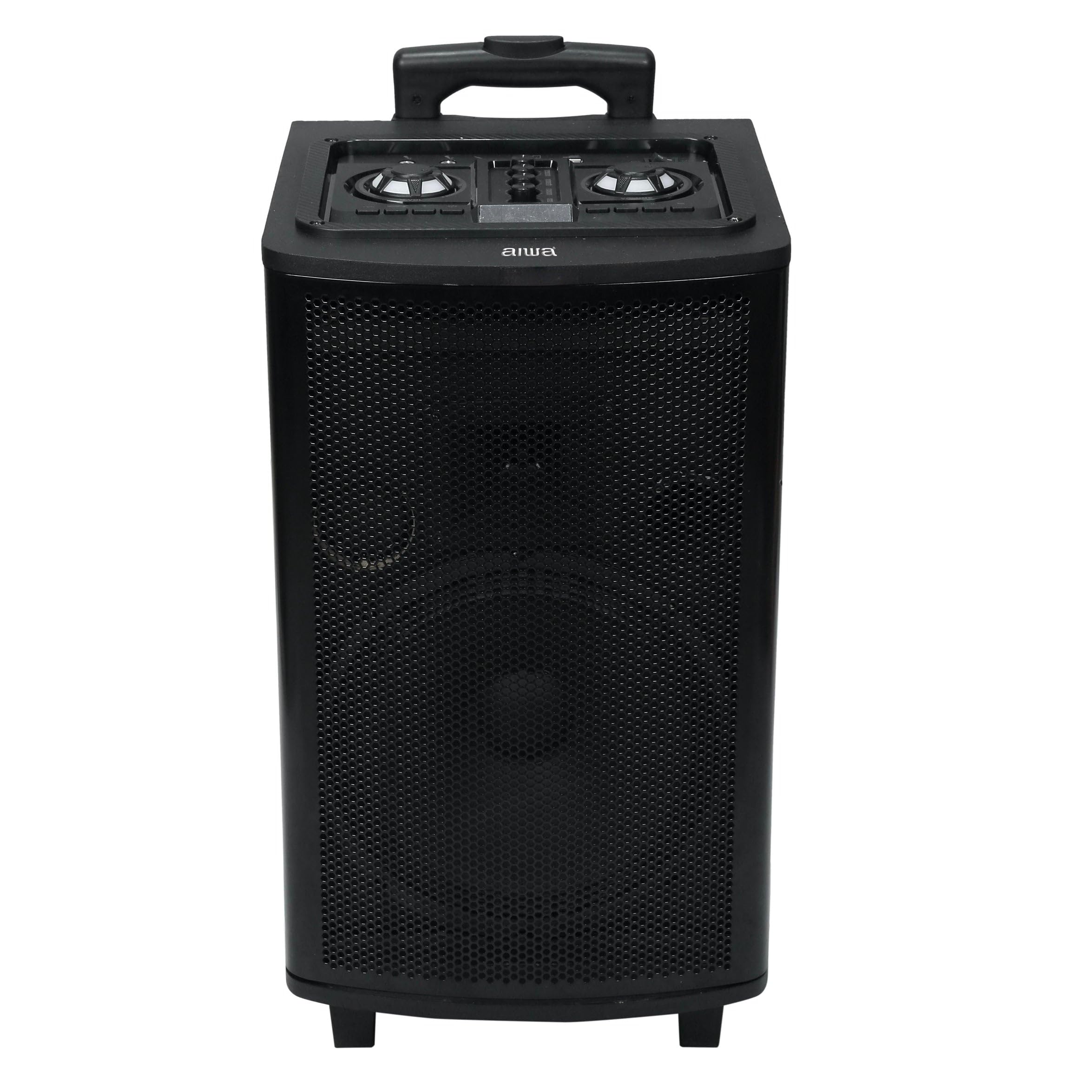
Image: Aiwa AW-TR102 Bluetooth Trolley Party Speaker, showcasing its portable design with an extended handle and wheels.
The Aiwa AW-TR102 is a powerful 150W speaker featuring a 12-inch subwoofer, dual wireless microphones, RGB LED lights, and multiple connectivity options including Bluetooth, USB, AUX, and FM radio. Its trolley design ensures easy portability for various events.
Obsah balení
- Aiwa AW-TR102 Trolley Party Speaker
- 2 bezdrátové mikrofony
- Dálkové ovládání
- Napájecí adaptér
- Uživatelská příručka (tento dokument)
Nastavení
1. Nabíjení reproduktoru
- Připojte dodaný napájecí adaptér k nabíjecímu portu reproduktoru.
- Plug the adapter into a 220V AC power outlet.
- Rozsvítí se kontrolka nabíjení. Plné nabití trvá přibližně 4–6 hodiny.
- A fully charged battery provides up to 6 hours of playback time, depending on usage volume and LED light activity.
2. Počáteční zapnutí
- Locate the Power button on the control panel.
- Stiskněte a několik sekund podržte tlačítko napájení, dokud se reproduktor nezapne.
3. Nastavení mikrofonu
- Insert two AA batteries (not included) into each wireless microphone, observing polarity.
- Zapněte mikrofony pomocí příslušných vypínačů.
- The microphones will automatically pair with the speaker.

Image: Top control panel of the Aiwa AW-TR102 speaker, showing various input ports and control knobs for volume, echo, and mode selection.
Návod k obsluze
1. Výběr režimu
Stiskněte tlačítko Režim button on the control panel or remote control to switch between Bluetooth, USB, AUX, and FM radio modes.
2. Připojení Bluetooth
- Power on the speaker and select Bluetooth mode. The speaker will indicate it is ready for pairing.
- Povolte Bluetooth na svém mobilním zařízení nebo počítači.
- Hledat "AW-TR102" in the list of available devices and select it to pair.
- Po spárování reproduktor potvrdí připojení a vy můžete začít přehrávat zvuk ze svého zařízení.
- Dosah Bluetooth je přibližně 10 metrů.
3. Přehrávání z USB
- Vložte USB flash disk s audio soubory ve formátu MP3 filedo portu USB.
- Reproduktor se automaticky přepne do režimu USB a spustí přehrávání.
- Use the Play/Pause, Next, and Previous buttons to control playback.
4. Vstup AUX
- Připojte externí audio zařízení (např. chytrý telefon, MP3 přehrávač) do vstupního portu AUX pomocí 3.5mm audio kabelu (není součástí balení).
- Vyberte režim AUX na reproduktoru.
- Audio will play from the connected device. Control playback from the external device.
5. FM rádio
- Vyberte režim FM.
- Stiskněte tlačítko Přehrát/Pozastavit button to initiate an automatic scan for available FM stations.
- Použijte Další a Předchozí tlačítka pro navigaci mezi uloženými stanicemi.
6. Karaoke Function and Recording
- Ensure wireless microphones are connected and powered on.
- Adjust microphone volume and echo levels using the dedicated knobs on the control panel.
- To record, insert a USB drive. Press the Záznam button (if available on the control panel or remote) to start recording. Press again to stop.
7. RGB LED světla
- The speaker features dynamic RGB LED lights that sync with the music.
- Použijte Světelný režim button (if available) on the control panel or remote to cycle through different light patterns or turn them off.
8. Dynamic Bass Boost (DBB)
- The Dynamic Bass Boost feature enhances low-frequency audio.
- Activate or deactivate DBB using the dedicated button on the control panel or remote control for a deeper bass experience.
9 Funkce True Wireless Stereo (TWS)
The TWS function allows you to pair two AW-TR102 speakers for a stereo sound experience.
- Ujistěte se, že jsou oba reproduktory zapnuté a v režimu Bluetooth, aniž by byly připojeny k žádnému zařízení.
- Na jednom reproduktoru (to bude primární reproduktor) stiskněte a podržte tlačítko TWS tlačítko na několik sekund.
- The speakers will attempt to pair with each other. Once successfully paired, you will hear an audible confirmation.
- Connect your mobile device to the primary speaker via Bluetooth. Audio will now play in stereo through both speakers.
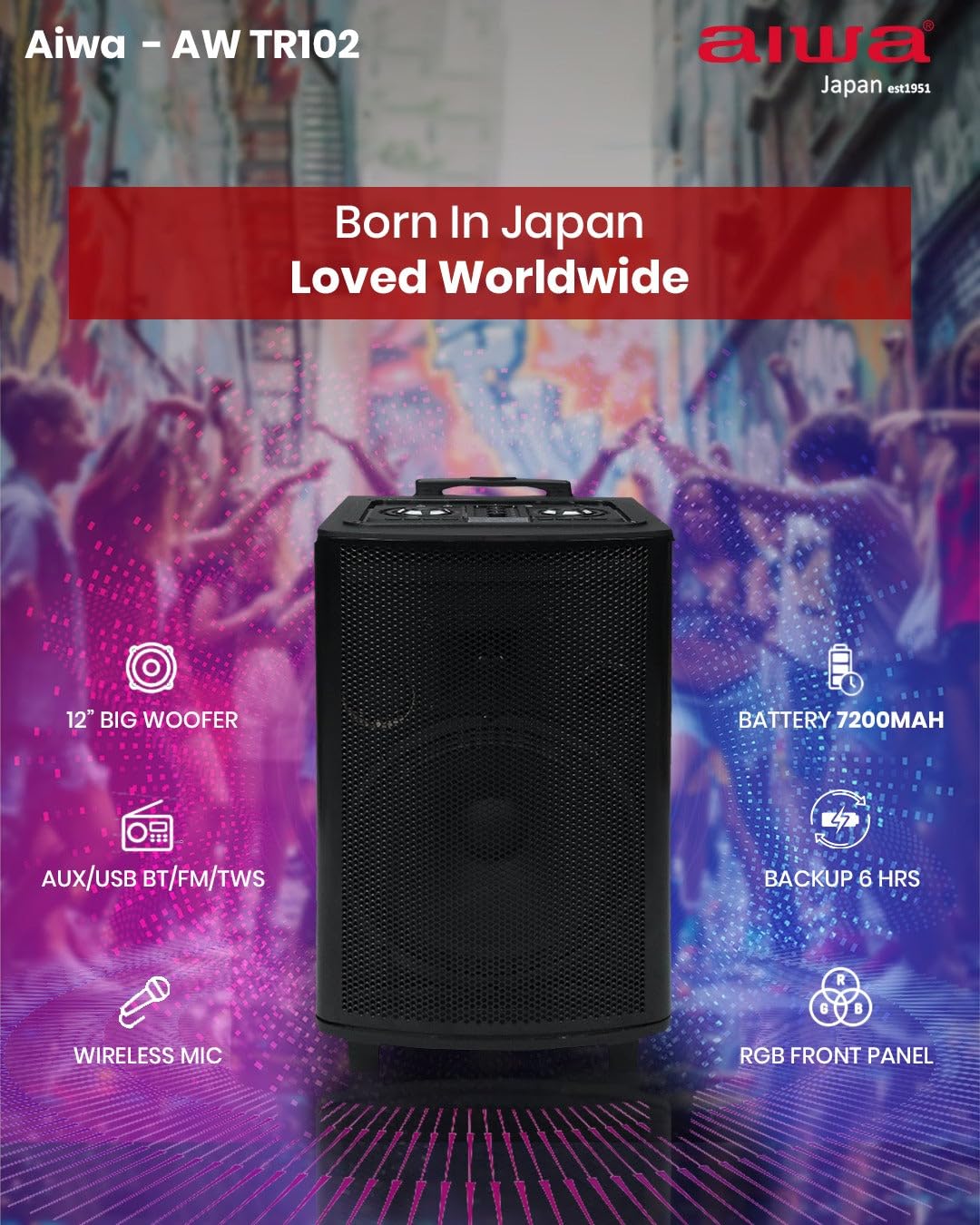
Obrázek: Funkce nadview of the Aiwa AW-TR102, illustrating key components and capabilities such as the 12" woofer, 7200mAh battery, wireless microphone, RGB front panel, and multi-connectivity options.
Údržba
- Čištění: K čištění vnější strany reproduktoru používejte měkký, suchý hadřík. Nepoužívejte abrazivní čisticí prostředky, vosky ani rozpouštědla.
- Skladování: Pokud reproduktor delší dobu nepoužíváte, skladujte jej na chladném a suchém místě mimo dosah přímého slunečního záření a extrémních teplot.
- Péče o baterie: Chcete-li prodloužit životnost baterie, vyvarujte se častého úplného vybíjení. Reproduktor pravidelně nabíjejte, i když jej nepoužíváte.
- Voděodolnost: Tento reproduktor je není voděodolnýZabraňte vystavení vodě nebo vysoké vlhkosti.
Odstraňování problémů
| Problém | Možné řešení |
|---|---|
| Reproduktor se nezapne. | Ensure the speaker is charged. Connect the power adapter and try again. |
| Z reproduktoru nevychází žádný zvuk. | Check the volume level on both the speaker and the connected device. Ensure the correct input mode (Bluetooth, USB, AUX, FM) is selected. |
| Párování Bluetooth selhalo. | Ensure the speaker is in Bluetooth pairing mode. Disable and re-enable Bluetooth on your device. Move your device closer to the speaker (within 10 meters). |
| Mikrofony nefungují. | Check if the microphones are powered on and have fresh batteries. Adjust the microphone volume knob on the speaker. |
| Špatný příjem FM rádia. | Extend the antenna fully. Try repositioning the speaker to improve signal. |
| Problémy s párováním TWS. | Ensure both speakers are in Bluetooth mode and not connected to any other device before initiating TWS pairing. Try resetting both speakers. |
Specifikace
| Funkce | Detail |
|---|---|
| Číslo modelu | AW-TR102 |
| Výstupní výkon | 150 wattů |
| Velikost wooferu | 12 palce |
| Velikost tweeteru | 3 palce |
| Konektivita | Bluetooth 5.0, USB, AUX, FM, Mic, TWS |
| Dosah Bluetooth | Až 10 metrů |
| Kapacita baterie | 7200 XNUMX mAh |
| Doba přehrávání | Až 6 hodin (při střední hlasitosti) |
| Vstupní objemtage | 220 voltů |
| Rozměry (D x Š x V) | 35H x 30Š x 65V centimetrů |
| Hmotnost | 12 kg (12000 gramů) |
| Vlastnosti | Karaoke Function, Recording, Dynamic Bass Boost, RGB LED Lights |
| Kontrolní metoda | Dálkové ovládání |
| Materiál pouzdra | Dřevo |
Informace o záruce
The Aiwa AW-TR102 speaker comes with a 1letá omezená záruka from the date of purchase. This warranty covers manufacturing defects under normal use. Please retain your purchase receipt as proof of purchase for warranty claims. The warranty does not cover damage caused by misuse, accidents, unauthorized modifications, or normal wear and tear.
Podpora
For technical assistance, warranty claims, or product inquiries, please contact Aiwa customer support:
- Telefon: 1800-120-5619
- E-mail: getintouch@aiwaindia.com
- Výrobce: AIWA INDIA SALES & SERVICES PRIVATE LIMITED