
Zavedení
Thank you for choosing the OneOdio Studio Max 1 Wireless DJ Headphone and USB-C to 3.5 mm Adapter. This manual provides essential information for the proper setup, operation, and maintenance of your device. Please read it thoroughly before use and retain it for future reference.
Obsah balení
Ověřte, zda jsou v balení přítomny všechny níže uvedené položky:
- OneOdio Studio Max 1 Wireless DJ Headphone
- USB-C to 3.5 mm Audio Adapter
- Nabíjecí kabel USB-C
- Audio kabel 3.5 mm
- Uživatelská příručka (tento dokument)
- Přenosné pouzdro (pokud je součástí balení)
Konec produktuview
Familiarize yourself with the components of your OneOdio Studio Max 1 headphones and the USB-C adapter.
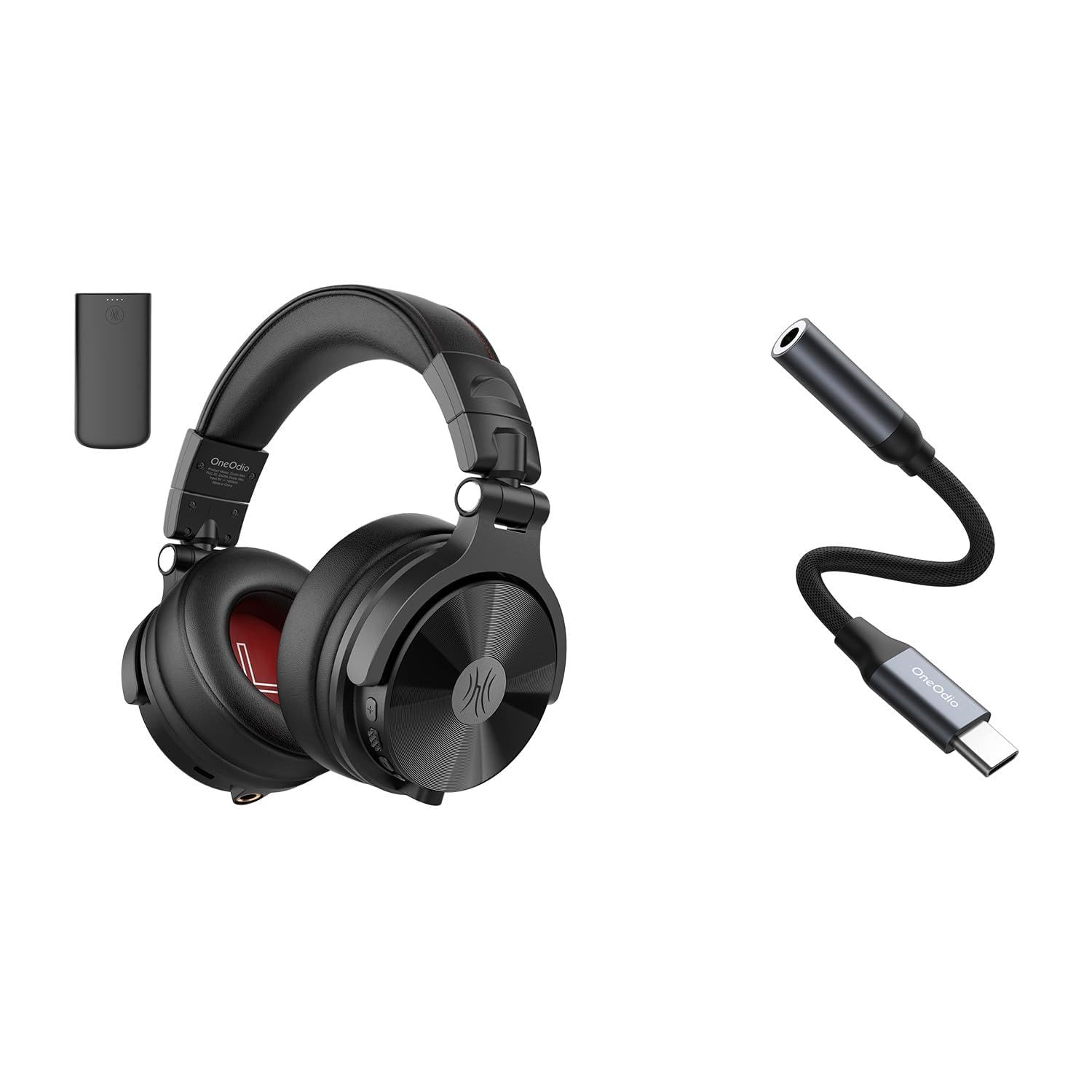
Obrázek 1: OneOdio Studio Max 1 Wireless DJ Headphone and USB-C to 3.5 mm Adapter. This image displays the headphones in their folded state alongside the USB-C to 3.5 mm adapter and included cables, providing a general view produktu a jeho příslušenství.
Komponenty sluchátek
- Vypínač: On/Off, Play/Pause, Call Answer/End
- Tlačítko zvýšení hlasitosti: Increase volume, Next track (long press)
- Tlačítko snížení hlasitosti: Decrease volume, Previous track (long press)
- Nabíjecí port USB-C: For charging the headphones
- 3.5 mm Audio Input: Pro kabelové připojení
- Mikrofon: Pro hands-free hovory
- LED indikátor: Displays power, pairing, and charging status
USB-C to 3.5 mm Adapter Components
- USB-C konektor: Connects to your device
- 3.5mm audio konektor: Connects to headphones or other audio devices
- DAC čip: Provides high-resolution audio conversion
Nastavení
Nabíjení sluchátek
Before initial use, fully charge the headphones.
- Připojte nabíjecí kabel USB-C k nabíjecímu portu USB-C na sluchátkách.
- Druhý konec kabelu připojte k USB zdroji napájení (např. k USB portu počítače, síťovému adaptéru).
- LED indikátor bude během nabíjení svítit červeně a po úplném nabití zhasne.
Obrázek 2: Illustrates the USB-C charging port on the headphones. For charging, locate this port, typically on one of the earcups, and connect the provided USB-C cable.
Párování Bluetooth (bezdrátový režim)
- Ujistěte se, že jsou sluchátka vypnutá.
- Press and hold the Power Button for approximately 5-7 seconds until the LED indicator flashes blue and red alternately. This indicates pairing mode.
- Na zvukovém zařízení (chytrý telefon, tablet, počítač) povolte Bluetooth a vyhledejte dostupná zařízení.
- Select "OneOdio Studio Max 1" from the list of found devices.
- Po spárování bude LED indikátor pomalu modře blikat.
Wired Connection (3.5 mm Audio Cable)
For a wired connection, you can use the included 3.5 mm audio cable.
- Connect one end of the 3.5 mm audio cable to the 3.5 mm audio input on the headphones.
- Connect the other end of the 3.5 mm audio cable to the 3.5 mm audio output on your device.
- Sluchátka se automaticky přepnou do kabelového režimu.
Using the USB-C to 3.5 mm Adapter
This adapter allows you to connect 3.5 mm audio devices to USB-C ports that lack a dedicated audio jack.
- Connect the USB-C end of the adapter to the USB-C port on your audio source device (e.g., smartphone, laptop).
- Connect your 3.5 mm headphones or other audio device to the 3.5 mm audio jack on the adapter.
- Ensure your device's audio output is set to the USB-C audio accessory if prompted.
Obrázek 3: Depicts the USB-C to 3.5 mm adapter. To use, insert the USB-C connector into your device and plug your 3.5 mm audio cable into the adapter's audio jack.
Návod k obsluze
Zapnutí/vypnutí
- Zapnutí: Press and hold the Power Button for 2-3 seconds until the LED indicator flashes blue.
- Vypnout: Press and hold the Power Button for 3-4 seconds until the LED indicator flashes red and then turns off.
Music Playback (Wireless Mode)
- Přehrát/pozastavit: Krátce stiskněte tlačítko napájení.
- Zvýšit hlasitost: Krátce stiskněte tlačítko pro zvýšení hlasitosti (+).
- Snížit hlasitost: Krátce stiskněte tlačítko pro snížení hlasitosti (-).
- Další skladba: Dlouze stiskněte tlačítko pro zvýšení hlasitosti (+).
- Předchozí skladba: Dlouze stiskněte tlačítko pro snížení hlasitosti (-).
Správa hovorů (bezdrátový režim)
- Přijmout/ukončit hovor: Krátce stiskněte tlačítko napájení.
- Odmítnout hovor: Dlouze stiskněte tlačítko napájení.
- Znovu vytočit poslední číslo: Dvakrát stiskněte tlačítko napájení.
LDAC/LC3 Codec Support
The OneOdio Studio Max 1 supports LDAC and LC3 codecs for high-resolution wireless audio transmission. Ensure your source device also supports these codecs and that they are enabled in your device's Bluetooth settings for optimal audio quality.
Údržba a péče
- Clean the headphones and adapter with a soft, dry cloth. Do not use abrasive cleaners or solvents.
- Nevystavujte zařízení extrémním teplotám, vlhkosti nebo přímému slunečnímu záření.
- Store the headphones in the included carrying pouch when not in use to protect them from dust and scratches.
- Do not attempt to disassemble or modify the headphones or adapter, as this will void the warranty.
- Keep away from water and liquids. If exposed, power off immediately and allow to dry completely before use.
Odstraňování problémů
| Problém | Možná příčina | Řešení |
|---|---|---|
| Sluchátka se nezapínají. | Slabá baterie. | Plně nabijte sluchátka. |
| Nelze spárovat přes Bluetooth. | Sluchátka nejsou v režimu párování; Bluetooth na zařízení vypnuto; příliš daleko od zařízení. | Ensure headphones are in pairing mode (flashing red/blue). Enable Bluetooth on your device. Move headphones closer to the device (within 10 meters). |
| V bezdrátovém režimu není slyšet žádný zvuk. | Příliš nízká hlasitost; nejsou připojena sluchátka; je vybrán nesprávný zvukový výstup. | Increase volume on headphones and device. Re-pair headphones. Check device's audio output settings. |
| V kabelovém režimu není žádný zvuk. | Cable not fully inserted; faulty cable; incorrect audio output selected. | Ensure 3.5 mm cable is fully inserted into both devices. Try a different 3.5 mm cable. Check device's audio output settings. |
| USB-C adapter not working. | Adapter not fully inserted; device incompatible; incorrect audio output selected. | Ensure adapter is fully inserted into the USB-C port. Verify your device supports USB-C audio output. Check device's audio output settings. |
Specifikace
- Model: OneOdio Studio Max 1
- Průměr ovladače: 50 mm
- Frekvenční odezva: 20 Hz - 40 kHz (Hi-Res Audio certified)
- Impedance: 32 ohmů
- Citlivost: 110 dB ± 3 dB
- Verze Bluetooth: 5.2
- Rozsah Bluetooth: Až 10 metrů (33 stop)
- Podporované kodeky: LDAC, LC3, SBC, AAC
- USB-C Adapter Sampsazba ling: 24-bit/96kHz HiFi audio
Záruka a podpora
OneOdio products come with a standard manufacturer's warranty. For detailed warranty information, please refer to the warranty card included in your package or visit the official OneOdio website. For technical support, troubleshooting assistance, or warranty claims, please contact OneOdio customer service through their official channels.
Oficiální Webmísto: www.oneodio.com
E-mailová podpora: support@oneodio.com