
Zavedení
Thank you for choosing the OneOdio Focus A1Pro Wireless On-Ear Headphones. This manual provides detailed instructions for setting up, operating, maintaining, and troubleshooting your new headphones. Please read this manual thoroughly before use to ensure optimal performance and longevity of your device.
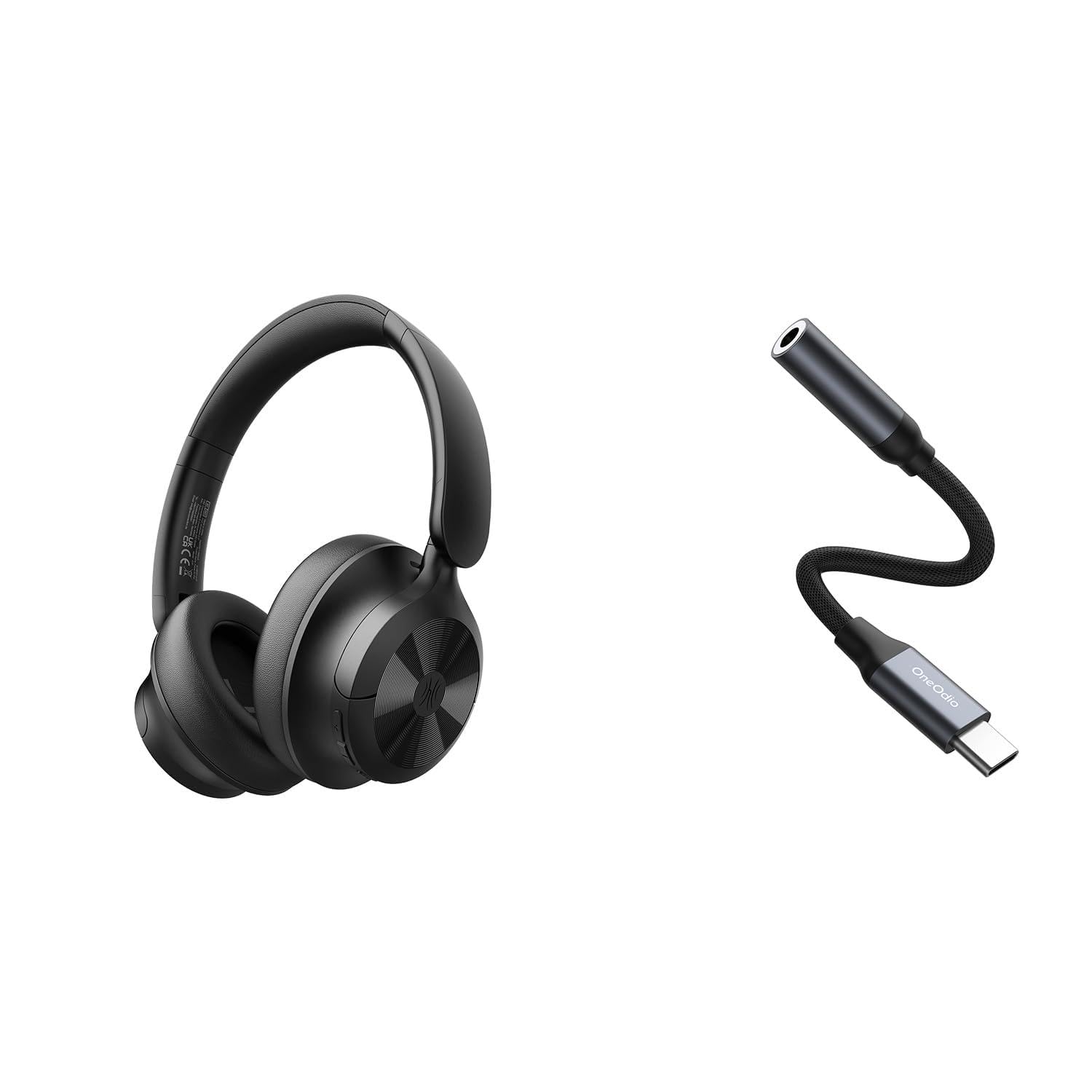
Image: OneOdio Focus A1Pro Wireless On-Ear Headphones. This image displays the headphones in their typical on-ear design, showcasinnáušníky a hlavový most.
Obsah balení
Zkontrolujte prosím balení, zda neobsahuje následující položky:
- OneOdio Focus A1Pro Wireless On-Ear Headphones
- USB-C na 3.5mm audio adaptér
- Nabíjecí kabel USB-C
- Pouzdro na přenášení
- Uživatelská příručka (tento dokument)
Nastavení
1. Nabíjení sluchátek
Before first use, fully charge the headphones. Connect the USB-C charging cable to the charging port on the headphones and the other end to a USB power source (e.g., computer USB port, wall adapter). The LED indicator will show charging status and turn off or change color when fully charged.

Image: Close-up of the USB-C charging port on the OneOdio Focus A1Pro headphones, with a charging cable connected.
2. Zapnutí/vypnutí
- Zapnutí: Stiskněte a podržte multifunkční tlačítko přibližně 3 sekundy, dokud LED indikátor nezačne modře blikat.
- Vypnutí: Stiskněte a podržte multifunkční tlačítko přibližně 3 sekund, dokud LED indikátor nezačne blikat červeně a poté nezhasne.
3. Párování Bluetooth
- Ujistěte se, že jsou sluchátka vypnutá.
- Press and hold the Multi-function button for 5-7 seconds until the LED indicator flashes red and blue alternately. This indicates pairing mode.
- Na svém zařízení (chytrý telefon, tablet, počítač) povolte Bluetooth a vyhledejte dostupná zařízení.
- Select "OneOdio A1Pro" from the list of found devices.
- Po připojení bude LED indikátor pomalu blikat modře.
- Pokud je vyžadováno heslo, zadejte „0000“.
Sluchátka se po zapnutí automaticky pokusí znovu připojit k poslednímu spárovanému zařízení.
4. Wired Connection (using USB-C to 3.5mm Audio Adapter)
For a wired connection, use the provided USB-C to 3.5mm audio adapter. This allows you to connect the headphones to devices with a standard 3.5mm audio jack.
- Plug the USB-C end of the adapter into the USB-C port on the headphones.
- Plug the 3.5mm end of the adapter into the 3.5mm audio jack of your audio source device.
- Ensure the headphones are powered off for wired mode to function correctly and conserve battery.

Image: The OneOdio Focus A1Pro headphones connected to an audio source via the USB-C to 3.5mm audio adapter.
Návod k obsluze
Ovládání je ukončenoview
The headphones feature intuitive controls located on the earcup. Familiarize yourself with these buttons for seamless operation.

Image: Diagram showing the location and function of control buttons on the OneOdio Focus A1Pro headphones, including volume, multi-function, and ANC buttons.
Přehrávání hudby
- Přehrát/pozastavit: Stiskněte jednou multifunkční tlačítko.
- Další skladba: Stiskněte a podržte tlačítko pro zvýšení hlasitosti po dobu 2 sekund.
- Předchozí skladba: Stiskněte a podržte tlačítko pro snížení hlasitosti po dobu 2 sekund.
- Zvýšit hlasitost: Krátce stiskněte tlačítko pro zvýšení hlasitosti.
- Snížit hlasitost: Krátce stiskněte tlačítko pro snížení hlasitosti.
Obsluha hovorů
- Přijmout/ukončit hovor: Stiskněte jednou multifunkční tlačítko.
- Odmítnout hovor: Stiskněte a podržte multifunkční tlačítko po dobu 2 sekund.
- Znovu vytočit poslední číslo: Dvakrát stiskněte multifunkční tlačítko.
Aktivní zrušení šumu (ANC)
The Focus A1Pro headphones feature Active Noise Cancellation to reduce ambient noise.
- Aktivujte ANC: Press the ANC button once. The ANC indicator light will turn green.
- Deaktivace ANC: Press the ANC button once again. The ANC indicator light will turn off.
Nošení sluchátek
Adjust the headband to fit comfortably over your head. The earcups should fully cover your ears for optimal sound quality and noise cancellation. The earcups are typically marked 'L' for left and 'R' for right.
Údržba
Čištění
- Sluchátka otřete měkkým, suchým hadříkem, který nepouští vlákna.
- Nepoužívejte abrazivní čisticí prostředky, alkohol ani chemická rozpouštědla.
- Zabraňte vniknutí vlhkosti do jakýchkoli otvorů.
- The earpads can be gently wiped with a slightly damp cloth and mild soap solution, then dried thoroughly.
Skladování
When not in use, store the headphones in the provided carrying pouch to protect them from dust and scratches. Store in a cool, dry place away from extreme temperatures.
Péče o baterie
- Vyhněte se častému úplnému vybíjení baterie.
- Sluchátka pravidelně nabíjejte, i když je delší dobu nepoužíváte, aby se zachovala jejich životnost.
- Do not expose the headphones to high temperatures, as this can degrade battery performance.
Odstraňování problémů
Žádná síla
- Ujistěte se, že jsou sluchátka plně nabitá.
- Press and hold the Multi-function button for 3 seconds to power on.
Žádný zvuk
- Bluetooth:
- Ensure the headphones are paired and connected to your device.
- Zkontrolujte úroveň hlasitosti na sluchátkách i na zařízení.
- Zkuste sluchátka zrušit a znovu spárovat.
- Kabelové:
- Ensure the USB-C to 3.5mm adapter is securely connected to both the headphones and the audio source.
- Ověřte, zda se přehrává zdroj zvuku a zda je jeho hlasitost nastavena na vyšší úroveň.
- Test with a different audio cable or device if possible.
Problémy s připojením Bluetooth
- Ensure the headphones are in pairing mode (red and blue flashing LED).
- Přesuňte sluchátka blíže k zařízení.
- Clear the Bluetooth list on your device and try pairing again.
- Zabraňte rušení od jiných bezdrátových zařízení.
Resetování sluchátek
If you experience persistent issues, you can try resetting the headphones to their factory settings. (Note: Specific reset procedures vary by model. A common method is to press and hold the Multi-function and Volume Down buttons simultaneously for 5-10 seconds while powered on, or connect to power while holding a button. Refer to the manufacturer's official support for exact steps if this general method does not work.)
Specifikace
| Název modelu | Focus A1Pro |
| Verze Bluetooth | 5.0 (Estimated, common for modern headphones) |
| Průměr ovladače | 40 mm (Odhadovaný) |
| Frekvenční odezva | 20Hz - 20kHz (Typický) |
| Kapacita baterie | 500 mAh (Odhadovaný) |
| Doba nabíjení | Přibl. 2-3 hodiny |
| Doba přehrávání | Až 30 hodin (Varies with volume and ANC usage) |
| Hmotnost | Approx. 250g (Odhadovaný) |
Note: Specifications are subject to change without notice. Actual performance may vary.
Záruka a podpora
Informace o záruce
OneOdio products are covered by a limited warranty from the date of purchase. This warranty covers manufacturing defects in materials and workmanship. It does not cover damage caused by misuse, accidents, unauthorized modifications, or normal wear and tear. Please retain your proof of purchase for warranty claims.
Zákaznická podpora
For technical support, warranty inquiries, or other assistance, please contact OneOdio customer service through their official webwebu nebo prodejce, kde jste produkt zakoupili.
Oficiální Webmísto: www.oneodio.com
E-mailová podpora: support@oneodio.com