
1. Úvod
This manual provides essential information for the safe and efficient operation of your Metz MNH7000Z 65-inch 4K Mini LED QLED Google TV. Please read this manual thoroughly before using the product and retain it for future reference.
Bezpečnostní informace
- Ensure the TV is placed on a stable surface or securely mounted to prevent tipping.
- Do not expose the TV to rain or moisture to avoid fire or electric shock.
- Udržujte větrací otvory volné, aby nedošlo k přehřátí.
- Používejte pouze příslušenství určené výrobcem.
- Během bouřek nebo pokud televizor delší dobu nepoužíváte, odpojte jej ze zásuvky.
2. Obsah balení
Ověřte, zda jsou v krabici přítomny všechny položky:
- Metz MNH7000Z 65-inch 4K Mini LED QLED Google TV
- Dálkové ovládání
- Napájecí kabel
- Uživatelská příručka (tento dokument)
- Podstavce pro televizory (pro instalaci na stojan)

Image: Diagram illustrating the TV's dimensions, available ports, and a list of included accessories such as the remote control, cable, manual, and bases.
3. Nastavení
3.1. Instalace televizního stojanu
- Opatrně položte televizor displejem dolů na měkký, rovný povrch, abyste zabránili poškození obrazovky.
- Align the TV bases with the screw holes on the bottom of the TV.
- Secure the bases using the provided screws. Ensure they are tightened firmly.

Image: The Metz MNH7000Z TV positioned on its stand within a modern living room environment.
3.2. Montáž na stěnu (volitelné)
If you choose to wall mount your TV, ensure you use a VESA-compatible mount (400 x 200 mm) and follow the instructions provided with your wall mount kit. Remove the TV bases before mounting.
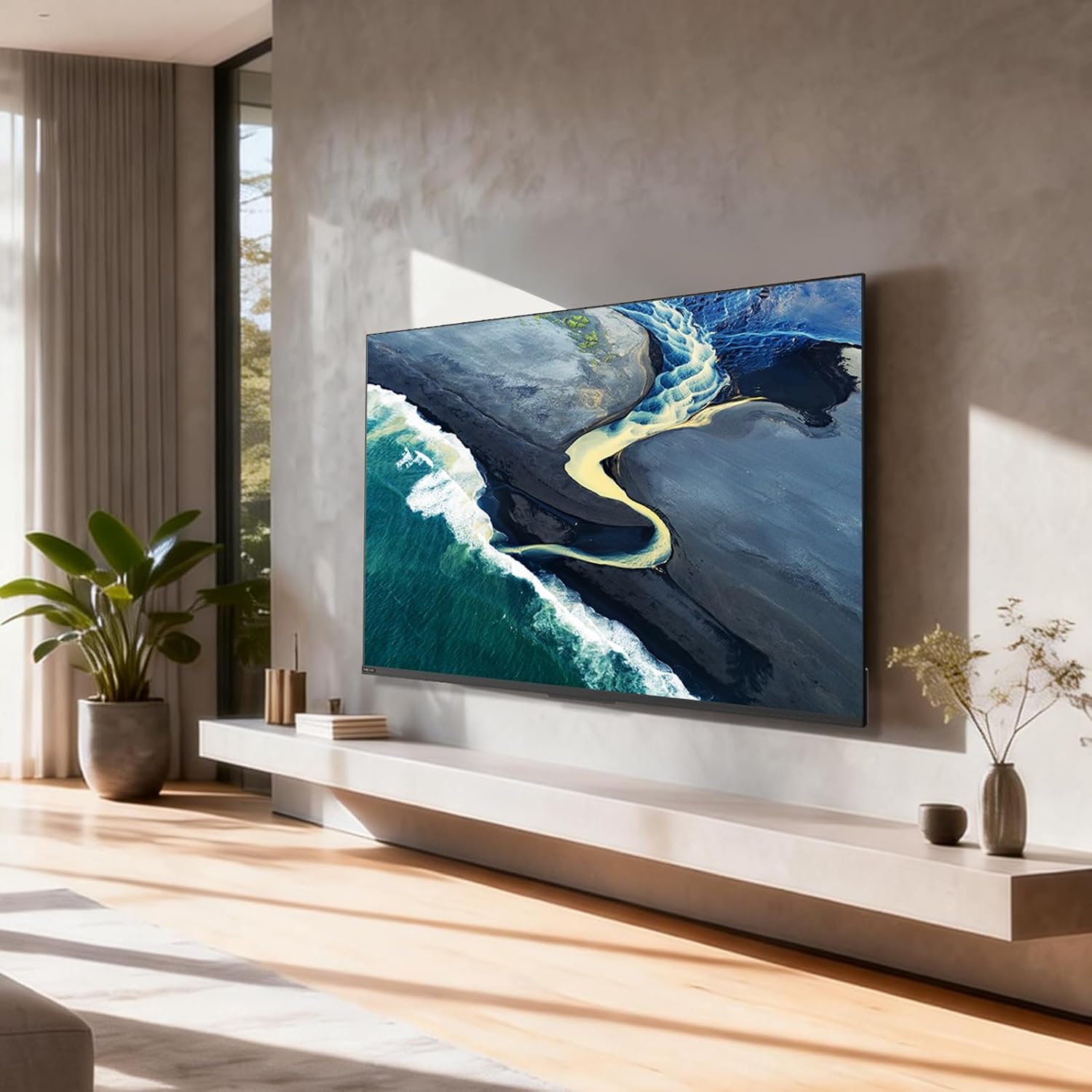
Image: The Metz MNH7000Z TV securely mounted on a wall in a contemporary living room.
3.3. Připojení periferií
Televizor nabízí několik možností připojení:
- HDMI porty (x3): Připojte Blu-ray přehrávače, herní konzole nebo set-top boxy.
- USB porty (x2): Pro připojení paměťových zařízení USB pro přehrávání médií nebo pro aktualizace softwaru.
- Ethernetový port: Pro kabelové připojení k internetu.
- RF vstup: Pro připojení antény nebo kabelu.
- AV Composite Input: Pro starší zařízení.
- Optical/Coaxial SPDIF Output: Pro externí audio systémy.
- Bluetooth 5.1: Pro bezdrátová audio zařízení nebo příslušenství.
- Wi-Fi: Pro bezdrátové připojení k internetu.

Obrázek: Detailní zadek view of the Metz MNH7000Z TV, highlighting the arrangement of its input and output ports for various connections.
4. Ovládání televizoru
4.1. Počáteční zapnutí a nastavení Google TV
- Připojte napájecí kabel k televizoru a elektrické zásuvce.
- Stiskněte tlačítko napájení na dálkovém ovladači nebo na televizoru.
- Follow the on-screen instructions to complete the initial setup, including language selection, network connection (Wi-Fi or Ethernet), and Google TV account login.

Image: The Google TV interface displaying a wide selection of streaming applications and content, demonstrating the personalized TV experience.
4.2. Funkce dálkového ovládání
The remote control allows you to navigate the Google TV interface, adjust settings, and access various features. Refer to the remote control diagram in the full manual for specific button functions.
4.3. Hlasové ovládání
Utilize the integrated voice control feature by pressing the microphone button on your remote and speaking commands to search for content, control playback, or adjust settings.
4.4. Finding Your Remote
The TV includes a feature to help locate your remote control. Press the dedicated button on the TV (if available, consult the full manual) to make the remote emit a sound.

Image: An illustration demonstrating the 'Find My Remote' feature, where a hand interacts with the TV, and the remote control is shown emitting a sound to indicate its location.
5. Klíčové vlastnosti
5.1. Display Technology: Mini LED & QLED
The Metz MNH7000Z combines Mini LED backlighting with QLED (Quantum Dot) technology to deliver superior image quality. This combination results in deeper blacks, brighter highlights, and a wide, vibrant color spectrum.

Image: A vibrant image of a phoenix displayed on the TV screen, showcasing the enhanced color and contrast capabilities of QLED and Mini LED technologies.
5.2. Anti-Reflective Matte Screen
The matte anti-reflective screen minimizes glare and reflections, providing a comfortable viewing experience even in brightly lit rooms. This technology also contributes to a wider viewúhel.

Image: A side-by-side comparison demonstrating the effectiveness of the anti-reflective screen, showing a clear image on the left and significant reflections on a standard screen on the right.
5.3. S AI Processor & HDR Support
The integrated S AI processor intelligently optimizes brightness, contrast, and sharpness in real-time. With support for Dolby Vision, HDR10+, HDR10, and HLG, the TV delivers exceptional dynamic range and realistic visuals.

Image: A detailed depiction of a spaceship against a cosmic background on the TV screen, illustrating the enhanced visual depth and realism provided by HDR technology.
5.4. Audio: Dolby Atmos & Total Sonic
Experience immersive sound with Dolby Atmos, providing multi-dimensional audio. Total Sonic technology ensures clear dialogues and rich, natural sound, eliminating unwanted volume peaks.

Image: A person enjoying content on the TV, with visual representations of sound waves emanating from the screen, symbolizing the immersive audio experience of Dolby Atmos.

Image: A scene of deer in a forest displayed on the TV, accompanied by graphics indicating clear dialogue, rich natural sound, and the absence of undesirable volume peaks, showcasing Total Sonics audio features.
5.5. MEMC (Motion Estimation, Motion Compensation)
MEMC technology reduces motion blur and image judder, providing smoother and clearer visuals, especially in fast-paced scenes like sports or action movies. This also helps reduce eye fatigue.

Image: A dynamic image of a skier in motion, illustrating how MEMC technology ensures fluid movement and reduces visual fatigue during fast-action scenes.
5.6. Funkce péče o zrak
The TV is equipped with anti-flicker and low blue light features, along with adaptive ambient light, to ensure optimal visual comfort during extended viewobdobí.

Image: The TV displaying a serene nature scene, accompanied by icons representing Low Blue Light, Flicker-Free technology, and Adaptive Ambient Light features, all contributing to visual comfort.
5.7. Game Hub
For gamers, the Game Hub offers a fluid and responsive gaming experience, reducing screen tearing and input lag. Features include HDMI 2.1, VRR (Variable Refresh Rate), and ALLM (Auto Low Latency Mode).

Image: Two high-performance sports cars on a race track, symbolizing the Game Hub's ability to deliver an enhanced and immersive gaming experience with features like HDMI 2.1, VRR, and ALLM.
6. Údržba
6.1. Čištění obrazovky
- Jemně otřete obrazovku měkkým hadříkem, který nepouští vlákna.
- Na odolné skvrny lehceampen the cloth with water or a screen-cleaning solution specifically designed for TVs.
- Nikdy nestříkejte tekutinu přímo na obrazovku.
6.2. Čištění těla televizoru
- Use a soft, dry cloth to wipe the TV's frame and back panel.
- Vyhněte se použití abrazivních čisticích prostředků nebo rozpouštědel.
7. Řešení problémů
Pokud narazíte na problémy s televizorem, podívejte se na následující běžná řešení:
| Problém | Možné řešení |
|---|---|
| Žádná síla | Zkontrolujte, zda je napájecí kabel bezpečně připojen a zda je zásuvka funkční. Zkuste jinou zásuvku. |
| Žádný obraz, ale zvuk je přítomný | Ujistěte se, že je vybrán správný vstupní zdroj. Zkontrolujte kabelová připojení k externím zařízením. |
| Žádný zvuk, ale obraz je přítomen | Check volume levels and mute settings. Verify audio cable connections. If using external audio, ensure it's correctly configured. |
| Dálkové ovládání nefunguje | Vyměňte baterie. Ujistěte se, že mezi dálkovým ovladačem a televizorem nejsou žádné překážky. |
| Špatné Wi-Fi připojení | Move the router closer to the TV or use an Ethernet cable for a wired connection. Restart the router and TV. |
8. Specifikace
| Funkce | Detail |
|---|---|
| Název modelu | 65MNH7000Z |
| Velikost obrazovky | 65 palce (164 cm) |
| Technologie displeje | Mini LED, QLED |
| Rezoluce | 4K (3840 x 2160) |
| Obnovovací frekvence | 120 Hz |
| Podpora HDR | Dolby Vision, HDR10, HDR10+, HLG |
| Ovládání podsvícení | Místní stmívání |
| Screen Finish | Matte (Anti-reflective) |
| Operační systém | Google TV |
| Zvukový výstup | Stereo speakers with Dolby Audio & Atmos, Total Sonic |
| Konektivita | Bluetooth 5.1, Wi-Fi, Ethernet, 3x HDMI, 2x USB |
| Speciální funkce | Chromecast, MEMC, Game Mode, Eye Care |
| Standardní držák VESA | 400 x 200 mm |
| Rozměry (se stojanem) | 9.2 H x 144.5 Š x 83.8 V cm |
| Modelový rok | 2026 |

Image: The energy efficiency label for the Metz 65MNH7000Z TV, indicating its energy class and consumption details. For more details, visit Databáze EPREL.
9. Záruka a podpora
9.1. Informace o záruce
This Metz MNH7000Z television comes with a 2letá omezená záruka od data nákupu. Tato záruka se vztahuje na výrobní vady vzniklé běžným používáním. Pro případné reklamace si prosím uschovejte doklad o koupi.
9.2. Zákaznická podpora
For technical assistance, troubleshooting beyond this manual, or warranty inquiries, please contact Metz customer support. Refer to the official Metz webNejnovější kontaktní informace naleznete na webových stránkách nebo v dokumentaci k nákupu.