
Zavedení
This manual provides detailed instructions for the AGPTEK U6PL 32GB MP3 Player. Please read this manual thoroughly before using the device to ensure proper operation and to maximize its features. Keep this manual for future reference.
Konec produktuview
The AGPTEK U6PL is a versatile 32GB MP3 player featuring a 2.8-inch sensitive touchscreen, Bluetooth 5.3, and a built-in speaker. It supports various audio formats, FM radio, recording, e-book reading, and includes a pedometer function.
Klíčové vlastnosti
- Skladování: Interní paměť 32 GB.
- Zobrazit: 2.8-inch sensitive color touchscreen.
- Konektivita: Bluetooth 5.3 with auto-reconnection.
- Kvalita zvuku: Hi-Fi Lossless sound support (MP3, FLAC, APE).
- Integrovaný reproduktor: Pro přehrávání zvuku bez sluchátek.
- Multifunkční: FM Radio, Voice Recording, E-book reader, Pedometer, Video Playback.
- Životnost baterie: 500mAh battery, providing up to 60 hours of earphone playback or 23 hours of Bluetooth playback.

Image: The AGPTEK U6PL MP3 Player displaying its 2.8-inch sensitive touchscreen interface, shown alongside a pair of over-ear headphones. This highlights the device's display and audio capabilities.

Image: The AGPTEK U6PL MP3 Player's screen displaying a grid of application icons, including Music, FM Radio, Record, Bluetooth, Folder, E-Book, Tools, and Setting. This illustrates the device's multifunctional design for learning and leisure.
Nastavení
1. Nabíjení zařízení
Before first use, fully charge the MP3 player. Connect the device to a power source using the provided USB cable. The charging indicator will show the charging status. A full charge takes approximately 2.5 hours.

Image: The AGPTEK U6PL MP3 Player connected to a charging cable, with icons indicating 2.5 hours for a full charge, 60 hours of earphone play, and 23 hours of Bluetooth play. This illustrates the device's battery capacity and charging time.
2. Zapnutí/vypnutí
- Zapnutí: Stiskněte a podržte tlačítko napájení, dokud se obrazovka nerozsvítí.
- Vypnutí: Stiskněte a podržte tlačítko napájení, dokud se na obrazovce nezobrazí možnost vypnutí, poté potvrďte.
3. Přenos Files
Connect the MP3 player to your computer using the USB cable. The device will appear as a removable disk. Drag and drop your music, video, or e-book filedo příslušných složek v přehrávači.
Návod k obsluze
1. Přehrávání hudby
From the main menu, tap the "Music" icon. You can browse music by artist, album, genre, or all songs. Tap a song to begin playback. Use the touchscreen controls for play/pause, skip tracks, and volume adjustment.

Image: A graphic emphasizing "Hi-Fi Lossless Sound" with music notes and icons for MP3, FLAC, and APE formats. This highlights the player's capability to deliver high-fidelity audio.

Image: Three individuals sitting outdoors under a canopy, smiling and listening to music, with the AGPTEK U6PL MP3 Player visible. This illustrates the device's built-in speaker feature for shared listening experiences.
2. Připojení Bluetooth
Připojení k Bluetooth sluchátkům nebo reproduktorům:
- Přejděte do „Nastavení“ a vyberte „Bluetooth“.
- Zapněte Bluetooth.
- The player will search for available devices. Select your device from the list to pair.
- The AGPTEK U6PL supports Bluetooth 5.3 with auto-reconnection, meaning it will automatically connect to previously paired devices when in range.
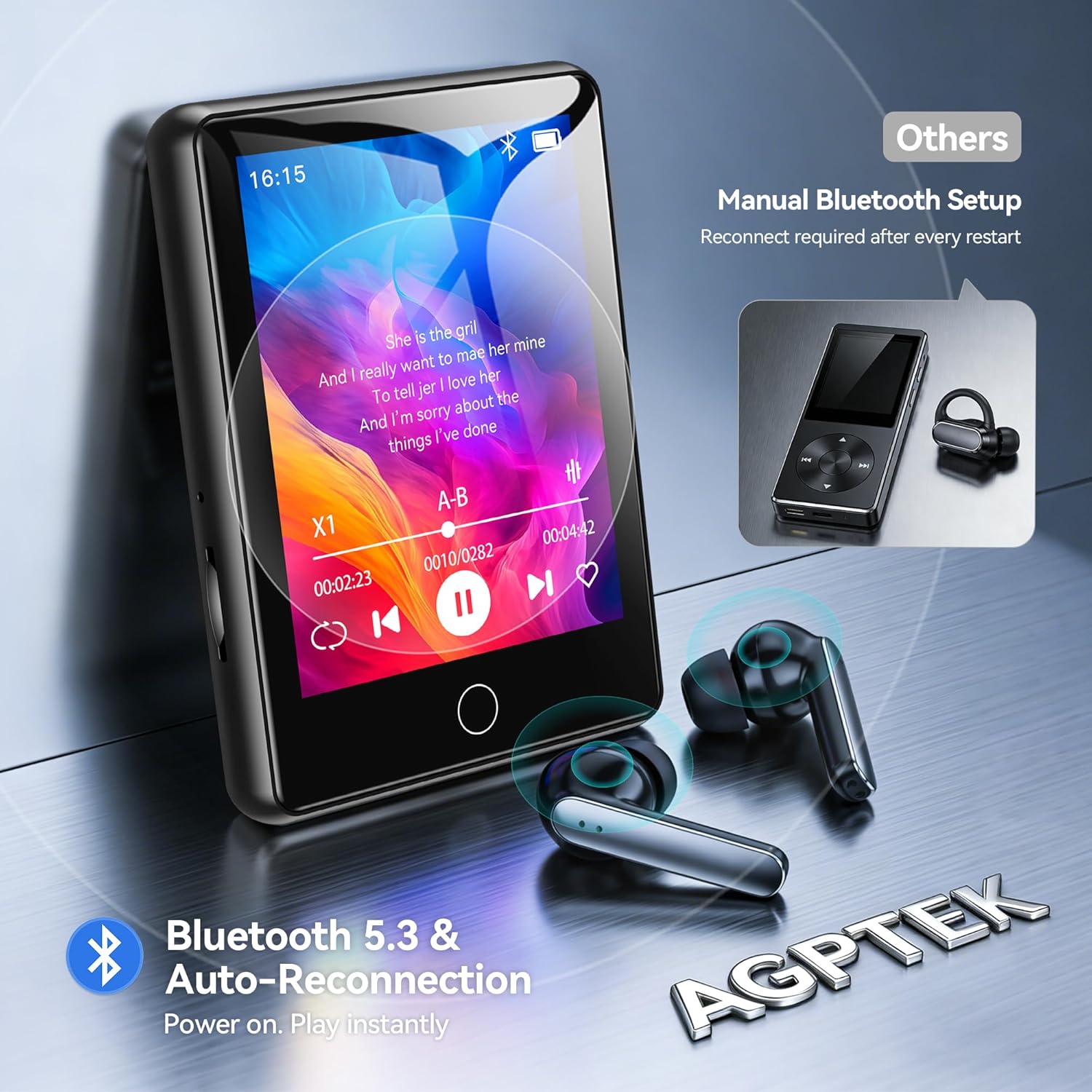
Image: The AGPTEK U6PL MP3 Player displaying a music playback screen, with Bluetooth earbuds shown wirelessly connected. The image highlights Bluetooth 5.3 and auto-reconnection capabilities.
3. FM rádio
Plug in wired headphones (they act as an antenna). From the main menu, tap "FM Radio". You can auto-scan for stations or manually tune. Save your favorite stations for quick access.
4. Nahrávání
Tap the "Record" icon to access the voice recorder. Tap the record button to start and stop recording. Recordings are saved in the device's memory.
5. Čtečka elektronických knih
Přenos kompatibilní e-knihy files (e.g., TXT format) to the "E-Book" folder on the player. Tap the "E-Book" icon to open and read your files.
6. Krokoměr
Activate the pedometer function from the main menu. The device will track your steps. Ensure the player is carried securely for accurate readings.
7. Přehrávání videa
Transfer compatible video files to the "Video" folder. Tap the "Video" icon to browse and play your videos on the 2.8-inch screen.
8. Quick Song Search
To quickly find a song, navigate to your music list and use the search function. Enter keywords from the song filename (letters and numbers only) to filter the list.

Image: The AGPTEK U6PL MP3 Player showing its quick song search interface with an on-screen keyboard and a list of filtered songs. A note indicates that only letters and numbers are supported for search keywords.

Image: A collage of four images demonstrating the AGPTEK U6PL's diverse functions: FM Radio, Recording, E-book reading, and Pedometer. This highlights its utility for study, commuting, and leisure.
Údržba
- Čištění: K čištění zařízení používejte měkký, suchý hadřík. Nepoužívejte tekuté čisticí prostředky ani abrazivní materiály.
- Skladování: Přehrávač skladujte na chladném a suchém místě mimo dosah přímého slunečního záření a extrémních teplot.
- Péče o baterie: Chcete-li prodloužit životnost baterie, vyvarujte se častého úplného vybíjení. Zařízení pravidelně nabíjejte, i když jej delší dobu nepoužíváte.
- Voděodolnost: Toto zařízení není vodotěsné. Zabraňte vystavení vodě nebo vysoké vlhkosti.
Odstraňování problémů
| Problém | Řešení |
|---|---|
| Zařízení se nezapne. | Ujistěte se, že je zařízení plně nabité. Pokud je baterie zcela vybitá, může trvat několik minut, než se zařízení zapne. |
| Nelze se připojit k zařízení Bluetooth. | Ensure Bluetooth is enabled on both the MP3 player and the target device. Make sure the target device is in pairing mode and within range. Try restarting both devices. |
| Ze sluchátek není slyšet žádný zvuk. | Check if headphones are properly plugged in (for wired) or paired (for Bluetooth). Verify volume settings on the player. Test with different headphones if possible. |
| Files not appearing on the player. | Zajistit files are transferred to the correct folders and are in compatible formats. Disconnect and reconnect the player to the computer. |
Specifikace
| Značka | AGPTEK |
| Číslo modelu | U6PL |
| Kapacita paměti | 32 GB |
| Velikost obrazovky | 2.8 palce |
| Konektivita | Bluetooth 5.3 |
| Kapacita baterie | 500 XNUMX mAh |
| Zahrnuté komponenty | 1 x 32GB MP3 Bluetooth 5.3 Player, USB Cable |
Záruka a podpora
Informace o záruce a technickou podporu naleznete v dokumentaci dodané s vaším nákupem nebo navštivte oficiální webové stránky AGPTEK. webUschovejte si doklad o koupi pro případ reklamace.