
Důležité bezpečnostní pokyny
Před použitím tohoto spotřebiče si pečlivě přečtěte všechny pokyny. Nedodržení těchto pokynů může vést k úrazu elektrickým proudem, požáru nebo vážnému zranění osob.
- Před čištěním nebo jakoukoli údržbou vždy odpojte ventilátor ze zásuvky.
- Neprovozujte ventilátor s poškozeným kabelem nebo zástrčkou.
- Udržujte napájecí kabel mimo dosah horkých povrchů.
- Neponořujte ventilátor do vody nebo jiných kapalin.
- This fan is designed for both indoor and outdoor use, featuring IPX4 water resistance and UV protection. However, avoid prolonged exposure to heavy rain.
- Ujistěte se, že ventilátor je umístěn na stabilním a rovném povrchu, aby se zabránilo jeho převrácení.
- Během provozu držte děti a domácí zvířata v dostatečné vzdálenosti od ventilátoru.
Konec produktuview
The DREO TurboCool Outdoor Misting Fan 711AS is designed to provide powerful and quiet cooling for both indoor and outdoor environments. It features advanced misting technology, multiple speed settings, smart modes, and versatile control options.

Image: The DREO TurboCool Outdoor Misting Fan 711AS providing cooling in an outdoor patio area.
Obsah balení
- 1 × DREO Tower Fan (DR-HTF021AS)
- 1× napájecí adaptér
- 1 × Remote Control (includes 2 × AAA Batteries)
- 1 × Uživatelská příručka
- A Set of Accessories
Nastavení
Shromáždění
The DREO TurboCool Misting Fan features tool-free assembly. Simply follow the instructions provided in the included user manual to attach the base and any other components. Ensure all parts are securely connected before plugging in the fan.

Image: Visual representation of the fan's tool-free assembly process.
Umístění
Place the fan on a firm, level surface. The 9.8 ft (3m) power cord allows for flexible placement. When using outdoors, ensure the fan is positioned where it can effectively circulate air and mist without obstruction. The fan is weather-resistant (IPX4-rated water resistance and UV-protection) for outdoor use.
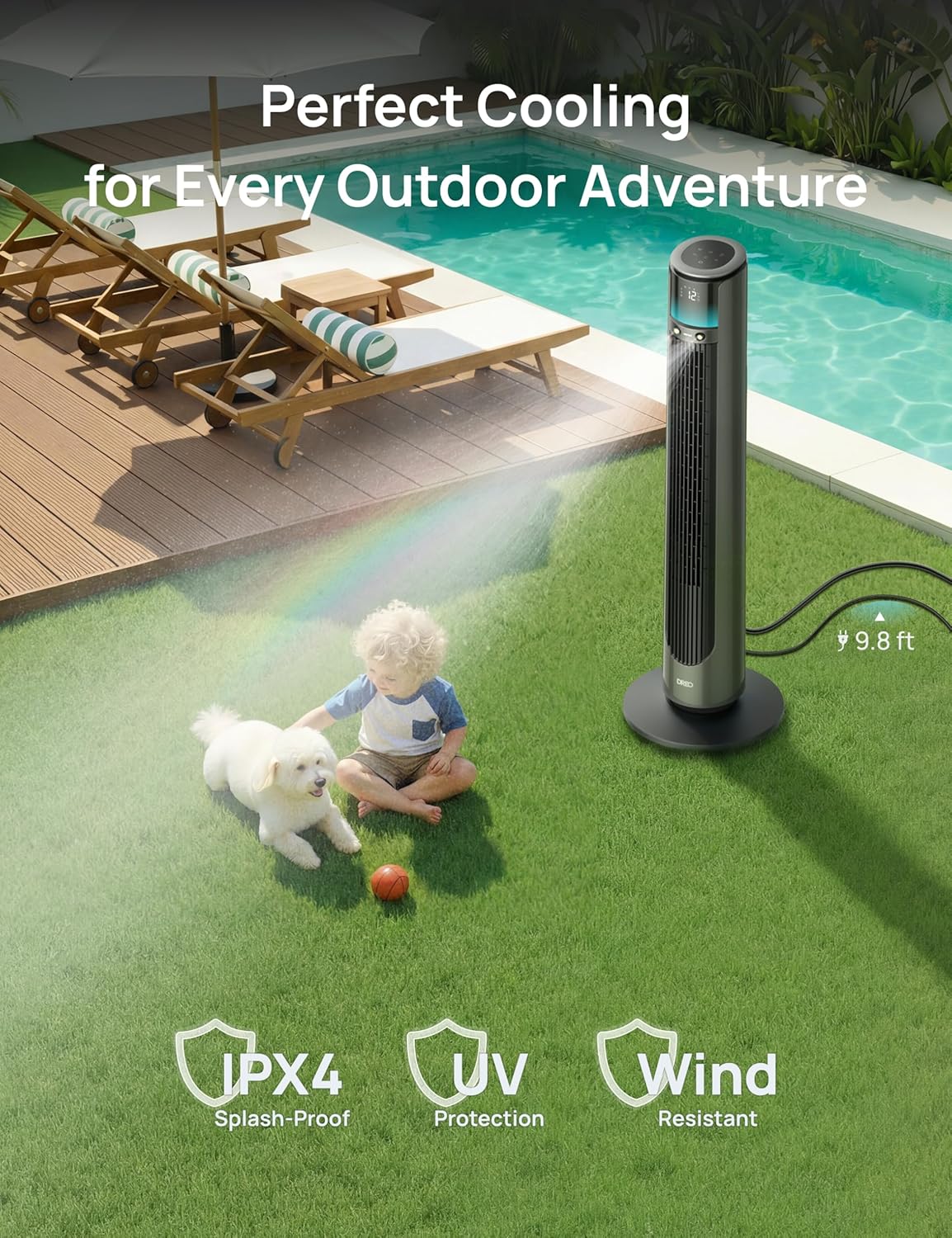
Image: The DREO Misting Fan positioned outdoors near a pool, demonstrating its weather-resistant design.
Návod k obsluze
Zapnutí/vypnutí
Connect the power adapter to a suitable electrical outlet. Press the power button on the control panel or remote control to turn the fan on or off.
Fan Speeds and Modes
The fan offers 12 precise speed levels and 4 smart modes (Normal, Auto, Natural, Sleep) to customize your cooling experience. Use the control panel, remote, or app to adjust settings.
- Normální režim: Provides a consistent airflow at your selected speed.
- Automatický režim: Adjusts fan speed automatically based on ambient temperature.
- Přirozený režim: Simuluje přirozený vánek změnou rychlosti ventilátoru.
- Režim spánku: Operates at a lower, quieter speed for undisturbed rest, gradually decreasing speed over time.

Image: The fan's display showing available fan speeds and modes.
Kmitání
The fan features MotionSync oscillation, allowing you to customize the oscillation angle from 30° to 150°. Use the remote control or app to direct airflow precisely where needed. The power-off memory function restores your last oscillation settings.

Image: Demonstrating remote control use to adjust the fan's oscillation angle.
Funkce mlžení
Activate the TurboCool Mist Technology for enhanced cooling. The fan produces an 86.9µm ultra-fine mist, capable of dropping temperatures by up to 12°F. Ensure the water tank is filled before activating the misting function.

Image: The fan's misting feature in action, showing the fine mist output.
Možnosti ovládání
The DREO TurboCool Misting Fan offers multiple control methods:
- Dotykový panel: Integrated controls on the top of the fan.
- Dálkové ovládání: Full functionality from a distance.
- DREO App: Connect via Wi-Fi or Bluetooth for smart control, scheduling, and advanced settings. The fan automatically switches to Bluetooth if Wi-Fi is unstable.
- Hlasoví asistenti: Kompatibilní s Alexou a Google Assistant pro ovládání bez použití rukou.

Image: Demonstrating the DREO app for smart control of the fan.
Časovač a dětský zámek
Set the 12-hour timer to automatically turn off the fan. Activate the child lock feature to prevent unintended changes to settings.
Okolní světlo
The built-in RGB ambient light provides a modern glow, enhancing the outdoor atmosphere.
Údržba
Čištění ventilátoru
Regular cleaning ensures optimal performance. The fan features a detachable rear grille for easy access. Unplug the fan before cleaning.
- Vnější: Vnější povrch otřete měkkým, damp tkanina. Nepoužívejte abrazivní čisticí prostředky.
- Zadní mřížka: Remove the rear grille and clean it with a vacuum cleaner or rinse it under water. Ensure it is completely dry before reattaching.
- Nádrž na vodu: Periodically clean the water tank to prevent mineral buildup and maintain mist quality.

Image: Cleaning the detachable rear grille of the fan.
Odstraňování problémů
If you encounter any issues with your DREO TurboCool Misting Fan, please refer to the following common solutions:
| Problém | Možná příčina | Řešení |
|---|---|---|
| Ventilátor se nezapne. | Žádný proud, uvolněné spojení. | Ensure the power cord is securely plugged into a working outlet. Check if the power adapter is properly connected to the fan. |
| Nevzniká žádná mlha. | Empty water tank, clogged nozzle. | Refill the water tank. Clean the misting nozzle if it appears clogged. |
| Ventilátor je neobvykle hlučný. | Obstruction, unstable surface. | Check for any obstructions in the fan grille. Ensure the fan is on a stable, level surface. |
| Dálkové ovládání nefunguje. | Vybité baterie, překážka. | Replace the AAA batteries in the remote control. Ensure there are no obstructions between the remote and the fan. |
| App control issues. | Problémy s připojením k Wi-Fi/Bluetooth. | Ensure your device's Wi-Fi or Bluetooth is enabled. Restart the DREO app. If Wi-Fi is unstable, the fan automatically switches to Bluetooth. |
If the problem persists, please contact DREO customer support for assistance.
Specifikace
| Funkce | Detail |
|---|---|
| Značka | DREO |
| Název modelu | 711AS |
| Číslo modelu | DR-HTF021AS |
| Barva | Dřevěné uhlí |
| Rozměry produktu (D x Š x V) | 12.99"H x 12.99"Š x 42.24"V |
| Hmotnost položky | 13.16 libry |
| Zdroj napájení | Elektrický kabel |
| Wattage | 40 wattů |
| Typ motoru | DC |
| Počet rychlostí | 12 |
| Úroveň hluku | Již od 20 decibelů |
| Proud vzduchu | 2022 kubických stop za minutu |
| Maximální rychlost proudění vzduchu | 33 ft/s |
| Misting Reach | Až 23.2 stop |
| Kmitání | 30° to 150° Customizable |
| Kontrolní metody | App Control, Remote Control, Touchpad Control, Voice Control |
| Kompatibilita Smart Home | Yes (Wi-Fi, Bluetooth, Alexa, Google Assistant) |
| Vnitřní/venkovní použití | Indoor, Outdoor (IPX4 Water Resistant, UV Protection) |
| Speciální funkce | Misting, LED Light, Quiet Operation, 12h Timer, Child Lock |
| Certifikace | ETL, FCC |
Záruka a podpora
DREO is committed to providing high-quality products and excellent customer service. For warranty information or technical support, please refer to the contact details provided in your product packaging or visit the official DREO website. Our expert after-sales service team is available to assist you.
Oficiální videa produktů
Dreo TurboCool Outdoor Misting Fan 711AS Overview
Video: Úředník u konceview of the DREO TurboCool Outdoor Misting Fan 711AS, showcasinjeho vlastnosti a provoz.