
1. Úvod
This manual provides essential information for setting up, operating, maintaining, and troubleshooting your Xiaomi Redmi Note 15 Pro 5G smartphone. Please read this manual carefully before using your device to ensure optimal performance and longevity.
The Xiaomi Redmi Note 15 Pro 5G features a 200MP main camera with optical stabilization, a 6580mAh battery, a 1.5K CrystalRes AMOLED display with 120Hz refresh rate, and is powered by the Mediatek Dimensity 7400-Ultra processor. It also boasts advanced water and dust resistance (IP66, IP68, IP69, and IP69K ratings).
2. Zařízení skončiloview
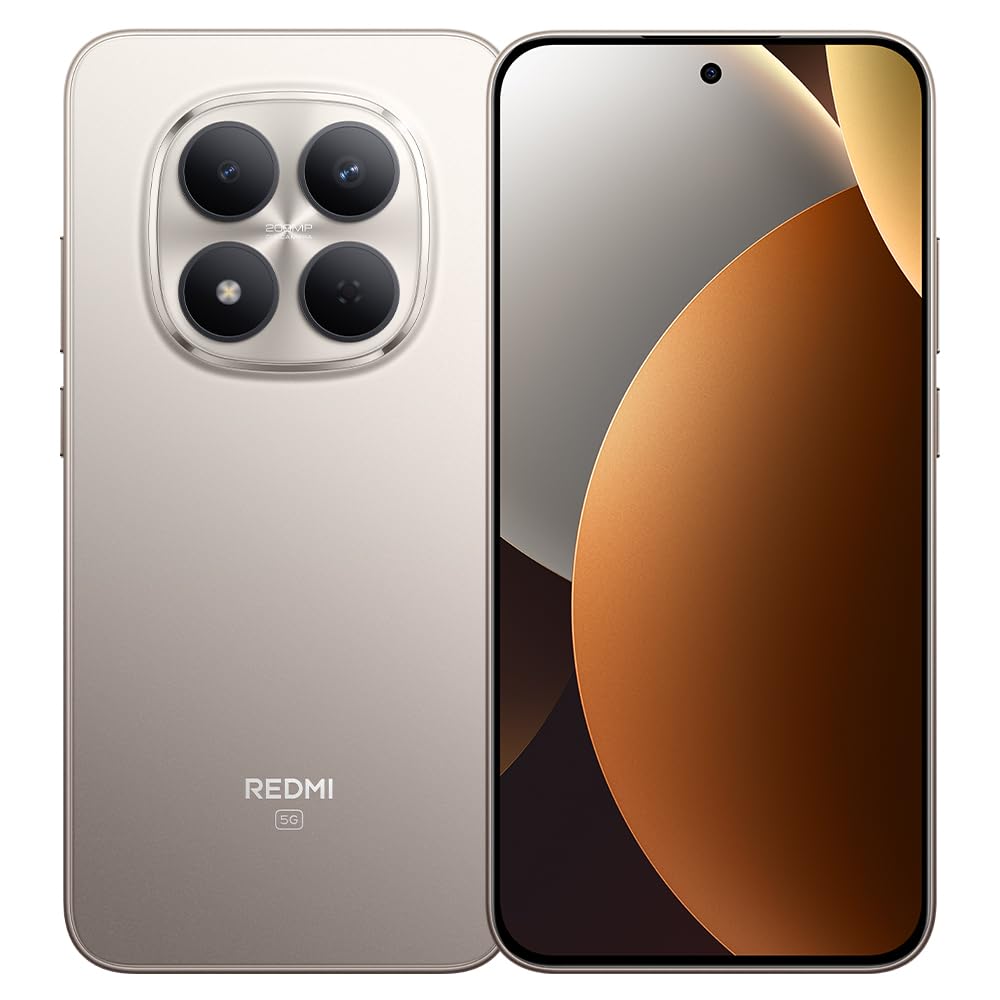
Obrázek 1: Xiaomi Redmi Note 15 Pro 5G Smartphone. This image displays the front and back of the device, highlighting its sleek design and camera module.
Obsah balení
- Xiaomi Redmi Poznámka 15 Pro 5G Smartphone
- Napájecí adaptér
- Kabel USB typu C
- Nástroj pro vyjmutí SIM karty (může se lišit v závislosti na regionu)
- Rychlý průvodce (tento návod)
3. Nastavení
3.1. Vložení SIM karty
- Vyhledejte držák SIM karty na boku zařízení.
- Vložte nástroj pro vysunutí SIM karty do malého otvoru vedle zásobníku a pevně zatlačte, dokud zásobník nevyskočí.
- Place your Nano-SIM card(s) into the tray with the gold contacts facing down. Ensure proper orientation. This device supports Dual SIM functionality.
- Opatrně vložte zásobník zpět do telefonu.
3.2. Počáteční zapnutí a nastavení
- Stiskněte a podržte tlačítko napájení, dokud se neobjeví logo Xiaomi.
- Postupujte podle pokynů na obrazovce a vyberte jazyk, region, připojte se k Wi-Fi a nastavte si účet Google.
- Configure biometric security features such as facial recognition for enhanced security.
3.3. Nabíjení zařízení
Connect the USB Type-C cable to the phone's charging port and the other end to the provided power adapter. Plug the adapter into a power outlet. The device supports fast charging. Ensure the power adapter is suitable for your region.
4. Návod k obsluze
4.1. Zobrazení a navigace
- The device features a 6.83-inch CrystalRes AMOLED display with a 120Hz refresh rate for smooth visuals.
- Navigate using gestures or on-screen navigation buttons (configurable in settings).
- Adjust display brightness and color settings in the 'Display' section of the Settings app.
4.2. Použití fotoaparátu
Your Redmi Note 15 Pro 5G is equipped with a 200MP main rear camera with optical stabilization and a 20MP front camera.
- Otevřete aplikaci Fotoaparát.
- Vyberte požadovaný režim (Fotografie, Portrét, Video, Profesionální atd.).
- Klepnutím na tlačítko spouště pořídíte fotografie nebo spustíte/zastavíte nahrávání videa.
- Utilize the 200MP mode for high-resolution images and 4K video recording for detailed videos.
4.3. Výkon a konektivita
- The Mediatek Dimensity 7400-Ultra processor and 8GB RAM ensure smooth multitasking and gaming.
- Connect to 5G networks for high-speed internet access.
- Manage Wi-Fi, Bluetooth, and mobile data connections through the Quick Settings panel or the 'Network & Internet' section in Settings.
5. Údržba
5.1. Péče o baterie
- The 6580mAh battery provides extended usage. For optimal battery life, avoid extreme temperatures.
- Use the provided charger for efficient and safe charging.
- Regularly check battery usage in Settings to identify and manage power-consuming apps.
5.2. Odolnost proti vodě a prachu
Your device is rated IP66, IP68, IP69, and IP69K for water and dust resistance. This means it is protected against strong jets of water, immersion up to certain depths, and high-pressure/high-temperature water jets. However, resistance is not permanent and may decrease over time with normal wear. Avoid exposing the device to seawater, chlorinated water, or liquids other than fresh water. If the device gets wet, dry it thoroughly before charging or using the USB port.
5.3. Aktualizace softwaru
Regularly check for and install software updates to ensure your device has the latest features, security patches, and performance improvements. Go to 'Settings' > 'About phone' > 'MIUI version' to check for updates.
6. Řešení problémů
6.1. Běžné problémy a jejich řešení
- Zařízení se nezapne: Ujistěte se, že je baterie nabitá. Připojte ji k nabíječce alespoň na 15 minut a poté zkuste zařízení zapnout.
- Slabá výdrž baterie: Reduce screen brightness, disable unnecessary background apps, turn off GPS/Bluetooth when not in use. Check 'Battery' settings for detailed usage.
- Problémy s připojením (Wi-Fi/5G): Restart your device. Toggle Wi-Fi/Mobile Data off and on. Reset network settings if the issue persists.
- Pády aplikací: Vymažte mezipaměť problematické aplikace (Nastavení > Aplikace > [Název aplikace] > Úložiště > Vymazat mezipaměť). Pokud problém přetrvává, znovu nainstalujte aplikaci.
- Zařízení nereaguje: Stiskněte a podržte tlačítko napájení po dobu přibližně 10–15 sekund pro vynucení restartu.
7. Specifikace
| Funkce | Specifikace |
|---|---|
| Značka | XIAOMI |
| Model | Redmi Note 15 Pro 5G |
| Operační systém | Android |
| Model CPU | Mediatek Dimensity 7400-Ultra |
| Kapacita úložiště | 256 GB |
| BERAN | 8 GB |
| Velikost obrazovky | 6.83 palce |
| Typ zobrazení | AMOLED |
| Maximální rozlišení obrazovky | 2772 x 1280 pixelů |
| Obnovovací frekvence | 120 Hz |
| Rozlišení zadní kamery | 200 MP |
| Rozlišení předního fotoaparátu | 20 MP |
| Rozlišení záznamu videa | 4K (4096 pixelů) |
| Kapacita baterie | 6580 XNUMX mAh |
| Výdrž baterie | 24 hodin (typické použití) |
| Technologie připojení | 5G, 2G |
| Bezdrátová síťová technologie | GSM |
| Typ konektoru | USB Type-C |
| Typ SIM karty | Nano-SIM (Dual SIM) |
| Biometrické zabezpečení | Rozpoznávání obličeje |
| Úroveň odolnosti proti vodě | IP66, IP68, IP69, IP69K |
| Jack pro sluchátka | Žádný |
| Zahrnuté komponenty | Napájecí adaptér |
| External Test Certification | Anatel: 062732509185 / Model: 25080RABDG |
8. Záruka a podpora
8.1. Informace o záruce
Tento produkt je dodáván s a 90denní záruka against manufacturing defects. Please retain your proof of purchase for warranty claims. The warranty does not cover damage caused by misuse, accidents, unauthorized repairs, or normal wear and tear.
8.2. Zákaznická podpora
For further assistance, technical support, or warranty inquiries, please refer to the official Xiaomi support website or contact their customer service. You can find contact details on the official Xiaomi webwebu nebo v dokumentaci dodané se zařízením.
For product homologation details, please visit: sistemas.anatel.gov.br/sch