
1. Úvod
The FIREBAT F1 Mini PC is a compact desktop computer featuring an AMD Ryzen 5 7640HS processor. It is designed for various tasks including everyday use, gaming, and video editing. This manual provides essential information for setting up, operating, maintaining, and troubleshooting your device.

Obrázek 1.1: Přední strana view of the FIREBAT F1 Mini PC, highlighting its AMD Ryzen 7640HS processor, Radeon 760M graphics, Dual DDR5 RAM, M.2 NVMe 2280 SSD, Bluetooth 5.2, WiFi 6, and 2.5Gbps LAN capabilities. It also shows support for triple screen display.
Mezi klíčové vlastnosti patří:
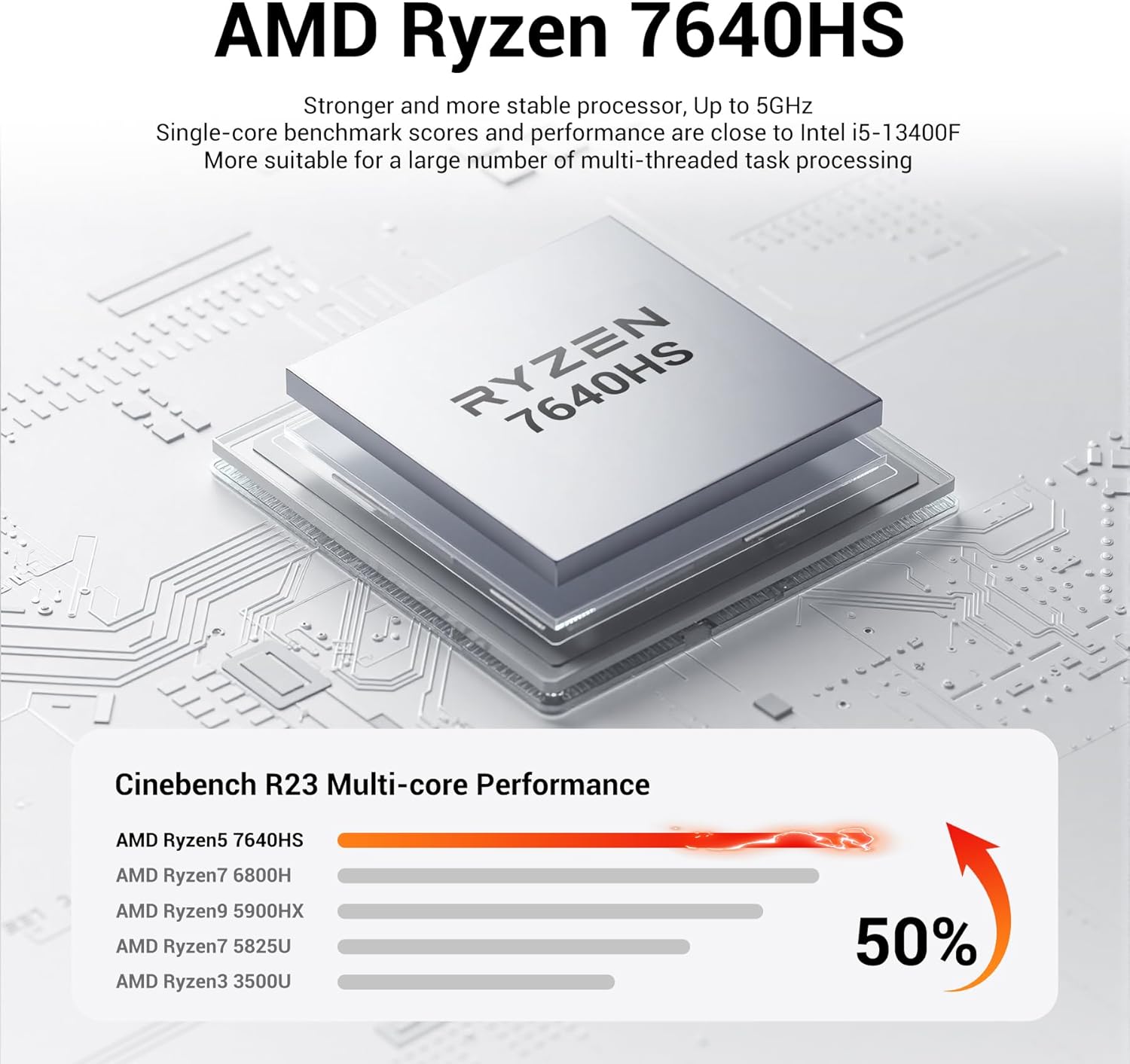
- Procesor: AMD Ryzen 5 7640HS (6-core/12-thread, up to 5.0GHz) with Zen 4 architecture.
- Grafika: Integrated AMD Radeon 760M (RDNA3 architecture, 8CU, 2600MHz).
- Výstup displeje: Supports triple 4K@60Hz displays via HDMI 2.1, DP 1.4, and USB4 (Type-C).
- Paměť: Dual DDR5 slots (up to 64GB, 5600MHz).
- Skladování: 2x M.2 2280 PCIe 4.0 SSD slots.
- Konektivita: USB4 (40Gbps), 2.5Gbps LAN, WiFi 6, Bluetooth 5.2, multiple USB-A ports.
- Design: Ultra-thin, VESA mount compatible, efficient cooling system.
2. Obsah balení
Ověřte, zda jsou v balení přítomny všechny položky:

Image 2.1: Illustration of the package contents, including the FIREBAT F1 Mini PC, power adapter, HDMI cable, VESA mount, and user manual.
- 1 x FIREBAT F1 AMD 7640HS Mini PC
- 1 x 19V/6.32A 120W US Power Adapter
- 1 x HDMI kabel
- 1 x držák VESA
- 1 x Uživatelská příručka
3. Pokyny k nastavení
Follow these steps to set up your FIREBAT F1 Mini PC:
- Připojení periferií: Connect your keyboard, mouse, and other USB devices to the available USB ports on the Mini PC.
- Připojení displeje: Connect your monitor(s) to the Mini PC using an HDMI, DisplayPort, or USB4 (Type-C) cable. The device supports up to three displays simultaneously.
- Připojit k síti: For a wired connection, connect an Ethernet cable to the 2.5Gbps LAN port. For wireless, ensure your WiFi network is available after powering on.
- Připojte napájení: Plug the 19V/6.32A 120W power adapter into the DC port on the Mini PC, then plug the adapter into a power outlet.
- Zapnutí: Press the power button located on the front of the Mini PC to turn it on.

Obrázek 3.1: Detailní view of the front and rear ports of the FIREBAT F1 Mini PC, showing USB4 (Type-C), USB-A 3.2, 3.5mm audio jack, HDMI 2.1, DisplayPort 1.4, 2.5Gbps LAN, and DC power input.
3.1 Instalace držáku VESA
The included VESA mount allows you to attach the Mini PC to the back of a compatible monitor or to a wall.
- Secure the VESA mount bracket to the back of your monitor or desired surface using appropriate screws.
- Slide the Mini PC onto the VESA mount until it clicks securely into place.
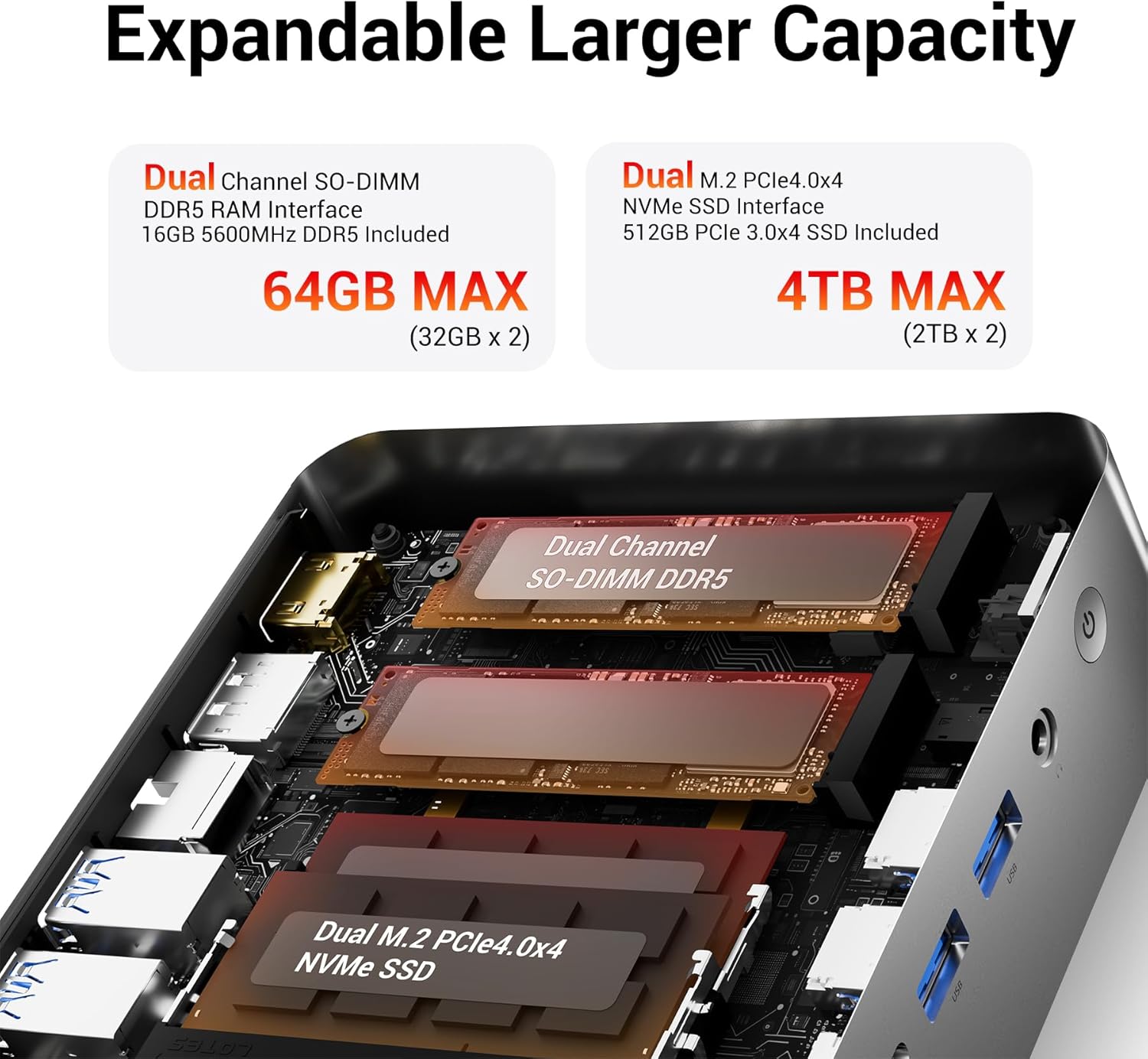
Image 3.2: The FIREBAT F1 Mini PC shown mounted on the back of a monitor using the VESA bracket, illustrating a space-saving setup.
4. Návod k obsluze
4.1 Zapnutí/vypnutí
- Zapnutí: Stiskněte tlačítko napájení na předním panelu.
- Vypnout: Použijte funkci vypnutí operačního systému. Případně stiskněte a podržte tlačítko napájení po dobu 5 sekund pro vynucení vypnutí (používejte pouze v nezbytných případech).
4.2 Konfigurace displeje
The Mini PC supports up to three independent 4K@60Hz displays. Connect monitors to the HDMI, DisplayPort, and USB4 (Type-C) outputs. Configure display settings through your operating system.
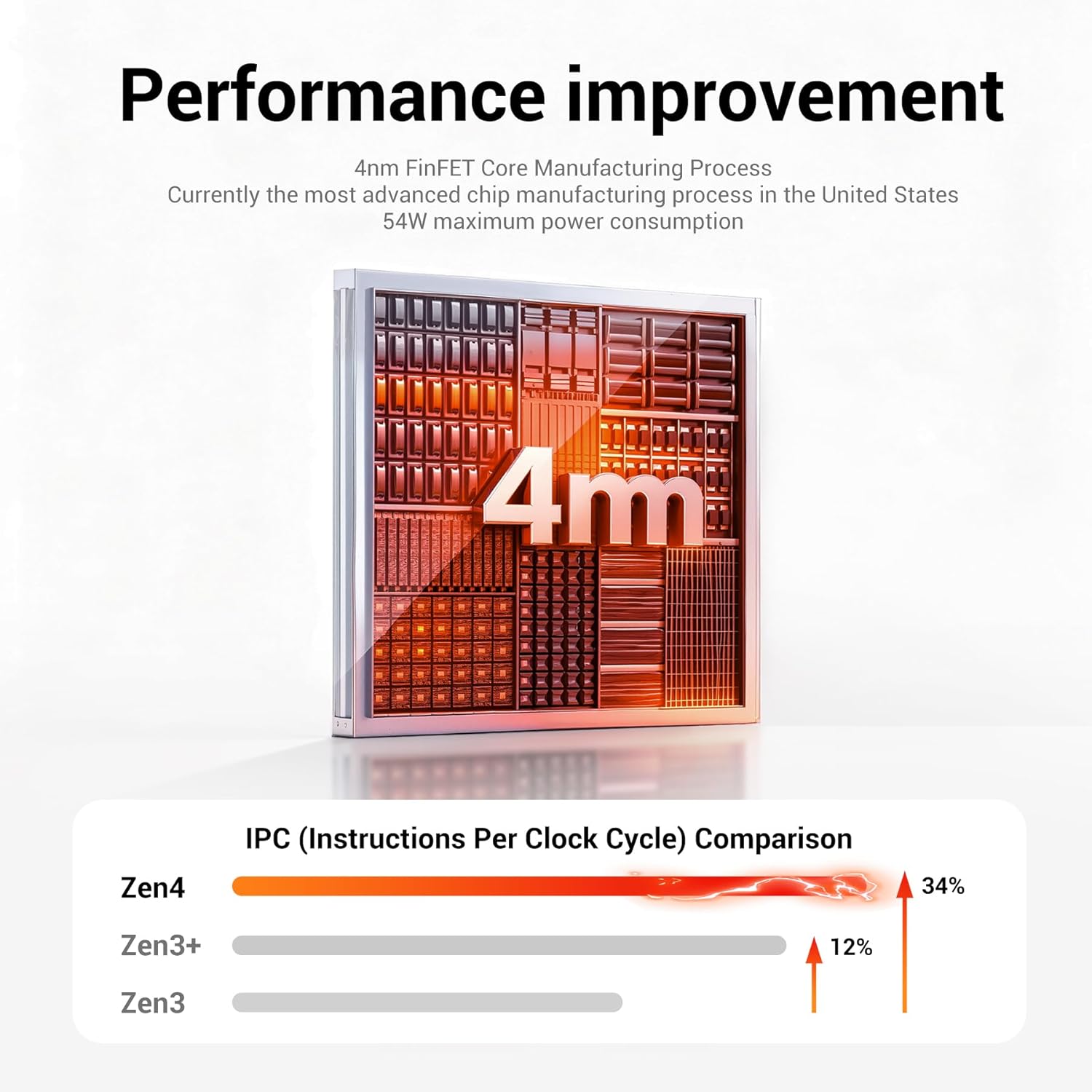
Image 4.1: A FIREBAT F1 Mini PC connected to three external monitors, demonstrating its triple display output capability for multitasking or extended workspaces.
4.3 Režimy výkonu
The Mini PC may feature adjustable performance modes (e.g., Silent, Balanced, Performance) which can be toggled via a dedicated button or software utility. Refer to the operating system's power settings for further customization.
5. Údržba
5.1 Čištění
- Pravidelně čistěte vnější povrch Mini PC měkkým, suchým hadříkem.
- Use compressed air to clear dust from ventilation grilles and ports to maintain optimal airflow and cooling.
5.2 Aktualizace softwaru
Keep your operating system and drivers updated to ensure system stability and performance. Check the manufacturer's webstránky s nejnovějšími verzemi ovladačů.
5.3 Hardware Expansion
The Mini PC supports dual DDR5 RAM slots (up to 64GB) and two M.2 2280 PCIe 4.0 SSD slots for storage expansion. When upgrading, ensure the device is powered off and disconnected from the power source. Consult a qualified technician if you are unsure about the upgrade process.
Obrázek 5.1: Vnitřní view of the FIREBAT F1 Mini PC, illustrating the dual SO-DIMM DDR5 RAM slots and the M.2 NVMe PCIe 4.0 SSD slots for memory and storage expansion.

Image 5.2: A diagram showing the internal cooling components of the FIREBAT F1 Mini PC, including the cooling fan, dual heat pipes, and high-efficiency thermal grease, designed for low-temperature operation.
6. Řešení problémů
This section addresses common issues you might encounter with your FIREBAT F1 Mini PC.
| Problém | Možná příčina | Řešení |
|---|---|---|
| Žádná síla | Napájecí adaptér není připojen; Problém se zásuvkou; Vadný napájecí adaptér. | Ensure power adapter is securely connected to both the Mini PC and a working power outlet. Test the outlet with another device. |
| Žádný výstup na displej | Monitor not connected; Incorrect input source on monitor; Faulty cable. | Zkontrolujte připojení kabelu displeje. Ujistěte se, že je monitor nastaven na správný vstupní zdroj (HDMI, DP, USB-C). Zkuste jiný kabel nebo monitor. |
| Žádné připojení k internetu (kabelové) | Odpojený ethernetový kabel; problém s routerem/modemem; problém s ovladačem sítě. | Verify Ethernet cable is connected. Restart your router/modem. Check network adapter status in operating system. |
| Žádné připojení k internetu (bezdrátové) | WiFi disabled; Incorrect password; Router too far. | Ensure WiFi is enabled in the operating system. Re-enter WiFi password. Move closer to the router or check router settings. |
| Systém zamrzá nebo padá | Overheating; Software conflict; Outdated drivers. | Ensure proper ventilation. Update operating system and drivers. Close unnecessary applications. |
7. Specifikace
Detailed technical specifications for the FIREBAT F1 Mini PC:
| Funkce | Detail |
|---|---|
| Značka | FIREBAT |
| Číslo modelu | Ryzen5 7640HS |
| Model CPU | AMD Ryzen 5 7640HS (6 Cores, 12 Threads) |
| Rychlost CPU | Up to 5.0 GHz (Turbo) |
| Grafický koprocesor | AMD Radeon 760M (integrovaná) |
| Nainstalovaná paměť RAM | 16 GB DDR5 (5600 MHz) |
| Maximální velikost paměti RAM | 64 GB (32GB x 2) |
| Popis pevného disku | SSD (512GB NVMe PCIe 3.0 x4 included) |
| Rozhraní pevného disku | PCIE x 4 (2x M.2 2280 slots) |
| Operační systém | Default (Windows 11 Pro often pre-installed) |
| Video výstup | HDMI 2.1, DisplayPort 1.4, USB4 (Type-C) |
| Maximální rozlišení displeje | 8K@60Hz Pixels (via USB4), 4K@60Hz (via HDMI/DP) |
| Technologie připojení | Bluetooth 5.2, Ethernet (2.5Gbps LAN), Wi-Fi 6 (802.11ax) |
| Celkový počet portů USB | 7 (1x USB4, 2x USB-A 3.2 Gen2, 4x USB-A 3.2 Gen1) |
| Zvuk | 2-in-1 audio combo (3.5mm jack) |
| Spotřeba energie | 54 wattů |
| Rozměry položky | 5 x 5 x 1.5 palce |
| Hmotnost položky | 1.1 libry |
| Způsob chlazení | Fan with Dual Heat Pipes |
8. Záruka a podpora
8.1 Informace o záruce
The FIREBAT F1 Mini PC typically comes with a 1-year limited warranty. Please refer to your purchase documentation for specific warranty terms and conditions.
8.2 Zákaznická podpora
For technical assistance, troubleshooting, or warranty claims, please contact FIREBAT customer support through their official website or the contact information provided with your product. Keep your purchase receipt and product serial number readily available.
Online resources and FAQs may also be available on the FIREBAT official webmísto: www.firebatpc.com