
Zavedení
Thank you for choosing the Dyson Hushjet Compact Purifier HJ10. This device is engineered to purify your indoor environment, removing airborne pollutants and allergens. Its compact design and advanced electrostatic filtration system ensure clean air in spaces up to 100 square meters. Please read this manual thoroughly before operating your purifier to ensure safe and optimal performance.
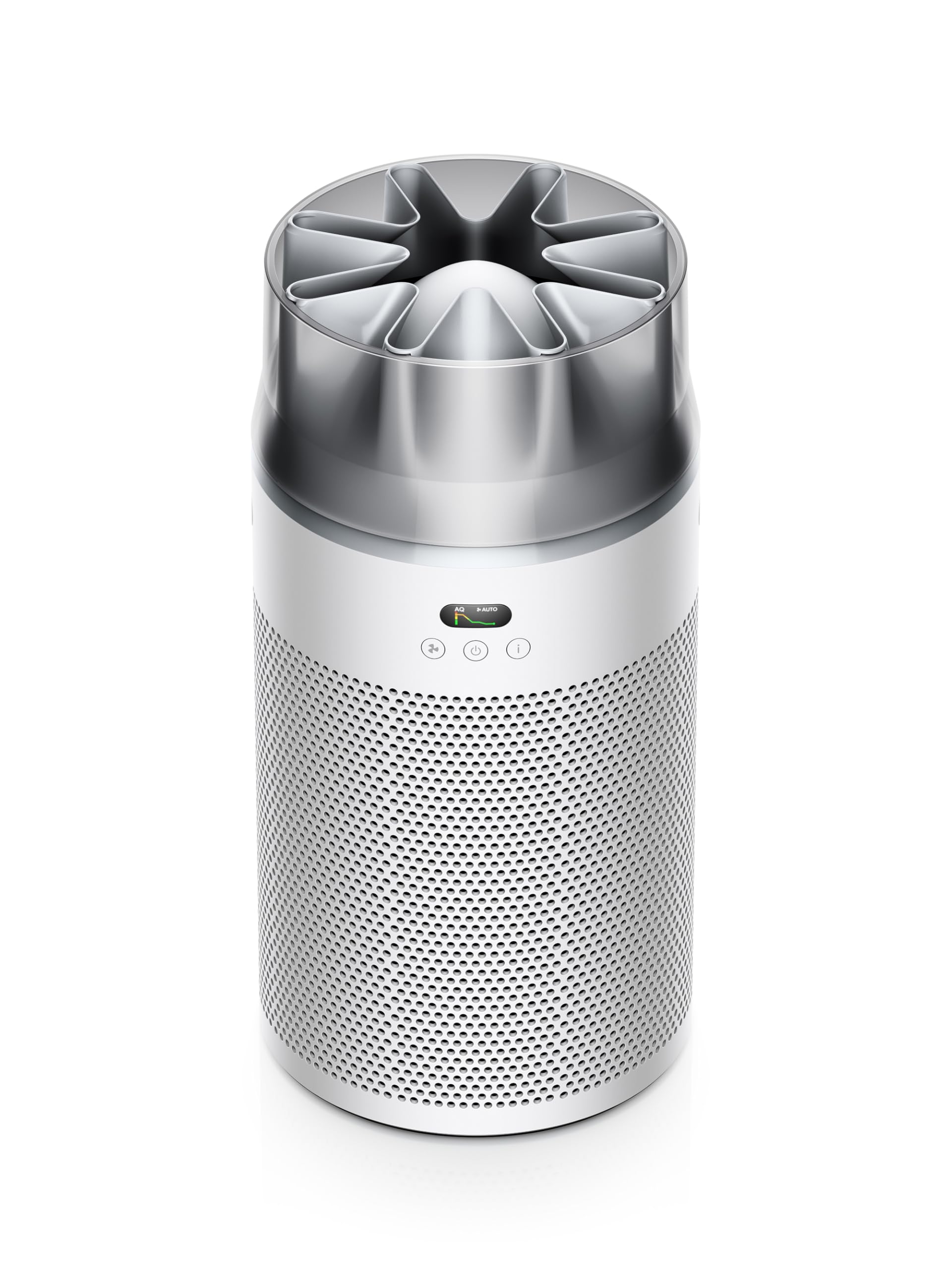
Image: The Dyson Hushjet Compact Purifier HJ10, a sleek, compact air purification unit.
Důležité bezpečnostní informace
Při používání elektrických spotřebičů vždy dodržujte základní bezpečnostní opatření, abyste snížili riziko požáru, úrazu elektrickým proudem nebo zranění.
- Před použitím spotřebiče si přečtěte všechny pokyny.
- Unplug the purifier from the power outlet before cleaning, performing any maintenance, or when not in use.
- Do not operate any appliance with a damaged cord or plug. If the cord or plug is damaged, contact Dyson customer support.
- Do not use the purifier near water or in wet environments.
- Keep the air inlets and outlets clear of obstructions. Do not insert objects into any openings.
- Tento spotřebič je určen pouze pro vnitřní použití.
- Do not allow children to play with the purifier.
Obsah balení
Ověřte, zda jsou v balení přítomny všechny položky:
- Dyson Hushjet Compact Purifier HJ10 Main Unit
- Electrostatic Filter (pre-installed or separate)
- Dálkové ovládání
- Napájecí kabel
- Uživatelská příručka (tento dokument)
Nastavení
1. Unpacking and Filter Installation
Carefully remove all components from the packaging. If the electrostatic filter is not pre-installed, follow the instructions below to install it.
- Place the purifier on a stable, level surface.
- Twist the base of the purifier counter-clockwise to unlock and remove the filter cover.
- Insert the electrostatic filter into the base, ensuring it is seated correctly.
- Nasaďte kryt filtru a otočte jím ve směru hodinových ručiček, aby se zajistil na místě.
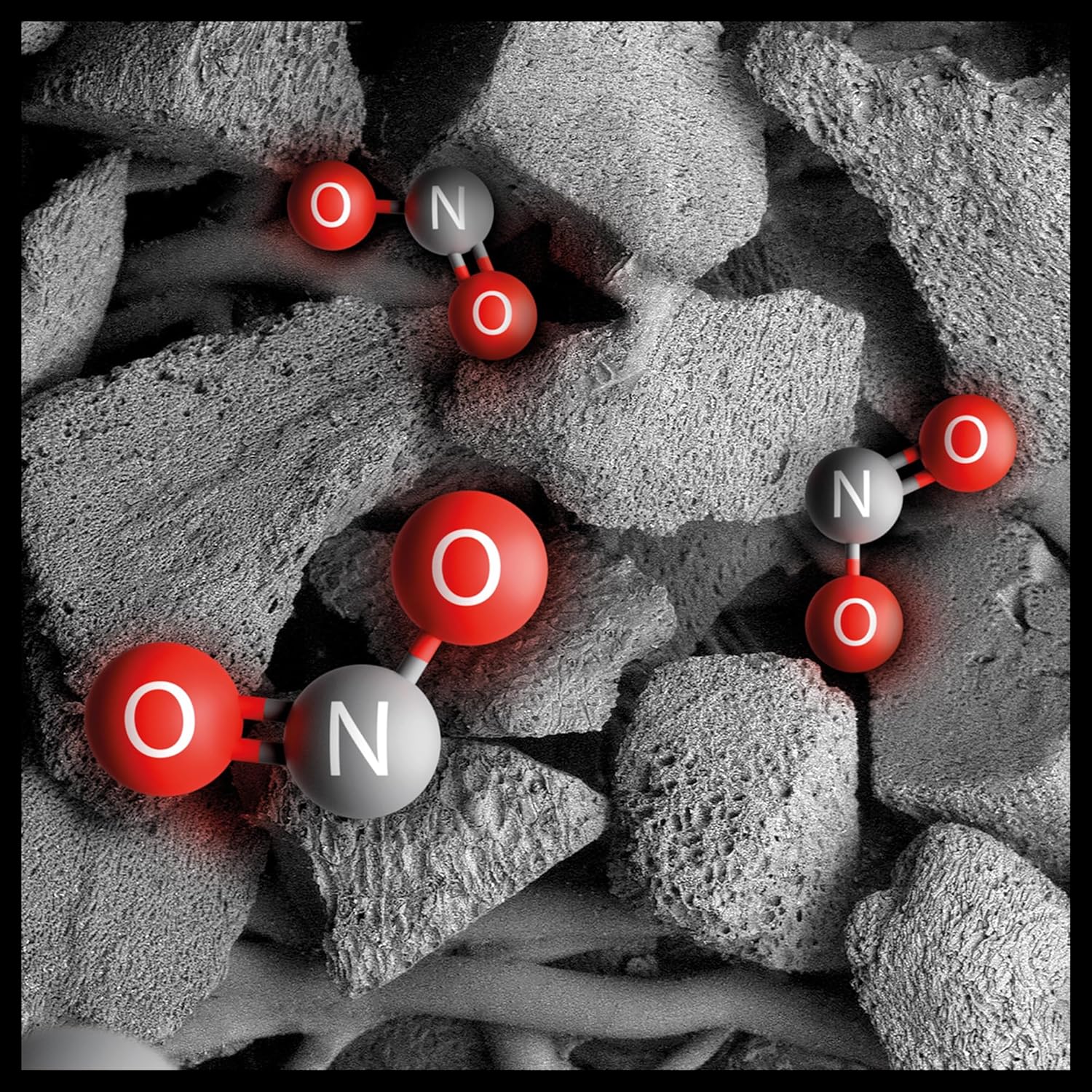
Image: Illustration of the electrostatic filter being installed into the purifier base.
2. Umístění
Position the purifier in a central location within the room to ensure optimal air circulation. The Dyson Hushjet Compact Purifier HJ10 is designed to effectively purify rooms up to 100 square meters. Ensure there is adequate space around the unit for air intake and output.
3. Připojení napájení
Connect the power cable to the purifier and then plug it into a suitable electrical outlet.
4. Připojení aplikace (volitelné)
For enhanced control and monitoring, download the Dyson Link app from your device's app store. Follow the in-app instructions to connect your purifier to your mobile device.

Image: A smartphone displaying the Dyson Link app interface, showing controls for the air purifier.
Návod k obsluze
1. Zapnutí/vypnutí
Stiskněte tlačítko napájení (⏻) on the unit or the remote control to turn the purifier on or off.

Image: Close-up of the purifier's control panel, featuring the power button and display.
2. Provozní režimy
- Automatický režim: Press the 'Auto' button on the remote or select it via the app. The purifier will automatically adjust its fan speed based on detected air quality.
- Manuální režim: Adjust the fan speed manually using the fan speed buttons on the remote or through the app.
- Noční režim: Activate Night Mode for quieter operation and dimmed display lights, ideal for use during sleep.

Image: A digital display showing an air quality graph over time, indicating good air quality and an auto target setting.
3. Air Projection Technology
The Dyson Hushjet features special Dyson Hushjet air projection, designed to circulate purified air efficiently throughout the room.
Údržba
1. Výměna filtru
The electrostatic filter in your Dyson Hushjet Purifier is designed for long-term use, with an estimated lifespan of 5 years under normal operating conditions. The device or app will notify you when a filter replacement is due.
- Unplug the purifier from the power outlet.
- Twist the base counter-clockwise to remove the filter cover.
- Opatrně vyjměte starý filtr a zlikvidujte jej v souladu s místními předpisy.
- Insert a new Dyson electrostatic filter, ensuring proper alignment.
- Vraťte kryt filtru zpět a otočením ve směru hodinových ručiček jej zajistěte.
- Reset the filter life indicator via the app or by following instructions on the device display.

Image: An artistic representation of electrostatic filtration, showing charged particles being attracted to and captured by filter fibers.
2. Čištění jednotky
Vnější povrch čističky otřete měkkým, suchým hadříkem. Nepoužívejte tekuté čisticí prostředky ani abrazivní materiály. Před čištěním se ujistěte, že je jednotka odpojena od sítě.
Odstraňování problémů
| Problém | Možná příčina | Řešení |
|---|---|---|
| Purifier does not turn on. | Žádné napájení. | Check if the power cable is securely plugged into the unit and the wall outlet. Test the outlet with another device. |
| Špatný výkon čištění vzduchu. | Clogged or incorrectly installed filter. | Check filter installation. Replace the filter if it has reached its end of life. Ensure air inlets/outlets are not blocked. |
| Dálkové ovládání nefunguje. | Vybité baterie nebo překážka. | Replace remote control batteries. Ensure no objects are blocking the signal path to the purifier. |
| Problémy s připojením aplikace. | Wi-Fi network problem or app error. | Ensure your Wi-Fi network is active. Restart the purifier and your mobile device. Re-attempt the app connection process. |
Specifikace
| Funkce | Detail |
|---|---|
| Značka | Dyson |
| Číslo modelu | HJ10 / SP01 |
| Rozměry (D x Š x V) | 36P x 27.5W x 52.5H cm (14.17 x 10.83 x 20.67 inches) |
| Hmotnost položky | 3.15 kilogramů (6.94 liber) |
| Zdroj napájení | Elektrický kabel |
| Kontrolní metoda | Vzdálené, Aplikace |
| Typ filtru | Elektrostatický filtr |
| Efektivní oblast | Až 100 metrů čtverečních |
| Speciální funkce | Dyson Hushjet Air Projection, Contaminant Filtration Capability |
| Životnost filtru | 5 years (estimated) |
Záruka a podpora
Your Dyson Hushjet Compact Purifier HJ10 comes with a manufacturer's warranty. For detailed warranty information, product registration, or technical support, please visit the official Dyson website or contact Dyson customer service. Keep your proof of purchase for warranty claims.
Official Dyson Webmísto: www.dyson.com