1. Úvod
The Bitaxe Gamma 602 is a compact and efficient Bitcoin SHA-256 solo miner designed for hobbyists, developers, and enthusiasts. It features the BM1370 ASIC, delivering approximately 1.2 TH/s hash rate at 18 W power consumption. The unit includes a Dark Horse heatsink for effective cooling, integrated Wi-Fi, a web dashboard, and an OLED display for monitoring. This manual provides essential information for setting up, operating, and maintaining your Bitaxe Gamma 602 miner.
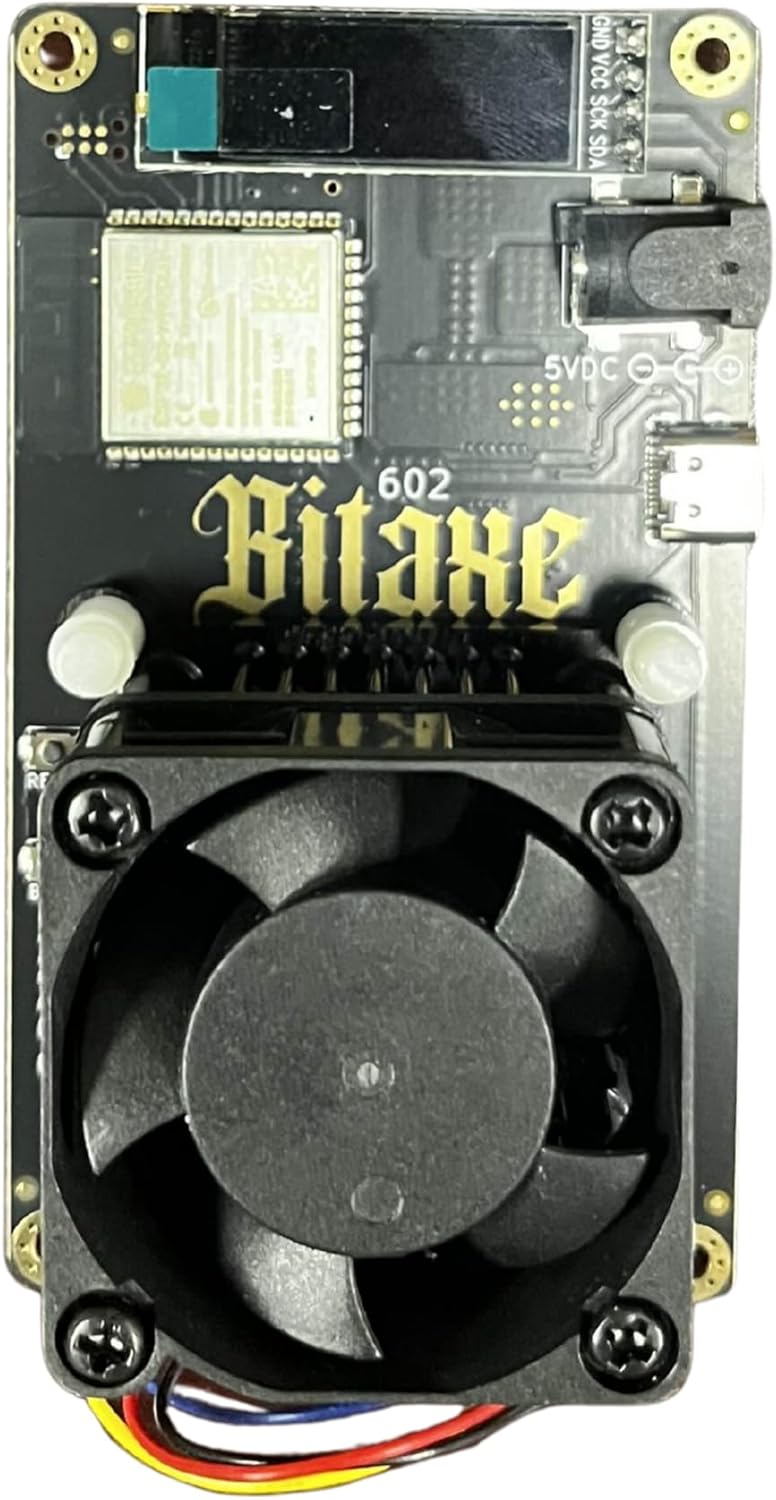
Obrázek 1: Nahoře view of the Bitaxe Gamma 602 miner, showing the cooling fan and OLED display.
2. Obsah balení
Ověřte, zda jsou v balení přítomny všechny položky:
- Bitaxe Gamma 602 Miner Unit
- 30 W Power Supply Unit (PSU) (5 V/6 A, UL-certified)
- Miner Stand
- Karta nastavení
- Stickers (for customization)
3. Pokyny k nastavení
The Bitaxe Gamma 602 is designed for plug-and-play operation with any Bitcoin/SHA-256 mining pool. However, initial assembly and configuration are required.
3.1 OLED Display Assembly
The OLED display requires soldering to the main board. This step is critical and requires basic soldering skills. If you are not proficient in soldering, seek assistance from an experienced individual to prevent damage to the unit.
- Orient the Display: Carefully align the OLED display with the designated pins on the main board. Ensure the display is oriented correctly as shown in product images or diagrams to match the pin assignments.
- Prepare Soldering Iron: Use a low-temperature soldering iron with a small tip. An iron set to approximately 850°F (450°C) is recommended.
- Solder Pins: Solder the display pins from the opposite side of the board where the display is mounted. Apply solder sparingly to each pin, ensuring a solid connection without creating solder bridges between pins. Avoid overheating the display pins.
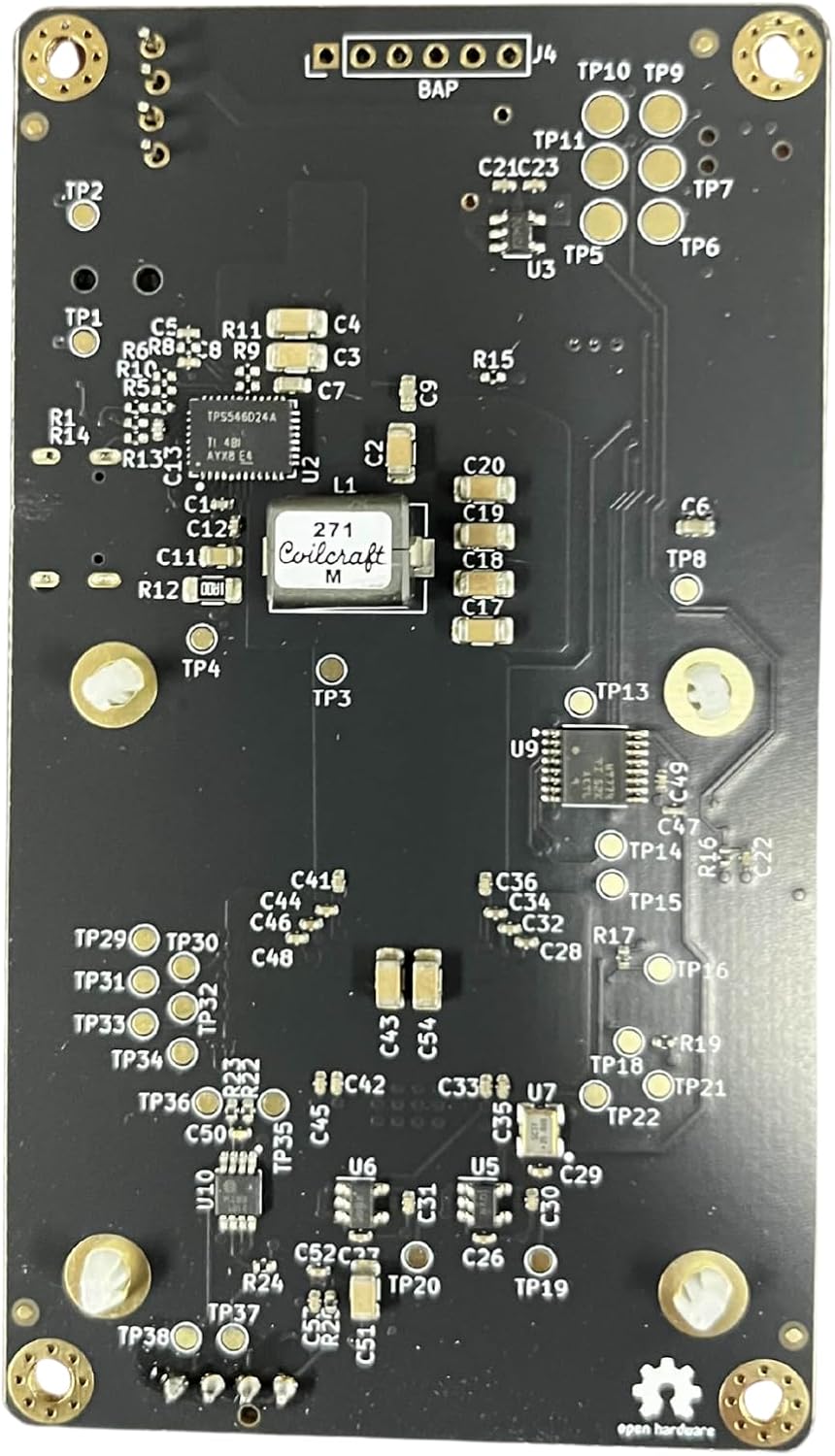
Obrázek 2: Spodní část view of the Bitaxe Gamma 602 PCB, illustrating the soldering points for components like the OLED display.
3.2 Initial Power-Up and Network Configuration
- Připojte napájení: Connect the provided 30 W PSU to the miner unit.
- Zapnutí: Plug the PSU into a standard electrical outlet. The unit will power on automatically.
- Wi-Fi připojení: The Bitaxe Gamma 602 uses an ESP32-S3 for Wi-Fi connectivity. Upon first boot, the device will typically create a Wi-Fi access point (AP) or attempt to connect to a previously configured network.
- Přístup Web Rozhraní: Use a computer or mobile device to connect to the miner's Wi-Fi AP (if it creates one) or locate its IP address on your local network. Access the open-source AxeOS web rozhraní přes a web browser to configure your mining pool settings and Wi-Fi credentials. Refer to the setup card for initial access details.
4. Návod k obsluze
Once configured, the Bitaxe Gamma 602 operates autonomously, connecting to your specified mining pool.
4.1 Monitorování
- OLED displej: The integrated OLED display provides real-time information such as hash rate, temperature, and network status.
- Web řídicí panel: The AxeOS web interface offers comprehensive monitoring and control options, including detailed statistics, configuration adjustments, and overclocking settings.
4.2 Přetaktování
The Bitaxe Gamma 602 supports overclocking up to 1.6–1.8 TH/s. Adjustments can be made via the AxeOS web interface. Exercise caution when overclocking, as it can increase power consumption and heat generation. Monitor temperatures closely to ensure stable operation.
5. Údržba
Regular maintenance ensures optimal performance and longevity of your miner.
- Odstranění prachu: Periodically inspect the cooling fan and heatsink for dust accumulation. Use compressed air or a soft brush to gently remove dust, ensuring unobstructed airflow.
- Podmínky prostředí: Operate the miner in a clean, dry environment with adequate ventilation to prevent overheating.
- Aktualizace firmwaru: Check the official Bitaxe community or repository for firmware updates to ensure you have the latest features and performance improvements. Follow the provided instructions for safe firmware flashing.
6. Řešení problémů
Tato část se zabývá běžnými problémy, se kterými se můžete setkat.
- Těžební zařízení se nezapíná:
- Ensure the power supply is securely connected to both the miner and the electrical outlet.
- Ověřte, zda je elektrická zásuvka funkční.
- Check the PSU for any visible damage.
- No Display on OLED Screen:
- Confirm that the OLED display has been correctly soldered to the board. Inspect solder joints for cold joints or bridges.
- Ensure the display is oriented correctly.
- Unable to Connect to Wi-Fi / Web Rozhraní:
- Verify your Wi-Fi credentials entered in the web rozhraní jsou správné.
- Ensure the miner is within range of your Wi-Fi router.
- Restart the miner and your Wi-Fi router.
- If the miner is creating its own AP, ensure your device is connected to that AP.
- Low Hash Rate or Instability:
- Check the miner's temperature via the OLED or web interface. Excessive heat can lead to throttling.
- Ensure the cooling fan and heatsink are free of dust and operating correctly.
- If overclocked, reduce the clock speed to a stable level.
- Verify your mining pool connection and settings.
7. Specifikace
| Funkce | Detail |
|---|---|
| Model | Bitaxe Gamma 602 |
| ASIC Chip | BM1370 (SHA-256) |
| Hash Rate (Stock) | 1.1 – 1.27 TH/s |
| Hash Rate (Overclocked) | Up to 1.6 – 1.8 TH/s |
| Power Consumption (Stock) | 18 – 22 W (~15 J/TH efficiency) |
| Chlazení | Dark Horse heatsink + quiet fan |
| Konektivita | Wi-Fi (via ESP32-S3) |
| Firmware | Open-source AxeOS web rozhraní |
| Rozměry | 6 x 3 x 3 palce (15.24 x 7.62 x 7.62 cm) |
| Hmotnost položky | 1 libry (0.45 kg) |
| Napájení | 30 W PSU (5 V/6 A) |
| Materiál | Akrylonitrilbutadienstyren (ABS) |
8. Záruka a podpora
Information regarding product warranty and specific support contacts was not provided in the product details. For warranty claims, technical support, or further assistance, please refer to the manufacturer's official website or contact the vendor from whom the product was purchased.
As the Bitaxe Gamma 602 utilizes open-source firmware (AxeOS), community support forums and documentation may also be valuable resources for troubleshooting and advanced usage.


