
FLEX FC3401-Z 120V Corded Brushless Gear-Driven Orbital Polisher
Návod k použití
1. Důležité bezpečnostní pokyny
Přečtěte si všechna bezpečnostní varování, pokyny, ilustrace a specifikace dodávané s tímto elektrickým nářadím. Nedodržení všech níže uvedených pokynů může vést k úrazu elektrickým proudem, požáru a/nebo vážnému zranění.
- Bezpečnost pracovního prostoru: Udržujte pracovní prostor čistý a dobře osvětlený. Nepořádek nebo tmavé prostory vedou k nehodám.
- Elektrická bezpečnost: Zástrčky elektrického nářadí musí odpovídat zásuvce. Nikdy zástrčku nijak neupravujte. Nevystavujte elektrické nářadí dešti ani vlhku.
- Osobní bezpečnost: Stay alert, watch what you are doing, and use common sense when operating a power tool. Always wear eye protection.
- Použití a péče o elektrické nářadí: Netlačte na elektrické nářadí silou. Používejte správné elektrické nářadí pro danou aplikaci. Před prováděním jakýchkoli úprav, výměnou příslušenství nebo uložením elektrického nářadí odpojte zástrčku od zdroje napájení.
- Servis: Nechte své elektrické nářadí opravit kvalifikovanou osobou, která bude používat pouze identické náhradní díly.
2. Konec produktuview
The FLEX FC3401-Z is a 120V corded brushless gear-driven orbital polisher designed for car detailing. It features constant speed technology, an 11-speed control dial, and an ergonomic grip for precise control.
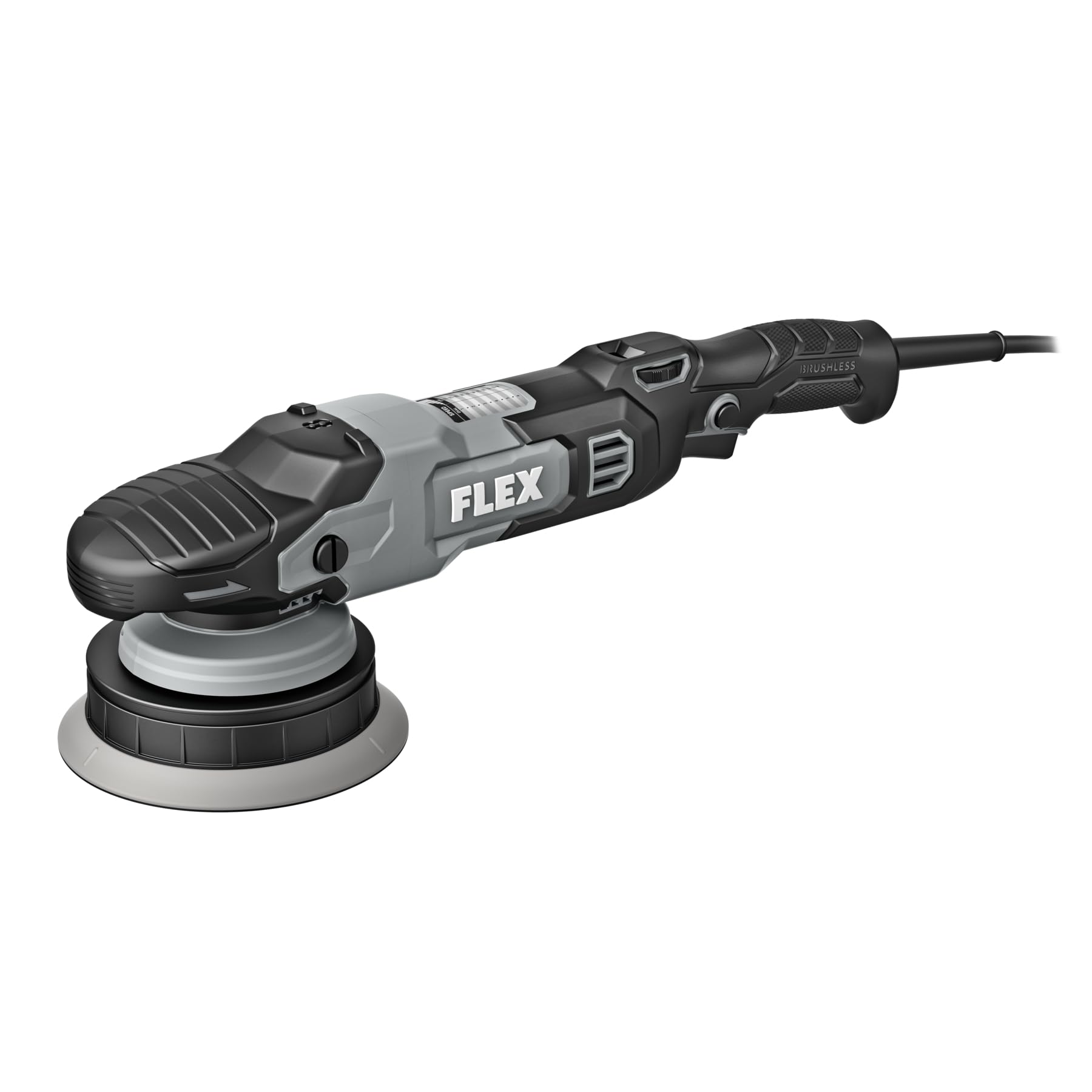
Figure 1: FLEX FC3401-Z Orbital Polisher. This image shows the complete polisher unit with its ergonomic handle and speed control dial.
Zahrnuté komponenty:
- FLEX FC3401-Z Polisher Unit
- 5-inch Backing Plate
- 6-inch Backing Plate
3. Nastavení
Before operating the polisher, ensure it is properly assembled and all safety precautions are observed.
- Select Backing Plate: Choose either the 5-inch or 6-inch backing plate based on the pad size and the area you intend to polish.
- Připevněte podpůrnou desku: Align the backing plate with the polisher's spindle. Securely screw the backing plate onto the spindle until it is hand-tight. Do not overtighten.
- Připevnění lešticí podložky: Press the desired polishing pad firmly onto the hook-and-loop surface of the backing plate. Ensure the pad is centered.
- Připojení napájení: Plug the polisher's cord into a standard 120V electrical outlet. Ensure the power switch is in the "OFF" position before plugging in.
Figure 2: Backing Plate Attachment. This image illustrates how to securely attach a backing plate to the polisher's spindle.
4. Návod k obsluze
Follow these steps for effective and safe operation of your FLEX orbital polisher.
- Připravte povrch: Ensure the vehicle surface is clean, dry, and free of contaminants before polishing.
- Apply Compound/Polish: Naneste malé množství lešticí pasty nebo vosku přímo na lešticí kotouč nebo na pracovní plochu.
- Start Polisher: Place the pad flat on the work surface before turning the tool on. Use the 11-speed control dial to select the desired speed. Start at a lower speed and gradually increase as needed. The variable speed trigger allows for fine-tuning.
- Technika leštění: Move the polisher in a consistent, overlapping pattern. Apply light, even pressure. Avoid tilting the polisher, which can cause uneven results or damage.
- Monitorovat teplotu: Periodically check the temperature of the work surface and the polisher. If either becomes excessively hot, stop and allow them to cool.
- Dokončit: Once the desired result is achieved, turn off the polisher before lifting it from the surface.
Ovládání rychlosti:
The polisher features an 11-speed control dial. Refer to the table below for general speed recommendations:
| Nastavení vytáčení | Aplikace |
|---|---|
| 1-3 | Waxing, Glazing, Finishing |
| 4-7 | Light Polishing, Swirl Removal |
| 8-11 | Heavy Compounding, Scratch Removal |
Note: These are general guidelines. Always test on an inconspicuous area first.
5. Údržba
Regular maintenance ensures optimal performance and extends the life of your polisher.
- Čištění: After each use, disconnect the polisher from power. Remove the polishing pad and clean it according to its manufacturer's instructions. Wipe down the polisher body with a clean, damp tkanina. Nepoužívejte agresivní chemikálie nebo abrazivní čisticí prostředky.
- Kontrola podložky: Regularly inspect backing plates and polishing pads for wear or damage. Replace worn pads to maintain effective polishing.
- Kontrola kabelu: Zkontrolujte napájecí kabel, zda není proříznutý, roztřepený nebo poškozený. Nepoužívejte nářadí, pokud je kabel poškozený.
- Skladování: Store the polisher in a clean, dry place, out of reach of children. Avoid storing in direct sunlight or extreme temperatures.
6. Řešení problémů
Řešení běžných problémů naleznete v této části.
| Problém | Možná příčina | Řešení |
|---|---|---|
| Polisher does not turn on. | No power supply; faulty cord/plug; internal fault. | Check power outlet and cord. Ensure plug is fully inserted. If problem persists, contact customer support. |
| Nadměrné vibrace nebo hluk. | Loose backing plate; unbalanced pad; internal issue. | Ensure backing plate is securely tightened. Check pad for even attachment and wear. If issue continues, discontinue use and seek service. |
| Špatné výsledky leštění. | Incorrect pad/compound; worn pad; improper technique. | Verify pad and compound are suitable for the task. Replace worn pads. Review návod k obsluze pro správnou techniku. |
7. Specifikace
| Funkce | Detail |
|---|---|
| Číslo modelu | FC3401-Z |
| svtage | 120 voltů |
| Typ motoru | Bezkartáčový |
| Max RPM | 700 ot./min |
| Max OPM | 8,700 XNUMX OPM |
| Ovládání rychlosti | 11-speed dial with variable speed trigger |
| Included Backing Plates | 5 palce a 6 palce |
| Rozměry produktu (D x Š x V) | 16.5 cm x 3.9 cm x 5 cm |
| Zdroj napájení | Elektrický kabel |
8. Záruka a podpora
This FLEX polisher is protected by a one-year limited warranty when registered.
- Registrace záruky: To activate your one-year limited warranty, register your product at registermyflex.com.
- Zákaznická podpora: For technical assistance, service, or warranty claims, please refer to the contact information provided on the FLEX official webwebu nebo v dokumentaci k nákupu.