
1. Úvod
This manual provides detailed instructions for the installation, operation, and maintenance of your Lemorele 4K HDMI Video Capture Card with USB3.0. This device is designed for high-quality video capture and passthrough, supporting resolutions up to 4K@60Hz for passthrough and 1080p for capture. It is compatible with various gaming consoles, cameras, and computers, making it suitable for streaming, recording, and live presentations.
2. Obsah balení
Prosím, ověřte, zda jsou v balení přítomny všechny položky:
- Lemorele 4K HDMI Video Capture Card (Model: 4K60HZ)
- Kabel USB-C na USB-A
- Uživatelská příručka

Image: The Lemorele 4K HDMI Video Capture Card, USB-C cable, and user manual are shown together, indicating the typical package contents.
3. Konec produktuview
The Lemorele 4K HDMI Video Capture Card features a durable aluminum alloy body and multiple ports for versatile connectivity.
3.1. Uspořádání zařízení
Obrázek: Nahoře view of the capture card highlighting the HDMI OUT, HDMI IN, and Type-C ports. The HDMI OUT port is for looping out the display, HDMI IN is for the device being captured, and Type-C is for connecting to the acquisition device (computer).

Obrázek: Boční view of the capture card highlighting the MIC IN, LINE IN, and AUDIO OUT ports. These ports are used for connecting external microphones, mixers, and audio output devices respectively.
3.2. Popisy portů
- HDMI VÝSTUP: Connects to a display (monitor, TV, projector) for zero-latency passthrough.
- HDMI vstup: Connects to the source device (gaming console, camera, laptop) for video input.
- TYP-C: Connects to your computer (laptop, PC, Mac, iPad Pro) for data transfer and power.
- MIC IN: Connects to an external microphone for audio input.
- ŘADA V: Connects to an audio mixer or instrument for additional audio input.
- AUDIO VÝSTUP: Connects to headphones or speakers for audio monitoring.
4. Nastavení
Follow these steps to set up your Lemorele 4K HDMI Video Capture Card:
- Připojit zdrojové zařízení: Connect your HDMI source device (e.g., Nintendo Switch dock, PS5, Xbox, camera) to the HDMI-IN portu na záznamové kartě pomocí kabelu HDMI.
- Připojení displeje (volitelné): If you wish to monitor your gameplay or video feed without latency, connect your display (monitor, TV) to the HDMI OUT portu na záznamové kartě pomocí kabelu HDMI.
- Připojení k počítači: Connect the capture card to your computer (laptop, PC, Mac, iPad Pro) using the provided USB-C to USB-A cable. Plug the USB-C end into the TYP-C port on the capture card and the USB-A end into an available USB 3.0 port on your computer.
- Připojit zvuk (volitelné): For external audio input, connect your microphone to the MIC IN port or an audio mixer to the LINE IN port. For audio monitoring, connect headphones or speakers to the AUDIO VÝSTUP přístav.
- Nastavení softwaru: Install and open your preferred video capture software (e.g., OBS Studio, Zoom, Twitch, YouTube). The capture card should be recognized as a video input device.
Video: This video demonstrates the connection process for the Lemorele AC09 video capture card, showing how to connect the HDMI IN, HDMI OUT, and Type-C ports to a Nintendo Switch dock, a monitor, and a laptop for capturing game footage using OBS Studio.

Image: A visual diagram illustrating the connection of the capture card to a gaming console (PS5), a monitor, and a laptop for streaming and recording.
5. Návod k obsluze
Once the capture card is set up, you can begin capturing or streaming your content.
5.1. Using with OBS Studio (Example)
- Otevřete OBS Studio na svém počítači.
- In the 'Sources' panel, click the '+' icon and select 'Zařízení pro nahrávání videa'.
- Create a new source or select an existing one. In the device dropdown, choose your Lemorele capture card (it may appear as 'USB Video' or similar).
- Configure resolution, FPS, and audio input settings as needed. Ensure 'Use custom audio device' is checked and select the capture card's audio input.
- Click 'OK' to add the source. You should now see your video feed in OBS.
- Adjust the video source size and position within the preview okno.
- To start recording or streaming, click the 'Start Recording' or 'Start Streaming' button in OBS Studio.
5.2. Ovládání zvuku
The capture card features dedicated MIC IN and LINE IN ports for advanced audio integration. Ensure your capture software is configured to use these audio inputs for optimal sound quality.
Video: Toto video poskytuje celkový přehledview of the Lemorele 4K HDMI Video Capture Card, showcasing its features and various applications in gaming, streaming, and professional settings.

Image: A user is shown actively streaming a game, with the capture card connected to a console and a laptop running streaming software, demonstrating a typical usage scenario.
6. Vlastnosti
- 4K@60Hz Ultra HD Passthrough: Supports 4K@60Hz zero-lag passthrough to a display while capturing video at 1080p, ensuring a smooth viewing experience for the user and high-quality capture for the audience.
- Pokročilé ovládání zvuku: Dedicated MIC IN and LINE IN ports allow direct connection to external microphones, mixers, or instruments, facilitating professional audio integration for various content creation needs.
- Comprehensive I/O Connectivity: Equipped with HDMI IN & OUT, USB-C, and AUDIO OUT ports, providing flexible setup options for connecting gaming consoles, cameras, laptops, and monitors.
- Stable & Reliable Performance: The durable aluminum alloy body ensures efficient heat dissipation and anti-interference protection, supporting continuous operation during extended streaming or recording sessions.
- Plug-and-Play Wide Compatibility: Works seamlessly with Windows, macOS, and iPad Pro, and supports popular software such as OBS Studio, Zoom, Twitch, and YouTube. Compatible with PS5, Xbox Series X/S, Nintendo Switch, and DSLR cameras.

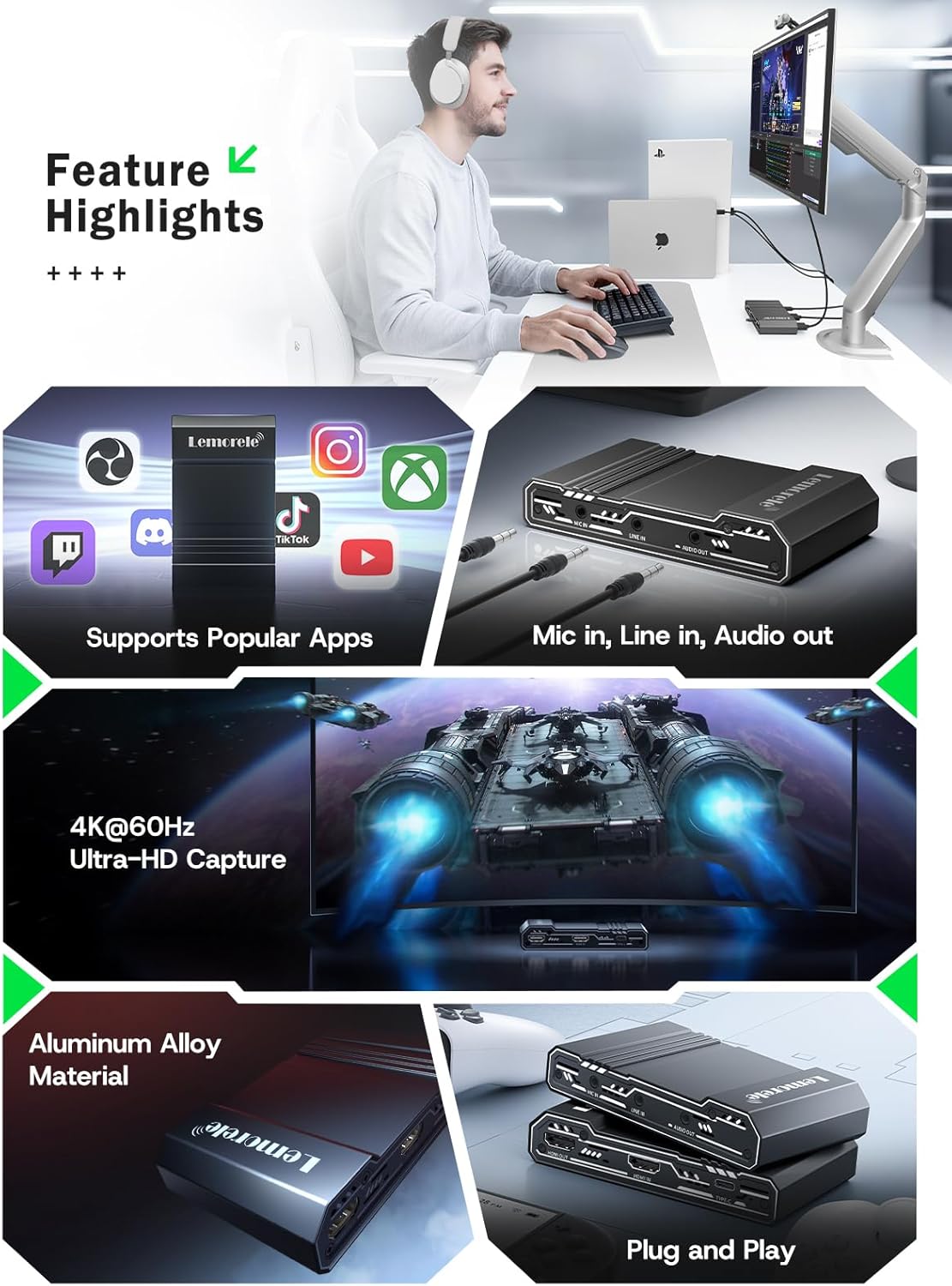
Image: This graphic highlights key features of the capture card, including support for popular streaming applications, dedicated audio input/output ports, 4K@60Hz Ultra-HD capture, durable aluminum alloy construction, and plug-and-play functionality.
7. Řešení problémů
Pokud narazíte na problémy, podívejte se na následující běžné problémy a jejich řešení:
- Žádný video signál:
- Ujistěte se, že všechny kabely HDMI jsou bezpečně připojeny ke správným portům (HDMI IN od zdroje, HDMI OUT k displeji).
- Verify the source device is powered on and outputting video.
- Check your capture software settings to ensure the correct video capture device is selected and configured.
- Disable HDCP on your source device (e.g., PS5 settings) if you are experiencing a blank screen.
- Žádný zvuk:
- Confirm audio cables are correctly connected to MIC IN, LINE IN, or AUDIO OUT ports.
- In your capture software, ensure the audio input device is correctly selected and not muted.
- Zkontrolujte nastavení zvuku na zdrojovém zařízení.
- Lag or Stuttering Video:
- Ujistěte se, že váš počítač splňuje minimální systémové požadavky pro nahrávání a streamování videa.
- Use a USB 3.0 port for connecting the capture card to your computer.
- Zavřete nepotřebné aplikace běžící na pozadí, abyste uvolnili systémové prostředky.
- Lower the capture resolution or frame rate in your software settings.
- Zařízení nebylo rozpoznáno:
- Zkuste připojit digitalizační kartu k jinému USB portu v počítači.
- Restartujte počítač.
- Ujistěte se, že máte aktuální operační systém.
8. Specifikace
| Funkce | Detail |
|---|---|
| Značka | Lemorele |
| Model | 4K60HZ |
| Hardwarové rozhraní | 3.5mm Audio, HDMI, USB 3.0 Type C |
| Maximální rozlišení vstupu HDMI | 4K @ 60 Hz |
| Maximální rozlišení průchodu HDMI | 4K @ 60 Hz |
| Maximální rozlišení snímání | 1080p |
| Hmotnost položky | 9.8 unce |
| Rozměry balení | 6.1 x 4.02 x 1.42 palce |
| Materiál | Hliníková slitina |
| Kompatibilita | Windows, macOS, iPad Pro, OBS Studio, Zoom, Twitch, YouTube, PS5, Xbox Series X/S, Nintendo Switch, DSLR cameras |
9. Údržba
Abyste zajistili dlouhou životnost a optimální výkon vaší digitalizační karty, dodržujte tyto pokyny pro údržbu:
- Čištění: K čištění vnější strany zařízení používejte měkký, suchý hadřík. Nepoužívejte tekuté čisticí prostředky ani abrazivní materiály.
- Skladování: Přístroj skladujte na chladném a suchém místě mimo dosah přímého slunečního záření a extrémních teplot.
- Zacházení: S přístrojem zacházejte opatrně, abyste předešli fyzickému poškození. Zabraňte jeho pádu nebo silným nárazům.
- Větrání: Ensure the device has adequate ventilation during operation to prevent overheating, especially during long streaming sessions. The aluminum alloy body is designed for efficient heat dissipation.
10. Záruka a podpora
Lemorele products are designed for reliability and performance. This product comes with a standard manufacturer's warranty. For specific warranty details, please refer to the warranty card included in your package or visit the official Lemorele webmísto.
For technical support, troubleshooting assistance, or any inquiries regarding your Lemorele 4K HDMI Video Capture Card, please contact our customer support team:
- E-mail: podpora@lemorele.com
- Webmísto: Visit the Lemorele official webweb s častými dotazy a dalšími zdroji.