
1. Úvod
This manual provides detailed instructions for the installation, operation, and maintenance of your Rosewill VNG 650W ATX 3.1 Power Supply. Please read this manual thoroughly before installation and keep it for future reference. The Rosewill VNG 650W is an 80+ Gold Certified, non-modular power supply compatible with ATX 3.0 & 3.1 standards, featuring a 450W PCIe 5.1 12V-2x6 connector for modern graphics cards.
2. Bezpečnostní informace
- Před instalací, demontáží nebo čištěním napájecího zdroje vždy odpojte napájecí kabel ze zásuvky.
- Neotevírejte napájecí jednotku. Vysoká hlasitosttagUvnitř se nacházejí žádné části a nejsou zde žádné součásti, které by mohl uživatel opravit. Otevření jednotky ruší platnost záruky.
- Ensure the power supply is installed in a well-ventilated area, away from heat sources, direct sunlight, and moisture.
- Use only the cables provided with your power supply. Using third-party cables may cause damage to your system and void the warranty.
- Připojte napájecí zdroj k uzemněné zásuvce.
- Do not force connectors. Ensure proper orientation before plugging in any cables.
3. Obsah balení
Ověřte, zda jsou v balení přítomny všechny komponenty:
- Rosewill VNG 650W Power Supply Unit
- AC napájecí kabel
- Montážní šrouby
- Uživatelská příručka
- Stahovací pásky (pro správu kabelů)

Figure 3.1: Rosewill VNG 650W Power Supply with its bundled, non-modular cables.
4. Nastavení a instalace
Follow these steps to install your Rosewill VNG 650W Power Supply:
- Připravte si systém: Ensure your computer case is open and accessible. Disconnect all power from your existing power supply and remove it if necessary.
- Montáž napájecího zdroje: Carefully slide the Rosewill VNG 650W into the power supply bay of your computer case. Secure it with the provided mounting screws.
- Připojení napájení základní desky: Connect the 24-pin ATX motherboard power cable to your motherboard.
- Připojení napájení CPU: Připojte 4+4pinový napájecí kabel (kabely) procesoru k základní desce.
- Připojení napájení grafické karty: For modern graphics cards, use the dedicated PCIe 5.1 12V-2x6 connector. For older or less demanding cards, use the 6+2 pin PCIe connectors. Ensure all necessary power connectors for your graphics card(s) are securely attached.
- Připojení periferií: Connect SATA power cables to your storage drives (HDDs/SSDs) and Molex connectors to any other peripherals requiring them.
- Správa kabelů: Organize the non-modular cables using the included cable ties to improve airflow and aesthetics within your case.
- Připojte AC napájení: Once all internal connections are made, connect the AC power cord to the power supply and then to a grounded wall outlet.
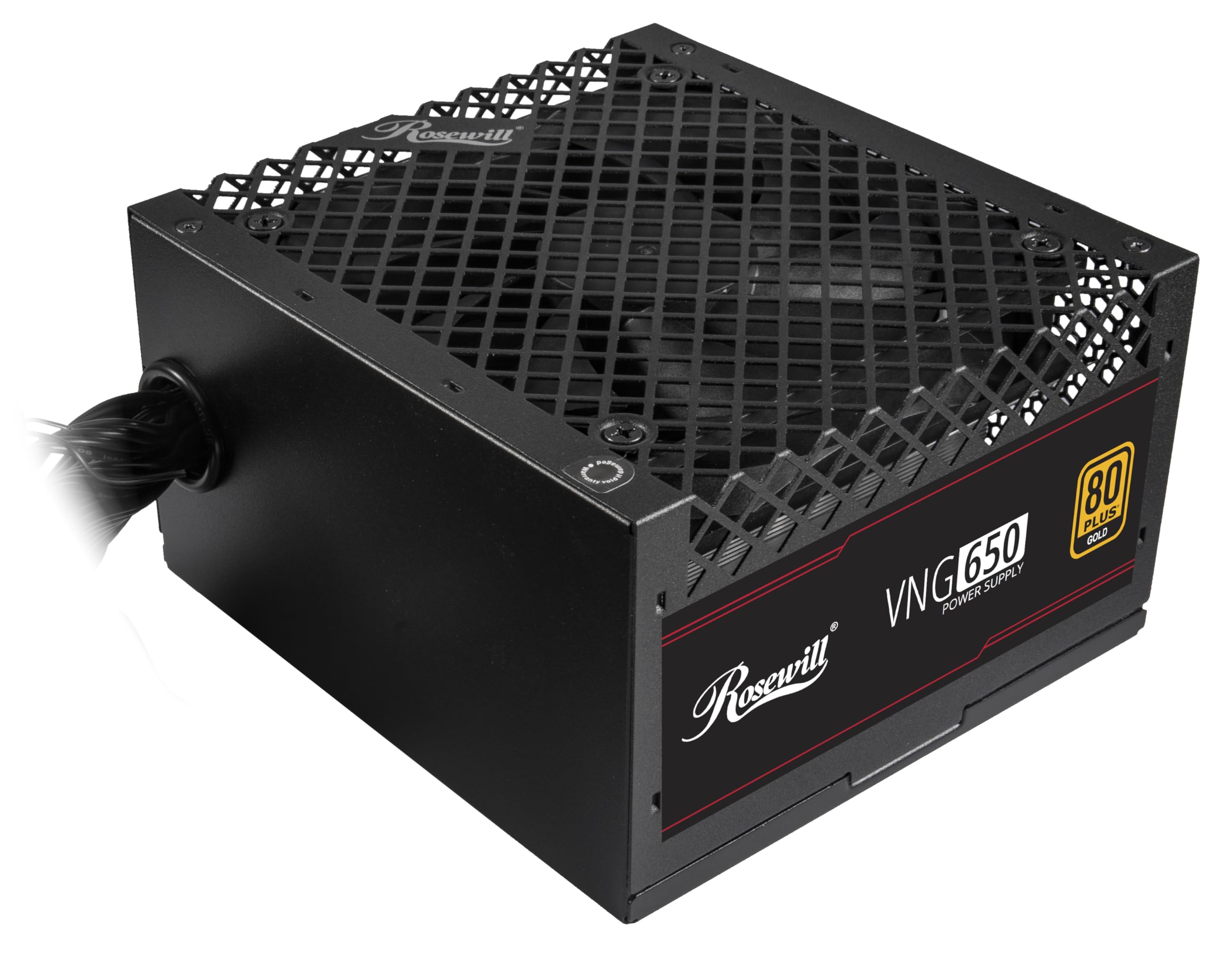
Figure 4.1: Rosewill VNG 650W Power Supply overview.

Figure 4.2: Rear panel with power switch and AC input.

Figure 4.3: Available Power Supply Connectors.
5. Návod k obsluze
Once installed, the Rosewill VNG 650W Power Supply operates automatically. Its 80 PLUS Gold certification ensures high efficiency, converting more AC power into usable DC power and reducing wasted heat. The low-noise design helps maintain a quiet computing environment. The power supply is designed to handle power excursions up to 235% and GPU power excursions up to 300%, providing stable power delivery for demanding components.

Obrázek 5.1: Nahoře view showing the cooling fan.
6. Údržba
To ensure optimal performance and longevity of your Rosewill VNG 650W Power Supply:
- Udržujte to čisté: Periodically clean the exterior of the power supply and the fan grill with a soft, dry cloth. Use compressed air to gently remove dust from the fan and internal components, ensuring the system is powered off and unplugged before cleaning.
- Zajistěte správné proudění vzduchu: Make sure there is adequate space around the power supply for proper ventilation. Avoid blocking the intake or exhaust vents.
- Zkontrolujte připojení: Occasionally check that all power cables are securely connected to the power supply and your components.
7. Řešení problémů
If you encounter issues with your Rosewill VNG 650W Power Supply, refer to the following common troubleshooting steps:
- Bez napájení:
- Ujistěte se, že je napájecí kabel bezpečně zapojený do zdroje napájení i do funkční zásuvky.
- Zkontrolujte, zda je vypínač na zadní straně zdroje v poloze „ON“.
- Verify all internal power connections (24-pin, CPU, PCIe) are firmly seated.
- Otestujte zásuvku ve zdi pomocí jiného zařízení, abyste se ujistili, že je pod proudem.
- Nestabilita/pády systému:
- Ujistěte se, že požadavky na napájení vašeho systému nepřekračují výkon zdroje 650 W.
- Check for loose power connections to components.
- Sledujte teplotu systému, abyste se ujistili, že se jeho komponenty nepřehřívají.
- Neobvyklý hluk:
- A slight fan noise is normal during operation. If the noise is excessive or unusual, ensure the fan is not obstructed by dust or cables.
- Pokud hluk přetrvává, kontaktujte zákaznickou podporu.
If these steps do not resolve your issue, please refer to the Support section.
8. Specifikace

Figure 8.1: Electrical Specifications Label.
| Funkce | Popis |
|---|---|
| Název modelu | VNG650 |
| Značka | Rosewill |
| Kompatibilní zařízení | Osobní počítač |
| Typ konektoru | ATX |
| Výstupní Wattage | 650 wattů |
| Form Factor | Mini ITX |
| Způsob chlazení | Vzduch |
| Rozměry položky (D x Š x V) | 5.9 x 5.51 x 3.38 palce |
| Hmotnost položky | 2.8 libry |
| Návrh napájecího zdroje | Nemodulární |
| Maximální vstupní objemtage | 240 voltů (AC) |
| Minimální vstupní objtage | 240 voltů (AC) |
| System Bus Connector Type | ATX |
| UPC | 840951136676 |
| Číslo dílu výrobce | VNG650 |
9. Informace o záruce
The Rosewill VNG 650W Power Supply comes with a 5 roky záruka výrobce. Please retain your proof of purchase for warranty claims. For detailed terms and conditions, refer to the official Rosewill webwebu nebo kontaktujte zákaznickou podporu.
10. Podpora
For technical assistance, warranty claims, or further inquiries, please visit the official Rosewill webwebu nebo kontaktujte jejich tým zákaznické podpory. Často kladené otázky a další zdroje často najdete online.
Rosewill Official Webmísto: www.rosewill.com