
1. Úvod
This manual provides essential information for setting up, operating, maintaining, and troubleshooting your FUNYET NY-14 Laptop. Please read this manual thoroughly before using your device to ensure proper function and longevity.
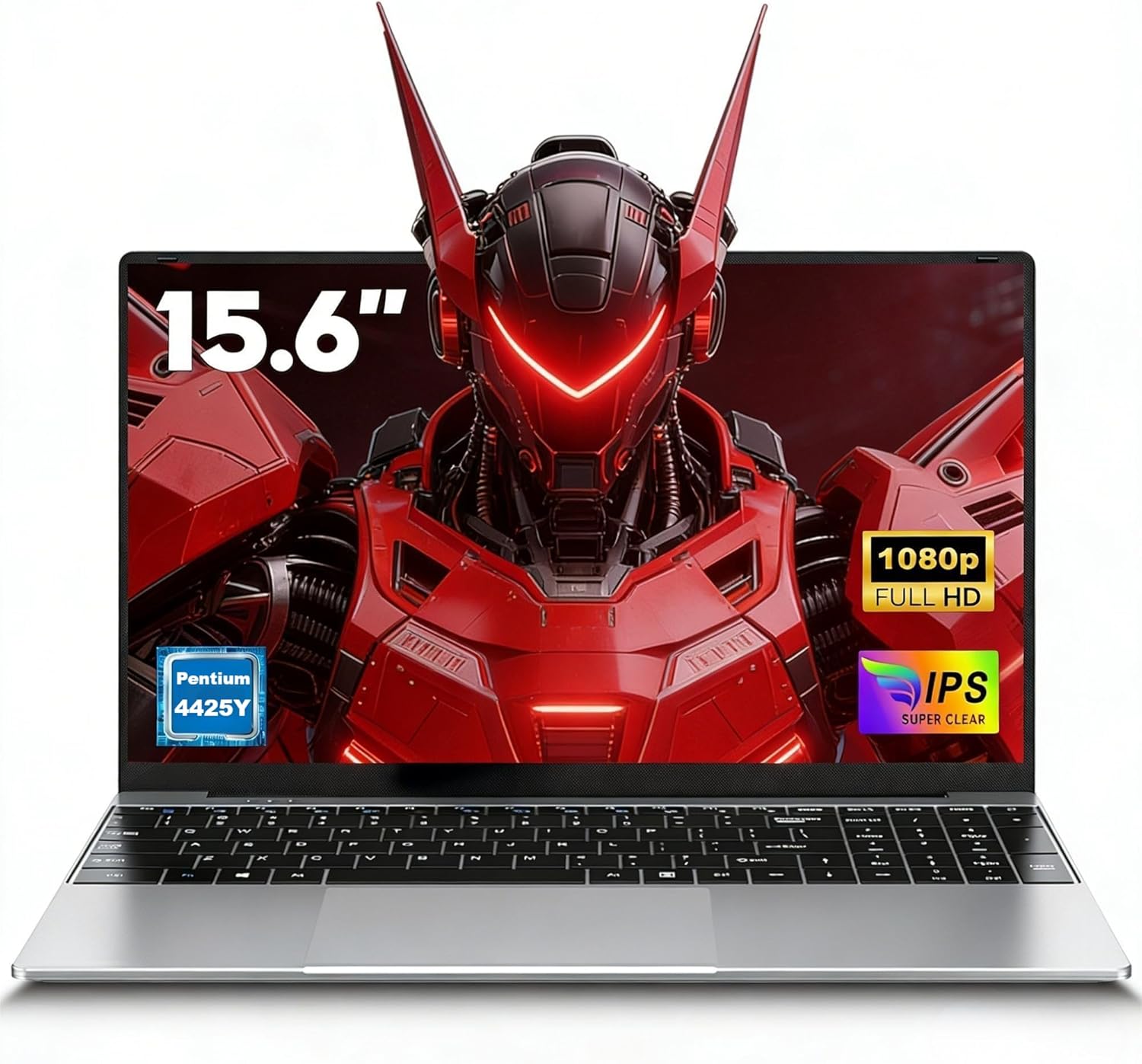
Image 1.1: The FUNYET NY-14 Laptop in a closed position, showcasinjeho elegantní design.
2. Obsah balení
Ověřte, zda jsou v balení přítomny všechny položky:
- 1 × FUNYET NY-14 Laptop (Intel 4425Y)
- 1 × 12V2A DC Adapter
- 1 × Návod k obsluze (tento dokument)
- 1 × Záruční list
3. Nastavení
3.1 Počáteční nabíjení a zapnutí
- Connect the provided 12V2A DC adapter to the laptop's DC power port and a power outlet.
- Allow the laptop to charge for at least 30 minutes before initial use.
- Press and hold the power button for a few seconds until the screen illuminates to power on the device.
3.2 Nastavení operačního systému (Windows 11 Pro)
Upon first boot, you will be guided through the Windows 11 Pro setup process. Follow the on-screen instructions to configure:
- Jazyk a region
- Síťové připojení (Wi-Fi)
- Microsoft account login or local account creation
- Nastavení soukromí
3.3 Keyboard Configuration
The laptop may come with a non-Italian keyboard layout. To adjust this:
- Go to Windows Settings > Time & Language > Language & Region.
- Add your preferred keyboard layout (e.g., Italian).
- Physical keyboard stickers may be provided to visually match the desired layout. Apply these carefully if needed.
4. Návod k obsluze
4.1 Řízení spotřeby
- Zapnutí: Stiskněte a podržte tlačítko napájení.
- Režim spánku: Krátce stiskněte tlačítko napájení nebo zavřete víko.
- Vypnout: Click Start > Power > Shut down in Windows.
- Restartovat: Click Start > Power > Restart in Windows.
4.2 Zobrazení a vizuální prvky
The FUNYET NY-14 features a 15.6-inch Full HD (1920x1080) IPS display, offering clear visuals and wide viewing angles. The 180° hinge allows for flexible screen positioning, useful for sharing content.

Image 4.1: Visual representation of the 15.6-inch Full HD IPS display with features like 1920P resolution, True HD View, IPS technology, and Eyes Protection.
4.3 Konektivita
- Wi-Fi: Supports Wi-Fi 5 (802.11ac) for stable and fast internet connection. Connect via Windows network settings.
- Bluetooth: Features Bluetooth 4.2 for connecting wireless peripherals like mice, keyboards, headphones, or speakers. Enable Bluetooth in Windows settings to pair devices.
4.4 Ports and External Devices
The laptop offers a variety of ports for connecting external devices:
- Porty USB 3.0 (x2): For high-speed data transfer with USB drives, external hard drives, and other USB peripherals.
- Mini HDMI port (x1): Connect to external monitors or projectors for extended display. An adapter may be required.
- Slot pro TF kartu (MicroSD): Insert a TF (MicroSD) card for additional storage or data transfer.
- 3.5mm konektor pro sluchátka: Pro připojení sluchátek nebo externích reproduktorů.
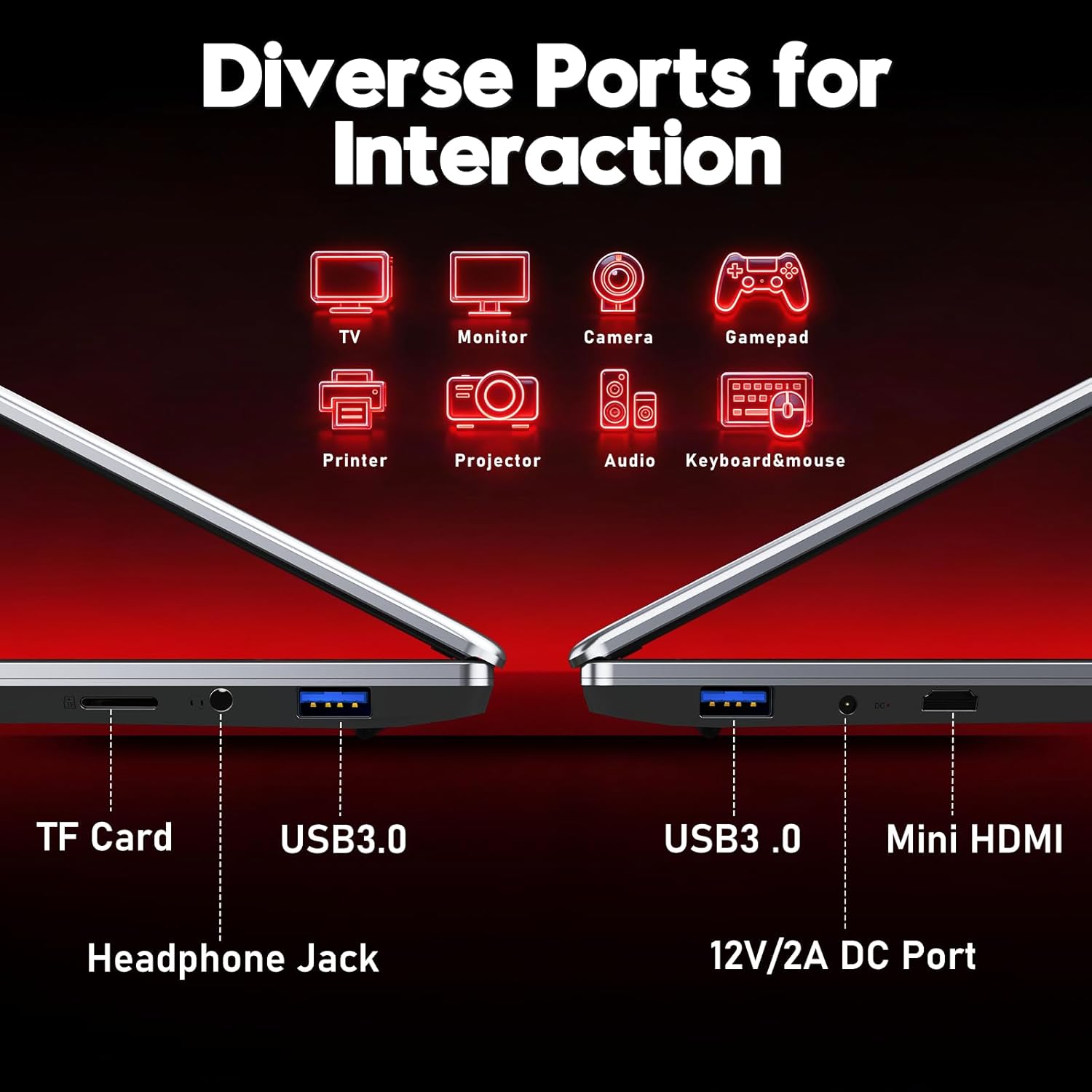
Obrázek 4.2: Konecview of the laptop's diverse ports, including TF Card slot, Headphone Jack, USB 3.0, Mini HDMI, and DC Power port.
4.5 Webkamera a mikrofon
The integrated 1MP front camera and microphone are suitable for video calls and online meetings.
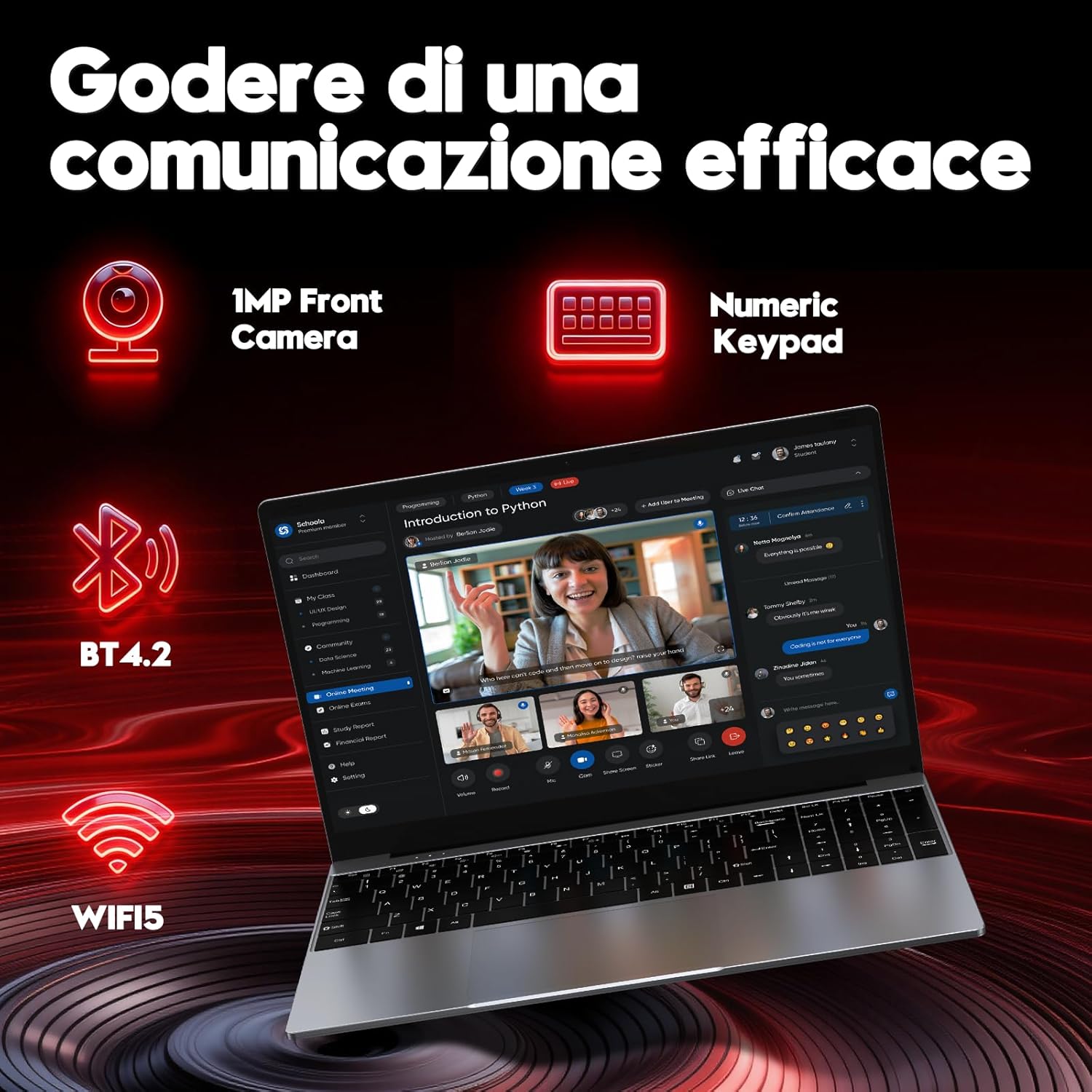
Image 4.3: Features for effective communication, highlighting the 1MP front camera, numeric keypad, Bluetooth 4.2, and Wi-Fi 5 connectivity.
4.6 Využití baterie
The laptop is equipped with a 5000mAh battery. For optimal battery life:
- Vyhněte se častému úplnému vybíjení baterie.
- Pokud notebook nepoužíváte, skladujte jej na chladném a suchém místě.
- Adjust power settings in Windows to optimize battery consumption.

Image 4.4: Illustration emphasizing the 5000mAh battery capacity designed for extended use.
4.7 Klávesnice a touchpad
The laptop features a full-size keyboard with a numeric keypad for efficient data entry. The touchpad supports multi-touch gestures for navigation.
5. Údržba
5.1 Čištění
- K čištění obrazovky a vnějších povrchů používejte měkký hadřík, který nepouští vlákna.
- Pro odolné skvrny, damphadřík lehce navlhčete vodou nebo čističem šetrným k obrazovkám.
- Vyhněte se agresivním chemikáliím, abrazivním materiálům nebo nadměrné vlhkosti.
5.2 Aktualizace softwaru
Regularly check for and install Windows updates to ensure system stability, security, and performance. Go to Settings > Windows Update.
5.3 Správa úložiště
The 256GB SSD provides fast performance. To maintain optimal speed:
- Avoid filling the SSD to full capacity. Leave some free space for system operations.
- Pravidelně mažte nepotřebné filea odinstalujte nepoužívané aplikace.
6. Řešení problémů
Tato část se zabývá běžnými problémy, se kterými se můžete setkat.
6.1 Problémy s napájením
- Notebook se nezapne: Ujistěte se, že je napájecí adaptér bezpečně připojen a baterie je dostatečně nabitá. Zkuste podržet tlačítko napájení po dobu 10–15 sekund pro tvrdý reset.
- Baterie se rychle vybíjí: Check power settings in Windows. Reduce screen brightness, close unnecessary applications, and disconnect unused peripherals.
6.2 Problémy se zobrazením
- Žádný displej: Connect an external monitor via Mini HDMI to check if the issue is with the laptop's screen or the system.
- Blikající obrazovka: Update graphics drivers or adjust display refresh rate in Windows settings.
6.3 Problémy s připojením
- Nelze se připojit k Wi-Fi: Ujistěte se, že je v nastavení systému Windows povolena Wi-Fi. Restartujte router a notebook.
- Zařízení Bluetooth se nespáruje: Ensure Bluetooth is enabled on both devices and they are in pairing mode. Remove and re-add the device in Windows settings.
6.4 System Errors
- Frequent crashes or blue screens: This can indicate software conflicts or hardware issues. Try reinstalling Windows if the problem persists after driver updates. If the issue continues, contact support.
7. Specifikace
Detailed technical specifications for the FUNYET NY-14 Laptop (Intel 4425Y).

Obrázek 7.1: Konecview of key specifications including processor, ports, display, battery, and graphics.
| Funkce | Specifikace |
|---|---|
| Značka | FUNYET |
| Název modelu | NY-14 |
| Procesor | Intel Core 4425Y (1.7 GHz) |
| Jádra/vlákna procesoru | 2 jader / 4 vláken |
| BERAN | 8 GB DDR3 SDRAM |
| Skladování | 256 GB SSD (eSATA Interface) |
| Velikost displeje | 15.6 palce |
| Rozlišení displeje | 1920 x 1080 pixelů (Full HD IPS) |
| Grafika | Integrovaná grafika Intel UHD Graphics 615 |
| Operační systém | Windows 11 Pro |
| Bezdrátové připojení | Wi-Fi 5 (802.11ac), Bluetooth 4.2 |
| Porty | 2x USB 3.0, 1x Mini HDMI, 1x DC Power, 1x 3.5mm Headphone Jack, 1x TF Card Slot |
| Kapacita baterie | 5000 XNUMX mAh |
| Hmotnost | 1.6 kg |
| Barva | Stříbro |
| Speciální funkce | HD Audio, Lightweight, Memory card slot, Numeric keypad, 180° hinge |
8. Záruka a podpora
8.1 Informace o záruce
Your FUNYET NY-14 Laptop comes with a warranty. Please refer to the included Warranty Card for details on coverage, terms, and conditions. Keep your proof of purchase for warranty claims.
8.2 Technická podpora
For technical assistance or if you encounter issues not covered in this manual, please contact the seller, Caiyue Electronics, through the Amazon platform. They can provide support and guidance for your device.