
WOLFANG WS03
WOLFANG WS03 2K Indoor Security Camera User Manual
Model: WS03 | Brand: WOLFANG
1. Úvod
This user manual provides detailed instructions for the installation, operation, and maintenance of your WOLFANG WS03 2K Indoor Security Camera. Please read this manual thoroughly before using the product to ensure proper functionality and safety. The WOLFANG WS03 camera offers 2K (3MP) resolution, 360° pan/tilt/zoom (PTZ) capabilities, automatic motion tracking, infrared night vision, two-way audio, and compatibility with smart home systems like Alexa and Google Assistant.
2. Obsah balení
Ověřte, zda jsou v balení přítomny všechny položky:
- WOLFANG WS03 2K Indoor Security Camera (Quantity: 1 or 2, depending on pack)
- Napájecí adaptér
- Napájecí kabel USB
- Montážní konzola
- Montážní šrouby a hmoždinky
- Uživatelská příručka (tento dokument)

Image: WOLFANG WS03 camera and its included accessories.
3. Nastavení
3.1 Fyzická instalace
The WOLFANG WS03 camera can be placed on a flat surface or mounted to a wall or ceiling. Ensure the camera is positioned within range of your 2.4GHz Wi-Fi network.
- Vyberte umístění: Vyberte místo, které poskytuje požadované viewing angle and is close to a power outlet.
- Montáž (volitelné): If mounting, use the provided bracket, screws, and wall plugs. Mark the drill holes, drill, insert wall plugs, and secure the bracket. Attach the camera to the bracket.
- Připojení napájení: Connect the USB power cable to the camera and the power adapter. Plug the adapter into a power outlet. The camera will power on and initiate a self-test, indicated by its rotation.

Image: WOLFANG WS03 camera placed on a surface, connected to power, with a smartphone displaying its live feed.
3.2 Instalace a připojení aplikace
The WOLFANG WS03 camera operates via the Osaio app. Download and install the app on your smartphone.
- Stáhnout aplikaci: Hledat Stáhněte si aplikaci „Osaio“ ve svém obchodě s mobilními aplikacemi (App Store pro iOS nebo Google Play Store pro Android) a nainstalujte ji.
- Vytvořit účet: Open the Osaio app and register for a new account or log in if you already have one.
- Přidat zařízení: Tap the "+" icon in the app to add a new device. Select your camera model (WS03).
- Wi-Fi připojení: Follow the in-app instructions to connect the camera to your 2.4GHz Wi-Fi network. Ensure your phone is also connected to the same 2.4GHz network during setup. The camera's LED indicator will flash red when ready for pairing.
- Naskenujte QR kód: The app will display a QR code. Hold your camera approximately 15-20 cm (6-8 inches) in front of your phone screen until you hear a confirmation sound from the camera.
- Dokončení: Once connected, the camera's LED indicator will turn solid blue, and you can view živý přenos v aplikaci.

Image: WOLFANG WS03 camera with a smartphone indicating 2.4GHz Wi-Fi connectivity.
4. Provoz
4.1 Živě View a ovládání PTZ
Access the live video feed from your camera through the Osaio app. You can remotely control the camera's pan and tilt functions.
- Živý přenos: Open the Osaio app and select your camera to view stream videa v reálném čase.
- Ovládání PTZ: Use the directional controls within the app interface to rotate the camera horizontally (360°) and vertically (110°) to adjust the viewúhel.

Obrázek: Overview of WOLFANG WS03 features, including 360° horizontal and 110° vertical rotation.
4.2 Sledování pohybu a upozornění
The camera can detect motion and sound, automatically track subjects, and send alerts to your phone.
- Povolit detekci: In the Osaio app settings for your camera, enable motion detection and sound detection.
- Automatické sledování: Když je detekován pohyb, kamera se automaticky otočí a nakloní, aby sledovala pohybující se objekt.
- Oznámení: Configure push notifications in the app to receive instant alerts on your mobile device when motion or sound is detected.

Image: WOLFANG WS03 camera monitoring a sleeping baby in night vision mode.
4.3 Obousměrný zvuk
Communicate through the camera using its built-in microphone and speaker.
- Poslouchat: V přímém přenosu view, tap the speaker icon to listen to audio from the camera's location.
- Mluvit: Tap and hold the microphone icon to speak through the camera. Release to stop speaking.

Image: WOLFANG WS03 camera demonstrating two-way audio with a dog in a living room, controlled via smartphone.
4.4 Noční vidění
The camera is equipped with infrared LEDs for clear vision in low-light or complete darkness, up to 8 meters.
- Automatická aktivace: Night vision activates automatically in low light conditions.
- Ruční ovládání: You can manually toggle night vision on/off or set it to automatic mode within the app settings.
4.5 Možnosti úložiště
The WOLFANG WS03 offers flexible storage solutions for recorded video.
- Micro SD karta: The camera supports a Micro SD card up to 128GB (not included). Insert the card into the designated slot on the camera. Continuous recording or event-based recording can be configured in the app.
- Cloudové úložiště: Encrypted cloud storage is available, often with a free trial period (e.g., 14 days). This provides off-site backup for your recordings. Details and subscription options are available within the Osaio app.
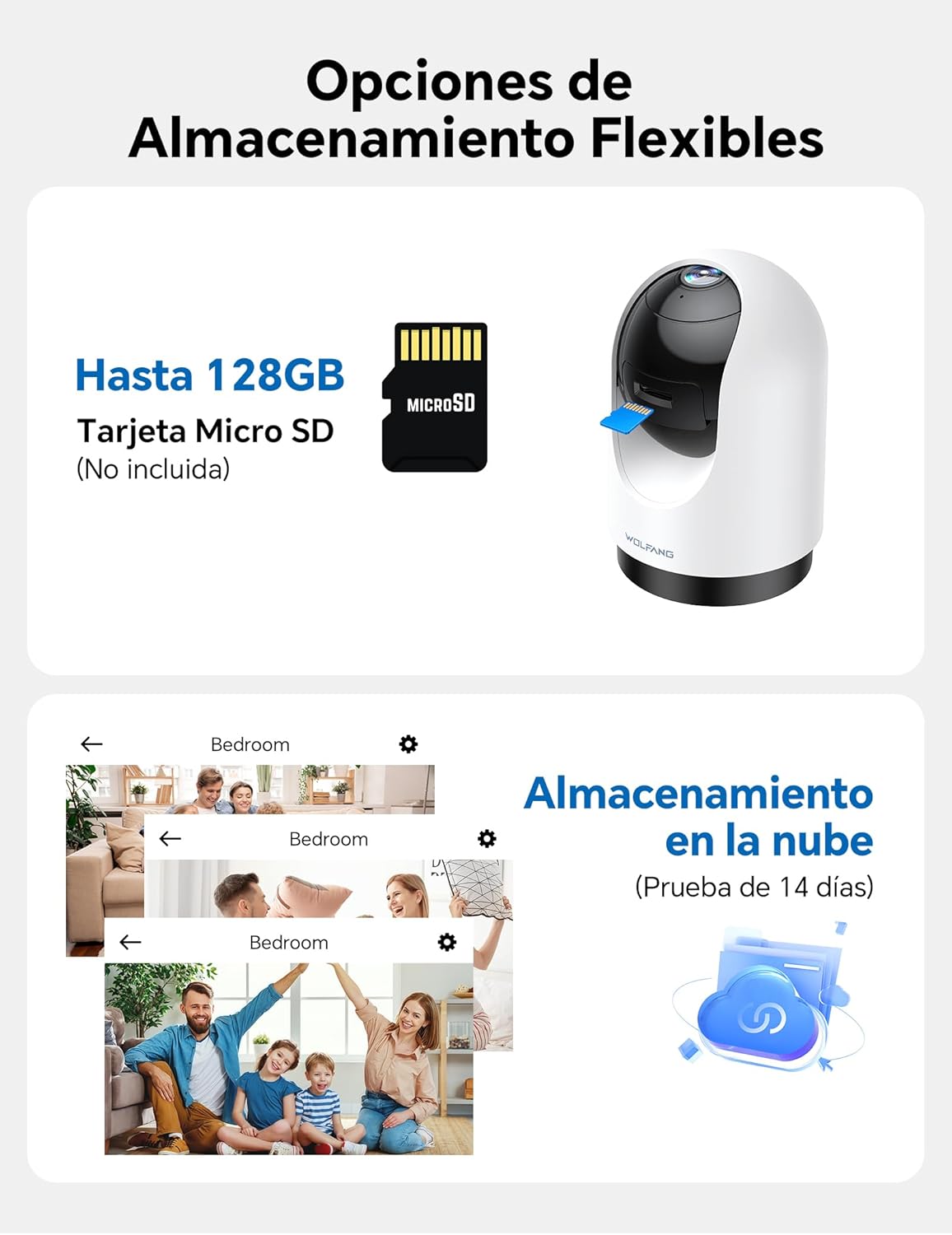
Image: WOLFANG WS03 camera illustrating MicroSD card and cloud storage options.
4.6 Multi-User Access and Multi-View
Sdílejte přístup k kameře s členy rodiny a view multiple cameras simultaneously.
- Sdílet přístup: In the Osaio app, you can invite up to 3 additional users to view váš kamerový přenos.
- více-View: If you have multiple WOLFANG cameras, the app allows you to view live feeds from several cameras on a single screen.

Image: WOLFANG WS03 camera demonstrating multi-user sharing and multi-view functionality on a smartphone.
4.7 Hlasové ovládání (Alexa a Google Assistant)
Integrate your WOLFANG WS03 camera with Amazon Alexa or Google Assistant for convenient voice control.
- Povolit dovednost/akci: In the Alexa or Google Home app, search for and enable the "Osaio" skill or action.
- Propojit účet: Link your Osaio account with your Alexa or Google account.
- Objevte zařízení: Ask your smart assistant to discover new devices.
- Hlasové příkazy: Use commands such as "Alexa, show me the living room camera" or "Hey Google, show me the baby monitor" to view živý přenos na kompatibilních chytrých displejích.

Image: A woman using a voice command with Alexa to display the WOLFANG WS03 camera feed on a tablet.
5. Údržba
5.1 Čištění
Pravidelné čištění pomáhá udržovat optimální výkon.
- Objektiv fotoaparátu: Gently wipe the camera lens with a soft, dry, lint-free cloth. Avoid abrasive cleaners or solvents.
- Tělo fotoaparátu: Clean the camera body with a slightly damp cloth. Ensure no moisture enters the device.
- Vypnout: Always disconnect the camera from power before cleaning.
5.2 aktualizací firmwaru
Keep your camera's firmware updated to ensure the latest features, security patches, and performance improvements.
- Zkontrolovat aktualizace: The Osaio app will typically notify you when a new firmware update is available. You can also manually check in the camera's settings within the app.
- Proces aktualizace: Follow the on-screen instructions in the app to perform the update. Ensure the camera remains powered on and connected to Wi-Fi during the entire update process. Do not disconnect power or close the app until the update is complete.
6. Řešení problémů
6.1 Běžné problémy a řešení
| Problém | Možné řešení |
|---|---|
| Fotoaparát se nedaří připojit k Wi-Fi. |
|
| Špatná kvalita videa nebo zpoždění. |
|
| Upozornění na detekci pohybu jsou příliš častá nebo nefungují vůbec. |
|
| Obousměrný zvuk je nejasný nebo nefunguje. |
|
| Micro SD card not recording. |
|
7. Specifikace
| Funkce | Detail |
|---|---|
| Název modelu | WS03 |
| Značka | WOLFANG |
| Rezoluce | 2K (3MP) |
| Konektivita | Wi-Fi (pouze 2.4 GHz) |
| Rozsah otáčení/naklánění | 360° horizontálně, 110° vertikálně |
| Noční vidění | Infračervené, až 8 m |
| Zvuk | Obousměrný zvuk (vestavěný mikrofon a reproduktor) |
| Skladování | Micro SD card (up to 128GB, not included), Cloud Storage (optional) |
| Kompatibilita hlasového asistenta | Amazon Alexa, Google Assistant |
| Zdroj napájení | Wired (USB cable and power adapter) |
| Rozměry (D x Š x V) | 7.5 x 14.9 x 7.5 cm |
| Formát záznamu videa | MP4 |
| UPC | 850067892434 |
8. Záruka a podpora
WOLFANG provides a 2-year after-sales guarantee for this product. For any questions or assistance regarding your WOLFANG WS03 Indoor Security Camera, please contact our customer service.
- E-mailová podpora: support.vc@wolfang.co
- Záruční doba: 2 roky od data nákupu.

Image: WOLFANG customer support details, including 24-hour response, 30-day return, 365-day replacement, and lifetime after-sales service.
Ask a question about this manual
Ask about setup, troubleshooting, compatibility, parts, safety, or missing instructions. Manuals+ will review the question and use this page’s manual context to help answer it.