
1. Úvod
Thank you for choosing the GOBOULT Tenet TWS Earbuds. This manual provides essential information for setting up, operating, and maintaining your earbuds to ensure optimal performance and longevity. The Tenet earbuds feature Bluetooth 5.4 connectivity, 13mm dynamic drivers, Quad Mic Environmental Noise Cancellation (ENC), and support for the Amp App for personalized audio.
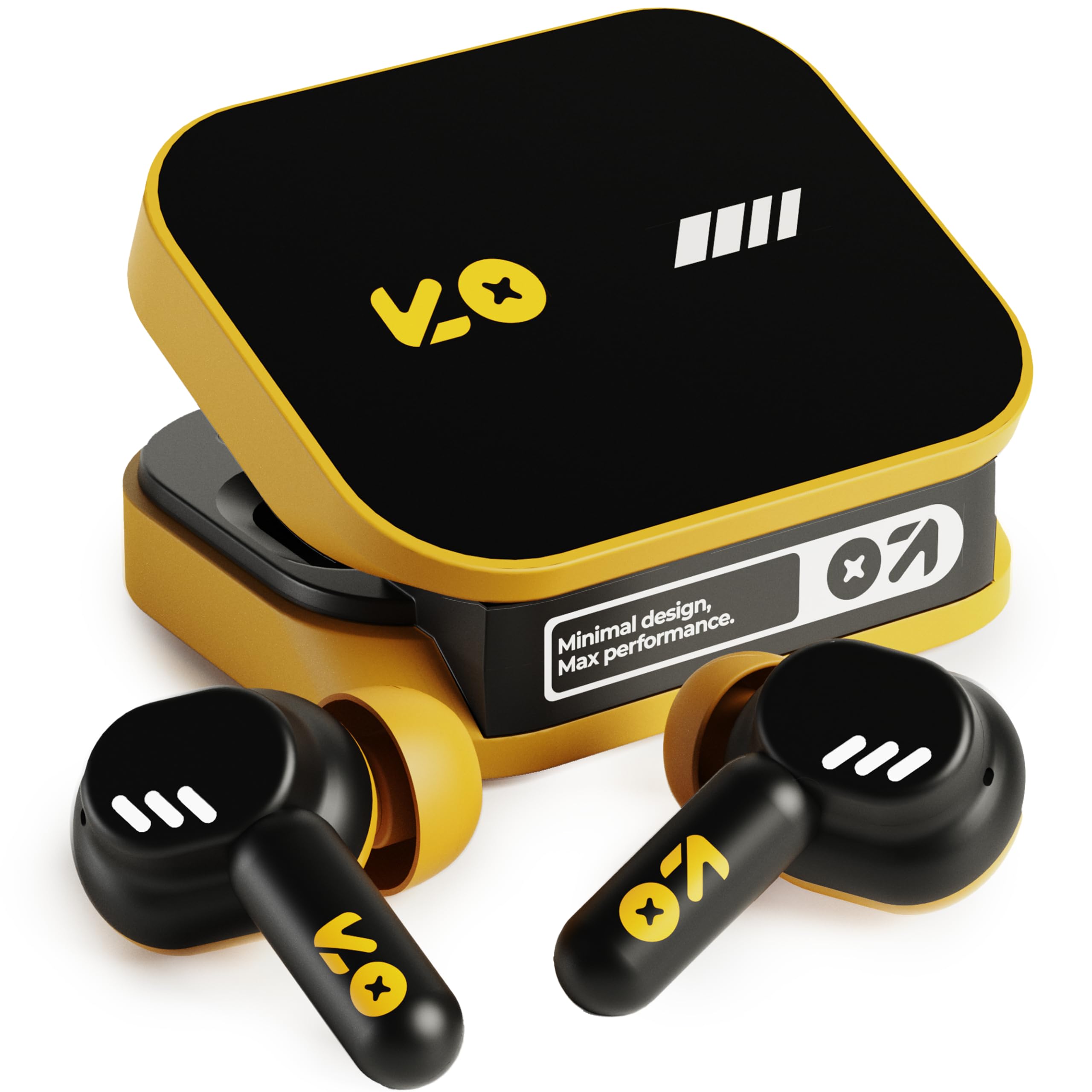
Image: The GOBOULT Tenet TWS Earbuds in Solar Yellow, shown with their charging case.
2. Obsah balení
Ověřte, zda balení obsahuje všechny následující položky:
- GOBOULT Tenet TWS Earbuds (Left and Right)
- Nabíjecí pouzdro
- Nabíjecí kabel USB typu C.
- Náušníky (různé velikosti)
- Uživatelská příručka (tento dokument)
- Záruční list
3. Nastavení
3.1. Nabíjení sluchátek a pouzdra
Before first use, fully charge the earbuds and the charging case. The case provides extended battery life for the earbuds.
- Vložte obě sluchátka do nabíjecího pouzdra a ujistěte se, že jsou správně usazena.
- Připojte dodaný nabíjecí kabel USB typu C k nabíjecímu portu na pouzdře a ke kompatibilnímu zdroji napájení USB (např. síťový adaptér, USB port počítače).
- The indicator light on the charging case will show the charging status. Refer to the LED indicator guide in the operating section for details.
- A full charge provides up to 75 hours of total playtime with the charging case. A quick 10-minute charge can provide up to 120 minutes of playtime.

Image: The GOBOULT Tenet earbuds in their open charging case, illustrating the USB-C charging port and battery life.
3.2. Nasazení sluchátek do uší
Proper fit is crucial for sound quality and comfort. The earbuds feature a 'Vacuum Lock Earshell' design for a secure fit.
- Select the ear cushions that best fit your ears. Different sizes are provided.
- Jemně vložte sluchátka do zvukovodu.
- Twist slightly to ensure a snug and comfortable seal. This helps optimize audio performance and noise isolation.

Image: A diagram illustrating the 'Vacuum Lock Earshell' design and how the earbud sits securely in the ear.
4. Návod k obsluze
4.1. Zapnutí/vypnutí
- Zapnutí: Otevřete nabíjecí pouzdro a sluchátka se automaticky zapnou.
- Vypnout: Vložte sluchátka zpět do nabíjecího pouzdra a zavřete víko. Sluchátka se automaticky vypnou a začnou se nabíjet.
4.2. Párování Bluetooth
The GOBOULT Tenet earbuds use Bluetooth 5.4 for stable and efficient connection.
- Ujistěte se, že jsou sluchátka nabitá a vložená do nabíjecího pouzdra.
- Open the charging case. The earbuds will enter pairing mode, indicated by flashing LED lights.
- Na svém zařízení (chytrý telefon, tablet, notebook) povolte Bluetooth.
- Hledat available Bluetooth devices and select "GOBOULT Tenet" from the list.
- Po připojení přestanou kontrolky sluchátek blikat.
4.3. Možnost připojení dvou zařízení
The earbuds support dual device pairing, allowing seamless switching between two connected devices.
- Spárujte sluchátka s prvním zařízením (např. chytrým telefonem) podle výše uvedeného postupu.
- Odpojte sluchátka od nastavení Bluetooth prvního zařízení (nerušte párování).
- Pair the earbuds with your second device (e.g., laptop).
- Reconnect the earbuds to the first device from its Bluetooth settings. The earbuds are now connected to both devices.
- To switch between devices, simply pause audio on one device and play on the other.

Image: The GOBOULT Tenet earbuds and charging case positioned between a smartphone and a laptop, demonstrating dual device connectivity.
4.4. Stiskněte Ovládací prvky
The earbuds feature intuitive touch controls for music playback, call management, and voice assistant activation.
| Funkce | Akce |
|---|---|
| Přehrát/Pozastavit | Jediným klepnutím na kterékoli sluchátko |
| Další stopa | Dvojité poklepání na pravé sluchátko |
| Předchozí stopa | Dvojité poklepání na levé sluchátko |
| Přijmout/ukončit hovor | Jediným klepnutím na kterékoli sluchátko |
| Odmítnout hovor | Dlouhé stisknutí kteréhokoli sluchátka |
| Aktivace hlasového asistenta (Siri/Google Assistant) | Trojité klepnutí na kterékoli sluchátko |

Image: An illustration detailing the touch controls for music and calls, along with information on intelligent AI assistance and IPX5 water resistance.
4.5. Pomocí Amp App
Personalize your listening experience with the dedicated Amp App.
- Stáhněte si "Amp App" from your device's app store.
- Connect your GOBOULT Tenet earbuds to your device via Bluetooth.
- Otevřete Amp App. It will automatically detect your earbuds.
- Within the app, you can customize EQ settings (e.g., Rock, Jazz, Natural, Bass), rename your earbuds, and access tailored widgets.

Image: The GOBOULT Amp App interface displayed on a smartphone, showing custom EQ modes and other personalization options for the earbuds.
4.6. Call Management (Quad Mic ENC)
The Quad Mic Environmental Noise Cancellation (ENC) ensures clear calls by reducing background noise.
- Use the touch controls (Section 4.4) to answer, end, or reject calls.
- The four integrated microphones work to isolate your voice from ambient sounds, providing clear communication even in noisy environments.
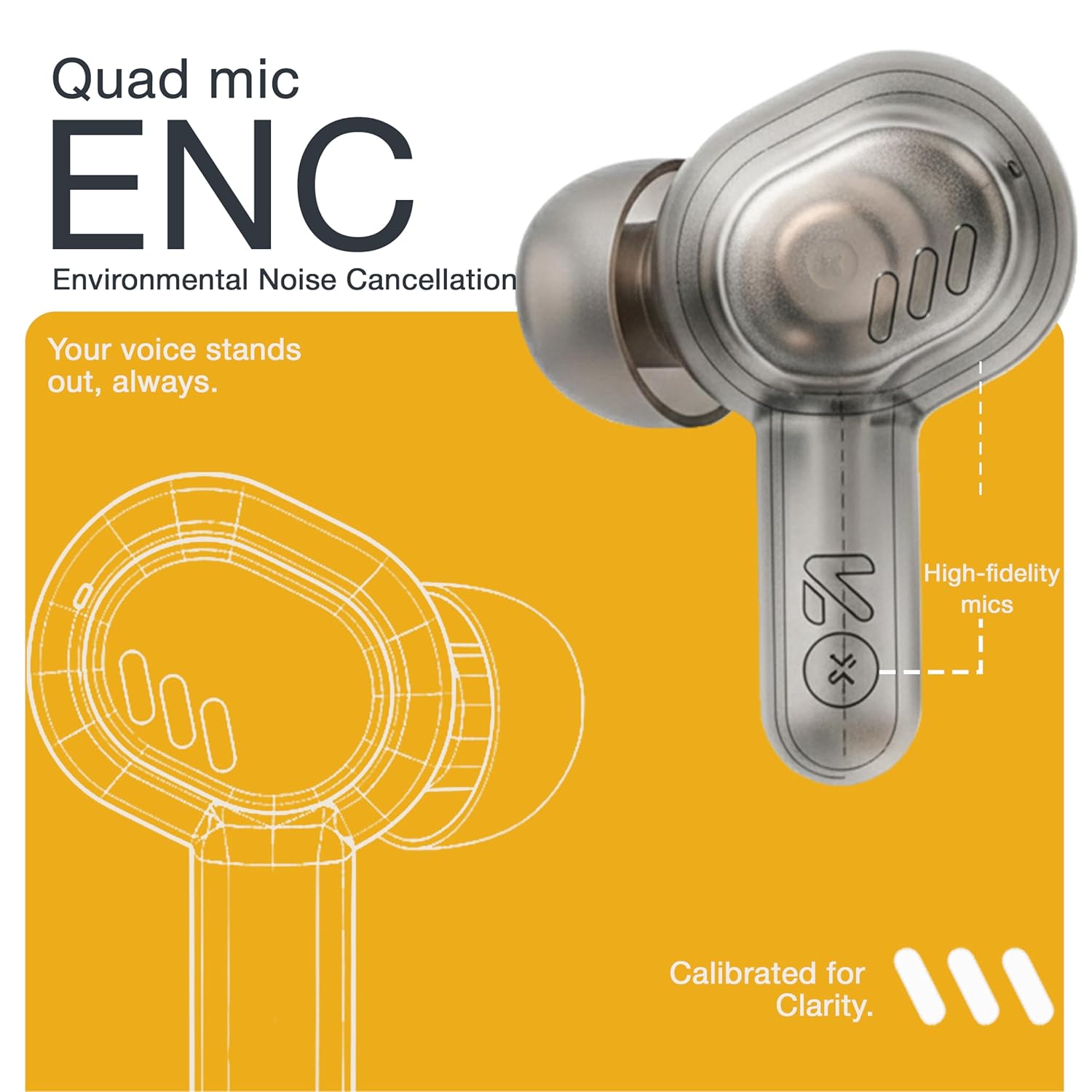
Image: A detailed diagram highlighting the Quad Mic ENC system within the earbud, designed for clear voice transmission.
4.7. Audio Performance (13mm Drivers)
The GOBOULT Tenet earbuds are equipped with 13mm dynamic drivers for a rich audio experience.
- Experience deep bass, clear vocals, and balanced audio across various music genres.
- Upravte zvukový profesionálfile further using the Amp App's equalizer settings.

Obrázek: Explodoval view schéma sluchátka, ukázkaasing the 13mm dynamic driver responsible for audio output.
4.8. Voděodolnost
The earbuds are IPX5 water resistant, making them suitable for workouts and light splashes.
- IPX5 rating means the earbuds can resist a sustained, low-pressure water jet spray.
- Do not submerge the earbuds in water or expose them to heavy rain.
- Nabíjecí pouzdro není odolné proti vodě.
5. Údržba
5.1. Čištění
- Pravidelně čistěte sluchátka a nabíjecí pouzdro měkkým, suchým hadříkem, který nepouští vlákna.
- Sejměte náušníky a v případě potřeby je očistěte jemným mýdlem a vodou. Před opětovným nasazením se ujistěte, že jsou zcela suché.
- Nepoužívejte abrazivní čisticí prostředky, alkohol ani chemická rozpouštědla.
- Ujistěte se, že nabíjecí kontakty na sluchátkách i pouzdře jsou čisté a bez nečistot.
5.2. Skladování
- Pokud sluchátka nepoužíváte, uložte je do nabíjecího pouzdra, aby byla chráněna a zůstávala nabitá.
- Přístroj skladujte na chladném a suchém místě, mimo dosah extrémních teplot a přímého slunečního záření.
5.3. Péče o baterie
- Chcete-li prodloužit životnost baterie, vyvarujte se častého úplného vybíjení sluchátek a pouzdra.
- Zařízení pravidelně nabíjejte, i když jej nepoužíváte často, abyste zabránili jeho hlubokému vybití.
6. Řešení problémů
| Problém | Možné řešení |
|---|---|
| Sluchátka se nespárují |
|
| Žádný zvuk z jednoho sluchátka |
|
| Problémy s nabíjením |
|
| Nízká hlasitost nebo špatná kvalita zvuku |
|
| Hlasový asistent nereaguje |
|
7. Specifikace
| Funkce | Detail |
|---|---|
| Značka | GOBOULT |
| Název modelu | Tenet (Airbass) |
| Číslo modelu | Sluchátka Airbass |
| Umístění uší | V uchu |
| Kontrola hluku | Environmental Noise Cancellation (ENC), Sound Isolation |
| Verze Bluetooth | 5.4 |
| Dosah Bluetooth | Až 10 metrů |
| Velikost zvukového ovladače | 13 milimetrů |
| Frekvenční rozsah | 20 Hz - 20,000 XNUMX Hz |
| Citlivost | 105 dB |
| Battery Average Life (with case) | Až 75 hodin |
| Rychlé nabíjení | 10 minut nabíjení pro 120 minut přehrávání |
| Nabíjecí port | USB Type-C |
| Úroveň odolnosti proti vodě | IPX5 (pouze sluchátka) |
| Typ ovladače | Touch, Google Assistant, Siri |
| Kompatibilní zařízení | Desktops, Gaming Consoles, Laptops, Smart Watch, Tablets |
| Hmotnost položky | 54.5 Grams (Case + Earbuds) |
| Země původu | Čína |
8. Záruka a podpora
8.1. Informace o záruce
The GOBOULT Tenet TWS Earbuds come with a 1-Year Manufacturer's Warranty from the date of purchase. This warranty covers manufacturing defects.
- Uschovejte si prosím účtenku jako doklad o koupi pro případ reklamace.
- Záruka se nevztahuje na škody způsobené nesprávným použitím, nehodami, neoprávněnými úpravami nebo běžným opotřebením.
8.2. Zákaznická podpora
For any queries, technical assistance, or warranty claims, please contact GOBOULT customer support.
- Výrobce: Exotic Mile Private Limited, B-67 Wazirpur Industrial Area, New Delhi 110052
- Dovozce: Exotic Mile Pvt. Ltd., B67 Wazirpur Industrial Area, New Delhi 110052
- Refer to the contact information provided on your warranty card or the official GOBOULT webweb s nejaktuálnějšími kanály podpory.