
1. Konec produktuview
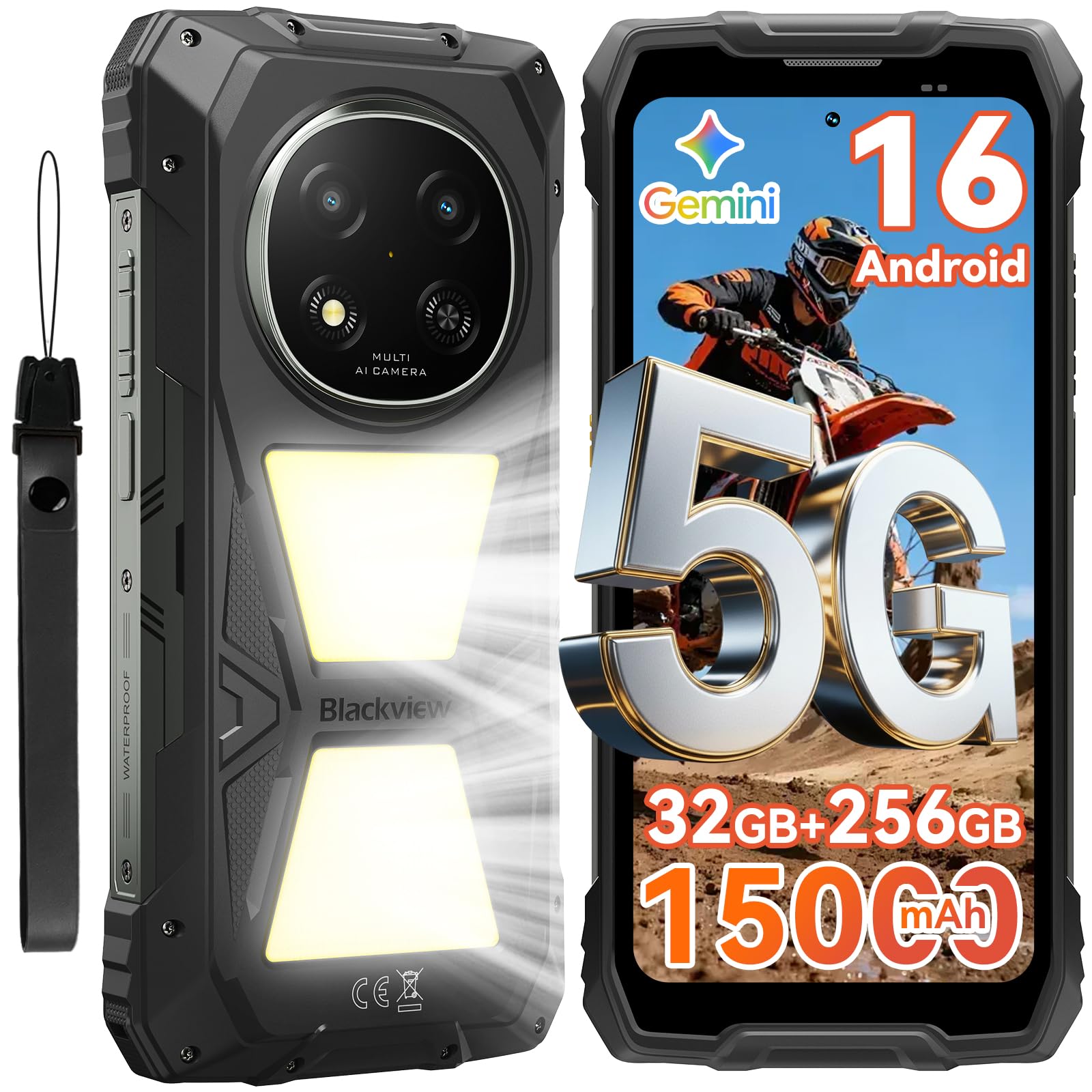
Černýview Rock 2 Pro 5G is a rugged smartphone designed for demanding environments and extended use. It features a large 15000mAh battery, a powerful 5G MediaTek UMS9620 chipset, and runs on Android 16 with DokeOS. Key features include a dual 400LM camping light, IP68/IP69K waterproof and dustproof ratings, and MIL-STD-810H drop resistance. The device also offers a 6.67-inch 120Hz display, 32GB RAM, 256GB internal storage expandable up to 2TB, and advanced camera capabilities.

Obrázek: Černáview Rock 2 Pro 5G rugged phone showcasing its robust design and key features like the camping light and large display.
Video: Overview Černéhoview Rock 2 Pro, highlighting its design and features.
2. Počáteční nastavení
2.1 Obsah balení
Ověřte, zda jsou v balení přítomny všechny položky:
- Černýview Rock 2 Pro Smartphone
- USB kabel
- Napájecí adaptér
- Nástroj pro vysunutí SIM karty
- Uživatelská příručka (tento dokument)

Obrázek: Ilustrace černéhoview Rock 2 Pro packaging contents, including the phone, USB cable, and other accessories.
2.2 Vložení SIM karet a karty MicroSD
- Vyhledejte držák SIM karty na boku telefonu.
- Vložte nástroj pro vysunutí SIM karty do malého otvoru vedle zásuvky, abyste ji otevřeli.
- Opatrně vytáhněte zásobník.
- Place your Nano-SIM cards (up to two) and/or a MicroSD card (up to 2TB) into the designated slots on the tray. Ensure the metal contacts face downwards.
- Jemně zatlačte zásobník zpět do telefonu, dokud nezacvakne na místo.

Obrázek: Detailní záběr view of the dual SIM card slot, illustrating how to insert SIM and MicroSD cards.
2.3 První zapnutí a nabíjení
- Stiskněte a podržte tlačítko napájení (umístěné na pravé straně), dokud se nerozsvítí černáview zobrazí se logo.
- Postupujte podle pokynů na obrazovce a dokončete počáteční nastavení, včetně výběru jazyka, připojení k Wi-Fi a nastavení účtu Google.
- For optimal battery life, fully charge the device before first use. Connect the USB cable to the phone's USB-C port and the power adapter, then plug it into a wall outlet.
Obrázek: Černáview Rock 2 Pro phone powered on, displaying its home screen.
2.4 Rozšíření paměti
Černýview Rock 2 Pro supports virtual RAM expansion. You can adjust the virtual RAM size through the phone's settings to enhance multitasking performance.
Video: Instructions on how to expand the phone's memory virtually through settings.
3. Návod k obsluze
3.1 Základní navigace a rozhraní
Černýview Rock 2 Pro runs on Android 16 with DokeOS 5.0, offering a user-friendly interface. Swipe up from the bottom to access the app drawer, swipe down from the top for notifications and quick settings. Customize your home screen by long-pressing on empty space.

Image: The phone's display showing the DokeOS 5.0 interface based on Android 16, highlighting personalization and efficiency.
3.2 Using the Dual Campsvětlo
The device features a powerful dual 400LM camping light on the rear. This light can be activated and controlled via the customizable side key or through the ToolBag application. It offers multiple modes including constant lighting, SOS, and quick flashing, suitable for various outdoor situations.

Obrázek: Černáview Rock 2 Pro with its bright dual camping light illuminated, demonstrating its utility in dark environments.
3.3 Režim rukavic 2.0
Activate Glove Mode 2.0 in settings to enable seamless operation of the touchscreen even when wearing thick gloves. This feature is particularly useful in cold weather or industrial environments.

Image: A user interacting with the Blackview Rock 2 Pro touchscreen while wearing gloves, demonstrating Glove Mode 2.0.
3.4 Useful ToolBag Application
The pre-installed ToolBag app provides a suite of practical tools for outdoor and professional use, including a compass, torch, magnifier, sound meter, protractor, and plumb bob. Access these tools directly from the app or assign them to the customizable side key.

Obrázek: Černáview Rock 2 Pro screen showing the various tools available within the ToolBag application.
Video: A demonstration of the useful ToolBag app and its various functions.
3.5 Funkce fotoaparátu
Černýview Rock 2 Pro is equipped with a 16MP AI main camera and a 13MP AI front camera. Utilize various modes such as Portrait for depth effects, Beauty for enhanced selfies, and Night mode for improved low-light photography.

Image: The camera interface of the Blackview Rock 2 Pro, highlighting Portrait, Beauty, and Night modes.
3.6 OTG reverzní nabíjení
The 15000mAh battery allows the Rock 2 Pro to function as a power bank. Use an OTG cable (not included) to charge other devices like earbuds, smartwatches, or other smartphones.

Image: A Blackview Rock 2 Pro connected via OTG cable to charge another smartphone, demonstrating its reverse charging capability.
3.7 Security Features (Fingerprint & Face Unlock)
Unlock your phone securely using the side-mounted fingerprint sensor or facial recognition. Configure these options in the Security settings.
Image: Visual representation of the fingerprint unlock and face unlock features on the Blackview Rock 2 Pro.
4. Údržba
4.1 Odolnost proti vodě a prachu
Černýview Rock 2 Pro is IP68/IP69K certified, meaning it is resistant to water and dust. However, ensure all port covers (e.g., USB-C) are securely closed to maintain water resistance. After exposure to water, dry the phone thoroughly before charging.

Obrázek: Černáview Rock 2 Pro being held in the rain, demonstrating its waterproof capabilities.

Obrázek: Černáview Rock 2 Pro partially submerged in water, illustrating its IP68/IP69K certification for water resistance.
4.2 Čištění reproduktorů
The device features an auto-expel function for water and debris from the speakers to ensure clear audio. If audio quality is affected after water exposure, allow the phone to dry completely, and the function will activate automatically.
4.3 Aktualizace systému
Regularly check for and install system updates to ensure your phone has the latest features, security patches, and performance improvements. Navigate to Nastavení> Systém> Aktualizace systému pro kontrolu dostupných aktualizací.
Video: A guide on how to check for and perform system updates on your Blackview Rock 2 Pro.
5. Řešení problémů
5.1 Běžné problémy a řešení
- Telefon se nezapíná: Ujistěte se, že je baterie nabitá. Připojte k nabíječce a před opětovným zapnutím počkejte několik minut.
- Slow performance/Lag:
- Zavřete nepoužívané aplikace běžící na pozadí.
- Vymazat data mezipaměti aplikací.
- Restartujte telefon.
- Consider adjusting virtual RAM settings (see section 2.4).
- Problémy s připojením k síti:
- Check if airplane mode is off.
- Ujistěte se, že jsou SIM karty správně vloženy.
- Verify your mobile data plan is active.
- Restartujte telefon.
- Poznámka: Tento telefon není kompatibilní s operátory CDMA, jako jsou AT&T, Cricket Wireless, Verizon, Straight Talk nebo US Cellular.
- Fingerprint scanner unresponsive: Ensure your finger is clean and dry. If the issue persists, try re-registering your fingerprint in settings. A factory reset might be necessary if software related.
Video: Tips and methods for handling lag and improving phone performance.
6. Technické specifikace
| Značka | Černýview |
| Název modelu | Rock 2 Pro |
| Operační systém | Android 16 (DokeOS 5.0) |
| Model CPU | MediaTek UMS9620 5G (T8100 Octa-core) |
| Paměť RAM | 32 GB (8 GB fyzického + 24 GB virtuálního) |
| Interní úložiště | 256 GB |
| Rozšiřitelné úložiště | Až 2 TB (TF karta) |
| Velikost obrazovky | 6.67 palce |
| Rezoluce | 2400 x 1080 (2.4K) |
| Obnovovací frekvence | 120 Hz |
| Kapacita baterie | 15000 XNUMX mAh |
| Nabíjecí výkon | 33W |
| Zadní kamera | 16MP hlavní fotoaparát s umělou inteligencí |
| Přední kamera | 13 MP AI Front Camera |
| Voděodolnost | IP68/IP69K Certified |
| Odolnost proti pádu | MIL-STD-810H Certified (1.5-meter drop-proof) |
| Konektivita | 5G, Bluetooth, NFC, USB Type-C, Wi-Fi |
| Rozměry | 85.8 mm (š) x 187.6 mm (v) x 25 mm (h) |
| Hmotnost | 558 g |

Image: Technical diagram illustrating the dimensions and weight of the Blackview Rock 2 Pro.
7. Záruka a podpora
7.1 Informace o záruce
Černýview Rock 2 Pro comes with a 2letá záruka výrobceTato záruka se vztahuje na vady materiálu a zpracování při běžném používání. Uschovejte si prosím doklad o koupi pro případ uplatnění záruky.
7.2 Zákaznická podpora
For technical assistance, troubleshooting, or warranty inquiries, please contact Blackview customer service. They offer 7/24 quick response and lifetime technical support.
- Online podpora: Navštivte oficiální Blackview webweb s nejčastějšími dotazy a zdroji podpory.
- E-mailová podpora: Viz obal produktu nebo oficiální webstránky pro kontaktní e-mail.

Image: A team of Blackview customer service representatives, symbolizing available support.