
1. Úvod
Thank you for choosing the GOBOULT Tenet TWS Earbuds. This manual provides essential information to help you set up, operate, and maintain your earbuds for an optimal audio experience. Please read this manual thoroughly before use and retain it for future reference.
Co je v krabici
- GOBOULT Tenet TWS Earbuds (Left and Right)
- Nabíjecí pouzdro
- Nabíjecí kabel USB typu C.
- Náušníky (různé velikosti)
- Uživatelská příručka
- Záruční list
2. Konec produktuview
Familiarize yourself with the components of your GOBOULT Tenet TWS Earbuds and charging case.
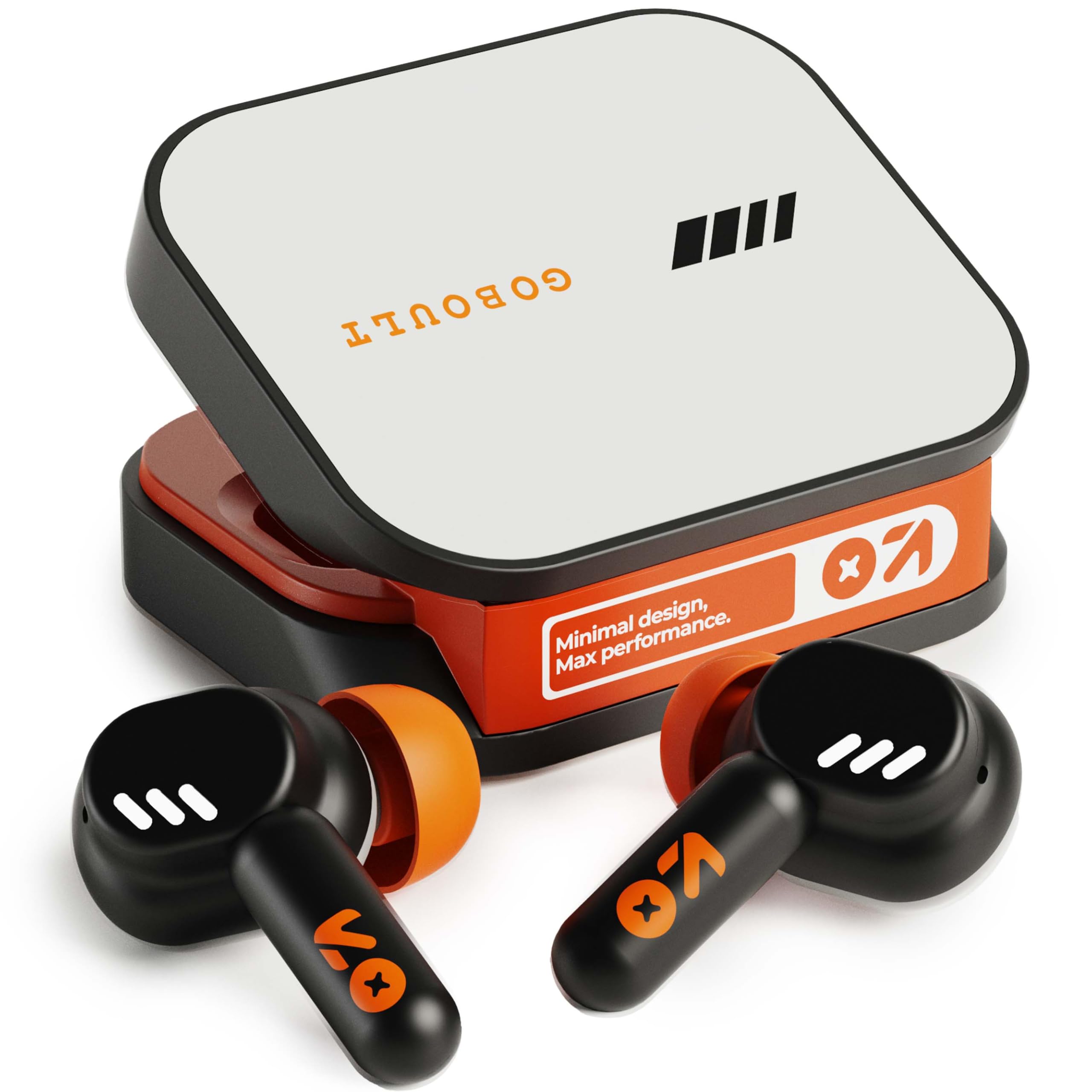
Image: GOBOULT Tenet TWS Earbuds in their charging case, showcasing the Turbo Orange color variant.

Obrázek: Různé views of the GOBOULT Tenet charging case, highlighting its minimal design and Type-C charging port.
Klíčové vlastnosti
- Celková doba přehrávání 75 hodin: Prodloužená výdrž baterie pro delší používání.
- Rychlé nabíjení: 10 minutes of charge provides up to 120 minutes of playtime.
- Amp Podpora aplikace: Customize EQ settings and controls via the dedicated application.
- Čtyřnásobný mikrofon ENC: Potlačení okolního hluku pro čisté hovory.
- 13mm dynamické ovladače: Delivers deep bass and balanced audio.
- Připojení dvou zařízení: Bezproblémové přepínání mezi dvěma spárovanými zařízeními.
- Bluetooth 5.4: Stable connection with low latency.
- IPX5 voděodolnost: Splash and sweat-ready design.
3. Nastavení
3.1 Nabíjení sluchátek a pouzdra
Před prvním použitím sluchátka a nabíjecí pouzdro plně nabijte.
- Vložte sluchátka do nabíjecího pouzdra. Ujistěte se, že jsou správně usazena.
- Connect the USB Type-C charging cable to the charging port on the case and plug the other end into a power source.
- LED indikátor na pouzdře bude zobrazovat stav nabíjení. Po plném nabití se indikátor v závislosti na modelu změní nebo vypne.
Rychlé nabíjení: A 10-minute charge provides approximately 120 minutes of playtime.

Image: The GOBOULT Tenet earbuds in their charging case, connected via a Type-C cable, illustrating the charging process and fast charging capability.
3.2 Spárování se zařízením
For first-time use, follow these steps to pair your earbuds with your device.
- Otevřete nabíjecí pouzdro. Sluchátka se automaticky zapnou a přejdou do režimu párování.
- Na svém zařízení (chytrý telefon, tablet, notebook) povolte Bluetooth.
- Hledat available Bluetooth devices and select "GOBOULT Tenet" from the list.
- Po připojení hlasový pokyn potvrdí úspěšné spárování.
Připojení dvou zařízení: The earbuds support simultaneous connection to two devices. After pairing with the first device, disable Bluetooth on it. Pair with the second device. Then, re-enable Bluetooth on the first device. The earbuds should now be connected to both, allowing seamless switching.

Image: The GOBOULT Tenet earbuds and case positioned between a smartphone and a laptop, illustrating the dual device connectivity feature.
4. Návod k obsluze
4.1 Zapnutí/vypnutí
- Zapnutí: Otevřete nabíjecí pouzdro nebo dlouze stiskněte dotykovou plochu na obou sluchátkách po dobu 3 sekund.
- Vypnout: Vložte sluchátka zpět do nabíjecího pouzdra a zavřete víko, nebo dlouze stiskněte dotykovou plochu na obou sluchátkách po dobu 5 sekund.
4.2 Dotykové ovládání
The GOBOULT Tenet earbuds feature intuitive touch controls for various functions.

Image: A close-up of an earbud in an ear, detailing the touch control functions for music, calls, and activation of AI assistance.
| Funkce | Akce |
|---|---|
| Přehrát/Pozastavit hudbu | Jediným klepnutím na kterékoli sluchátko |
| Další stopa | Dvojité poklepání na pravé sluchátko |
| Předchozí stopa | Dvojité poklepání na levé sluchátko |
| Přijmout/ukončit hovor | Jediným klepnutím na kterékoli sluchátko |
| Odmítnout hovor | Dlouze stiskněte libovolné sluchátko po dobu 2 sekund |
| Aktivace hlasového asistenta (Siri/Google Assistant) | Trojité klepnutí na kterékoli sluchátko |
| Toggle Gaming Mode (Combat Mode) | Quadruple tap on either earbud |
4.3 GOBOULT Amp Podpora aplikací
Enhance your listening experience by downloading the GOBOULT Amp App. The app allows for personalized audio settings and controls.
- Custom EQ Modes: Adjust audio frequencies to your preference.
- Rename Earbuds: Personalize the Bluetooth name of your earbuds.
- Tailored Widgets: Access quick controls and information.
- Vypouštění vody: Utilize this feature to clear water from the earbuds after exposure.

Image: A smartphone displaying the GOBOULT Amp App interface with equalizer settings, alongside the earbuds, demonstrating app customization.
4.4 Nošení sluchátek do uší
Pro optimální kvalitu zvuku a pohodlí zajistěte správné uchycení.
- Select the ear tips that best fit your ear canal. Experiment with different sizes for the best seal.
- Gently insert the earbud into your ear, then twist it slightly to secure a snug fit. The "Vacuum Lock Earshell" design is engineered for an air-tight seal.

Image: Diagrams and an illustration showing the proper way to wear the GOBOULT Tenet earbuds for a secure and comfortable fit, highlighting the Vacuum Lock Earshell technology.
4.5 Combat Gaming Mode (Low Latency)
Activate Combat Gaming Mode for a low-latency audio experience, ideal for gaming.
- Aktivace: Čtyři klepnutí na jedno sluchátko.
- This mode reduces audio delay to approximately 45ms, providing synchronized sound with on-screen action.
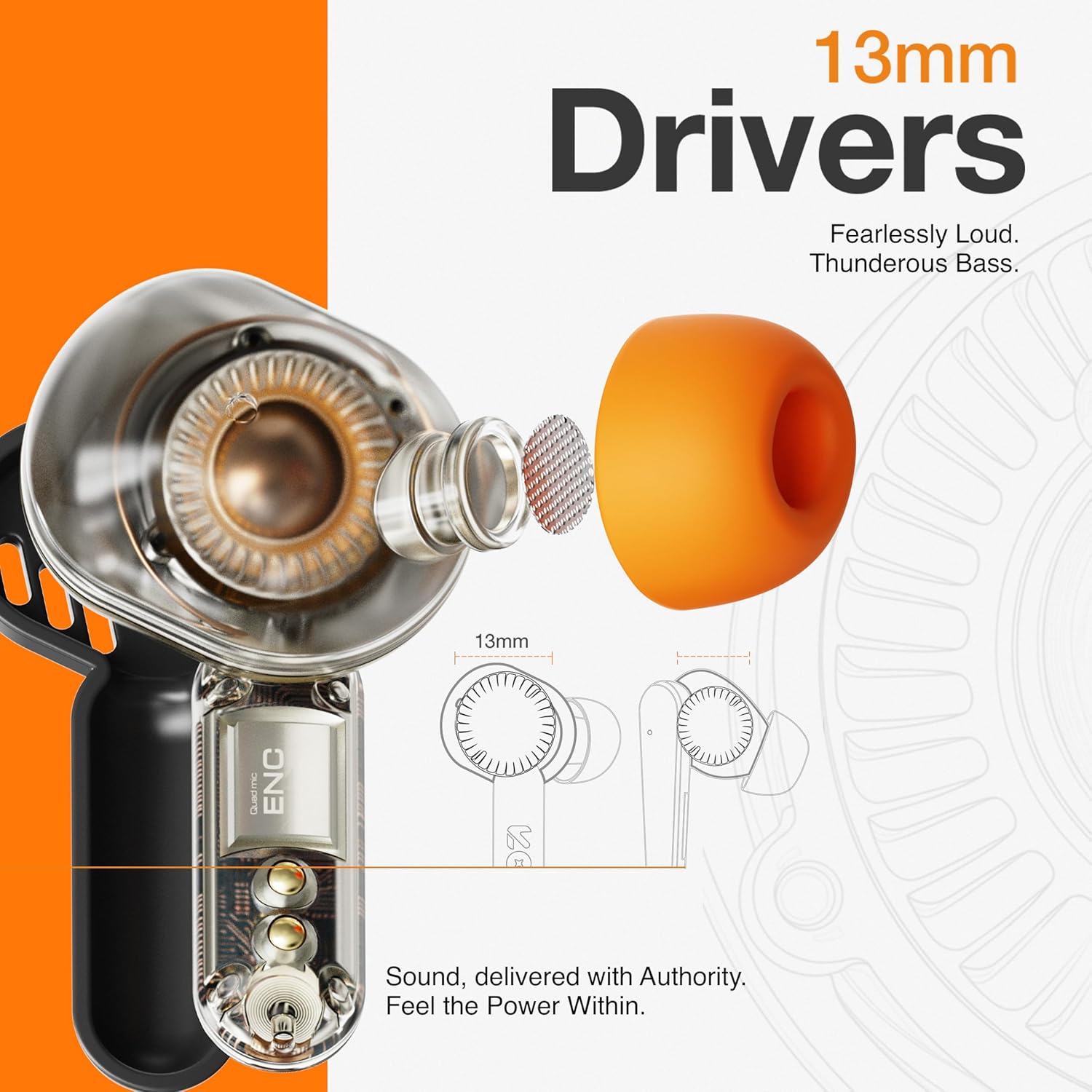
Image: The GOBOULT Tenet earbuds and charging case next to a smartphone and game controller, illustrating Bluetooth 5.4 connectivity and the 45ms ultra-low latency Combat Gaming Mode.
5. Údržba
5.1 Čištění
Pravidelné čištění pomáhá udržovat kvalitu zvuku a hygienu.
- K otření sluchátek a nabíjecího pouzdra použijte měkký, suchý hadřík, který nepouští vlákna.
- Sejměte ušní nástavce a omyjte je jemným mýdlem a vodou, poté je před opětovným nasazením důkladně osušte.
- Use a cotton swab or a small, soft brush to gently clean the speaker mesh and charging contacts.
- Nepoužívejte abrazivní materiály, alkohol nebo chemické čisticí prostředky.
5.2 Skladování
Pokud sluchátka nepoužíváte, uložte je do nabíjecího pouzdra, aby byla chráněna a zůstávala nabitá.
- Skladujte na chladném a suchém místě, mimo dosah extrémních teplot a přímého slunečního záření.
5.3 Voděodolnost
The GOBOULT Tenet earbuds are IPX5 water resistant, meaning they are protected against low-pressure water jets from any direction. This makes them suitable for workouts and light rain.
- Neponořujte sluchátka do vody.
- Nabíjecí pouzdro není odolné proti vodě.
- If earbuds get wet, dry them thoroughly before placing them back in the charging case.
6. Řešení problémů
If you encounter issues with your earbuds, refer to the following common solutions.
| Problém | Řešení |
|---|---|
| Sluchátka se nespárují | Ensure earbuds are charged. Turn off and on Bluetooth on your device. Forget "GOBOULT Tenet" from your device's Bluetooth list and re-pair. |
| Funkční pouze jedno sluchátko | Place both earbuds back in the case, close the lid, then open again. Ensure both earbuds are charged. Perform a factory reset if the issue persists. |
| Nízká hlasitost nebo špatná kvalita zvuku | Adjust volume on both earbuds and your connected device. Ensure ear tips provide a snug fit. Clean earbud speaker meshes. Check EQ settings in the Amp App. |
| Sluchátka se nenabíjejí | Ensure charging cable is securely connected. Check if the charging port is clean. Verify the power source is working. Ensure earbuds are correctly seated in the case. |
| Konektivita často klesá | Ensure your device is within the 10-meter Bluetooth range. Avoid obstacles between earbuds and device. Disconnect from other Bluetooth devices. |
6.1 Obnovení továrního nastavení
If issues persist, a factory reset may resolve them. Refer to the specific reset procedure in the Amp App or contact customer support.
7. Specifikace
Technical specifications for the GOBOULT Tenet TWS Earbuds.
| Funkce | Detail |
|---|---|
| Značka | GOBOULT |
| Název modelu | Tenet (Airbass Earbuds) |
| Umístění uší | V uchu |
| Kontrola hluku | Environmental Noise Cancellation (ENC), Sound Isolation |
| Verze Bluetooth | 5.4 |
| Dosah Bluetooth | 10 metrů |
| Velikost zvukového ovladače | 13 milimetrů |
| Frekvenční odezva | 20 Hz - 20,000 XNUMX Hz |
| Průměrná životnost baterie | 75 hodin (celková doba přehrávání) |
| Doba nabíjení baterie | 10 Minutes (for 120 mins playtime) |
| Kontrolní metoda | Dotek |
| Úroveň odolnosti proti vodě | IPX5 (voděodolný) |
| Kompatibilní zařízení | Desktops, Gaming Consoles, Laptops, Smart Watch, Tablets |
| Hmotnost položky | 54.5 Grams (Carrying Case Weight) |
| Materiál pouzdra | Plast |
8. Záruka a podpora
8.1 Informace o záruce
The GOBOULT Tenet TWS Earbuds come with a 1letá záruka výrobce od data nákupu. Tato záruka se vztahuje na výrobní vady. Uschovejte si prosím doklad o koupi pro případné reklamace.
Záruka se nevztahuje na škody způsobené nesprávným použitím, nehodami, neoprávněnými úpravami nebo běžným opotřebením.
8.2 Zákaznická podpora
For any product-related queries, technical assistance, or warranty claims, please contact GOBOULT customer support through the official webstránky nebo kontaktní informace uvedené na vaší záruční kartě.