
1. Úvod
This manual provides detailed instructions for the setup, operation, and maintenance of your VOOPEAK 4G Trail Camera, model TC31A. Designed for outdoor surveillance and wildlife observation, this camera features 32MP photo resolution, 1080P HD video recording, 850nm invisible infrared night vision, 4G cellular connectivity, and an IP66 waterproof rating.
Please read this manual thoroughly before using the camera to ensure optimal performance and longevity.
2. Bezpečnostní informace
- Do not attempt to disassemble or modify the camera. Unauthorized modifications can void the warranty and cause damage.
- Use only specified batteries (8 AA batteries). Mixing old and new batteries or different types of batteries is not recommended.
- Ujistěte se, že je přihrádka na baterie bezpečně uzavřena, aby byla zachována vodotěsnost IP66.
- Keep the camera away from extreme temperatures, direct sunlight for prolonged periods, and corrosive materials.
- Zlikvidujte baterie v souladu s místními předpisy.
3. Obsah balení
Ověřte, zda jsou v balení přítomny všechny položky:
- VOOPEAK TC31A 4G Trail Camera
- Nabíjecí kabel USB-C
- Mounting Strap/Bracket
- Návod k použití
- Integrated SIM Card (pre-installed)
Note: 8 AA batteries and a Micro SD card (up to 64GB) are not included and must be purchased separately.
4. Konec produktuview
Familiarize yourself with the main components of your VOOPEAK TC31A Trail Camera.

Obrázek 4.1: Přední strana view of the VOOPEAK TC31A 4G Trail Camera, showing the lens, PIR sensor, and integrated screen.

Obrázek 4.2: Vnitřní view of the camera, highlighting the LCD screen, navigation buttons, and mode switch (OFF/SETUP/ON).

Figure 4.3: Close-up of the camera's internal compartment, showing the integrated SIM card slot and the Micro SD card slot (card not included).
- Hlavní objektiv: Captures 32MP photos and 1080P HD videos.
- PIR Motion Sensor: Detects movement up to 20 meters.
- Infrared LEDs (2x 850nm): Provides invisible night vision for clear black and white images in low light.
- 2palcový LCD displej: For menu navigation, settings adjustment, and on-site photo/video review.
- Ovládací tlačítka: Procházení nabídek a potvrzování výběrů.
- Přepínač režimu: OFF, SETUP, ON.
- Integrovaná 4G SIM karta: Enables cellular connectivity for remote access.
- Slot pro kartu Micro SD: Podporuje až 64 GB pro místní úložiště.
- Externí anténa: Enhances 4G signal reception.
- Přihrádka na baterie: Pojme 8 AA baterií.
- Port USB-C: For connecting to a computer or external power source (not for charging internal batteries).
5. Nastavení
5.1 Instalace baterie
- Open the camera's side latches and open the housing.
- Najděte přihrádku na baterie.
- Vložte 8 nové baterie typu AA a dbejte na správnou polaritu (+/-).
- Close the battery compartment and secure the latches firmly to maintain waterproofing.
5.2 Instalace karty Micro SD
- With the camera powered OFF, locate the Micro SD card slot.
- Insert a Micro SD card (Class 10 or higher, up to 64GB) into the slot until it clicks into place.
- Chcete-li kartu vyjmout, znovu ji zatlačte, dokud nevyskočí.
5.3 SIM Card Activation (Integrated)
The camera comes with an integrated 4G SIM card. To enable cellular functions and cloud services:
- Download the "TrailCam Go" application on your smartphone (available on iOS and Android app stores).
- Follow the in-app instructions to register your camera and activate the integrated SIM card. This typically involves scanning a QR code on the camera.
- Choose a suitable data plan for your needs. A trial period or special offer may be available for the first month.
5.4 Montáž fotoaparátu
The camera can be mounted using the provided strap or bracket.
- Umístění: Vyberte si stabilní místo, například strom nebo sloup, které poskytuje jasný výhled view požadované monitorovací oblasti.
- Výška: Mount the camera at a height appropriate for the subjects you wish to capture (e.g., animal eye level).
- Orientace: Ensure the camera is level and pointed correctly. Avoid pointing directly at the sun to prevent overexposure.

Obrázek 5.1: Přample of the camera mounted on a tree using the provided strap.
6. Návod k obsluze
6.1 Initial Configuration via LCD Screen
- Switch the mode selector to "SETUP". The LCD screen will turn on.
- Use the navigation buttons to browse the menu.
- Upravte nastavení, jako například:
- režim: Foto, video, foto+video.
- Rozlišení fotografie: Až 32MP.
- Rozlišení videa: 1080P HD.
- Citlivost PIR: Low, Medium, High (adjust based on environment to minimize false triggers).
- Zpoždění detekce: Time interval between detections.
- Čas a datum: Nastavte aktuální čas a datum.
- Nahrávání ve smyčce: Enable/Disable (overwrites oldest files when SD card is full).
- After configuring settings, switch the mode selector to "ON" to begin operation. The screen will turn off, and the camera will enter monitoring mode.
Figure 6.1: Using the integrated LCD screen for camera setup. Ensure the mode switch is in "SETUP" position.
6.2 Remote Monitoring via TrailCam Go App
Once the SIM card is activated and the camera is connected to the 4G network, you can remotely access its features via the "TrailCam Go" app.
- Open the "TrailCam Go" app on your smartphone.
- Your registered camera should appear in the device list.
- Z aplikace můžete:
- Receive real-time motion detection alerts.
- View captured photos and video replays (stored in the cloud).
- Adjust camera settings remotely.
- Check battery status and signal strength.

Figure 6.2: Real-time motion detection alerts received on a smartphone via the TrailCam Go app.

Figure 6.3: Accessing high-quality 32MP photos and 1080P videos through the TrailCam Go application.
6.3 Provoz s nočním viděním
The camera automatically switches to night vision mode in low light conditions. The two 850nm infrared LEDs provide illumination without visible flash, ensuring discreet capture of wildlife. Night vision images and videos will be in black and white.
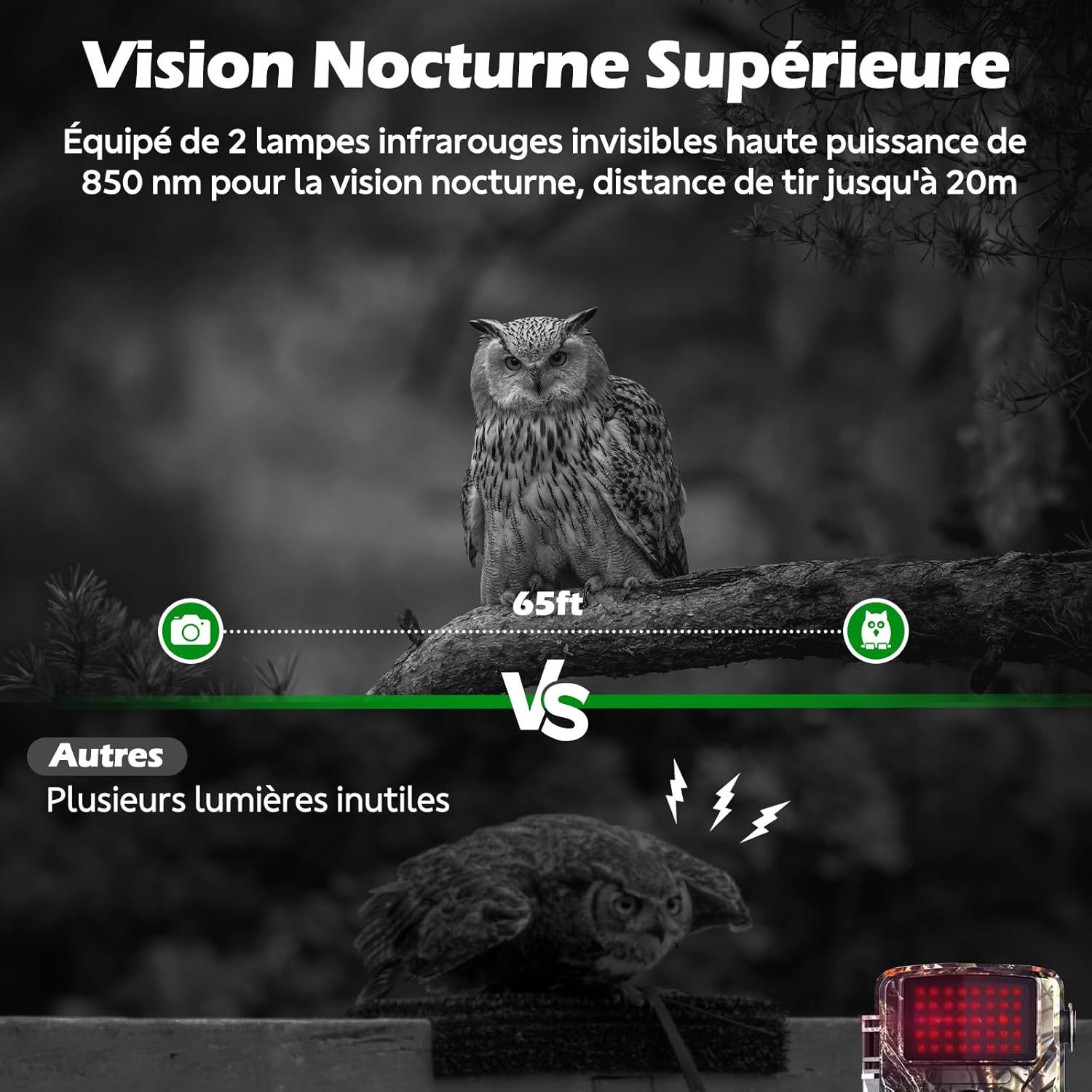
Figure 6.4: Superior night vision capability of the VOOPEAK TC31A, capturing clear images in darkness using invisible infrared light.
6.4 Nahrávání ve smyčce
When enabled in the camera settings, loop recording automatically overwrites the oldest files on the Micro SD card when it becomes full, ensuring continuous operation without manual intervention.

Figure 6.5: Loop recording ensures continuous capture by overwriting the oldest files když je SD karta plná.
7. Údržba
- Čištění: Use a soft, dry cloth to clean the camera lens and PIR sensor. Do not use abrasive cleaners or solvents.
- Výměna baterie: Replace all 8 AA batteries when the low battery indicator appears on the screen or in the app.
- Správa SD karet: Regularly check the SD card capacity. Enable loop recording or manually delete old files k zajištění nepřetržitého nahrávání.
- Aktualizace firmwaru: Check the "TrailCam Go" app or VOOPEAK's official webPro zajištění optimálního výkonu a nových funkcí navštivte webové stránky s dostupnými aktualizacemi firmwaru.
8. Řešení problémů
| Problém | Možná příčina | Řešení |
|---|---|---|
| Fotoaparát se nezapíná. | Baterie jsou slabé nebo nesprávně vložené. | Vyměňte za nové baterie typu AA a dbejte na správnou polaritu. |
| Nebyly pořízeny žádné fotografie/videa. | SD card full, incorrectly inserted, or corrupted. PIR sensitivity too low. Camera in OFF mode. | Check/replace SD card. Format SD card via camera menu. Increase PIR sensitivity. Ensure camera is in ON mode. |
| No 4G signal or remote access. | SIM card not activated. Poor cellular coverage. Data plan expired. | Verify SIM activation and data plan status in the app. Relocate camera to an area with better signal. |
| Rozmazané obrázky/videa. | Lens is dirty. Camera is too close/far from subject. | Clean the lens. Adjust camera position relative to the subject. |
| Falešné spouštěče. | PIR sensitivity too high. Heat sources or moving branches in detection zone. | Decrease PIR sensitivity. Clear detection zone of obstructions. |
9. Specifikace
| Název modelu | TC31A 4G Trail Camera |
| Značka | VOOPEAK |
| Technologie připojení | Wireless (4G Cellular) |
| Rozlišení fotografie | 32 megapixelů |
| Rozlišení videa | 1080P HD @ 30fps |
| Viewúhel | 120 stupňů |
| Rozsah nočního vidění | 20 metrů (65 stop) |
| IR LED diody | 2 x 850nm (Invisible) |
| Detekce pohybu | PIR senzor |
| Voděodolnost | IP66 Vodotěsný |
| Zdroj napájení | 8 x AA baterie (nejsou součástí balení) |
| Skladování | Micro SD Card (up to 64GB, not included), Cloud Storage via App |
| Kontrolní metoda | Integrated LCD Screen, Smartphone App ("TrailCam Go") |
| Rozměry | 19.5 x 8.5 x 12.5 cm |
| Provozní teplota | -25 °C až 60 °C |
10. Záruka a podpora
The VOOPEAK TC31A 4G Trail Camera comes with a 1letá záruka výrobce od data nákupu.
For technical support, warranty claims, or any questions regarding your product, please contact VOOPEAK customer service through the "TrailCam Go" application or visit the official VOOPEAK website. Please have your model number (TC31A) and purchase details ready when contacting support.
11. Video zdroje
For visual guidance on setup and operation, please refer to official VOOPEAK video tutorials. If available, relevant videos will be embedded below.
Note: No specific video URLs with "creator_type":"Seller" were found in the provided product data. Please check the VOOPEAK official website or product page for available video resources.