
1. Úvod
The ASHATA Hands-Free USB Wired 1D/2D Barcode Scanner is a high-performance desktop scanning platform designed for efficient and accurate barcode reading. It features advanced decoding technology, soft LED illumination, and multiple feedback methods for an enhanced user experience. Its robust design ensures durability in various environments.
This scanner is capable of reading both 1D and 2D/QR barcodes from labels, paper, and digital displays, including damaged or distorted codes. Its omnidirectional design allows for hands-free operation, making it ideal for supermarkets, retail stores, warehouses, and POS systems.
2. Obsah balení
- 1 x ASHATA Barcode Scanning Platform
- 1 x Uživatelská příručka
3. Nastavení
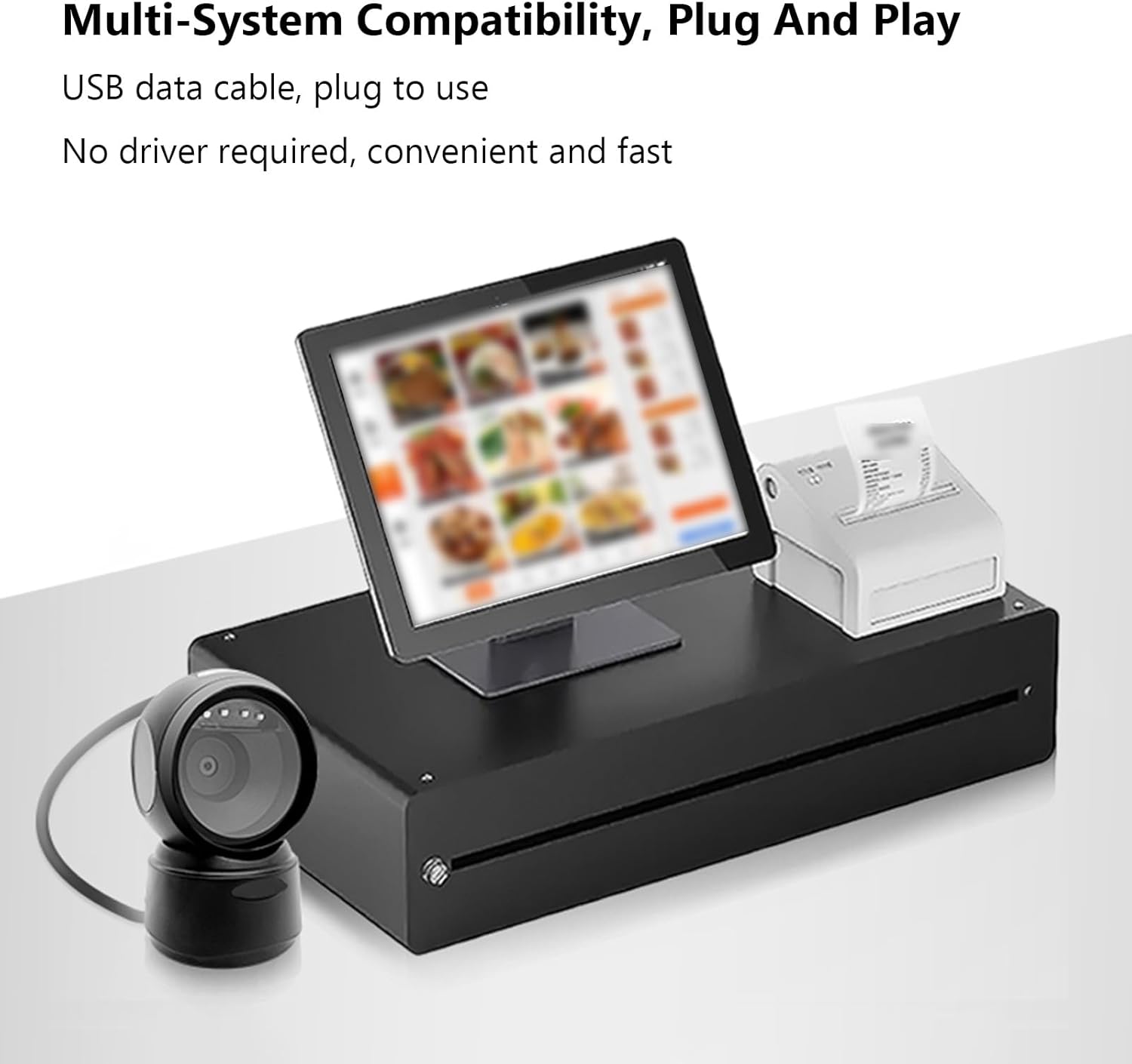
The ASHATA Barcode Scanner is designed for simple plug-and-play operation, requiring no additional driver installation.
- Vybalení skeneru: Carefully remove the barcode scanning platform and user manual from the packaging.
- Připojit k zařízení: Insert the USB data cable from the barcode scanner into an available USB port on your computer or POS system.
- Rozpoznávání systému: Operační systém automaticky vyhledá a nainstaluje potřebné ovladače. Tento proces může chvíli trvat.
- Umístění: Place the scanner on a stable, flat surface. The anti-slip base ensures stability during operation.
4. Návod k obsluze
The scanner offers hands-free, omnidirectional scanning for various barcode types.
4.1 Skenování čárových kódů
Simply present the barcode to the scanner's window. The scanner will automatically detect and decode the barcode. A buzzer sound and LED indicator lights will provide feedback upon successful scanning.

4.2 Intelligent Sensing
The scanner features an intelligent sensing mode:
- Automatický režim spánku: Upon inactivity, the scanner enters an automatic sleep mode to conserve power.
- Chytré probuzení: The scanner automatically wakes up and becomes active when a barcode is presented for scanning.

4.3 Použitelné scénáře
This scanner is suitable for a wide range of applications, including:
- Supermarkety
- Nákupní centra
- Cosmetic Stores
- Retail Industry
- Banky
- Sklady
- Bookstores
- POS systémy

5. Údržba
To ensure optimal performance and longevity of your ASHATA Barcode Scanner, follow these maintenance guidelines:
- Čištění: Gently wipe the scanner's window and exterior with a soft, dry, lint-free cloth. Avoid using abrasive cleaners, solvents, or excessive moisture, as these can damage the device.
- Zacházení: Although the scanner has a sturdy ABS structure and is IP42 rated, capable of withstanding drops from heights up to 1.5 meters, handle it with care to prevent unnecessary impact.
- Skladování: Pokud skener nepoužíváte, skladujte jej na chladném a suchém místě mimo dosah přímého slunečního záření a extrémních teplot.
- Péče o kabely: Abyste předešli vnitřnímu poškození, neohýbejte ani nekruťte kabel USB.
6. Řešení problémů
If you encounter issues with your ASHATA Barcode Scanner, please refer to the following common troubleshooting steps:
- Skener nereaguje:
- Ujistěte se, že je kabel USB bezpečně připojen ke skeneru i hostitelskému zařízení.
- Try connecting the scanner to a different USB port on your device.
- Restart your computer or POS system.
- Nelze číst čárové kódy:
- Ujistěte se, že čárový kód je čistý, nepoškozený a jasně viditelný.
- Verify that the barcode is within the scanner's reading depth of field.
- Check if the scanner's window is clean and free from obstructions.
- Confirm that the barcode type is supported by the scanner (refer to Specifications).
- No Feedback (Buzzer/LED):
- If the scanner is in sleep mode, present a barcode to wake it up.
- Ensure the scanner is properly connected and powered.
Pokud tyto kroky problém nevyřeší, obraťte se na zákaznickou podporu s žádostí o další pomoc.
7. Specifikace
| Typ položky | 1D/2D Barcode Scanner Platform |
| Typ světelného zdroje | 625nm LED Supplementary Light |
| Princip skenování | Obrazová CMOS |
| Režim spouštění | Induction Mode / Continuous Mode / Instruction Mode |
| Úhel skenování | Tilt Angle 65°, Rotate Angle 360°, Skew Angle 75° |
| Přesnost skenování | >4.5 mil |
| Hloubka ostrosti při čtení | 5mil (Code39): 2cm-13cm UPC-13mil: 2cm-28cm 20mil (Code39): 2cm-35cm 20mil QR Code: 2cm-24cm |
| Délka kabelu | 1.5 m / 4.92 stop |
| Velikost produktu | 13.6 x 8.3 x 8 cm / 5.35 x 3.27 x 3.15 palců |
| Hmotnost produktu | 224 g / 7.9 oz |
| Konektivita | USB, RS232 |
| Trvanlivost | IP42 rated, withstands drops up to 1.5 meters |
| Supported Decoding Capabilities | QRCode, PDF417, MaxiCode, Aztec, DataMatrix(ECC200), Micro QR, Hanxin Code, Micro PDF417, EAN13, EAN8, UPC-A, UPC-E, Code128, Code39, Code93, CodaBar, Interleaved 2 of 5, Industrial 25, Codel1MSIPlessey, Standard 2 of 5, Plessey, ChinaPost 25, etc. |
8. Záruka a podpora
For warranty information or technical support, please refer to the documentation included with your purchase or contact ASHATA customer service through your retailer. Keep your purchase receipt for warranty claims.