
Zavedení
This manual provides detailed instructions for the installation, operation, and maintenance of your RAINPOINT 3 Zone WiFi Water Timer with Smart Gateway. Please read this manual thoroughly before use to ensure proper functionality and longevity of your device.
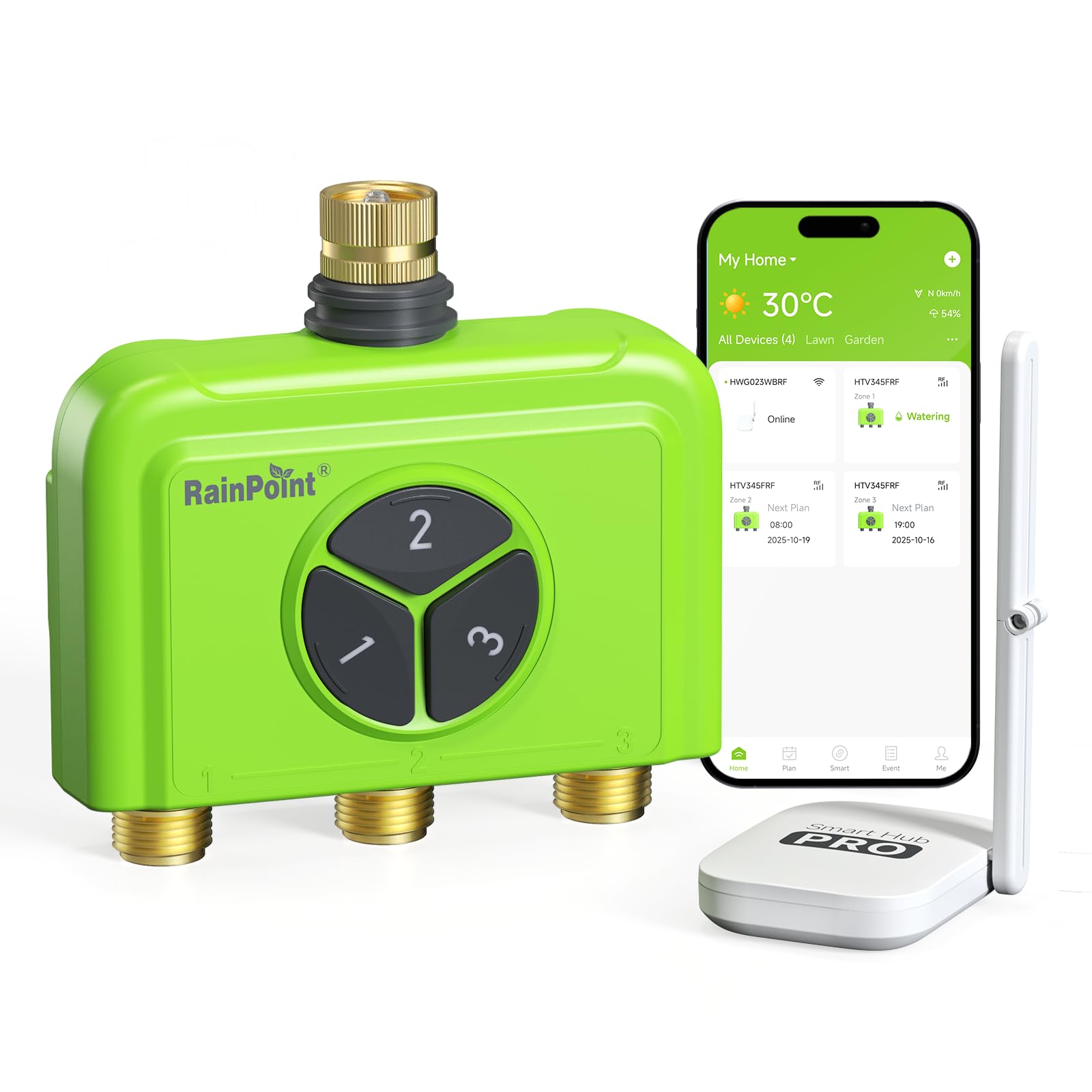
Image: The RAINPOINT 3 Zone WiFi Water Timer with its Smart Gateway and a smartphone displaying the control app.
Konec produktuview
The RAINPOINT 3 Zone WiFi Water Timer is designed to provide intelligent and flexible watering solutions for your garden. Key features include:
- Chytré dálkové ovládání: Connects to 2.4GHz WiFi via the included smart gateway for app and voice control (Alexa/Google).
- 3-Zone Flexible Watering: Manages three independent water outlets with customizable schedules.
- Brass Leak-Proof Build: Features durable brass inlet and outlet for enhanced resistance to rust, corrosion, and high water pressure.
- Multi-Mode Irrigation: Supports watering based on time, weather, soil moisture (with optional sensor), or quantity, including rain delay functionality.
- Easy Manual Use: Offers a one-touch manual mode for immediate watering needs.
Obsah balení
Prosím, ověřte, zda jsou v balení přítomny všechny položky:
- RAINPOINT 3 Zone WiFi Water Timer
- Smart Gateway (USB-powered)
- Napájecí kabel USB
- Uživatelská příručka
- Additional washers and screws (for mounting, if applicable)
Video: An unboxing demonstration of the RAINPOINT 3 Zone WiFi Water Timer, showing all included components.
Průvodce nastavením
1. Vložení baterií do vodních hodin
The water timer requires 4 AA batteries (not included). Open the battery compartment on the back of the timer, insert the batteries according to the polarity markings, and securely close the compartment.
2. Connect Smart Gateway
Plug the USB power cable into the Smart Gateway and connect it to a power source. The gateway should be placed indoors, within range of your 2.4GHz WiFi network and within effective range of the water timer (typically up to 150 feet in open air).

Obrázek: Detailní záběr view of the RAINPOINT Smart Gateway, highlighting its USB power input and foldable antenna.
3. Stáhněte a nainstalujte aplikaci
Hledat "Rainpoint Home" in your smartphone's app store (iOS or Android) and install the application. Register for an account or log in if you already have one.
4. Pair Water Timer with Gateway
- In the Rainpoint Home app, follow the instructions to add a new device.
- Long press any button on the water timer until its red light flashes.
- Tap "NEXT" in the app to initiate the countdown and complete the pairing process. The app will confirm successful device addition.
5. Install Water Timer
Connect the water timer directly to your outdoor faucet. Ensure the connection is tight to prevent leaks. Then, attach your garden hoses to the three brass outlets on the timer. The brass construction provides a secure and leak-proof connection.
Video: Overview of the RAINPOINT 3 Zone WiFi Water Timer with Smart Gateway, demonstrating its features and installation.
Návod k obsluze
Ruční zavlažování
You can initiate watering manually either directly on the device or through the app:
- Na zařízení: Press the desired zone button (1, 2, or 3) to start or stop watering for that zone.
- Přes aplikaci: Use the Rainpoint Home app to select a zone and activate manual watering. The app offers quick manual modes for flexible water use.

Image: A user manually operating the RAINPOINT water timer, demonstrating its instant manual water feature.
Scheduling via App
The Rainpoint Home app allows you to create customized watering schedules for each of the three zones. You can set up to 18 different watering plans.
- Open the Rainpoint Home app and select your water timer.
- Navigate to the scheduling section for each zone.
- Choose from various irrigation modes: Normal Irrigation (for lawns and veggies), Misting Irrigation (for cooling or dust control), or Cycle & Soak (for deep root watering).
- Set watering frequencies (e.g., Everyday, Event Dates, Odd Dates, Intervals, Custom).
- Specify start times and irrigation durations.
Note on Simultaneous Watering: While the product is designed to manage three separate water outlets, some user feedback indicates that only one zone may operate at a time. Please refer to the latest app functionality for specific capabilities regarding simultaneous zone operation.

Obrázek: Letecký pohled view illustrating three distinct watering zones (Zone 1, Zone 2, Zone 3) and the app interface for setting up multiple irrigation plans.
Smart Watering Features
- Zpoždění deště: The system can automatically skip watering on rainy days, preventing overwatering and conserving water. You can set delays for 24, 48, or 72 hours.
- Úpravy podle počasí: Integrate with local weather data to optimize watering schedules.
- Integrace půdní vlhkosti: If paired with an optional WiFi soil sensor, the system can adjust watering based on actual soil moisture levels.

Image: The RAINPOINT water timer installed outdoors during rainfall, demonstrating its rain-pause guard feature with options for 24, 48, or 72-hour delays.
Hlasové ovládání
The RAINPOINT water timer is compatible with Amazon Alexa and Google Assistant. Once integrated, you can use voice commands to control your watering zones, for example: "Alexa, turn on the WiFi 3-zone sprinkler timer, Zone 1."

Image: A person using voice commands with a smart speaker to control the RAINPOINT water timer, illustrating its compatibility with Alexa and Google Assistant.
Water Usage Tracking
The Rainpoint Home app provides detailed insights into your water consumption, allowing you to visualize water usage over 30 days or 12 months. This helps in optimizing watering and conserving water.

Image: The RAINPOINT water timer connected to hoses, with a smartphone screen displaying a graph of water usage over time, demonstrating the 'Track Every Drop' feature.
Údržba
Čištění
Periodically inspect the timer and its connections for any debris or mineral buildup. Clean the brass inlet and outlets with a soft brush and water if necessary. Avoid using harsh chemicals that could damage the device.
Prevence úniku
Due to its brass construction, the timer is designed for zero-leak reliability. However, regularly check all hose connections for tightness. Replace washers if they appear worn or damaged to maintain a watertight seal.
Zazimování
Před prvními mrazy odpojte zavlažovací hodiny od kohoutku a hadic. Vyjměte baterie. Časovač skladujte uvnitř na suchém místě bez mrazu, abyste zabránili poškození zamrzlou vodou.
Odstraňování problémů
- Žádný průtok vody:
- Zkontrolujte, zda je kohoutek zcela otevřený.
- Ujistěte se, že jsou baterie správně nainstalovány a jsou dostatečně nabité.
- Verify that the watering schedule is active or manual watering is initiated.
- Inspect for any blockages in the timer or hoses.
- Problémy s připojením aplikace:
- Confirm your Smart Gateway is powered on and connected to a 2.4GHz WiFi network.
- Ensure the gateway is within range of your home router and the water timer.
- Restart the gateway and the app.
- Zkontrolujte, zda nejsou k dispozici aktualizace aplikací.
- Časovač nereaguje:
- Vyměňte baterie ve vodních hodinách.
- Re-pair the timer with the gateway if connection is lost.
- Netěsnosti v místech spojení:
- Tighten all connections by hand. Do not overtighten with tools.
- Check and replace rubber washers if they are worn or missing.
- Zones Not Running Simultaneously:
- The RAINPOINT 3 Zone WiFi Water Timer is designed to manage three separate outlets. However, some models or app versions may operate zones sequentially rather than simultaneously. Please consult the in-app settings or contact customer support for clarification on simultaneous zone operation for your specific device and app version.
Specifikace
| Funkce | Detail |
|---|---|
| Značka | DEŠŤOVÉ BODY |
| Číslo modelu | 345-A |
| Barva | Zelený |
| Materiál | Mosaz |
| Rozměry produktu (D x Š x V) | 4"H x 4"Š x 2"V |
| Kompatibilita Smart Home | Smart Home Compatible (Alexa, Google Assistant) |
| Frekvence WiFi | 2.4GHz (Gateway required) |
| Kompatibilita hadic | Standard 3/4" garden hoses |
Záruka a podpora
Informace o záruce
RAINPOINT nabízí 5letá podpora období a doživotní podpora for its products, ensuring long-term reliability and customer satisfaction.
Zákaznická podpora
If you encounter any issues or have questions regarding your RAINPOINT 3 Zone WiFi Water Timer, please contact customer support:
- Přihlaste se ke svému účtu Amazon.
- Přejděte do sekce „Vaše objednávky“.
- Find the order ID for your RAINPOINT water timer.
- Click "Contact Seller."
Support options include Call Centre Support, Lifetime Support, 5 Year Support, and Live Chat 24/7.