
Zavedení
This manual provides essential information for setting up, operating, maintaining, and troubleshooting your new OPPO A6x 5G smartphone. Please read this guide thoroughly to ensure optimal performance and longevity of your device. Keep this manual for future reference.
Počáteční nastavení
1. Vybalení zařízení
Carefully open the product packaging and ensure all contents are present. The standard package includes:
- OPPO A6x 5G Smartphone
- USB kabel
- Vysunutí zásobníku SIM
- Rychlý průvodce
- Ochranná fólie na displej (přednalepená nebo v krabici)
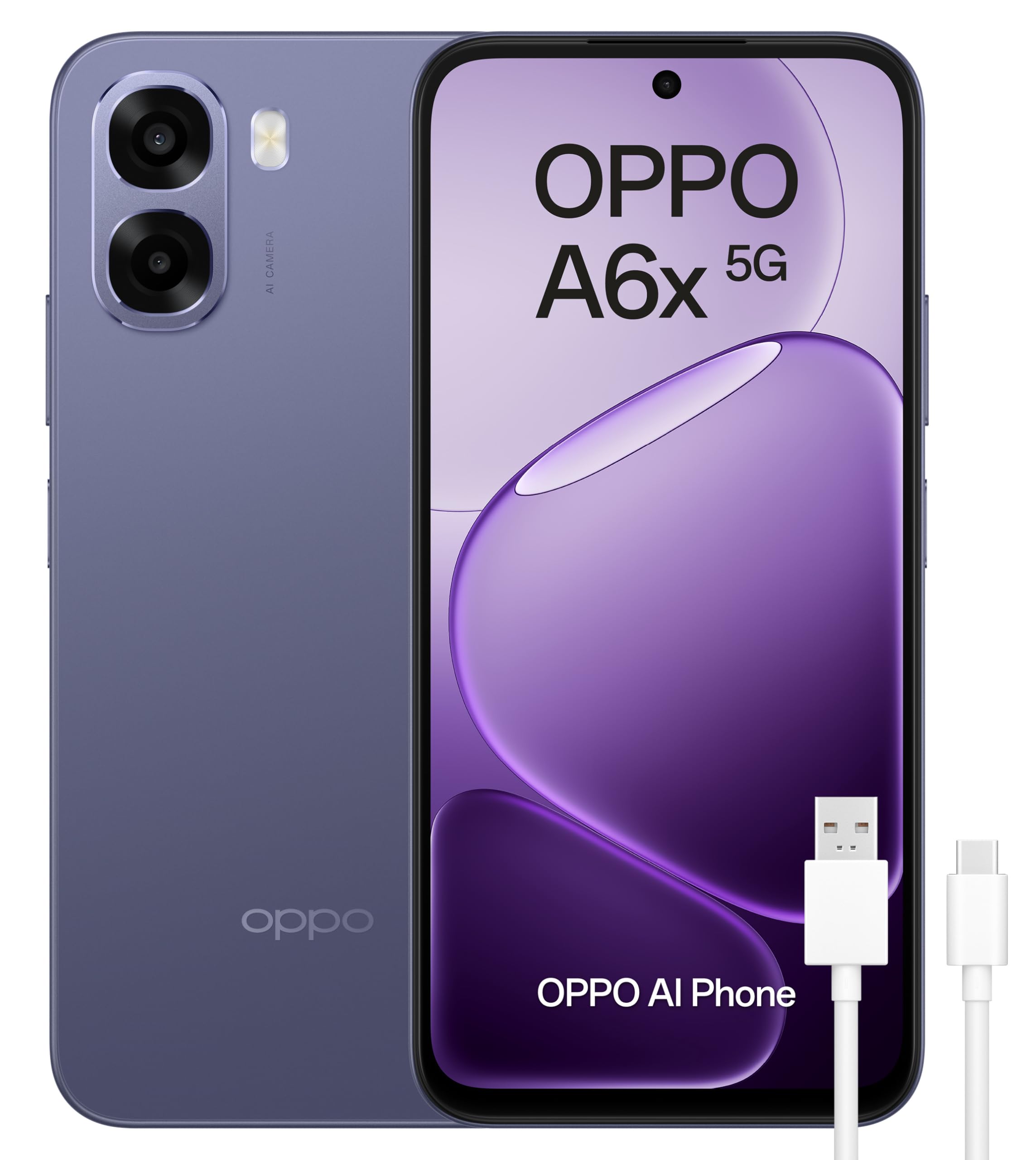
Figure 1: OPPO A6x 5G Smartphone and included accessories.
2. Instalace SIM karty
Your OPPO A6x 5G supports Dual SIM functionality. To install your SIM card(s):
- Vyhledejte držák SIM karty na boku zařízení.
- Vložte nástroj pro vysunutí SIM karty do malého otvoru vedle držáku a jemně zatlačte, dokud držák nevyskočí.
- Place your Nano SIM card(s) into the designated slots on the tray. Ensure the gold contacts face downwards.
- Opatrně vložte zásobník SIM karty zpět do zařízení, dokud nezacvakne na místo.
3. Zapnutí zařízení
Press and hold the Power button (located on the right side of the device) until the OPPO logo appears on the screen. Follow the on-screen instructions to complete the initial setup, including language selection, Wi-Fi connection, and Google account setup.
Obsluha vašeho zařízení
1. Zobrazení a navigace
The OPPO A6x 5G features a 6.67-inch HD+ LCD display with a 120Hz refresh rate, providing a smooth and responsive user experience. Navigate the interface using touch gestures: tap to select, swipe to scroll, pinch to zoom.

Figure 2: The 120Hz HD+ LCD display offers clear and fluid visuals.
2. Funkce fotoaparátu
Capture high-quality photos and videos with the 50MP AI main camera. The device also includes a 2MP front camera and a 2MP rear monochrome sensor for enhanced photography. AI features optimize settings for various scenes.

Figure 3: Rear camera module with 50MP main lens and 2MP monochrome lens.
3. Správa baterií
The OPPO A6x 5G is equipped with a large 6100 mAh battery, providing extended usage time. To maximize battery life, adjust screen brightness, close unused apps, and enable power-saving modes when needed. The device supports fast charging.

Figure 4: The 6100 mAh battery ensures long-lasting power.
4. Konektivita
Your smartphone offers various connectivity options:
- 5G Mobile Technology: Pro vysokorychlostní přístup k internetu.
- Wi-Fi: Připojte se k bezdrátovým sítím pro přístup k internetu.
- Bluetooth: Spárujte s bezdrátovým příslušenstvím, jako jsou sluchátka nebo reproduktory.
- NFC: For contactless payments and quick data transfer.
- USB Type-C: Pro nabíjení a přenos dat.
5. Bezpečnostní prvky
The device includes biometric security features such as fingerprint recognition for secure unlocking and data protection. You can set up your fingerprint in the device settings.
Údržba
1. Odolnost proti vodě a prachu
The OPPO A6x 5G is rated IP64 for water and dust resistance, meaning it is protected against dust ingress and splashing water from any direction. While it offers protection against everyday splashes, it is not designed for submersion in water. Avoid exposing the device to excessive moisture or harsh chemicals.

Figure 5: IP64 rating provides protection against dust and water splashes.
2. Aktualizace softwaru
Your device runs on Android 15. Regularly check for and install software updates to ensure optimal performance, security, and access to the latest features. Updates can be found in the device's settings menu under 'System Updates'.
Odstraňování problémů
Pokud se se zařízením setkáte s problémy, vyzkoušejte následující základní kroky pro řešení potíží:
- Restartujte zařízení: Jednoduchý restart může vyřešit mnoho drobných softwarových závad.
- Zkontrolujte aktualizace softwaru: Ujistěte se, že operační systém vašeho zařízení je aktuální.
- Vymazat mezipaměť aplikace: Pokud se aplikace chová špatně, zkuste vymazat její mezipaměť v nastavení aplikace.
- Obnovení továrního nastavení: Jako poslední možnost, pokud problémy přetrvávají, můžete provést obnovení továrního nastavení. Varování: Tímto smažete všechna data v zařízení. Před pokračováním si zálohujte důležitá data.
Technické specifikace

Figure 6: Key internal components of the OPPO A6x 5G.
| Funkce | Specifikace |
|---|---|
| Značka | OPPO |
| Název modelu | A6x 5G |
| Číslo modelu | CPH2783 |
| Operační systém | Android 15 |
| BERAN | 6 GB |
| Kapacita úložiště | 256 GB |
| Model CPU | Hledík |
| Rychlost CPU | 2.4 GHz |
| Velikost obrazovky | 6.67 palce |
| Rozlišení displeje | 1520 x 720 pixelů |
| Obnovovací frekvence | 120 Hz |
| Typ zobrazení | LCD |
| Rozlišení zadní kamery | 50 MP (Effective Video Resolution) / 2 MP (Sensor Resolution) |
| Rozlišení předního fotoaparátu | 2 MP |
| Kapacita baterie | 6100 XNUMX mAh |
| SIM Card Count | Duální SIM |
| Úroveň odolnosti proti vodě | IP64 (vodoodpudivý) |
| Rozměry | 18.4 x 10 x 4.6 cm; 209 g |
Záruka a podpora
1. Záruka na produkt
Your OPPO A6x 5G smartphone comes with a three-year manufacturer's warranty. Please retain your proof of purchase for any warranty claims. For detailed terms and conditions, refer to the warranty card included in your product packaging or visit the official OPPO webmísto.
2. Zákaznická podpora
For further assistance, technical support, or service inquiries, please contact OPPO customer service through their official website or the contact information provided in your Quick Start Guide. You can also visit the Obchod OPPO na Amazonu pro další zdroje.


