
Zavedení
Thank you for choosing the Stealth Cam QS24 Trail Camera. This manual provides essential information for setting up, operating, and maintaining your camera to ensure optimal performance. The QS24 is designed for reliable outdoor monitoring, capturing high-resolution images and video with its advanced features.
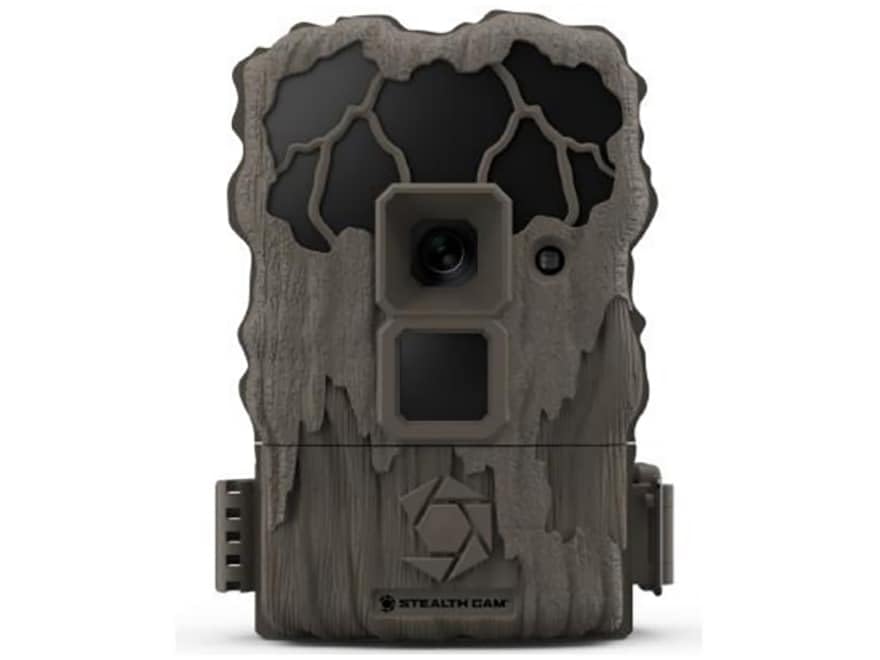
This image shows the compact design of the Stealth Cam QS24 trail camera, suitable for discreet outdoor placement.
Nastavení
1. Instalace baterie
- Open the battery compartment latch, typically located on the side or bottom of the camera.
- Insert the required number of AA batteries (not included), ensuring correct polarity (+/-) as indicated inside the compartment.
- Close the battery compartment securely to maintain the camera's weather resistance.
2. Instalace SD karty
- Locate the SD card slot, usually near the battery compartment or on the side.
- Insert a formatted SD card (up to 32GB, not included) with the metal contacts facing the camera. Push until it clicks into place.
- Chcete-li kartu vyjmout, znovu ji zatlačte, dokud nevyskočí.
3. Montáž kamery
The QS24 is designed for tree mounting. Use the included strap or a compatible mounting accessory.
- Vyberte si pevný strom nebo sloup v požadované výšce, obvykle 3-6 metru nad zemí.
- Thread the mounting strap through the designated slots on the back of the camera.
- Securely fasten the camera to the tree, ensuring it is stable and pointed towards the desired detection area.
- Upravte úhel kamery podle potřeby pro optimalizaci záběru view.
Návod k obsluze
1. Zapnutí/vypnutí
- To power on, slide the power switch to the 'ON' position. The camera will perform a self-check.
- Chcete-li přístroj vypnout, přepněte vypínač do polohy „VYPNUTO“.
2. Setting Up Basic Functions
Access the camera's menu via the internal display and control buttons to configure settings.
- Výběr režimu: Choose between Photo (24MP), Video (720p at 30 FPS), or Photo+Video modes.
- Zpoždění spouště: Set the delay between detections. The QS24 features an ultra-fast 0.8-second trigger speed.
- Rozsah detekce: The camera has an 80-foot LoGlo infrared detection range. Adjust sensitivity if available in settings.
- Datum a čas: Set the current date and time for accurate stamping on images and videos.
- Fáze Měsíce: The camera automatically records moon phase data with each capture.
3. Retrieving Images and Videos
- Vypněte fotoaparát.
- Vyjměte SD kartu ze slotu.
- Vložte SD kartu do kompatibilní čtečky karet připojené k počítači nebo jinému viewing zařízení.
- Přístup k filena SD kartě view or transfer your captured media.
An official video from Stealth Cam showcasing the features and applications of their trail cameras, including the QS24 model.
Údržba
1. Čištění
- Gently wipe the camera lens and IR array with a soft, lint-free cloth to remove dirt, dust, or moisture.
- Vyčistěte tělo fotoaparátu pomocíamp hadříkem. Vyhněte se agresivním chemikáliím nebo abrazivním materiálům.
- Ensure all seals and gaskets are free of debris to maintain weather resistance.
2. Péče o baterie
- Check battery levels regularly, especially before long deployments.
- Replace all batteries at the same time with new, high-quality batteries. Do not mix old and new batteries or different battery types.
- Remove batteries if the camera will be stored for an extended period to prevent leakage.
3. Skladování
- Fotoaparát skladujte na chladném a suchém místě mimo dosah přímého slunečního záření a extrémních teplot.
- Před uskladněním se ujistěte, že je fotoaparát čistý a suchý.
Odstraňování problémů
- Kamera se nezapíná:
- Zkontrolujte instalaci baterií a dbejte na správnou polaritu.
- Replace with fresh batteries.
- Ensure the power switch is firmly in the 'ON' position. - Nebyly pořízeny žádné snímky/videa:
- Verify the SD card is properly inserted and formatted.
- Check if the SD card is full; delete or replace if necessary.
- Ensure the camera is in an active mode (Photo, Video, or Photo+Video).
- Adjust camera placement to ensure subjects pass within the detection zone. - Špatná kvalita obrazu/videa:
- Clean the camera lens and IR array.
- Ensure there are no obstructions in front of the lens or IR sensors.
- Check battery levels; low batteries can affect performance. - Falešné spouštěče:
- Reduce the camera's sensitivity setting if available.
- Avoid placing the camera where moving branches or tall grass might trigger it.
- Ensure the camera is not facing direct sunlight or heat sources that could cause false detections.
Specifikace
| Číslo modelu | STC-QS24 |
| Rozlišení obrazu | 24 megapixelů |
| Rozlišení videa | 720p HD at 30 FPS |
| Rychlost spouštění | 0.8 sekund |
| Rozsah detekce | 80 ft (LoGlo Infrared) |
| IR Dosah | 80 stop |
| Zdroj napájení | Battery Powered (AA batteries, not included) |
| Konektivita | Bezdrátové, Bluetooth |
| Vnitřní/venkovní použití | Venkovní |
| Typ montáže | Stromová hora |
| Rozměry položky | 13 x 2.6 x 6 palce |
| Barva | Opálení |
| UPC | 198954003410 |
Záruka a podpora
For detailed warranty information, please refer to the documentation included with your product or visit the official Stealth Cam webZáruční podmínky se obvykle vztahují na výrobní vady po stanovenou dobu od data nákupu.
For technical support, troubleshooting assistance, or to inquire about replacement parts, please contact Stealth Cam customer service directly. Contact information can usually be found on the manufacturer's webmístě nebo na obalu produktu.