
1. Úvod
The Bigme B7 Pro Color e-Reader is an advanced Android E-Ink tablet designed for an enhanced reading, note-taking, and multimedia experience. It features a 7-inch Kaleido 3 color e-ink display, an upgraded MediaTek Dimensity 1080 octa-core processor, 8GB RAM, and 256GB internal storage. This device supports 4G connectivity, borderless handwriting with a magnetic stylus, and operates on Android 14. This manual provides essential information for setting up, operating, maintaining, and troubleshooting your device.
2. Co je v krabici
Upon unboxing your Bigme B7 Pro, please verify that all the following items are included:
- 1 x Bigme B7 Pro Color e-Reader Tablet
- 1 x Magnetic Handwriting Pen (Stylus)
- 1 x USB nabíjecí kabel typu C
- 1 x Uživatelská příručka (tento dokument)
- 1 x Giftbox

Figure 2.1: Contents of the Bigme B7 Pro package, including the e-reader, stylus, charging cable, and user manual.
3. Zařízení skončiloview
Familiarize yourself with the physical components of your Bigme B7 Pro e-Reader.
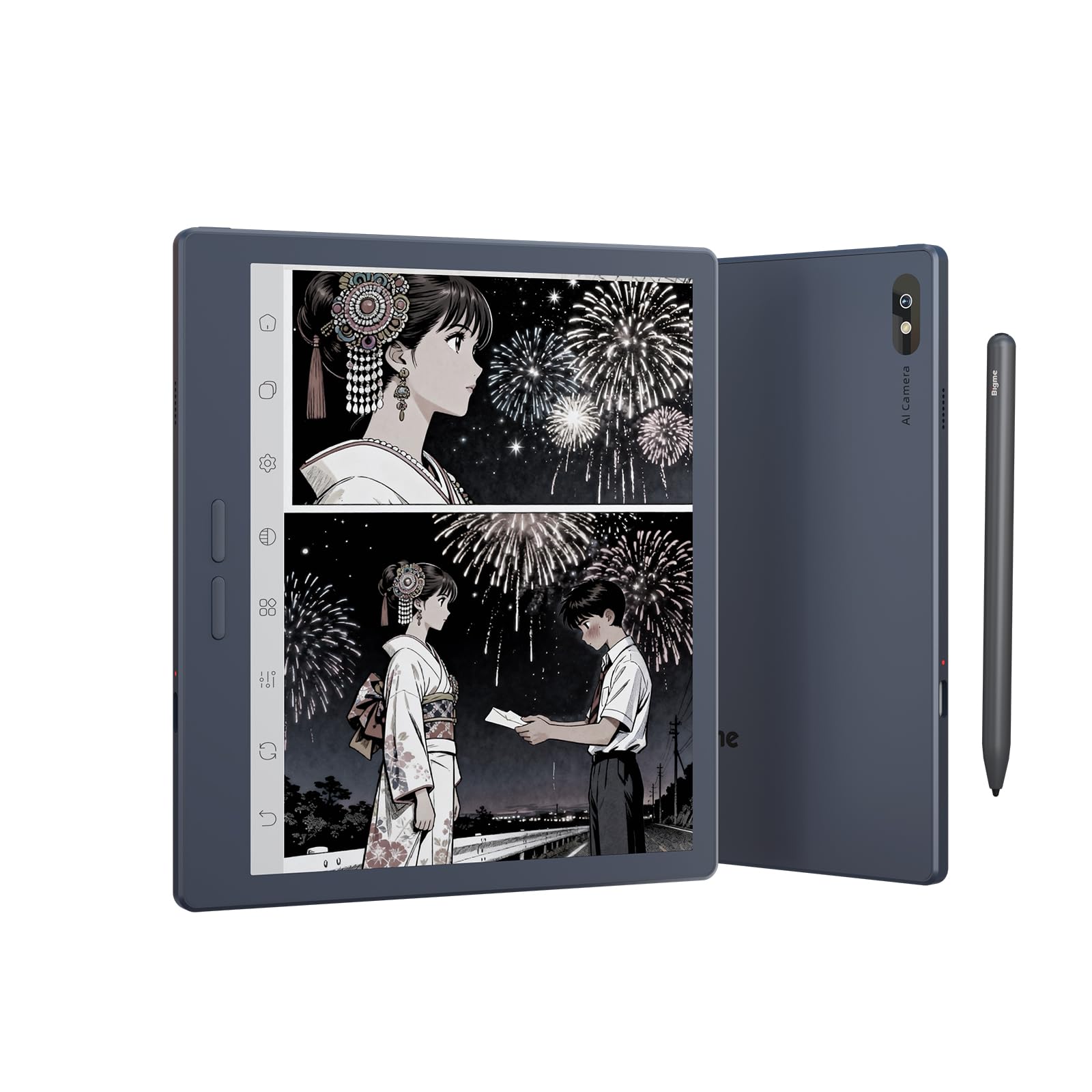
Obrázek 3.1: Přední strana view of the Bigme B7 Pro Color e-Reader, showcasinjeho 7palcový displej.

Obrázek 3.2: Zadní view of the Bigme B7 Pro Color e-Reader, highlighting the 5MP AI camera.
3.1. Fyzická tlačítka a porty
- Vypínač: Located on the side, press and hold to power on/off or restart.
- Port USB-C: Pro nabíjení a přenos dat.
- Slot pro SIM kartu: For 4G connectivity (Nano SIM).
- Slot pro kartu Micro SD: For storage expansion up to 2TB.
4. Počáteční nastavení
4.1. Nabíjení zařízení
Before first use, fully charge your Bigme B7 Pro using the provided USB-C cable and a compatible power adapter. The charging indicator will show the charging status.
4.2. Zapnutí/vypnutí
- To power on: Press and hold the Power button until the Bigme logo appears.
- Vypnutí: Stiskněte a podržte tlačítko Napájení a poté z možností vyberte možnost „Vypnout“.
- Restartování: Stiskněte a podržte tlačítko Napájení a poté z možností vyberte „Restartovat“.
4.3. Počáteční konfigurace
Follow the on-screen prompts to complete the initial setup, which typically includes:
- Výběr jazyka: Vyberte preferovaný jazyk.
- Wi-Fi připojení: Connect to a Wi-Fi network to access online features and updates.
- Účet Google: Sign in with your Google account to access the Google Play Store and other services.
- SIM Card Insertion (Optional): If using 4G connectivity, insert a Nano SIM card into the designated slot.
5. Návod k obsluze
5.1. Display and Refresh Rate
The Bigme B7 Pro features a 7-inch 300PPI E-ink Kaleido 3 color display, offering a paper-like reading experience with zero blue light and flicker-free technology. It supports an ultra-fast refresh rate (up to 43FPS) for smoother video and animation playback.

Figure 5.1: The device displaying video content, illustrating its ultra-fast refresh rate for smooth playback.
The device also includes a 36-level adjustable dual front light mode, allowing comfortable reading in various lighting conditions, day or night.
5.2. Navigace a uživatelské rozhraní
Navigate the device using its responsive touchscreen. The Android 14 operating system provides a familiar interface.
5.3. Reading eBooks
Open your preferred e-book application to access your library. The device supports multiple reading formats. Adjust font size, contrast, and other display settings for optimal reading comfort.
5.4. Note-Taking and Stylus Functionality
The included magnetic stylus enables precise note-taking, document annotation, and creative tasks. The device supports borderless handwriting, allowing you to write freely across the screen without restrictions.

Figure 5.2: The e-reader screen showing freehand drawing and notes created with the stylus, illustrating borderless handwriting.
5.5. App Usage and Connectivity
Running on Android 14, the Bigme B7 Pro allows access to the Google Play Store for downloading various third-party applications.
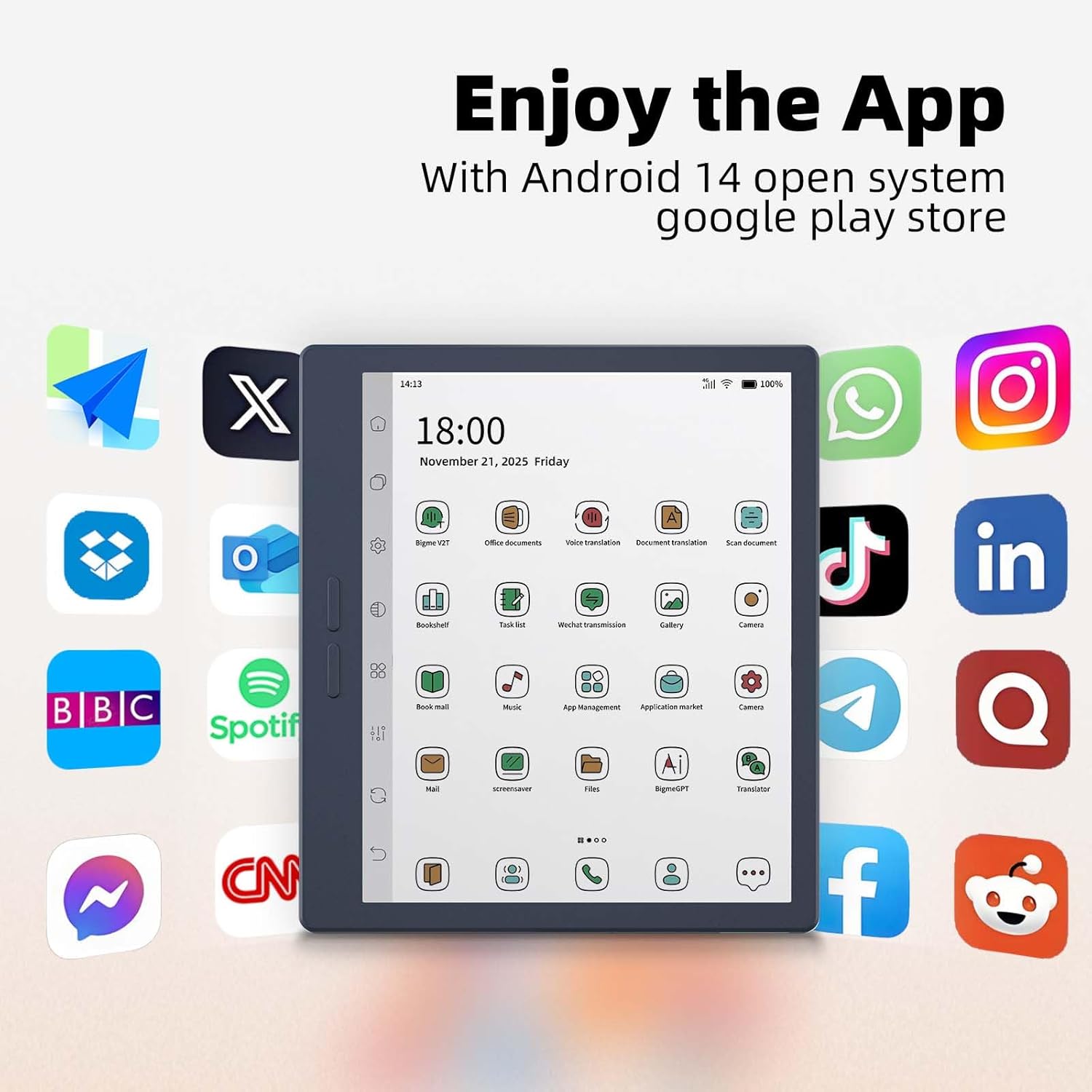
Figure 5.3: The e-reader's home screen showing a grid of popular Android application icons, indicating broad app compatibility.
The device supports Wi-Fi and Bluetooth for wireless connections. Additionally, its 4G global all-network support (Nano SIM) ensures you remain connected even without Wi-Fi.

Figure 5.4: A person using the Bigme B7 Pro for a call, demonstrating its 4G global connectivity feature.
5.6. Pokročilé funkce
- 5MP zadní fotoaparát: Supports video conferencing, OCR text recognition, and document scanning.
- Vlastnosti AI: Includes call recording to text, intelligent audiobook organization, multi-AI GPT summarization, voice translation, and Q&A.
- Hi-Fi kvalita zvuku: Enhances audio experiences.
Figure 5.5: The e-reader showcasing its multifunction usage, including video conferencing, OCR text recognition, and document scanning capabilities.
5.7. Výkon a úložiště
Equipped with a MediaTek Dimensity 1080 Octa-core processor (2.6GHz), 8GB RAM, and 256GB internal storage, the device ensures smooth performance. Storage can be expanded up to 2TB via a Micro SD card (not included).

Figure 5.6: Diagram illustrating the Bigme B7 Pro's upgraded MediaTek Dimensity 1080 octa-core CPU, 8GB RAM, and 256GB ROM for enhanced performance.
6. Údržba
6.1. Čištění zařízení
- K jemnému otření obrazovky a těla použijte měkký hadřík, který nepouští vlákna.
- Vyhněte se používání agresivních chemikálií, abrazivních čisticích prostředků nebo nadměrné vlhkosti.
6.2. Péče o baterie
- Zařízení pravidelně nabíjejte, ale nenechávejte ho delší dobu zcela vybité.
- Nevystavujte zařízení extrémním teplotám.
6.3. Aktualizace softwaru
Periodically check for and install software updates to ensure optimal performance and access to new features. Updates can usually be found in the device's settings menu.
6.4. Správa úložiště
Pravidelně spravujte úložiště svého zařízení mazáním nepotřebných dat files or applications. Utilize the Micro SD card slot for additional storage if needed.
7. Řešení problémů
7.1. Zařízení se nezapíná
- Ensure the device is sufficiently charged. Connect it to a power source for at least 30 minutes.
- Proveďte nucený restart podržením tlačítka napájení po dobu 10-15 sekund.
7.2. Obrazovka nereaguje
- Restartujte zařízení.
- Ujistěte se, že je obrazovka čistá a bez nečistot.
7.3. Problémy s připojením k Wi-Fi
- Toggle Wi-Fi off and on in the settings.
- Restartujte Wi-Fi router.
- Zapomeňte na síť a znovu se připojte.
7.4. Pády nebo zamrzání aplikací
- Zavřete a znovu otevřete aplikaci.
- Clear the app's cache and data in device settings.
- Odinstalujte a znovu nainstalujte aplikaci.
- Ujistěte se, že software zařízení je aktuální.
7.5. Obnovení továrního nastavení
Pokud problémy přetrvávají, může je vyřešit obnovení továrního nastavení. Varování: This will erase all data on your device. Back up important files before proceeding. Navigate to Settings > System > Reset options > Erase all data (factory reset).
8. Specifikace
| Značka | Bigme |
| Název modelu | B7 Pro |
| Technologie displeje | Color E-Ink Kaleido 3 display |
| Velikost obrazovky | 7 palce |
| Rezoluce | 300 PPI |
| Procesor | Osmijádrový procesor MediaTek Dimensity 1080 (2.6 GHz) |
| Paměť (RAM) | 8 GB |
| Úložiště (ROM) | 256 GB |
| Rozšiřitelné úložiště | Up to 2TB via Micro SD card (not included) |
| Operační systém | Android 14 |
| Technologie připojení | Bluetooth, Wi-Fi, 4G (Nano SIM) |
| Fotoaparát | 5-megapixel Rear Camera |
| Vstup lidského rozhraní | Touchscreen, Stylus |
| Barva | Modrá1 |
| Product Dimensions (L x W x Th) | 6.13"D x 5.32"Š x 0.21"V |
| Hmotnost položky | 175 gramů |
| Zahrnuté komponenty | Color e-reader Tablet, Smart stylus, Charging cable, User manual, Giftbox |
9. Záruka a podpora
9.1. Záruka na produkt
The Bigme B7 Pro Color e-Reader comes with a 1letá záruka výrobce od data nákupu. Tato záruka se vztahuje na vady materiálu a zpracování při běžném používání. Uschovejte si prosím doklad o koupi pro případ uplatnění záruky.
9.2. Zákaznická podpora
Should you encounter any questions, issues, or require assistance with your Bigme B7 Pro, please contact our customer service team. We are committed to providing friendly and helpful support to resolve any problems you may experience. Refer to the contact information provided with your purchase or on the official Bigme webstránky pro podpůrné kanály.