
Zavedení
This manual provides essential information for setting up, operating, and maintaining your Fusion5 A7 N6 23.8-inch All-in-One PC. Please read these instructions carefully before use and retain them for future reference.
The Fusion5 A7 N6 is a 23.8-inch Full HD All-in-One PC designed for home offices, students, and everyday users. It features a 1920x1080 FHD IPS display, an Intel N150 processor, 16GB DDR4 RAM, and a 512GB SATA SSD, running on Windows 11 Home.
Co je v krabici
- Fusion5 A7 N6 23.8" All-in-One PC
- Bezdrátová klávesnice
- Bezdrátová myš
- Certified Power Adapter (12V/5A)
- Uživatelská příručka (tento dokument)
Nastavení
- Rozbalení: Carefully remove all components from the packaging. Ensure all items listed in "What's in the Box" are present.
- Umístění: Place the All-in-One PC on a stable, flat surface. Ensure adequate ventilation around the device.
- Připojení napájení: Connect the certified power adapter to the DC-in port on the back of the PC, then plug the adapter into a power outlet.
- Wireless Keyboard and Mouse Setup:
- Insert batteries (not included) into the wireless keyboard and mouse.
- Locate the USB receiver for the wireless keyboard and mouse. Plug it into an available USB port on the PC.
- The keyboard and mouse should automatically connect.
- Počáteční zapnutí: Stiskněte tlačítko napájení, které se obvykle nachází na boku nebo zadní straně displeje.
- Nastavení Windows 11: Postupujte podle pokynů na obrazovce a dokončete počáteční nastavení systému Windows 11 Home, včetně jazyka, regionu, síťového připojení a vytvoření uživatelského účtu.
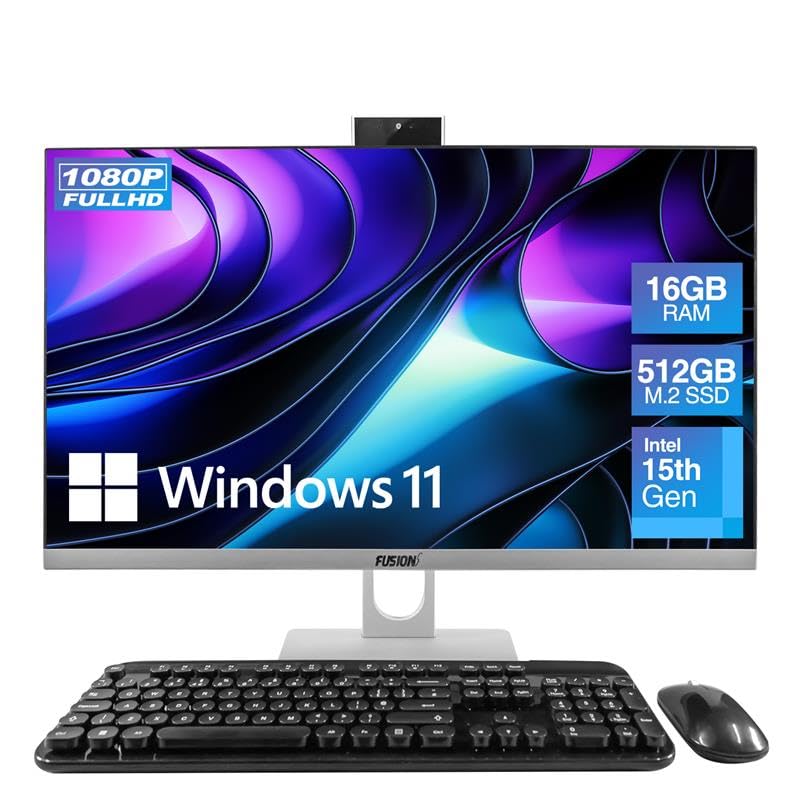
Image: The Fusion5 A7 N6 All-in-One PC with its included wireless keyboard and mouse, ready for setup.
Ovládání počítače
Funkce displeje
The 23.8-inch Full HD (1920x1080) IPS display offers crisp visuals and wide viewing angles. The screen is designed with a micro-edge display for an immersive viewing experience and can be tilted for optimal viewpohodlí.
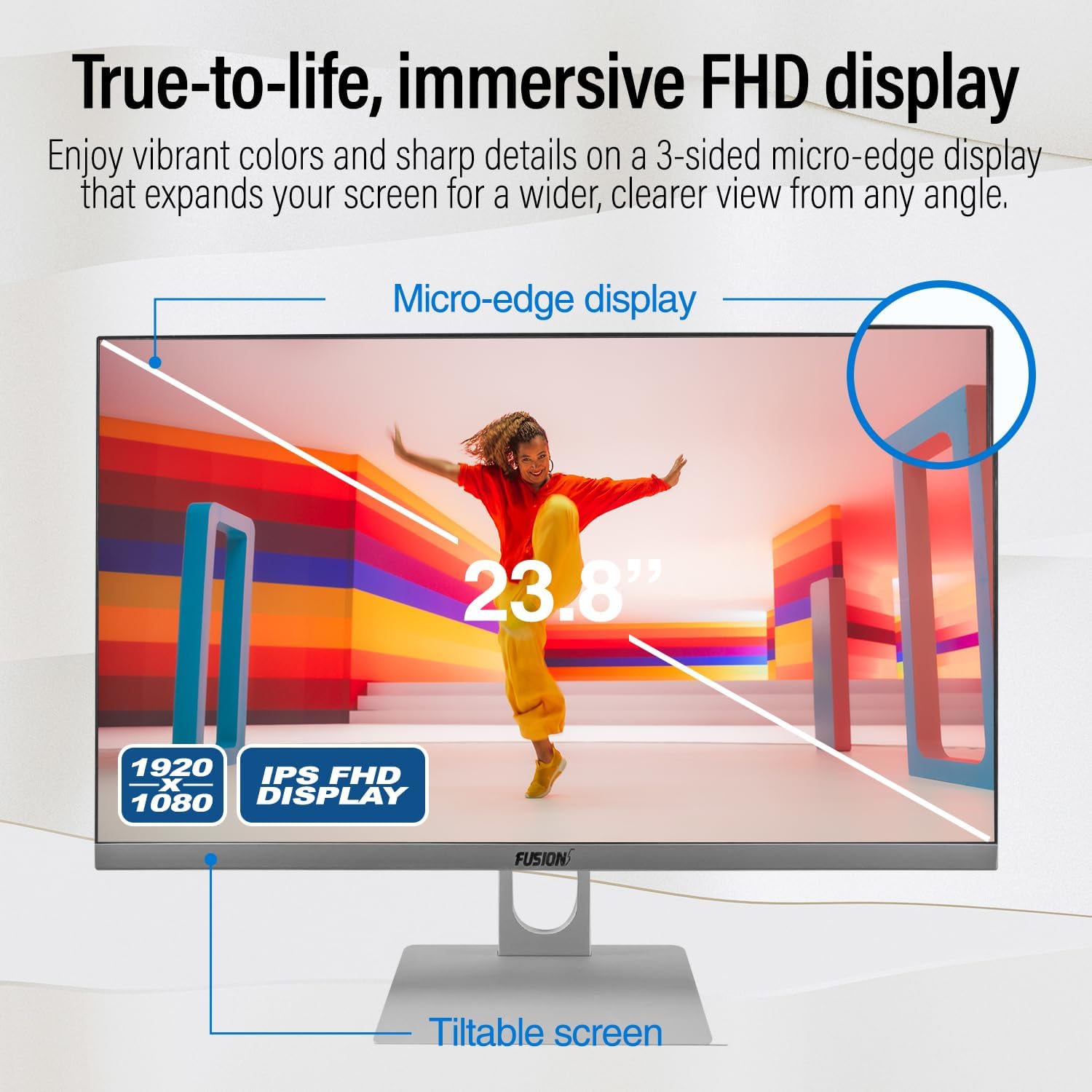
Image: Diagram highlighting the 23.8-inch FHD IPS display, micro-edge design, and tiltable screen functionality.
Výkon
Your PC is equipped with an Intel N150 processor (up to 3.60 GHz), 16GB LPDDR4 RAM, and a 512GB SATA SSD. This configuration ensures fast boot-ups, responsive multitasking, and efficient handling of daily tasks and applications.
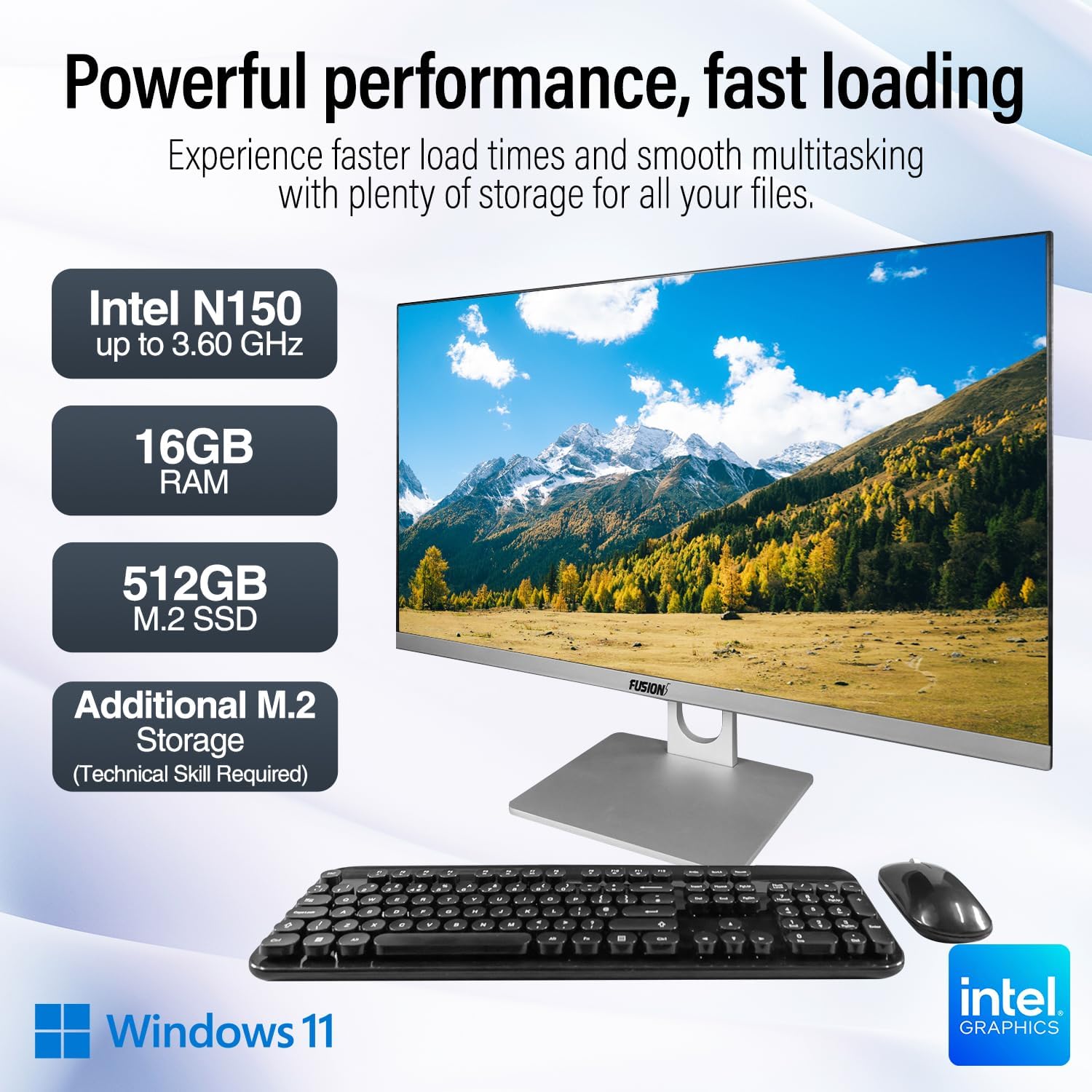
Image: Visual representation of the PC's core components: Intel N150 processor, 16GB RAM, 512GB M.2 SSD, and Windows 11 operating system.
Konektivita
The PC offers various ports for connecting peripherals and external displays, along with wireless connectivity options. The rear view of the PC illustrates the physical layout of these ports.

Obrázek: Zadní view of the Fusion5 A7 N6 All-in-One PC, displaying the arrangement of its various ports.
- USB porty: 2x USB 3.0, 4x USB 2.0 for connecting external devices like flash drives, printers, and other peripherals.
- Port HDMI: 1x HDMI for connecting an external monitor or TV.
- VGA port: 1x VGA for connecting older external monitors.
- Ethernetový port: Pro kabelové síťové připojení.
- Headphone + Microphone Combo Jack: Pro audio vstup/výstup.
- Bezdrátový: Built-in AC Wi-Fi for internet access and Bluetooth 5.0 for connecting wireless accessories.
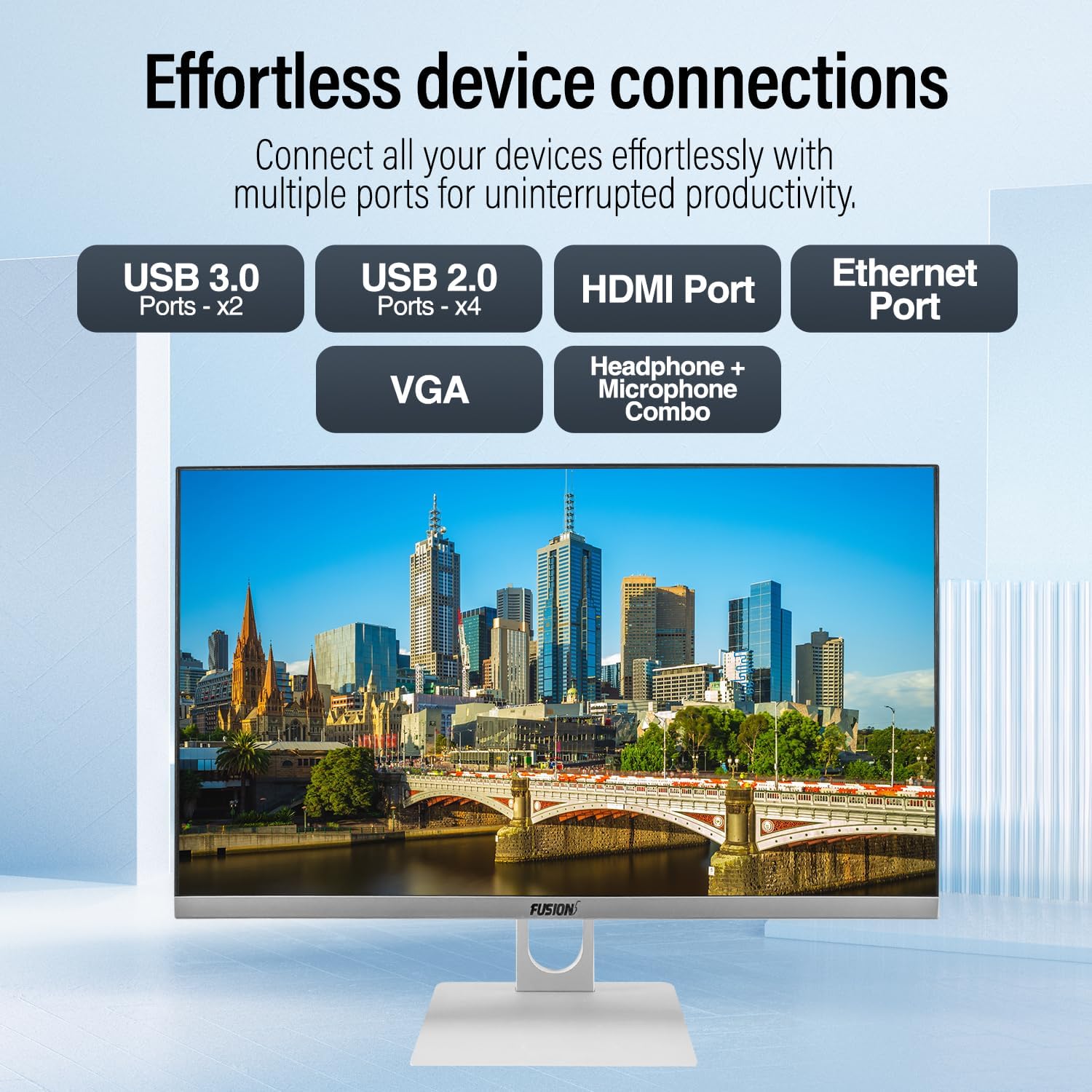
Obrázek: Detail view of the PC's rear ports, including USB 3.0, USB 2.0, HDMI, Ethernet, VGA, and the audio combo jack.
Webkamera a zvuk
The PC includes an integrated 3MP pop-up webcam, built-in microphones, and speakers, making it suitable for video conferencing and online communication.

Image: Illustration of the PC's integrated 3MP pop-up webcam, built-in microphones, and speakers, demonstrating its use for video calls.
Zabezpečení
A Kensington Security Slot is provided for physical security, allowing you to secure your PC with a compatible lock (sold separately).
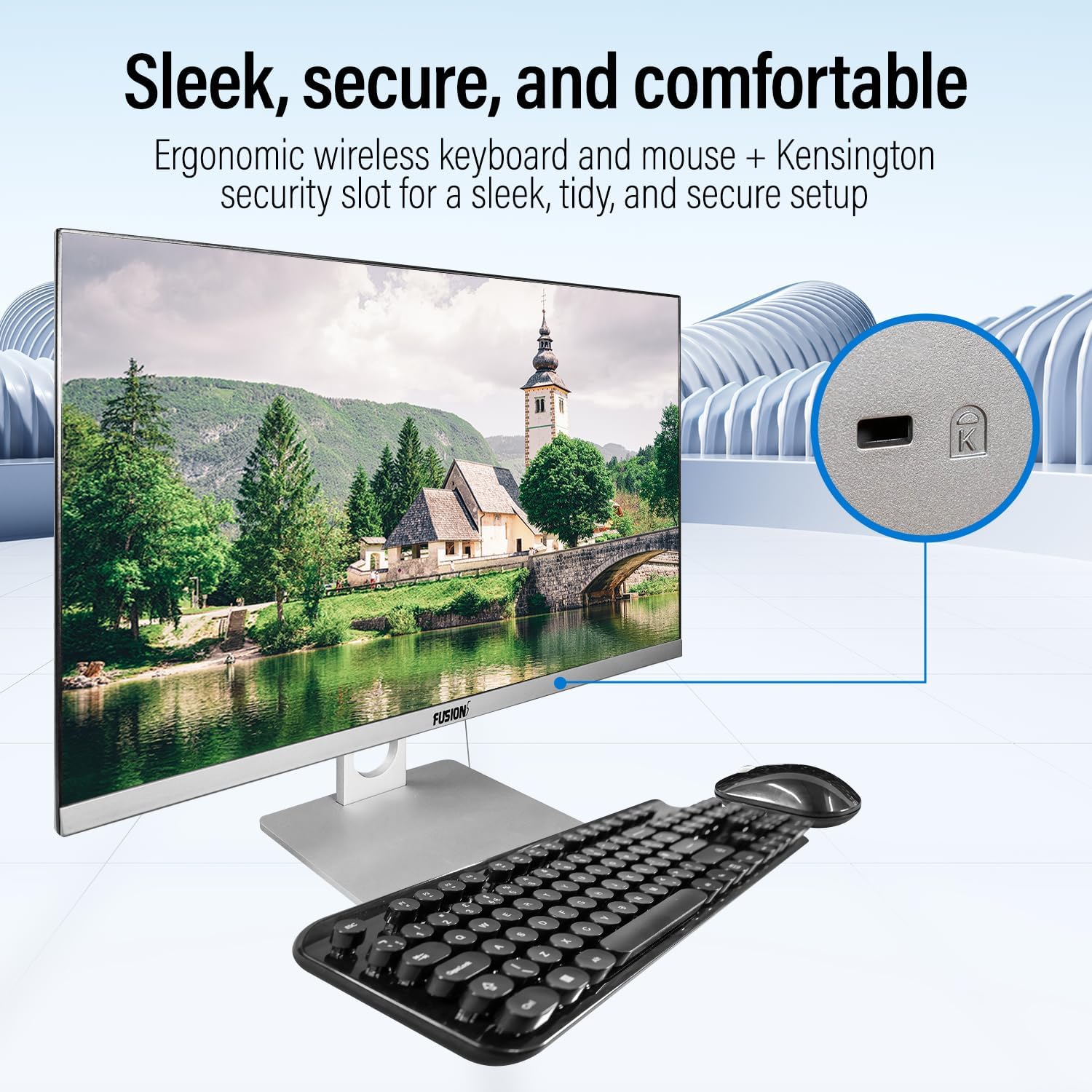
Image: Detail of the Kensington Security Slot located on the PC, designed for physical security.
Údržba
- Čištění obrazovky: Použijte měkký hadřík bez žmolků, speciálně určený pro elektroniku. Dampen the cloth slightly with water or a screen cleaner solution (do not spray directly onto the screen).
- Čištění podvozku: Vnější povrchy otřete měkkým, suchým hadříkem. Nepoužívejte abrazivní čisticí prostředky ani rozpouštědla.
- Větrání: Ujistěte se, že větrací otvory jsou čisté a bez prachu a překážek, abyste zabránili přehřátí.
- Aktualizace softwaru: Pravidelně aktualizujte operační systém Windows a ovladače, abyste zajistili optimální výkon a zabezpečení.
Upgrade úložiště
The Fusion5 A7 N6 supports M.2 SSD upgrades and the addition of a 2.5-inch SATA SSD/HDD. This procedure requires technical skill. If you are not comfortable performing this, seek professional assistance.
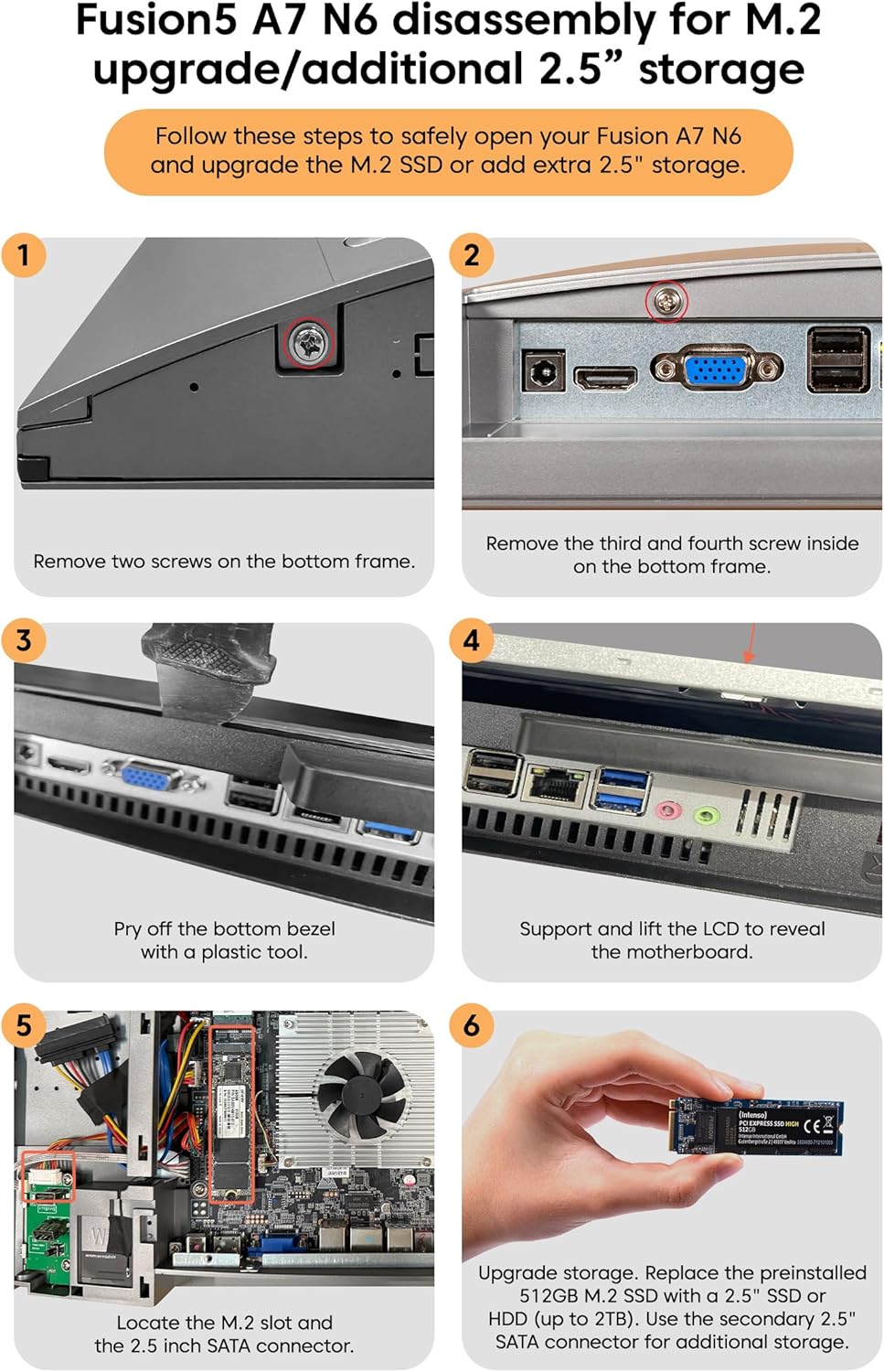
Image: Detailed visual instructions for disassembling the Fusion5 A7 N6 to upgrade the M.2 SSD or add a 2.5-inch storage drive.
- Vypnutí a odpojení: Ensure the PC is completely powered off and disconnected from the power adapter and all peripherals.
- Odstraňte šrouby: Remove the two screws on the bottom frame of the PC.
- Remove Additional Screws: Remove the third and fourth screws located inside the bottom frame.
- Pry Off Bezel: Carefully pry off the bottom bezel using a plastic tool to avoid scratching the casing.
- Lift LCD: Gently support and lift the LCD panel to reveal the motherboard and internal components.
- Vyhledejte sloty: Identify the M.2 slot for SSD upgrades and the 2.5-inch SATA connector for additional storage.
- Install/Replace Storage:
- For M.2 SSD: Replace the preinstalled 512GB M.2 SSD with a new one if desired.
- For 2.5" Storage: Connect a 2.5-inch SSD or HDD (up to 2TB) to the SATA connector.
- Opětovná montáž: Carefully reverse the steps to reassemble the PC, ensuring all connections are secure and screws are tightened.
Odstraňování problémů
| Problém | Možná příčina | Řešení |
|---|---|---|
| Počítač se nezapne. | Power cable not connected; power adapter faulty; power outlet issue. | Ensure power cable is securely connected. Test power adapter with another device or try a different outlet. |
| Žádné zobrazení na obrazovce. | PC is off; display settings issue; hardware fault. | Ensure PC is powered on. Try connecting an external monitor to check if the PC is functioning. Restart the PC. |
| Wireless keyboard/mouse not working. | Low batteries; USB receiver disconnected; driver issue. | Replace batteries. Ensure USB receiver is plugged into a working USB port. Reinstall drivers if necessary. |
| Žádné připojení k internetu (Wi-Fi). | Wi-Fi vypnutá; nesprávné heslo; problém s routerem. | Check Wi-Fi settings in Windows. Verify password. Restart your router. |
| Pomalý výkon. | Too many applications running; low storage space; outdated drivers. | Zavřete nepotřebné aplikace. Uvolněte místo na disku. Aktualizujte systém Windows a ovladače. |
Specifikace
| Funkce | Detail |
|---|---|
| Značka | Fusion5 |
| Číslo modelu | A7 N6 16GB 512GB |
| Velikost displeje | 23.8 palce |
| Rozlišení displeje | 1920 x 1080 (Full HD) |
| Procesor | Intel N150 (až 3.6 GHz) |
| BERAN | 16 GB DDR4 SDRAM |
| Skladování | 512 GB SSD (SATA) |
| Grafika | Integrovaná grafika Intel UHD Graphics |
| Operační systém | Windows 11 Home |
| Porty USB 3.0 | 2 |
| Porty USB 2.0 | 4 |
| HDMI porty | 1 |
| Bezdrátové připojení | Wi-Fi (AC), Bluetooth 5.0 |
| Webvačka | 3MP Pop-up Web Fotoaparát |
| Zvuk | Built-in Microphones, Built-in Speakers |
| Bezpečnostní slot | Bezpečnostní slot Kensington |
| Rozměry (balení) | 61 x 46.5 x 20.5 cm |
| Hmotnost (balení) | 4.2 kg |
Záruka a podpora
Your Fusion5 A7 N6 All-in-One PC comes with a standard manufacturer's warranty. Please refer to the warranty card included with your product for specific terms and conditions.
For technical support, troubleshooting assistance, or warranty claims, please contact Fusion5 customer service through their official website or the contact information provided in your product documentation. When contacting support, please have your model number (A7 N6 16GB 512GB) and purchase details ready.