
Zavedení
This manual provides detailed instructions for the safe and effective use of your YISENCE 4K Digital Camera Model 806. Please read this manual thoroughly before using the camera and keep it for future reference.
1. Nastavení
1.1 Obsah balení
Ujistěte se, že jsou přítomny všechny položky:
- YISENCE 4K Digital Camera Model 806
- USB kabel
- Lithium Ion Battery (1 C battery)
- Uživatelská příručka
- Other accessories (as included with your specific package)
1.2 Instalace baterie
Locate the battery compartment cover on the bottom of the camera. Slide the cover open, insert the Lithium Ion battery according to the polarity indicators (+/-), and close the cover securely.
Obrázek 1: Zadní view of the camera, showing the display and control buttons. The battery compartment is typically located on the bottom.
1.3 Nabíjení baterie
Connect the camera to a power source using the provided USB cable. The charging indicator light will illuminate. Charging is complete when the light turns off or changes color (refer to camera display for status). Ensure the camera is fully charged before first use.
1.4 Memory Card Insertion (Not Included)
This camera requires a compatible memory card (e.g., SD card) for storing photos and videos. Locate the memory card slot, typically near the battery compartment. Insert the memory card with the metal contacts facing the correct direction until it clicks into place. Ensure the card is formatted in-camera before first use.
2. Ovládání fotoaparátu
2.1 Zapnutí/vypnutí
Stiskněte a podržte Tlačítko napájení (usually marked with a circle and a line) to turn the camera on or off.
2.2 Základní ovládací prvkyview

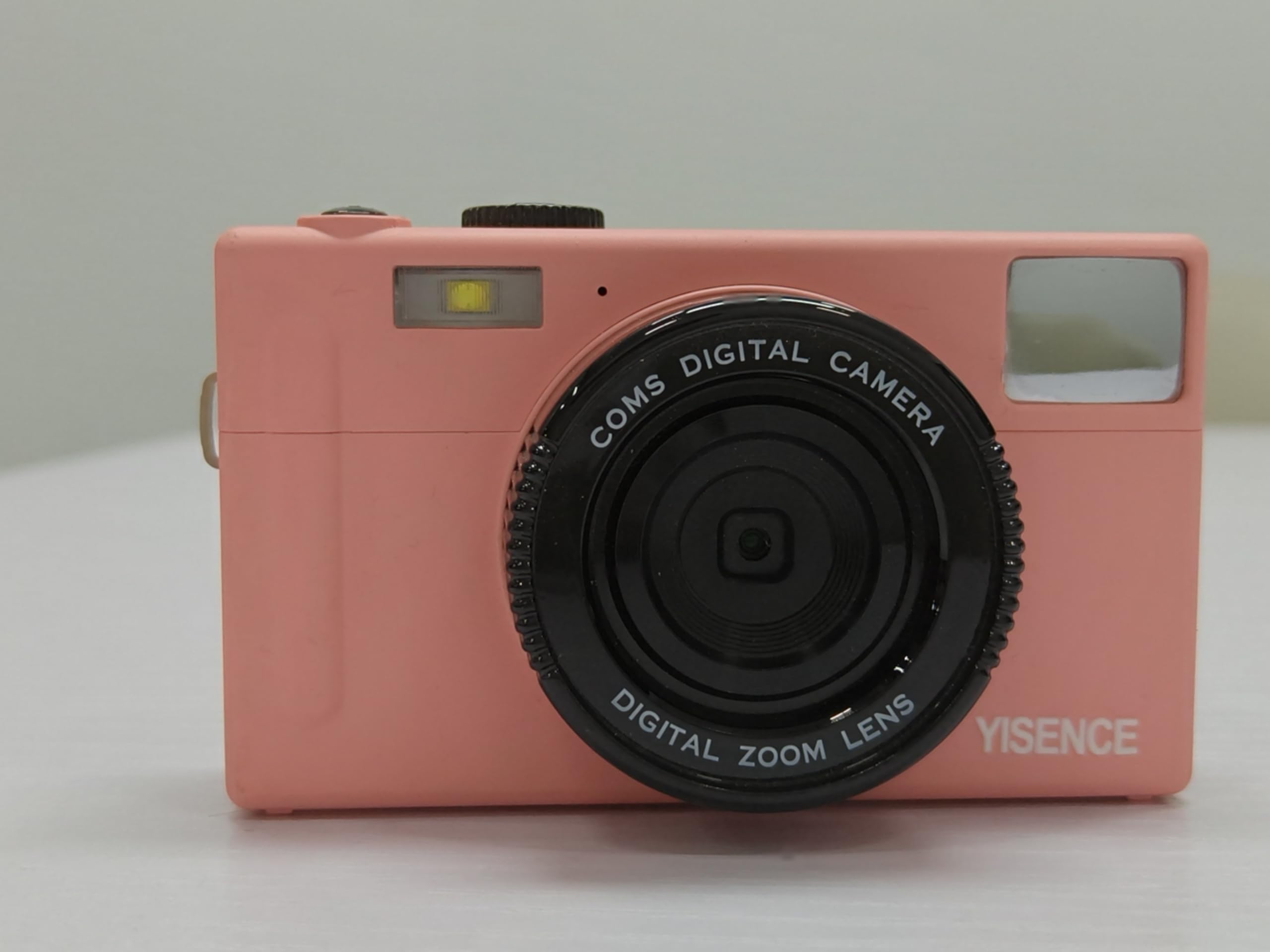
Obrázek 2: Přední strana view of the camera, highlighting the lens and flash.
- Tlačítko spouště: Press halfway to focus, fully to capture a photo.
- Páčka zoomu: Adjusts optical zoom (0.99x) and digital zoom.
- Volič/tlačítko režimů: Selects between photo, video, and playback modes.
- Tlačítko MENU: Přístup k nastavení fotoaparátu.
- Tlačítko DISP: Changes display information on the screen.
- Navigační tlačítka: Používá se k navigaci v nabídkách a výběru možností.
2.3 Fotografování
In photo mode, frame your shot using the LCD screen. Press the shutter button halfway to allow the camera to focus, then press fully to take a 48 MP photo. The camera features a self-timer function, accessible via the menu, allowing for delayed shots.
2.4 Nahrávání videí
Switch to video mode. Press the shutter button to start recording 4320p video in AVI format. Press again to stop recording.
2.5 Režim přehrávání
Enter playback mode to review your photos and videos. Use the navigation buttons to scroll through media. Press the MENU button for options like deleting or protecting files.
2.6 Připojení k počítači
Use the USB cable to connect the camera to your computer. The camera will appear as a removable disk, allowing you to transfer files. Ensure the camera is powered on during connection.
3. Údržba
3.1 Čištění fotoaparátu
- K čištění těla fotoaparátu použijte měkký hadřík, který nepouští vlákna.
- Pro čištění objektivu a LCD obrazovky použijte speciální hadřík a roztok na čištění objektivů. Vyhněte se agresivním chemikáliím.
- Ensure the camera is dry before closing any compartments, especially after underwater use.
3.2 Péče o baterii
- Nebudete-li fotoaparát delší dobu používat, vyjměte baterii.
- Baterie skladujte na chladném a suchém místě.
- Nevystavujte baterie extrémním teplotám.
3.3 Voděodolnost
As a waterproof camera, ensure all seals and covers (battery, memory card, USB port) are securely closed before submerging the camera in water. Rinse the camera with fresh water after use in saltwater and allow it to dry completely before opening any compartments.
4. Řešení problémů
| Problém | Řešení |
|---|---|
| Fotoaparát se nezapne. | Ensure the battery is fully charged and correctly inserted. Try charging the battery again. |
| Nelze pořizovat fotografie/videa. | Check if a memory card is inserted and has sufficient free space. Ensure the camera is in the correct mode (photo/video). |
| Obrázky jsou rozmazané. | Clean the lens. Ensure proper lighting. Allow the camera to focus before fully pressing the shutter button. |
| Počítač nerozpoznál fotoaparát. | Ensure the USB cable is securely connected and the camera is powered on. Try a different USB port or cable. |
5. Specifikace
| Funkce | Detail |
|---|---|
| Značka | YISENCE |
| Název modelu | 806 |
| Rozlišení foto snímače | 48 MP |
| Rozlišení videa | 4320p |
| Velikost obrazovky | 2.8 palců |
| Technologie fotosenzoru | CMOS |
| Optický zoom | 0.99x |
| Podporováno File Formát (video) | AVI |
| Typ baterie | Lithium Ion |
| Počet baterií | 1 baterie typu C (součástí balení) |
| Má samospoušť | Ano |
| Technologie připojení | USB |
| Typ zobrazení | LCD |
| Typ objektivu | Makro |
| Barva | Modrý |
| Výrobce | YISENCE |
| UPC | 717504968650 |
6. Záruka a podpora
6.1 Záruka na produkt
The YISENCE 4K Digital Camera Model 806 comes with a 1letá záruka výrobce from the date of purchase. This warranty covers defects in materials and workmanship under normal use. It does not cover damage caused by misuse, accidents, unauthorized modifications, or natural disasters. Please retain your proof of purchase for warranty claims.
6.2 Zákaznická podpora
For technical assistance, troubleshooting, or warranty inquiries, please contact YISENCE customer support. Visit the official YISENCE Store on Amazon pro více informací nebo pro nalezení kontaktních údajů.