
GeekShare GC1201A
GeekShare Hall Effect Switch Controller (GC1201A) User Manual
Model: GC1201A
1. Úvod
The GeekShare Hall Effect Switch Controller is a versatile gaming controller designed for multi-platform compatibility, including Nintendo Switch (OLED/NS2/1/Lite), PC (Steam, Windows), and mobile devices (Android, iOS). It features dual-mode connectivity (Bluetooth and 2.4G wireless), a 1000mAh battery, 6-axis gyroscope, dual vibration motors, and customizable RGB lighting for an immersive gaming experience.
Obsah balení
- 1 x GeekShare Hall Effect Wireless Controller
- Nabíjecí kabel 1 x USB-C
- 1 x 2.4G bezdrátový přijímač
- 1 x Uživatelská příručka
2. Klíčové vlastnosti
- Joysticky s Hallovým efektem: Provides precise control and prevents stick drift.
- Duální režimy připojení: Seamlessly switch between Bluetooth 5.0 for mobile and consoles, and 2.4G wireless with the included dongle for PC.
- Kompatibilita s více platformami: Supports Nintendo Switch (OLED/NS2/1/Lite), PC (Steam, Windows), Android, and iOS devices.
- Pohlcující zpětná vazba: Features a 6-axis gyroscope for motion control and dual vibration motors with 5-level adjustment for realistic haptic feedback.
- Baterie s dlouhou výdrží: Integrated 1000mAh rechargeable battery offers up to 15 hours of continuous gameplay.
- Přizpůsobitelné RGB osvětlení: Enhance your gaming setup with personalized RGB light effects.
- Programovatelná tlačítka: Two back buttons (M1, M2) can be mapped to complex commands for quick execution.
- Funkce Turbo: Auto and manual turbo settings for rapid-fire actions.
Možnosti připojení
The controller supports three connection methods: Bluetooth, 2.4G wireless (with dongle), and wired USB-C.

Programovatelná tlačítka
The M1 and M2 buttons on the back can be programmed to perform specific actions, allowing for quick execution of complex in-game commands.

Zpětná vazba od vibrací
Equipped with dual motors, the controller provides adjustable vibration feedback to enhance immersion. There are 5 levels of vibration intensity.

Životnost baterie
The built-in 1000mAh battery provides extended gameplay. A full charge takes approximately 2.5 hours and offers up to 20 hours of continuous use.

Funkce Turbo
The controller supports both automatic and manual turbo functions, allowing for rapid, repeated input of a button press. This is typically activated by pressing the 'M' button along with a desired action key.

Ovládání pohybu
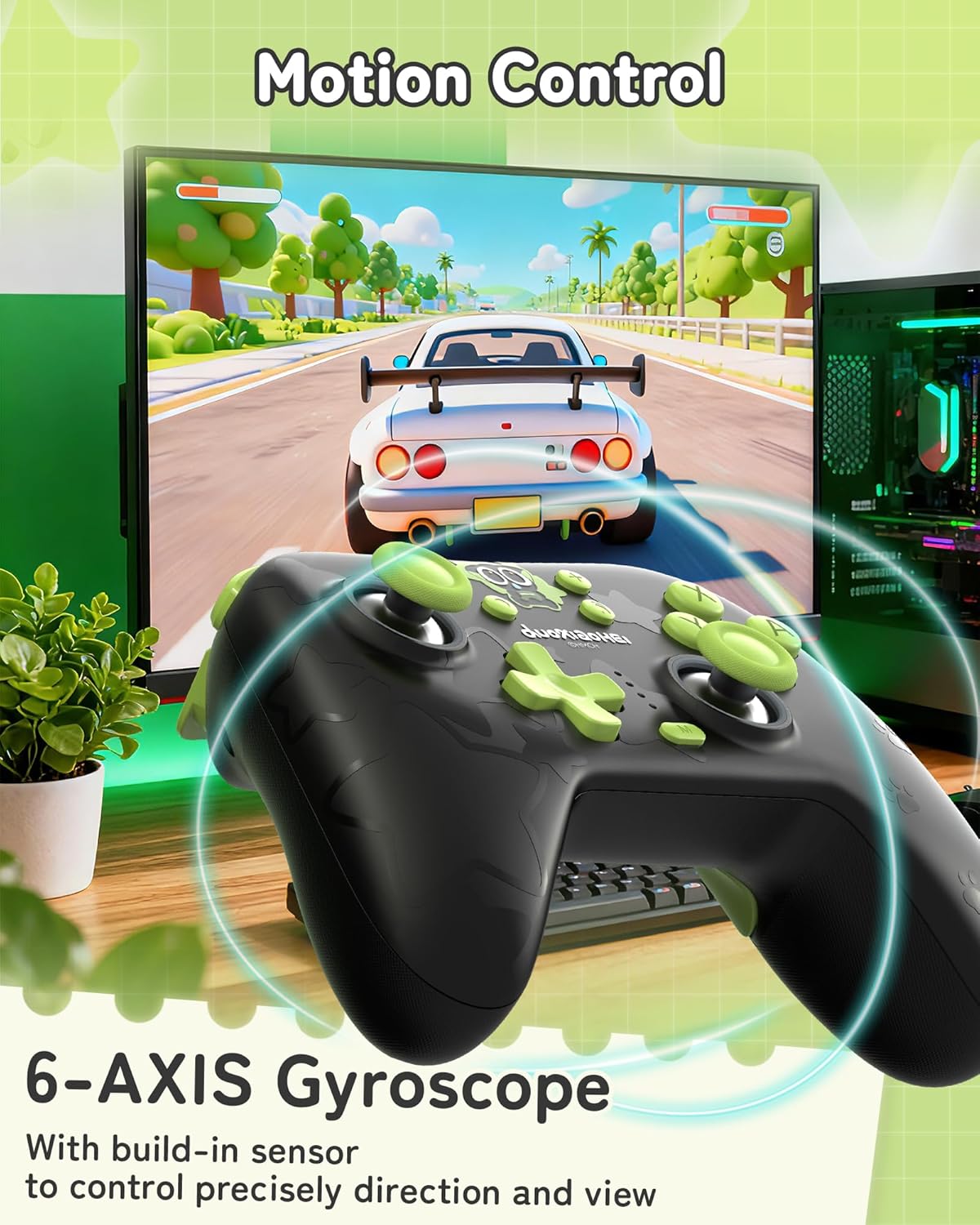
A built-in 6-axis gyroscope enables precise motion control, allowing for intuitive direction and view adjustments in compatible games.
3. Nastavení a připojení
3.1 Nabíjení ovladače
Before first use, fully charge the controller. Connect the included USB-C cable to the controller's charging port and the other end to a USB power source (e.g., console, PC, or USB wall adapter). The indicator lights will show charging status and turn off when fully charged.
3.2 Connecting to Nintendo Switch (Bluetooth)
- On your Nintendo Switch, go to the HOME Menu.
- Vyberte „Ovládače“ > „Změnit úchop/pořadí“.
- Press and hold the Pairing button on the top of the GeekShare controller until the indicator lights begin to flash rapidly.
- The Switch will detect the controller. Once paired, the indicator light(s) on the controller will remain solid.
- Note: This controller may not support waking up the Switch console from sleep mode. You may need to manually wake the console before connecting.
3.3 Connecting to PC (2.4G Wireless)
- Insert the 2.4G wireless receiver into an available USB port on your PC.
- Turn on the GeekShare controller.
- The controller should automatically connect to the receiver. The indicator light(s) on the controller will remain solid once connected.
- If connection fails, press the pairing button on the controller and the button on the 2.4G receiver simultaneously to initiate pairing.
3.4 Připojení k mobilním zařízením (Bluetooth)
- Ujistěte se, že je na vašem zařízení Android nebo iOS povoleno Bluetooth.
- On your device, go to Bluetooth settings and scan for new devices.
- Press and hold the Pairing button on the top of the GeekShare controller until the indicator lights begin to flash rapidly.
- Select "GeekShare Controller" (or similar name) from the list of available devices.
- Once paired, the indicator light(s) on the controller will remain solid.
3.5 Kabelové připojení
Connect the controller directly to your device (Switch dock, PC) using the USB-C cable. The controller will function as a wired controller and will also charge simultaneously.
4. Návod k obsluze
4.1 Základní ovládací prvky
The controller features standard button layouts including A/B/X/Y buttons, D-pad, Left/Right joysticks, L/R/ZL/ZR shoulder buttons, and Home/Capture/Plus/Minus buttons. Refer to in-game prompts for specific button functions.
4.2 Programming M1/M2 Buttons
The M1 and M2 buttons on the back can be assigned to replicate other button presses or sequences. Consult the full user manual (included in the box) for detailed programming instructions, as the process may vary based on desired complexity.
4.3 Turbo Function Activation
To activate the Turbo function for a specific button:
- Press and hold the 'M' button.
- While holding 'M', press the desired action button (e.g., A, B, X, Y, L, R, ZL, ZR).
- Release both buttons. The selected button will now have the Turbo function enabled.
To adjust between manual and auto turbo, or to clear the turbo setting, refer to the detailed instructions in the included user manual.
4.4 Nastavení intenzity vibrací
The controller offers 5 levels of vibration intensity. Specific button combinations (e.g., 'M' button + D-pad Up/Down) are typically used to cycle through these levels. Refer to the included user manual for the exact key combinations.
4.5 Ovládání RGB osvětlení
The RGB lighting can be customized. This usually involves pressing a dedicated button or a combination of buttons to change colors, patterns, or turn the lighting on/off. Consult the included user manual for specific instructions.
5. Údržba a péče
- Uchovávejte regulátor v suchu a mimo dosah extrémních teplot.
- Ovladač čistěte měkkým, suchým hadříkem. Nepoužívejte agresivní chemikálie ani abrazivní materiály.
- Zabraňte pádu ovladače nebo jeho vystavení silným nárazům.
- Store the controller in a clean, dust-free environment when not in use.
- Charge the controller regularly, even if not used frequently, to maintain battery health.
6. Řešení problémů
6.1 Řídicí jednotka se nepřipojuje
- Ujistěte se, že je regulátor dostatečně nabitý.
- Verify that the correct connection mode (Bluetooth, 2.4G, Wired) is selected or attempted for your device.
- For Bluetooth, ensure your device's Bluetooth is on and the controller is in pairing mode (flashing lights).
- For 2.4G, ensure the receiver is properly inserted into the PC and try re-pairing if necessary.
- Zkuste restartovat jak ovladač, tak i zařízení, ke kterému se pokoušíte připojit.
- If connecting to Switch, ensure you are in the "Change Grip/Order" menu.
6.2 Vstupní zpoždění nebo přerušení
- Ujistěte se, že v blízkosti není žádné silné elektromagnetické rušení.
- Move closer to the connected device (for wireless connections).
- For PC, ensure the 2.4G receiver is in a clear line of sight and not obstructed.
- Zkuste kabelové připojení, abyste vyloučili bezdrátové rušení.
6.3 Tlačítka nebo joysticky nereagují
- Zkontrolujte, zda je ovladač správně připojen a zapnutý.
- Restartujte ovladač a herní zařízení.
- Ujistěte se, že se kolem tlačítek nebo joysticků nenacházejí žádné nečistoty.
- If the issue persists, a factory reset (if available, consult the included manual) might be necessary.
6.4 Controller Not Charging
- Ensure the USB-C cable is securely connected to both the controller and the power source.
- Zkuste jiný kabel USB-C nebo zdroj napájení.
- Verify the power source is active and providing sufficient power.
7. Specifikace
| Číslo modelu | GC1201A |
| Konektivita | Bluetooth 5.0, 2.4G Wireless (with receiver), USB-C Wired |
| Kompatibilita | Nintendo Switch (OLED/NS2/1/Lite), PC (Windows), Android, iOS |
| Kapacita baterie | 1000 XNUMX mAh |
| Prázdno | Up to 15-20 hours (approx.) |
| Doba nabíjení | Přibl. 2.5 hodin |
| Pohybový senzor | Gyroskop osy 6 |
| Vibrace | Dual Motors with 5-level adjustment |
| Speciální funkce | Hall Effect Joysticks, Programmable M1/M2 buttons, Turbo function, RGB Lighting |
8. Záruka a podpora
For warranty information and technical support, please refer to the official GeekShare website or contact their customer service directly. Details can typically be found on the product packaging or the included user manual.
GeekShare Official Webmísto: Visit GeekShare Store on Amazon
Ask a question about this manual
Ask about setup, troubleshooting, compatibility, parts, safety, or missing instructions. Manuals+ will review the question and use this page’s manual context to help answer it.