
1. Úvod a konecview
Welcome to the NIMO 17.3 AI-Laptop Copilot+ PC user manual. This guide provides essential information for setting up, operating, maintaining, and troubleshooting your new laptop. Designed for high performance and productivity, your NIMO laptop is equipped with advanced features to enhance your daily tasks, creative work, and entertainment.
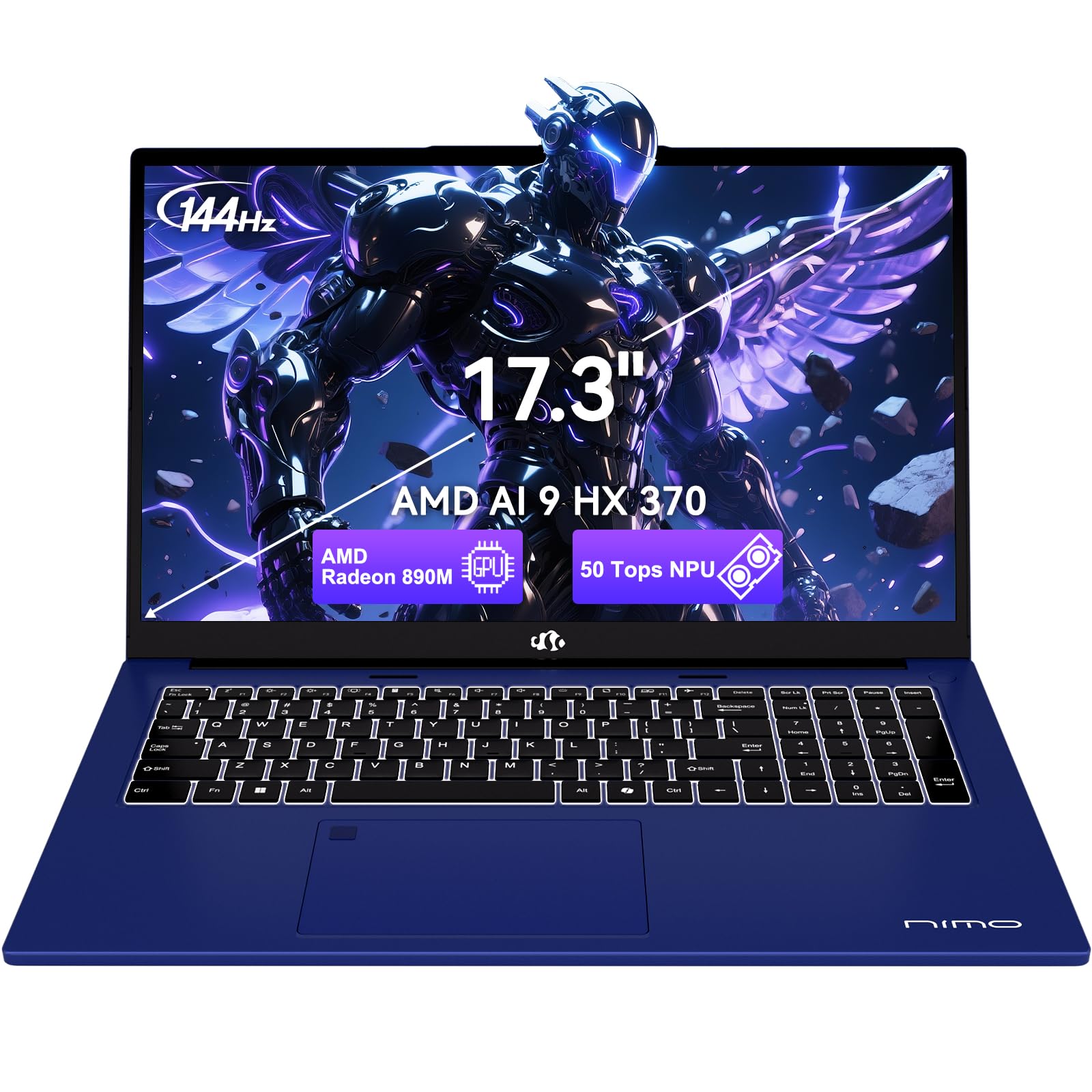
Figure 1.1: NIMO 17.3 AI-Laptop Copilot+ PC
Klíčové vlastnosti:
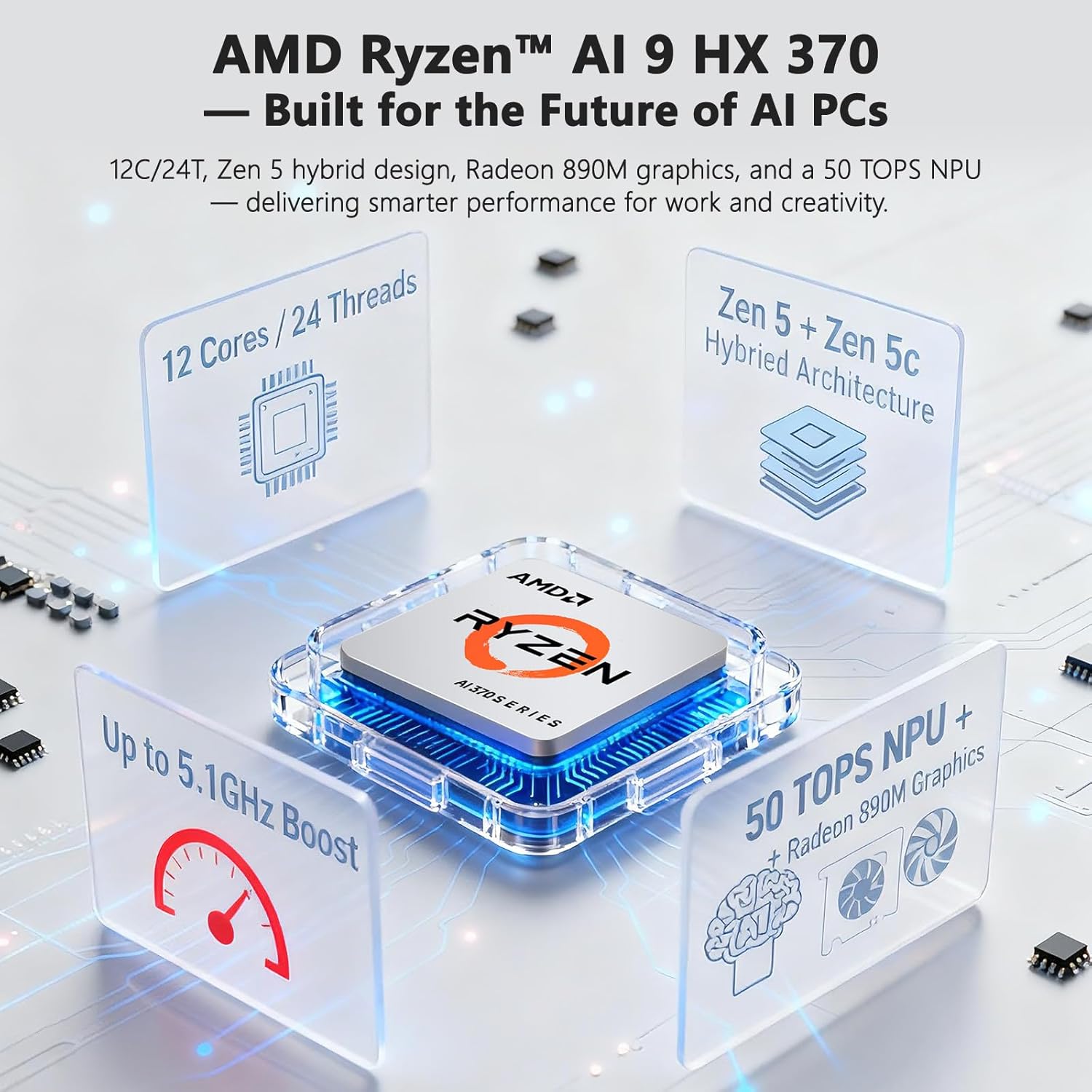
- AI Ryzen Performance: Powered by AMD Ryzen AI 9 HX 370 with Radeon 890M graphics for AI-accelerated performance.
- Spacious 17.3-Inch Display: Nabídky ample workspace with a 144Hz refresh rate for smooth visuals.
- Dlouhá výdrž baterie: Equipped with a 75Wh high-capacity battery for extended use.
- 100W GaN Fast Charging: Quick and efficient recharging via USB-C PD.
- Advanced USB-C 4.0 Connectivity: Supports 40Gbps data transfer, 8K external displays, and eGPU docking.
- Comfortable Backlit Keyboard: Ensures accurate typing in various lighting conditions.
- Fast Fingerprint Unlock: Secure and instant access to your system.
- Full Numeric Keypad: Ideal for data entry and productivity tasks.

Figure 1.2: AMD Ryzen AI 9 HX 370 Processor Capabilities

Figure 1.3: AI Power for Real Life with 50 TOPS NPU

Figure 1.4: Radeon 890M Integrated Graphics Performance
Konec produktuview Video:
Video 1.1: NIMO 17.3 AI370 Laptop Overview. This video provides a quick visual introduction to the NIMO AI-Laptop's design and key features.
2. Nastavení
2.1 Vybalení a úvodní kontrola
Opatrně vyjměte všechny položky z obalu. Krabice by měla obsahovat:
- 1 x NIMO 17.3" AI Laptop
- 1 x Type-C 100W PD Fast Charger
- 1 x Uživatelská příručka (tento dokument)
- Windows 11 Home pre-installed
Inspect the laptop and accessories for any signs of damage. If any items are missing or damaged, please contact NIMO customer support immediately.
2.2 Zapnutí a počáteční nabití
- Connect the Type-C 100W PD Fast Charger to the USB-C 4.0 port on your laptop and to a power outlet.
- Allow the laptop to charge for at least 30 minutes before the first use, or until the battery indicator shows sufficient charge.
- Open the laptop lid. The system should power on automatically. If not, press the power button located on the top right of the keyboard.
- Postupujte podle pokynů na obrazovce a dokončete proces nastavení systému Windows 11 Home. To zahrnuje výběr regionu, jazyka, připojení k síti Wi-Fi a vytvoření uživatelského účtu.

Figure 2.1: Connecting the 100W PD Fast Charger

Obrázek 2.2: Možnost rychlého nabíjení
3. Operating Your NIMO AI-Laptop
3.1 Klávesnice a touchpad
The NIMO AI-Laptop features a full-size backlit keyboard with a dedicated numeric keypad for enhanced productivity. The multi-touch precision touchpad allows for intuitive navigation and gestures.
- Podsvícená klávesnice: Stiskněte Fn + F10 (or the key with the keyboard backlight icon) to cycle through backlight brightness levels.
- Numerická klávesnice: Use the dedicated numeric keypad for quick data entry. Ensure Num Lock is enabled.
- Přesný touchpad: Supports multi-finger gestures for scrolling, zooming, and switching applications. Refer to Windows settings for customization.
Obrázek 3.1: Podsvícená klávesnice a touchpad

Figure 3.2: Fingerprint Unlock and Backlit Keyboard
3.2 Funkce displeje
Your NIMO AI-Laptop features a 17.3-inch Full HD (1920x1080) display with a 144Hz refresh rate, providing a smooth and immersive visual experience.
- Vysoká obnovovací frekvence: The 144Hz refresh rate reduces motion blur and provides a more fluid experience, especially beneficial for gaming and fast-paced content.
- Velikost obrazovky: The large 17.3-inch display offers ample screen real estate for multitasking, creative applications, and immersive viewIng.

Figure 3.3: 17.3-inch Display for Work and Creation

Figure 3.4: 144Hz Refresh Rate Visual Difference
3.3 AI Features with Copilot+
Your NIMO AI-Laptop is a Copilot+ PC, leveraging the AMD Ryzen AI 9 HX 370's Neural Processing Unit (NPU) for enhanced AI capabilities directly on your device. This enables features such as:
- Real-Time Notes & Translation: Copilot+ can record, summarize, and translate content as you work.
- AI-Powered Creation: Accelerate creative processes with intelligent image, video, and text tools.
- Smart Recall: Instantly find any file, webpage, or chat you've seen before.
- Enhanced Video Calls: Features like background blur, auto framing, and noise reduction for clearer communication.
Video 3.1: NIMO 17.3" AI Laptop AI Features. This video demonstrates the AI capabilities of the laptop, including Copilot+ functionalities.
3.4 Porty a konektivita
The NIMO AI-Laptop offers comprehensive connectivity options:
- USB-C 4.0: Supports 40Gbps data transfer, 100W Power Delivery, and 8K external displays.
- HDMI: Pro připojení k externím monitorům nebo projektorům.
- USB 3.2 a USB 2.0: For connecting various peripherals.
- Slot pro SD kartu: Pro snadný přenos fotografií a files.
- Headphone Combo Jack: Pro audio vstup/výstup.
- Slot zámku Kensington: Pro fyzické zabezpečení.
- Bezdrátové připojení: Wi-Fi 6E and Bluetooth for network and device connections.

Obrázek 3.5: Strana View s porty

Figure 3.6: Comprehensive Multi-Port Design
3.5 Funkce ochrany osobních údajů
The laptop includes a built-in privacy camera switch, allowing you to physically disable the 2.0MP webcam when not in use, ensuring your privacy.

Figure 3.7: Privacy-Focused Camera Convenience
4. Údržba
4.1 Péče o baterii
- Nevystavujte baterii nadměrnému teplu ani ohni.
- Avoid completely draining the battery regularly. It is recommended to keep the charge between 20% and 80% for optimal battery longevity.
- Use only the provided 100W USB-C PD GaN charger or a compatible charger to prevent damage.
4.2 Čištění notebooku
- Použijte měkký hadřík, který nepouští vlákna dampDisplej opláchněte vodou nebo čističem obrazovek.
- Na klávesnici a šasi použijte měkký, suchý hadřík. Prach z prostoru mezi klávesami lze odstranit pomocí stlačeného vzduchu.
- Vyhněte se používání agresivních chemikálií, abraziv nebo rozpouštědel.
4.3 Aktualizace softwaru
Regularly check for and install Windows updates and driver updates to ensure optimal performance, security, and compatibility. You can typically find driver updates on the NIMO official support webmísto.
5. Řešení problémů
This section covers common issues you might encounter with your NIMO AI-Laptop. For more detailed troubleshooting or issues not listed here, please refer to the NIMO support webnebo kontaktujte zákaznický servis.
| Problém | Možné řešení |
|---|---|
| Notebook se nezapne. | Ensure the charger is properly connected and the power outlet is working. Try holding the power button for 15-20 seconds to perform a hard reset. |
| Baterie se nenabíjí. | Verify charger connection. Try a different power outlet. Ensure the charger is the original NIMO 100W PD charger. |
| Problémy s připojením k Wi-Fi. | Restart your router and laptop. Check Wi-Fi drivers in Device Manager. Ensure Wi-Fi is enabled in Windows settings. |
| Pomalý výkon. | Close unnecessary applications. Check for background processes. Ensure Windows and drivers are up to date. Run a disk cleanup. |
| Podsvícení klávesnice nefunguje. | Press Fn + F10 (or the key with the keyboard backlight icon) to adjust brightness. |
6. Specifikace
Detailed technical specifications for your NIMO 17.3 AI-Laptop Copilot+ PC:
| Funkce | Detail |
|---|---|
| Značka | NIMO |
| Název modelu | 16GB DDR5 RAM|1TB SSD |
| Velikost obrazovky | 17.3 palce |
| Barva | Nebeská modrá |
| Velikost pevného disku | 1024 GB |
| Model CPU | Ryzen 9 (AMD Ryzen AI 9 HX 370) |
| Velikost nainstalované paměti RAM | 16 GB DDR5 |
| Operační systém | Windows 11 Home |
| Grafický koprocesor | AMD Radeon 890M |
| Popis pevného disku | SSD (PCIe 4.0) |
| Hmotnost položky | 4.6 libry |
| Výdrž baterie (průměrná) | 12 hodiny |
| Energetický obsah baterie | 75 W hodin |
| Rozlišení displeje | 1920 x 1080 pixelů (Full HD) |
| Obnovovací frekvence | 144 Hz |
| Bezdrátové připojení | Wi-Fi 6E, Bluetooth |
| Celkový počet portů USB | 5 (including USB-C 4.0) |
| HDMI porty | 1 |
| Webvačka | 2 MP přední fotoaparát |
7. Záruka a podpora
7.1 Informace o záruce
Your NIMO AI-Laptop comes with a 2-letá záruka from NIMO Direct Inc. This warranty covers manufacturing defects and ensures peace of mind for your purchase.
Additionally, NIMO offers a 90denní bezplatné vrácení policy from the date of purchase. Please refer to the terms and conditions on the NIMO official webweb pro úplné podrobnosti.

Figure 7.1: NIMO 2-Year Support
7.2 Zákaznická podpora
For any product-related questions, technical assistance, or warranty claims, please contact NIMO customer support:
- Oficiální Webmísto: Visit the NIMO official webweb s častými dotazy, ovladači ke stažení a zdroji podpory.
- E-mailová podpora: service@nimopc.com
- Telefonická podpora: Contact details may be available on the official webmísto nebo obal produktu.
NIMO is committed to providing professional and high-quality customer service to ensure your satisfaction.

Figure 7.2: Professional Customer Assistance