
1. Úvod
This manual provides detailed instructions for the New Bee WJ25 5.8GHz Wireless Guitar System. This system is designed to provide a stable and high-quality audio transmission for various instruments, offering freedom from cables with minimal latency and interference.
The system operates on the 5.8GHz frequency band, ensuring clear audio with 24bit/48kHz resolution and a low latency of 4.6ms. It supports a transmission distance of approximately 30 meters (98 feet).
2. Obsah balení
Before proceeding, please ensure all items are present in your package:
- 1 x vysílač
- 1x Přijímač
- 1 x 2000mAh Charging Box
- 1 x USB-C kabel
- 1 x Uživatelská příručka
- 1x Ochranný sáček

Obrázek 2.1: Obsah balení
3. Nastavení a párování
Follow these steps to set up and pair your New Bee WJ25 Wireless Guitar System:
- Nabíjení zařízení: Before first use, fully charge the transmitter and receiver using the provided charging box and USB-C cable. The charging box has a 2000mAh battery and can fully charge the devices twice, providing up to 30 hours of total working time (10 hours per charge cycle for the devices). The 4-bar battery indicator on the charging box shows its charge level (one bar = 25%).
- Zapnutí: Zapněte vysílač i přijímač.
- Počáteční párování:
- Long press the pairing button on the receiver.
- Then, press the pairing button on the transmitter for 3 seconds.
- The devices will pair automatically. A successful connection is indicated by a steady blue light.
- Automatické opětovné připojení: After the initial setup, the system will automatically reconnect each time you power on the devices, ensuring true plug-and-play convenience.
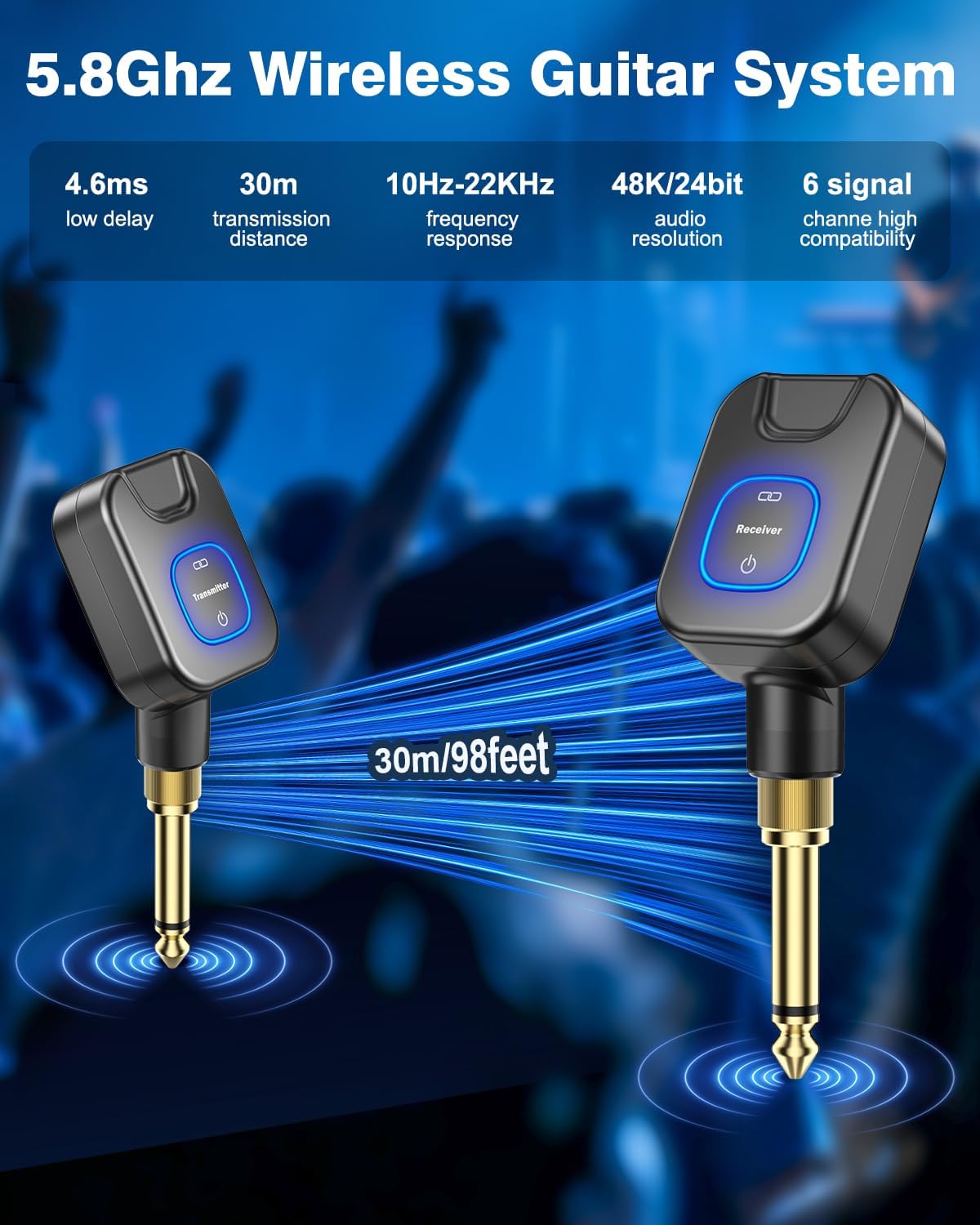
Figure 3.1: Transmitter and Receiver Overview

Figure 3.2: Charging Box and Battery Indicator
4. Provoz
4.1 Connecting to Instruments and Devices
The New Bee WJ25 system offers wide compatibility with various instruments and devices:
- Jack 6.35 mm: Connects to electric guitars, basses, keyboards, amplifiers, electronic drums, and audio mixers.
- Jack 3.5 mm: Connects to phones, computers, tablets, and other devices for recording or live streaming.
- Works with both active and passive pickup instruments.

Figure 4.1: Wide Compatibility with 6.35mm and 3.5mm Jacks
4.2 Channel Selection and Multi-Device Use
The system is equipped with 6 selectable channels, allowing for flexible use in various scenarios:
- Multiple Devices in One Environment: Up to 6 pairs of New Bee wireless guitar devices can operate simultaneously in the same environment without interference. Each pair should be set to a different channel.
- One Transmitter to Multiple Receivers: A single transmitter can send signals to up to 6 receivers (note: all receivers must be the same product model). This is ideal for complex stage setups involving multiple amplifiers or effect pedals.

Figure 4.2: Support for 6 Devices on Different Channels

Figure 4.3: One Transmitter Supporting Six Receivers
4.3 Using the Charging Box as a Power Bank
The charging box can also function as a portable power bank to charge other devices via its USB output port, if needed.

Figure 4.4: Charging Box as a Portable Power Bank
5. Údržba
- Čištění: Use a soft, dry cloth to clean the transmitter, receiver, and charging box. Avoid using liquid cleaners or solvents.
- Skladování: Store the system in a cool, dry place away from direct sunlight and extreme temperatures. Use the provided protective bag for safe storage and transport.
- Péče o baterie: To prolong battery life, avoid fully discharging the devices frequently. Recharge them regularly, even if not in use for extended periods.
- Zacházejte opatrně: Avoid dropping or subjecting the devices to strong impacts, as this can damage internal components.
6. Řešení problémů
| Problém | Možná příčina | Řešení |
|---|---|---|
| Žádný zvuk nebo přerušovaný zvuk |
|
|
| Zařízení se nenabíjejí |
|
|
| Poor audio quality (noise, crackling) |
|
|
7. Specifikace
| Funkce | Detail |
|---|---|
| Značka | Nová včela |
| Číslo modelu | WJ25 |
| Frekvenční pásmo | 5.8 GHz |
| Rozlišení zvuku | 24bit/48kHz |
| Latence | 4.6 ms |
| Přenosová vzdálenost | Přibližně 30 metrů (98 stop) |
| Kanály | 6 volitelné kanály |
| Nabíjecí baterie | 2000 XNUMX mAh |
| Working Time (Devices) | Up to 10 hours per charge cycle |
| Total Working Time (with Charging Box) | Až 30 hodin |
| Jacks Supported | 6.35 mm a 3.5 mm |
| Kompatibilita přístroje | Electric Guitars, Basses, Keyboards, Amplifiers, Electronic Drums, Audio Mixers, Phones, Computers, Tablets (Active and Passive Pickups) |
| Rozměry položky | 4.72 x 3.94 x 3.35 palce |
| Hmotnost položky | 250 g |
| Zahrnuté komponenty | Vysílač, přijímač, nabíjecí pouzdro |
8. Záruka a podpora
The New Bee WJ25 Wireless Guitar System comes with a 3-year warranty. For warranty claims or technical support, please contact New Bee customer service through the retailer where the product was purchased or visit the official New Bee webstránky pro kontaktní informace.
Další zdroje a informace o produktech naleznete na New Bee Store on Amazon.
9. Oficiální produktová videa
Watch this official video for more information on the New Bee WJ25 Wireless Guitar System:
Video 9.1: Features and Specifications of the New Bee Wireless Guitar System. This video provides an overview of the product's key functionalities and technical details.