
1. Úvod
Thank you for choosing the Cooler Master ELITE Gold 1000W Power Supply Unit. This manual provides essential information for the safe and efficient installation, operation, and maintenance of your new power supply. The ELITE Gold 1000W is designed for daily gaming and PC building enthusiasts, fully supporting the latest ATX 3.1 standard and offering flexible compatibility with RTX 50 series GPUs and future upgrades.
2. Bezpečnostní informace
Please read and understand all safety instructions before installing or operating this product. Failure to do so may result in personal injury or damage to the product or connected devices.
- Nebezpečí úrazu elektrickým proudem: Do not open the power supply unit casing. Vysoký objemtages are present inside, even when the unit is turned off. There are no user-serviceable parts inside.
- Správné uzemnění: Ensure the power supply is properly grounded using the provided power cord.
- Větrání: Do not block any ventilation openings of the power supply. Ensure adequate airflow around the unit to prevent overheating.
- vlhkost: Nevystavujte napájecí zdroj vodě ani nadměrné vlhkosti.
- Zdroj napájení: Connect the power supply only to a power source with the correct voltage and frequency as indicated on the unit's label.
- Správa kabelů: Kabely veďte opatrně, aby nedošlo k jejich sevření nebo poškození.
- Teplota: Operate the power supply within the specified temperature range (up to 40°C high-load environments).
3. Obsah balení
Ověřte, zda jsou v balení přítomny všechny položky:
- Cooler Master ELITE Gold 1000W Power Supply Unit
- Modular Cable Set (including 12+4 Pin, ATX24 Pin, EPS 4+4 Pin, EPS 8 Pin, SATA + Peripheral 4 Pin connectors)
- AC Power Cord (A/JP cord)
- Montážní šrouby
- Uživatelská příručka
4. Nastavení a instalace
Follow these steps to install your Cooler Master ELITE Gold 1000W Power Supply Unit:
- Připravte si systém:
Before installation, ensure your computer is completely powered off and unplugged from the wall outlet. Discharge any residual power by pressing the power button a few times.
- Install the PSU into the PC Case:
Position the ELITE Gold 1000W PSU into the designated power supply bay in your PC case. The compact design (under 150mm) facilitates easy installation in various PC cases. Secure the PSU with the provided mounting screws.

Image: The Cooler Master ELITE Gold 1000W Power Supply Unit installed within a computer chassis, viewed from above, highlighting its compact form factor and top-mounted fan grill.
- Připojení modulárních kabelů:
The ELITE Gold 1000W features a full modular design. Connect only the necessary cables to the power supply unit first. Refer to the labels on the PSU for correct connector types (e.g., 10P MB, 18P MB, 8P PCI-E/CPU, 12V-2x6, 6P SATA/HDD).

Obrázek: Podrobný view of the Cooler Master ELITE Gold 1000W Power Supply Unit's modular cable interface, clearly showing labeled ports for various component connections such as motherboard, CPU, PCIe, and SATA/HDD.

Image: The Cooler Master ELITE Gold 1000W Power Supply Unit with its full suite of modular cables securely connected and neatly routed, demonstrating the full modular design.
- Připojení ke komponentám:
- základní deska: Připojte 24pinový ATX kabel k základní desce.
- CPU: Connect the 4+4 pin or 8-pin EPS cable(s) to your motherboard's CPU power connector(s).
- Grafická karta (GPU): Connect the appropriate PCIe power cables (e.g., 8-pin, 12+4 pin for ATX 3.1/PCIe Gen 5.1) to your graphics card(s). This unit is optimized for RTX 50 series GPUs.
- Úložná zařízení: Připojte napájecí kabely SATA k diskům SSD, pevným diskům a optickým jednotkám.
- Periferní zařízení: Connect peripheral 4-pin cables to any other devices requiring power.
- Připojte AC napájení:
Connect the provided AC power cord to the power supply unit and then to a grounded wall outlet. Ensure the power switch on the PSU is in the OFF position before connecting to the wall outlet.
5. Návod k obsluze
Po úspěšné instalaci postupujte podle těchto kroků pro spuštění systému:
- Zapnutí:
Flip the power switch on the back of the power supply unit to the ON (I) position.
- Spuštění systému:
Press the power button on your computer case to start your system. The ELITE Gold 1000W will provide stable and efficient power, thanks to its 80 Plus Gold certification and quiet, long-life rifle bearing fan.
- Vypnout:
To power off your system, shut down your operating system normally. For complete power disconnection, flip the power switch on the back of the power supply unit to the OFF (O) position and unplug the AC power cord.
6. Údržba
Správná údržba zajistí dlouhou životnost a optimální výkon vašeho napájecího zdroje.
- Čištění prachu: Pravidelně čistěte prach z ventilátoru a větracích mřížek napájecího zdroje pomocí stlačeného vzduchu. Před čištěním se ujistěte, že je systém vypnutý a odpojený od sítě.
- Větrání: Ensure that the PC case has adequate airflow and that the power supply's fan intake and exhaust are not obstructed.
- Kontrola kabelů: Regularly check all modular cables for any signs of wear, fraying, or damage. Replace damaged cables immediately.
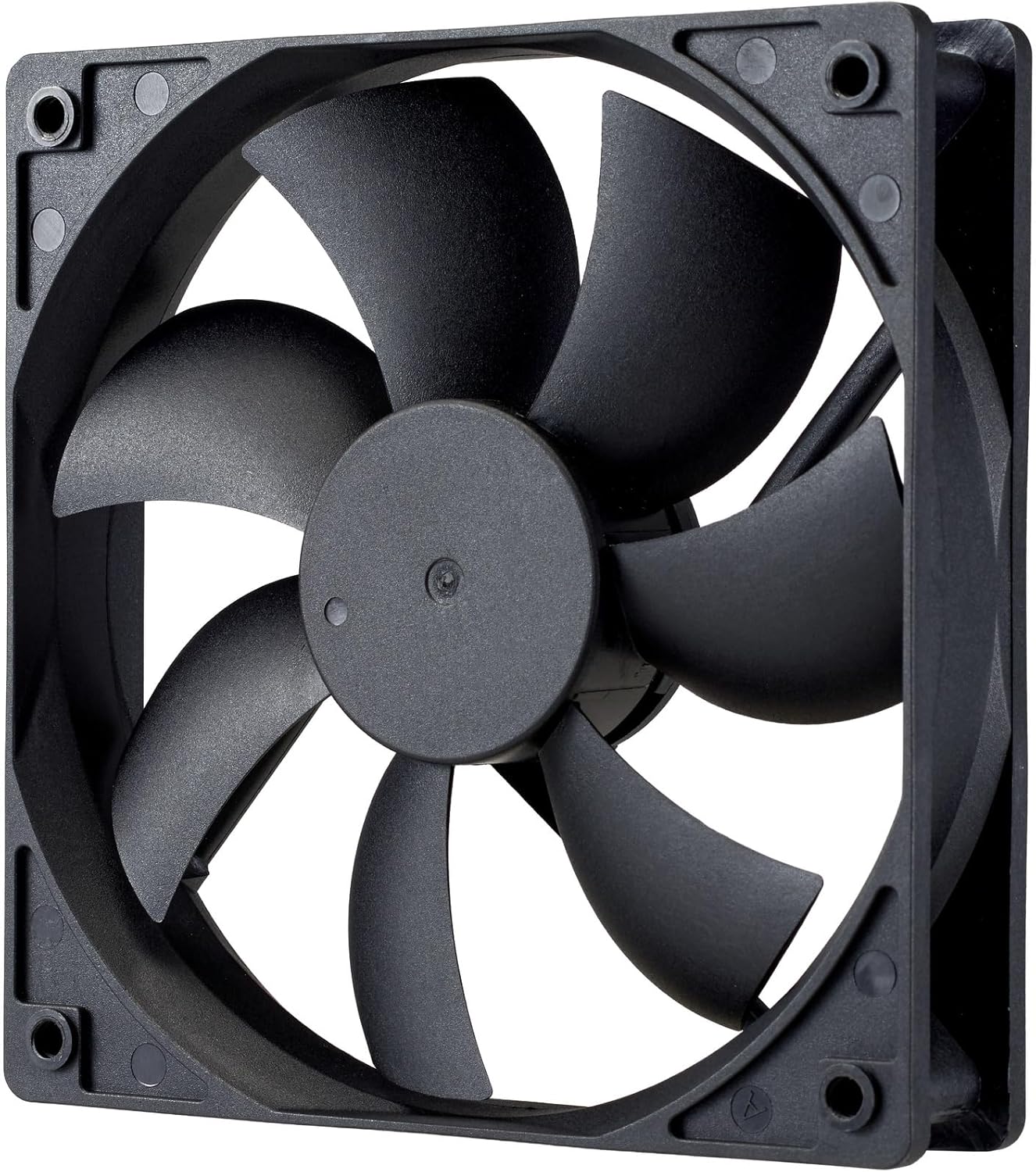
Obrázek: Detailní záběr view of the power supply's cooling fan, featuring five blades designed for efficient airflow and quiet operation.
7. Řešení problémů
If you encounter issues with your power supply, refer to the following troubleshooting steps:
- Bez napájení:
- Ujistěte se, že je napájecí kabel bezpečně připojen k napájení i k elektrické zásuvce.
- Verify that the power switch on the back of the PSU is in the ON (I) position.
- Check all modular cables (24-pin ATX, EPS, PCIe) are firmly seated in both the PSU and the respective components.
- Otestujte zásuvku ve zdi pomocí jiného zařízení, abyste se ujistili, že je funkční.
- Nestabilita systému/náhodné vypnutí:
- Ensure adequate ventilation within your PC case to prevent overheating.
- Ověřte, zda požadavky na napájení vašeho systému nepřekračují kapacitu zdroje 1000 W.
- Zkontrolujte, zda nejsou uvolněná kabelová spojení.
- Neobvyklé zvuky:
- A quiet rifle bearing fan is designed for minimal noise. If you hear unusual grinding or rattling, ensure no cables are obstructing the fan.
- If the noise persists, contact Cooler Master support.
If these steps do not resolve the issue, please contact Cooler Master customer support for further assistance.
8. Specifikace
Detailed technical specifications for the Cooler Master ELITE Gold 1000W Power Supply Unit:
| Název modelu | ELITE Gold |
| Číslo modelu výrobce | MPX-A005-AFAG-BJP |
| Značka | Cooler Master |
| Výstupní Wattage | 1000 wattů |
| Certifikace 80 PLUS | Zlato |
| Verze ATX | ATX 3.1 |
| Verze PCIe | PCIe Gen 5.1 |
| Form Factor | ATX |
| Power Design | Plně modulární |
| Typy konektorů | 12+4 Pin, ATX24 Pin, EPS 4+4 Pin, EPS 8 Pin, SATA + Peripheral 4 Pin |
| Počet fanoušků | 1 (Rifle Bearing Fan) |
| Maximální vstupní objemtage | 240 voltů (AC) |
| Minimální vstupní objtage | 100 voltů (AC) |
| Rozměry produktu (D x Š x V) | 14 x 15 x 8.6 cm |
| Hmotnost produktu | 2230 gramů |
| Provozní teplota | Do 40°C |

Obrázek: Nahoře view of the Cooler Master ELITE Gold 1000W Power Supply Unit, showcasing its branding and honeycomb-patterned ventilation.

Image: The official 80 PLUS GOLD certification logo, indicating high power efficiency.
9. Záruka a podpora
The Cooler Master ELITE Gold 1000W Power Supply Unit comes with a 5-letá záruka od data nákupu. Tato záruka se vztahuje na vady materiálu a zpracování při běžném používání.
For technical support, warranty claims, or further assistance, please visit the official Cooler Master website or contact your local Cooler Master distributor. Please have your product model number (MPX-A005-AFAG-BJP) and proof of purchase ready when contacting support.