
1. Úvod
Thank you for choosing the Picun G2 Wireless Gaming Headset. This manual provides detailed instructions for setting up, operating, and maintaining your headset to ensure optimal performance and an immersive gaming experience. Please read this manual thoroughly before use.
Co je v krabici
- 1 x Picun G2 Wireless Gaming Headset
- 1 x USB-A & Type-C 2-in-1 Wireless Dongle
- Nabíjecí kabel 1 x USB-C
- 1 x 3.5 mm audio kabel
- 1 x Uživatelská příručka
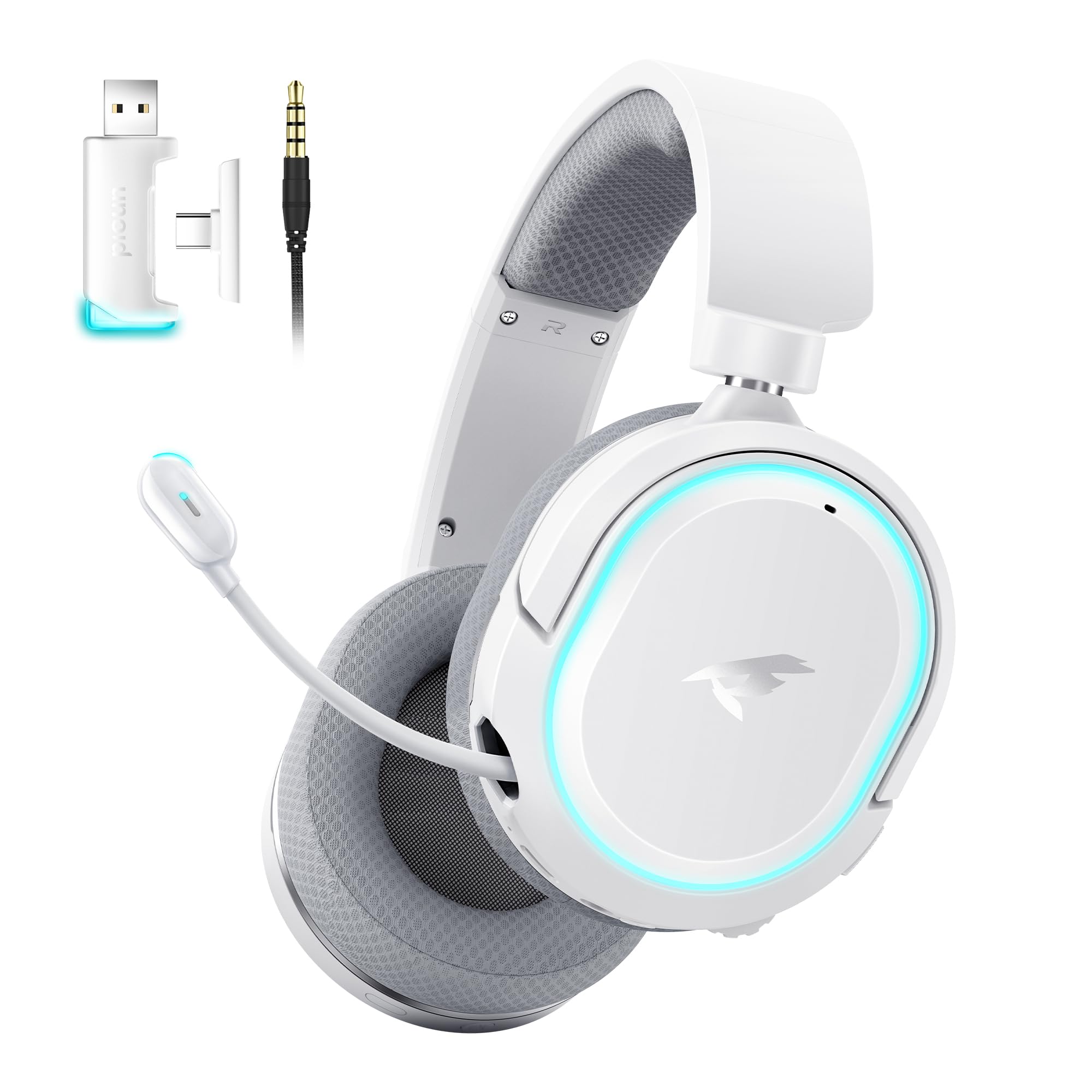
Image: Picun G2 Wireless Gaming Headset (Grey)
2. Konec produktuview
Familiarize yourself with the various components and controls of your Picun G2 headset.

Image: Headset Controls Diagram
- 7.1 Mode Light Control: Button to activate/deactivate 7.1 virtual surround sound and control RGB lighting.
- Nabíjecí port: USB-C port for charging the headset.
- 3.5mm audio port: Pro kabelové připojení pomocí dodaného 3.5mm audio kabelu.
- Vypínač: Press and hold to power on/off. Short press for play/pause in Bluetooth mode.
- Kolečko hlasitosti: Scroll up or down to adjust the volume.
- Ztlumení mikrofonu: Slide switch to mute or unmute the microphone.
3. Nastavení a připojení
3.1 Nabíjení headsetu
Before first use, fully charge the headset using the provided USB-C charging cable. Connect the USB-C end to the headset's charging port and the USB-A end to a power source (e.g., computer USB port, USB wall adapter).
3.2 Connecting via 2.4GHz Wireless (Dongle)
For ultra-low latency gaming on PC, PS5, PS4, or Nintendo Switch (docked mode):
- Insert the 2.4GHz USB-A/Type-C dongle into an available USB port on your device.
- Power on the headset. It will automatically connect to the dongle.
- Ujistěte se, že v nastavení zvuku vašeho zařízení jsou jako vstupní a výstupní zvukové zařízení vybrána sluchátka.
3.3 Připojení přes Bluetooth 5.4
For wireless connection to smartphones, tablets, and other Bluetooth-enabled devices:
- With the headset powered off, press and hold the Power Button until the LED indicator flashes blue and red, indicating pairing mode.
- On your device, enable Bluetooth and search for "Picun G2".
- Select "Picun G2" to pair. The LED will turn solid blue once connected.
3.4 Connecting via 3.5mm Wired
For universal compatibility with devices featuring a 3.5mm audio jack:
- Connect one end of the 3.5mm audio cable to the headset's 3.5mm audio port.
- Druhý konec připojte k 3.5mm audio konektoru na vašem zařízení.
- Poznámka: Funkce mikrofonu se může v kabelovém režimu lišit nebo nemusí být dostupná v závislosti na zařízení.

Image: Multiple Connection Options
4. Návod k obsluze
4.1 Zapnutí/vypnutí
- Zapnutí: Stiskněte a podržte tlačítko napájení po dobu 3 sekund.
- Vypnout: Stiskněte a podržte tlačítko napájení po dobu 3 sekund.
4.2 Ovládání hlasitosti
- Otočte Objemové kolo upwards to increase volume.
- Otočte Objemové kolo downwards to decrease volume.
4.3 Microphone Usage (Retractable ENC Noise-Canceling Mic)
- Extend/Retract Mic: Gently pull out or push in the microphone from the left earcup.
- Ztlumit/Zapnout: Použijte Ztlumení mikrofonu slide switch located on the earcup.

Image: Retractable ENC Noise-Canceling Microphone
4.4 7.1 Virtual Surround Sound Activation
- Stiskněte tlačítko 7.1 Mode Light Control button to toggle 7.1 virtual surround sound on or off.
- The RGB lighting will indicate the status of the 7.1 mode.

Image: 7.1 Surround Sound Activation
5. Informace o baterii
The Picun G2 headset offers extended battery life for prolonged usage.
- Up to 100 hours playtime in Bluetooth mode (RGB off).
- Approximately 42-45 hours playtime via 2.4GHz wireless (RGB on).
- Full charge typically takes 2-3 hours.
- The headset supports charging while in use.

Image: Battery Life and Charging
6. Pohodlí a design
The Picun G2 is designed for comfort during extended gaming sessions.
- Nastavitelná čelenka: Customize the fit for various head sizes.
- Rotatable Earcups: Allows for flexible positioning and storage.
- Soft Memory Sponge Cushions: Breathable fabric earcups and headband provide comfort and reduce pressure.

Image: Comfort Features
7. Řešení problémů
If you encounter any issues with your Picun G2 headset, please refer to the following common solutions:
| Problém | Řešení |
|---|---|
| Z sluchátek se nehlásí žádný zvuk |
|
| Mikrofon nefunguje |
|
| Nelze se připojit bezdrátově 2.4 GHz |
|
| Nelze se připojit přes Bluetooth |
|
| Krátká výdrž baterie |
|
8. Specifikace
| Funkce | Detail |
|---|---|
| Značka | Picun |
| Název modelu | Picun-G2 |
| Technologie připojení | Bezdrátové připojení 2.4 GHz, Bluetooth 5.4, kabelové připojení 3.5 mm |
| Umístění uší | Přes ucho |
| Typ zvukového ovladače | Dynamický měnič (40 mm) |
| Impedance | 32 ohmů |
| Frekvenční rozsah | 20 Hz - 20,000 XNUMX Hz |
| Zvuková latence | 5 milisekund (2.4 GHz) |
| Verze Bluetooth | 5.4 |
| Dosah Bluetooth | 10 metrů |
| Životnost baterie | Up to 100 Hours (Bluetooth, RGB off) / 42-45 Hours (2.4GHz, RGB on) |
| Doba nabíjení | 2-3 hodin |
| Mikrofon | Retractable ENC Noise-Canceling Omnidirectional Mic |
| Kompatibilní zařízení | PC, Mac, Laptop, Desktop, Phone, Pad, Tablet, PlayStation 4/5/pro/Slim, Gaming Consoles, Switch, Nintendo Switch (microphone invalid on Switch via 3.5mm) |
| Materiál | ABS, Breathable Fabric, PC, Soft Memory Sponge Cushions |
| Další funkce | 7.1 Virtual Surround Sound, RGB Lighting, Adjustable Headband, Rotatable Earcups |
9. Záruka a podpora
9.1 Informace o záruce
The Picun G2 Wireless Gaming Headset comes with a 1-letá záruka od data nákupu. Tato záruka se vztahuje na výrobní vady a zaručuje, že výrobek při běžném používání neobsahuje vady materiálu a zpracování. Uschovejte si prosím doklad o koupi pro případné reklamace.
Záruka se nevztahuje na:
- Škoda způsobená nesprávným použitím, zneužitím, nehodou nebo nedbalostí.
- Neoprávněná oprava nebo úprava.
- Běžné opotřebení.
9.2 Zákaznická podpora
For technical assistance, warranty claims, or any questions regarding your Picun G2 Wireless Gaming Headset, please contact Picun customer support through the following channels:
- E-mail: support@picun.com (Napřampnapř., skutečný e-mail nebyl poskytnut)
- Webmísto: Visit the official Picun webweb s nejčastějšími dotazy a zdroji podpory.
Please have your model number (Picun-G2) and proof of purchase ready when contacting support.