
1. Konec produktuview
The HONOR Magic8 Lite 5G is a robust and feature-rich smartphone designed for durability and high performance. It boasts industry-leading resistance to drops, water, and dust, a long-lasting battery, a high-resolution camera, and an immersive display, all powered by an efficient processor with advanced AI capabilities.
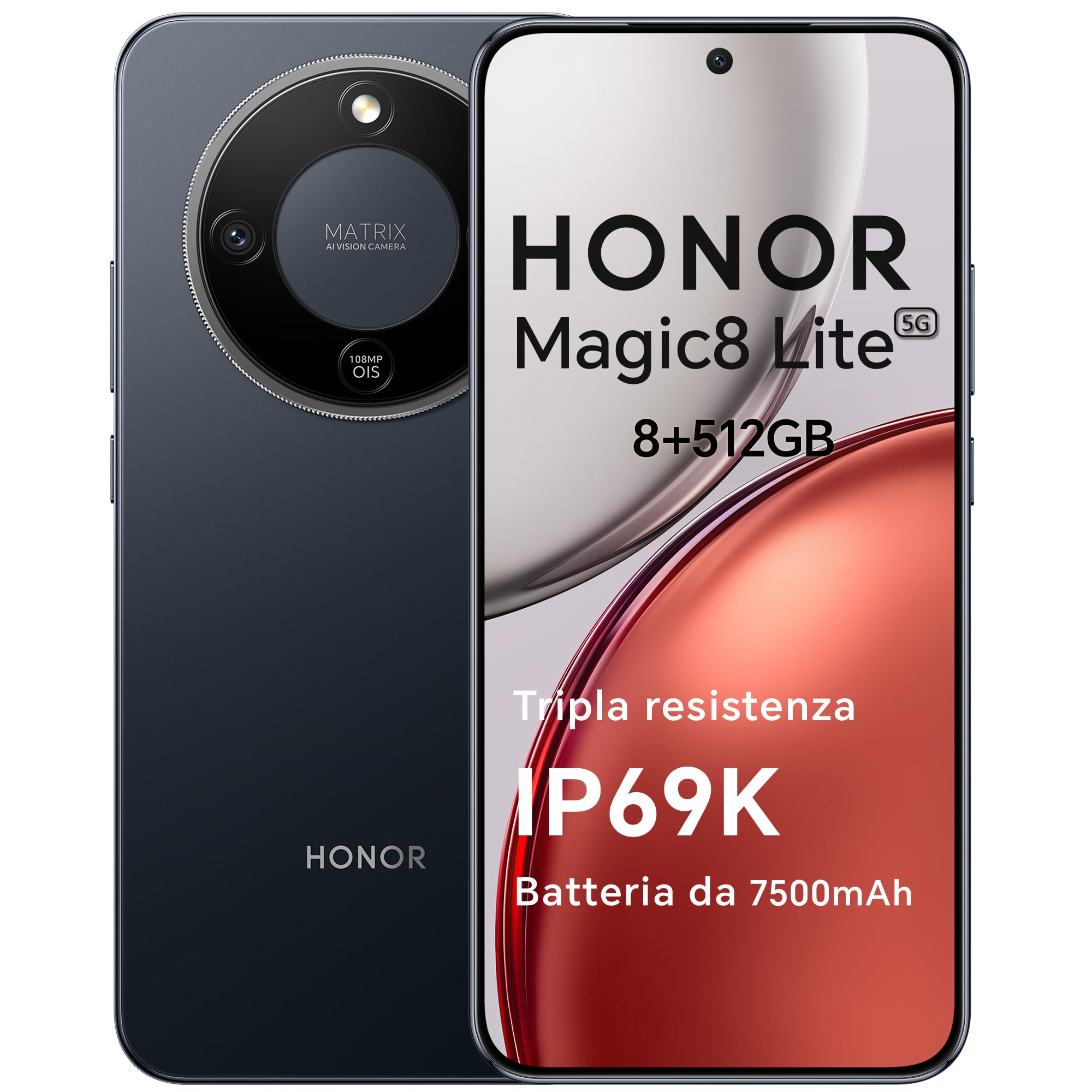
Figure 1: HONOR Magic8 Lite 5G Smartphone, Midnight Black variant.
Klíčové vlastnosti:
- Triple Resistance: SGS Five-Star Overall Drop Resistance (up to 2.5 meters), IP69K and IP68 water and dust resistance.
- Baterie s dlouhou výdrží: 7500 mAh silicon-carbon battery with up to 3 days of autonomy and 66W SuperCharge. Functions as a portable power bank.
- Pokročilý kamerový systém: 108 MP Ultra-Sensing Camera with Optical Image Stabilization (OIS) and Electronic Image Stabilization (EIS) for clear photos and stable 4K videos. Includes AI photography features.
- Pohlcující displej: 6.79-inch 1.5K OLED display with 6000 nits peak brightness, 120 Hz refresh rate, and HONOR Eye Comfort Display technology.
- Silný výkon: Snapdragon 6 Gen 4 (4nm) mobile platform for smooth multitasking and gaming, integrated with Google Gemini and other AI functionalities.
2. Nastavení zařízení
2.1 Obsah balení
Ověřte, zda váš balíček obsahuje následující položky:
- Smartphone HONOR Magic8 Lite 5G
- USB-C kabel
- Power Adapter (66W SuperCharge)
- Nástroj pro vysunutí SIM karty
- Rychlý průvodce
- Záruční list
2.2 Vkládání SIM karet
- Vyhledejte držák SIM karty na boku zařízení.
- Vložte nástroj pro vysunutí SIM karty do malého otvoru vedle zásobníku a pevně zatlačte, dokud zásobník nevyskočí.
- Place your Nano-SIM card(s) into the designated slots on the tray. Ensure the gold contacts face downwards. The device supports Dual SIM functionality.
- Opatrně vložte zpět držák SIM karty do telefonu.
The device also supports eSIM functionality. Refer to your carrier for activation details.
2.3 Počáteční nabíjení a zapnutí
- Connect the USB-C cable to the phone's charging port and the other end to the 66W power adapter. Plug the adapter into a power outlet.
- Allow the phone to charge for at least 15 minutes before initial use.
- To power on, press and hold the Power button (located on the side) until the HONOR logo appears on the screen.
- Postupujte podle pokynů na obrazovce a dokončete počáteční nastavení, včetně výběru jazyka, připojení k Wi-Fi a nastavení účtu Google.

Figure 2: The 7500mAh silicon-carbon battery provides extended usage.
3. Návod k obsluze
3.1 Základní navigace
- Dotyková obrazovka: Klepnutím vyberete, přejetím prstem posouváte, přiblížením rozevřením prstů.
- Domovská obrazovka: Přístup k aplikacím, widgetům a oznámením.
- gesta: Customize navigation gestures in Settings for a fluid experience.
3.2 Použití kamery
The HONOR Magic8 Lite 5G features a 108 MP Ultra-Sensing Camera with OIS and EIS for superior image and video capture.
- Otevřete aplikaci Fotoaparát z domovské obrazovky nebo zamykací obrazovky.
- Select your desired mode (Photo, Video, Portrait, Night, Pro, etc.).
- Klepnutím na tlačítko spouště pořídíte fotografii nebo spustíte/zastavíte nahrávání videa.
- Utilize AI features like AI Eraser, AI Cutout, and AI Outpainting for enhanced photo editing.
- For underwater photography, ensure the device is properly sealed and use the dedicated underwater mode.

Obrázek 3: Přamples of high-quality images captured by the 108 MP camera.
3.3 Správa baterie
The 7500 mAh battery is designed for extended use. To optimize battery life:
- Povolte režimy úspory energie, když je baterie téměř vybitá.
- Upravte jas obrazovky a nastavení doby vypnutí obrazovky.
- Close background apps not in use.
- The device supports reverse charging, allowing it to act as a power bank for other devices. Connect the devices using a compatible USB-C cable.

Figure 4: The device can charge other accessories, acting as a power bank.
3.4 Funkce displeje
The 6.79-inch 1.5K OLED display offers vibrant visuals and eye comfort features.
- Režim pohodlí pro oči: Reduces blue light to prevent eye strain. Activate it in Display Settings.
- Dynamická obnovovací frekvence: The 120 Hz adaptive refresh rate adjusts automatically for smooth scrolling and power efficiency.
- Vysoký jas: With 6000 nits peak brightness, the display remains clear even in direct sunlight.

Figure 5: The 1.5K OLED display offers exceptional clarity and color.
3.5 AI Features and Google Gemini
The device integrates advanced AI functionalities and Google Gemini for enhanced user experience.
- Google Gemini: Interact with Gemini for real-time translation, information retrieval, and more.
- Nástroje pro psaní s umělou inteligencí: Utilize AI to assist with text composition and productivity tasks.
- Magický portál: A shortcut for AI-powered tasks.

Figure 6: Google Gemini integration for intelligent assistance.
3.6 Funkce NFC
The HONOR Magic8 Lite 5G supports Near Field Communication (NFC) for quick and secure transactions and data exchange.
- Enable NFC in your phone's Settings.
- Tap your phone to compatible NFC readers for mobile payments or to share content with other NFC-enabled devices.
4. Údržba
4.1 Čištění vašeho zařízení
Despite its IP69K and IP68 ratings for water and dust resistance, proper cleaning helps maintain your device's longevity.
- K otření obrazovky a těla použijte měkký hadřík, který nepouští vlákna.
- Nepoužívejte agresivní chemikálie, abrazivní materiály ani stlačený vzduch.
- If the device gets wet, wipe it dry with a clean cloth before charging or opening any ports.
4.2 Aktualizace softwaru
Regular software updates provide security patches, new features, and performance improvements. Ensure your device is connected to Wi-Fi and has sufficient battery before initiating an update.
- Přejděte na Nastavení > Systém a aktualizace > Aktualizace softwaru pro kontrolu dostupných aktualizací.
4.3 Péče o baterii
The 7500 mAh battery is designed for a long lifespan. To maximize its performance:
- Avoid extreme temperatures (below -30°C or above 55°C) as they can degrade battery performance.
- Use only HONOR-approved chargers and cables.
- Vyhněte se častému úplnému vybíjení baterie.

Figure 7: The device is designed to operate in a wide range of temperatures.
5. Řešení problémů
This section addresses common issues you might encounter with your HONOR Magic8 Lite 5G.
5.1 Zařízení se nezapíná
- Ujistěte se, že je baterie nabitá. Připojte nabíječku a před opětovným zapnutím počkejte několik minut.
- Stiskněte a podržte tlačítko napájení po dobu alespoň 10–15 sekund, abyste vynutili restart.
5.2 Problémy s nabíjením
- Zkontrolujte, zda jsou nabíjecí kabel a adaptér bezpečně připojeny.
- Try using a different HONOR-approved charger and cable.
- Zkontrolujte nabíjecí port, zda neobsahuje nečistoty nebo poškození.
5.3 Kamera nefunguje
- Restartujte zařízení.
- Clear the cache and data of the Camera app in Settings > Apps > Camera > Storage.
- Ensure no other apps are currently using the camera.
5.4 Water/Dust Exposure
While the device is highly resistant, prolonged exposure or exposure to high-pressure jets (beyond IP69K/IP68 limits) can cause damage.
- If the device gets wet, dry it thoroughly before charging.
- Do not intentionally submerge the device in water beyond specified depths or for extended periods.
- If you suspect water damage, contact customer support.

Figure 8: The device is designed with advanced water resistance.
For other issues, refer to the official HONOR support webnebo kontaktujte zákaznický servis.
6. Specifikace
| Funkce | Specifikace |
|---|---|
| Značka | ČEST |
| Model | Magic8 Lite |
| BERAN | 8 GB |
| Interní úložiště | 512 GB |
| Barva | Půlnoční černá |
| Kapacita baterie | 7500 XNUMX mAh |
| Zobrazit | 6.79-inch 1.5K AMOLED, 120Hz, 6000 nits peak brightness |
| Zadní kamera | 108 MP s optickou stabilizací obrazu |
| Procesor | Snapdragon 6 Gen 4 (4nm) |
| Odolnost vůči vodě a prachu | IP69K, IP68 |
| Odolnost proti pádu | SGS Five-Star Overall Drop Resistance (up to 2.5m) |
| Konektivita | 5G, Dual SIM, NFC |
| Původ | Čína |
| ASIN | B0G43TWKGS |

Figure 9: Detailed product information sheet.
For more detailed energy efficiency information, please refer to the EPREL database: https://eprel.ec.europa.eu/qr/2515767
7. Záruka a podpora
7.1 Informace o záruce
Warranty terms and conditions are typically provided with your purchase documentation. Please retain your proof of purchase for warranty claims. For specific warranty details, refer to the warranty card included in your product package or visit the official HONOR webstránky pro váš region.
7.2 Zákaznická podpora
For technical assistance, service, or further inquiries, please contact HONOR customer support:
- Oficiální Webmísto: https://www.honor.com/de/
- Self-Repair Support: https://www.honor.com/de/support/self-repair/
- E-mailová podpora: support@honor.com