
1. Úvod
Thank you for choosing the FREDEES Arched Display Cabinet. This manual provides essential information for the safe and efficient assembly, operation, and maintenance of your new cabinet. Please read all instructions carefully before beginning assembly and retain this manual for future reference.
2. Bezpečnostní informace
- Skříňku vždy sestavujte na měkkém a čistém povrchu, abyste zabránili poškrábání.
- Před montáží se ujistěte, že jsou všechny díly přítomny a nepoškozené. Nepoužívejte poškozené díly.
- Během montáže uchovávejte malé díly mimo dosah dětí, aby se zabránilo nebezpečí udušení.
- Sada proti převrácení: For safety, especially in households with children or pets, it is highly recommended to secure the display cabinet to the wall using the provided anti-tip kit. This prevents accidental tipping and enhances stability.

Image: Anti-Tip Kit Installation Diagram. This diagram illustrates the proper method for securing the cabinet to the wall using the anti-tip kit to prevent tipping.
3. Obsah balení
Ověřte, zda jsou v balení obsaženy všechny níže uvedené komponenty:
- Arch Display Cabinet x1
- Installation Package (Hardware) x1
- Uživatelská příručka x1
4. Nastavení a montáž
Assembly of the FREDEES Arched Display Cabinet is designed to be straightforward. Follow the step-by-step instructions provided in the included installation package. It is recommended to have a second person assist with lifting and positioning larger components.
4.1 Rozměry produktu

Image: Product Dimensions. This image details the overall dimensions of the cabinet and individual shelf sizes.
4.2 nastavitelné police
The cabinet features two adjustable shelves and two fixed shelves. The adjustable shelves can be moved up or down by 2.5 inches to accommodate items of various heights. To adjust, carefully remove the shelf, reposition the shelf pins to the desired height, and reinsert the shelf.

Image: Adjustable Shelves. This image highlights the flexibility of the shelves to customize storage space.
5. Návod k obsluze
5.1 LED osvětlovací systém
Your display cabinet is equipped with integrated LED lighting offering three color modes: blue, white, and yellow. The lighting system also includes a smart human sensor for automatic operation.
- Změna barev světla: Locate the control button on the side of the cabinet. Short press the button to cycle through the blue, yellow, and white light modes.
- Human Sensor: The built-in sensor automatically turns on the lights when a person is detected within approximately 1 meter and turns them off after 30 seconds of no detection.
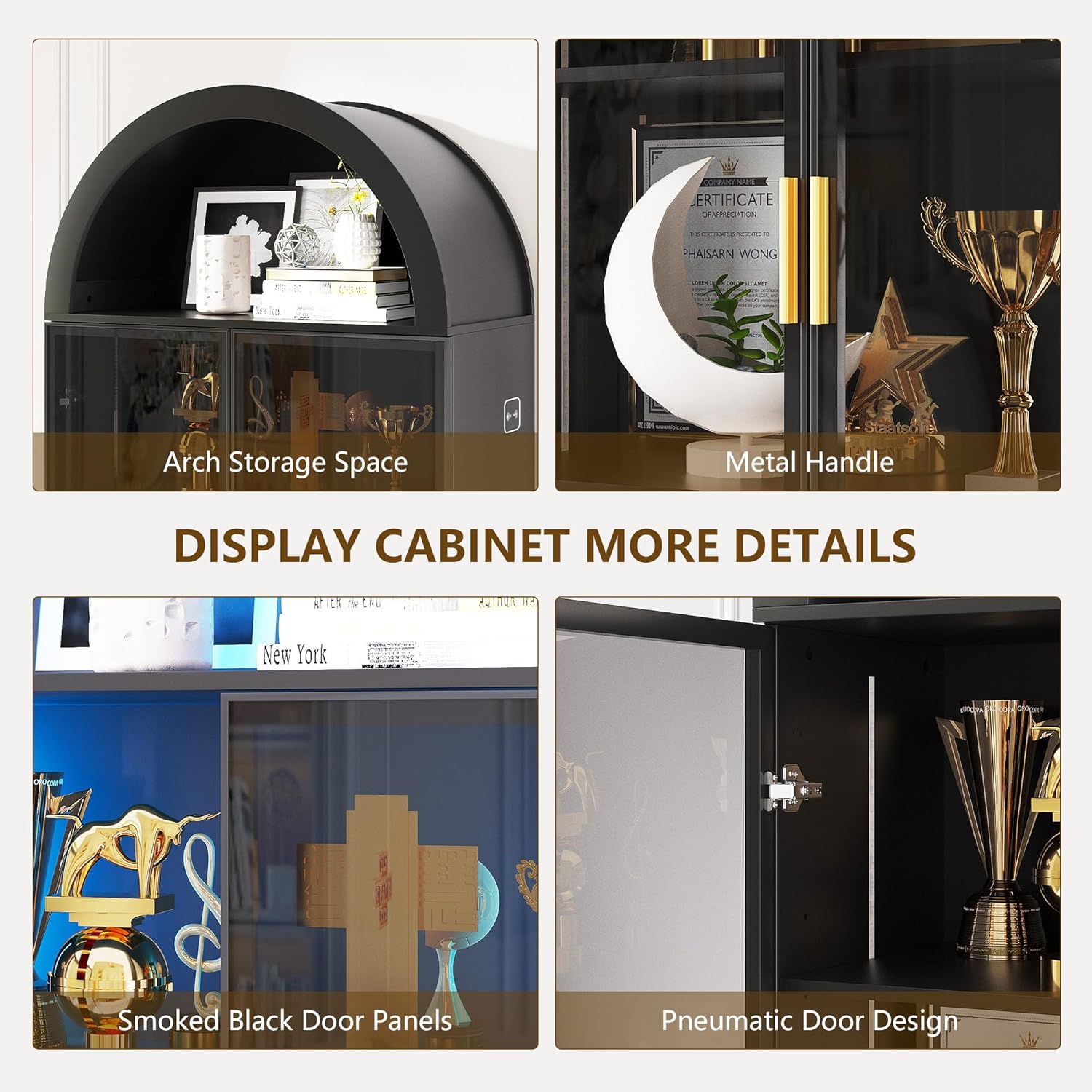
Image: LED Light Control. This image demonstrates the three available light colors and the control interface.

Image: Smart Human Sensor. This diagram explains how the human sensor activates and deactivates the cabinet lighting.
5.2 Smoked Black Acrylic Doors
The cabinet features smoked black acrylic doors with gold handles. These doors provide a modern aesthetic while allowing a subtle view of your displayed items. The doors can be opened and closed using the handles. If desired, the doors can be omitted during assembly for an open cabinet design.

Image: Smoked Black Acrylic Doors. This image provides a clear view of the cabinet's doors and handles.
6. Údržba
To ensure the longevity and appearance of your FREDEES Arched Display Cabinet, follow these maintenance guidelines:
- Čištění: The cabinet's surface is waterproof and scratch-resistant. Wipe surfaces with a soft, damp tkanina. Vyhněte se abrazivním čisticím prostředkům nebo agresivním chemikáliím, které mohou poškodit povrch.
- Utírat prach: Regularly dust the interior and exterior with a dry, soft cloth.
- Panty dveří: Periodically check door hinges for tightness and adjust if necessary to ensure smooth operation.
7. Řešení problémů
If you encounter any issues with your display cabinet, refer to the following common troubleshooting tips:
- LED světla nefungují:
- Ensure the power adapter is securely plugged into both the cabinet and a working electrical outlet.
- Zkontrolujte, zda je zásuvka funkční, zapojením jiného zařízení.
- Verify that the light control button is being pressed correctly to cycle through modes.
- Dveře se špatně zavírají:
- Inspect hinges for any loose screws and tighten them.
- Ensure the cabinet is placed on a level surface. Uneven flooring can cause doors to misalign.
- Nestabilita skříně:
- Confirm all assembly screws are tightened.
- Ujistěte se, že je sada proti převrácení správně nainstalována a upevněna ke zdi.
For issues not covered here, please contact FREDEES customer support.
8. Specifikace
| Funkce | Detail |
|---|---|
| Značka | FREDEES |
| Číslo modelu | QM-97053-27 |
| Barva | Arch-black |
| Materiál | Umělé dřevo |
| Rozměry produktu | 13.78"H x 27.55"Š x 76.77"V |
| Hmotnost položky | 80.7 libry |
| Počet polic | 6 (2 adjustable, 4 fixed) |
| Další funkce | 3-Color LED Lights, Human Sensor, Smoked Black Acrylic Doors, Arch Storage Space |
| Montáž Vyžadována | Ano |
9. Záruka a podpora
For warranty information or technical support, please refer to the contact details provided with your purchase documentation or visit the official FREDEES webUschovejte si účtenku jako doklad o koupi pro případné reklamace.