
Zavedení
This manual provides comprehensive instructions for the installation, operation, and maintenance of the Fdit Global 4G/GSM Gate Controller. This device is designed for access control systems, parking systems, and other remote control applications, utilizing GSM 4G communication for reliable operation. It supports remote control via SMS or calling, with feedback provided to the user.
Please read this manual thoroughly before installation and operation to ensure correct usage and to prevent damage to the device or connected systems.
Konec produktuview
The Fdit Global 4G/GSM Gate Controller offers advanced features for secure and convenient access management.
Klíčové vlastnosti:
- GSM 4G Communication: Operates on GSM 4G frequency bands, supporting global connectivity.
- Správa uživatelů: Supports up to 1001 authorized users for access control.
- Dálkové ovládání: Devices can be controlled via SMS or calling, with SMS feedback.
- Široká aplikace: Suitable for access control systems, garage doors, swing doors, folding doors, and parking systems.
- Callny Control App: Compatible with the Callny Control phone application for enhanced management.
- Remote Software Updates: Supports remote software updates.
- Wide Voltage Vstup: AC/DC 9-36V input for versatile power options.
Obsah balení:
- 1x Fdit 4G/GSM Gate Controller (G203 model specified in package list, but applies to the series)
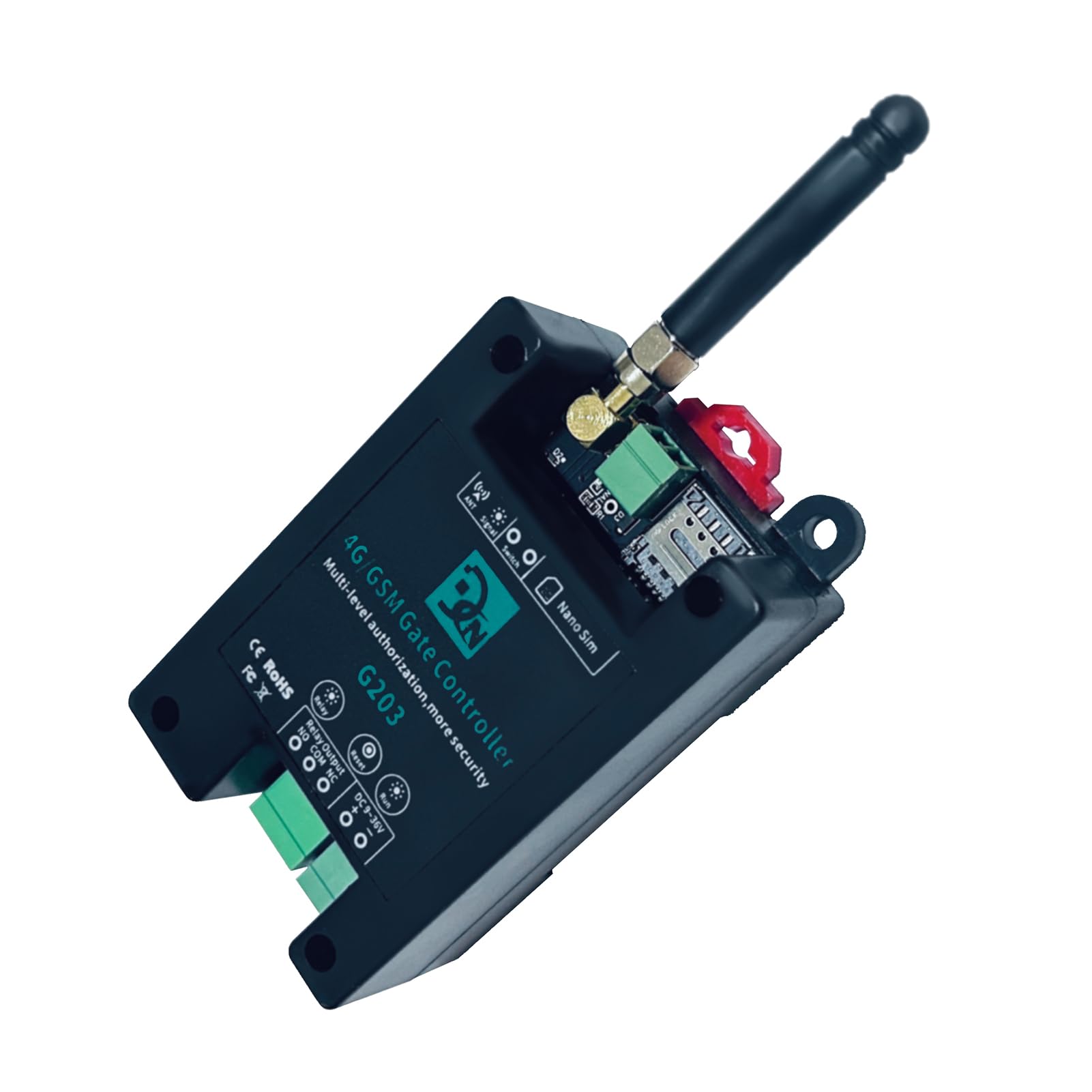
Figure 1: Fdit 4G/GSM Gate Controller G203. This image shows the top-down view of the controller with its antenna, SIM card slot, and various connection terminals.
Specifikace
| Funkce | Specifikace |
|---|---|
| Model | G202PLUS, G203, CN302, CN303, CN305 |
| Materiál | ABS |
| Jmenovitý objemtage | DC 9V~36V/1A |
| Pracovní teplota | -10℃~+60℃ |
| Skladovací teplota | -20℃~+60℃ |
| Relativní vlhkost | 10-90%, No condensation |
| Typ SIM karty | Nano SIM, 3V |
| Anténa | 50 Ω SMA |
| Kapacita reléového výstupu | 5A/250VAC, 7A/125VAC, 20A/14VDC |
| Supported 4G Bands (FDD) | B1/B2/B3/B4/B5/B7/B8/B12, B13/B17/B18/B19/B20/B25/B26/B28/B66 |
| Supported 4G Bands (TDD) | B38/B40/B41 |
| Rozměry (D*Š*V) | 9.7 x 5 x 3.2 cm (Product), 13 x 8 x 6 cm (Package) |
| Hmotnost | 122 g (balení) |
Nastavení
1. Instalace SIM karty:
- Ujistěte se, že je zařízení vypnuté.
- Locate the Nano SIM card slot on the controller.
- Insert a valid 3V Nano SIM card into the slot. Ensure it is correctly oriented.
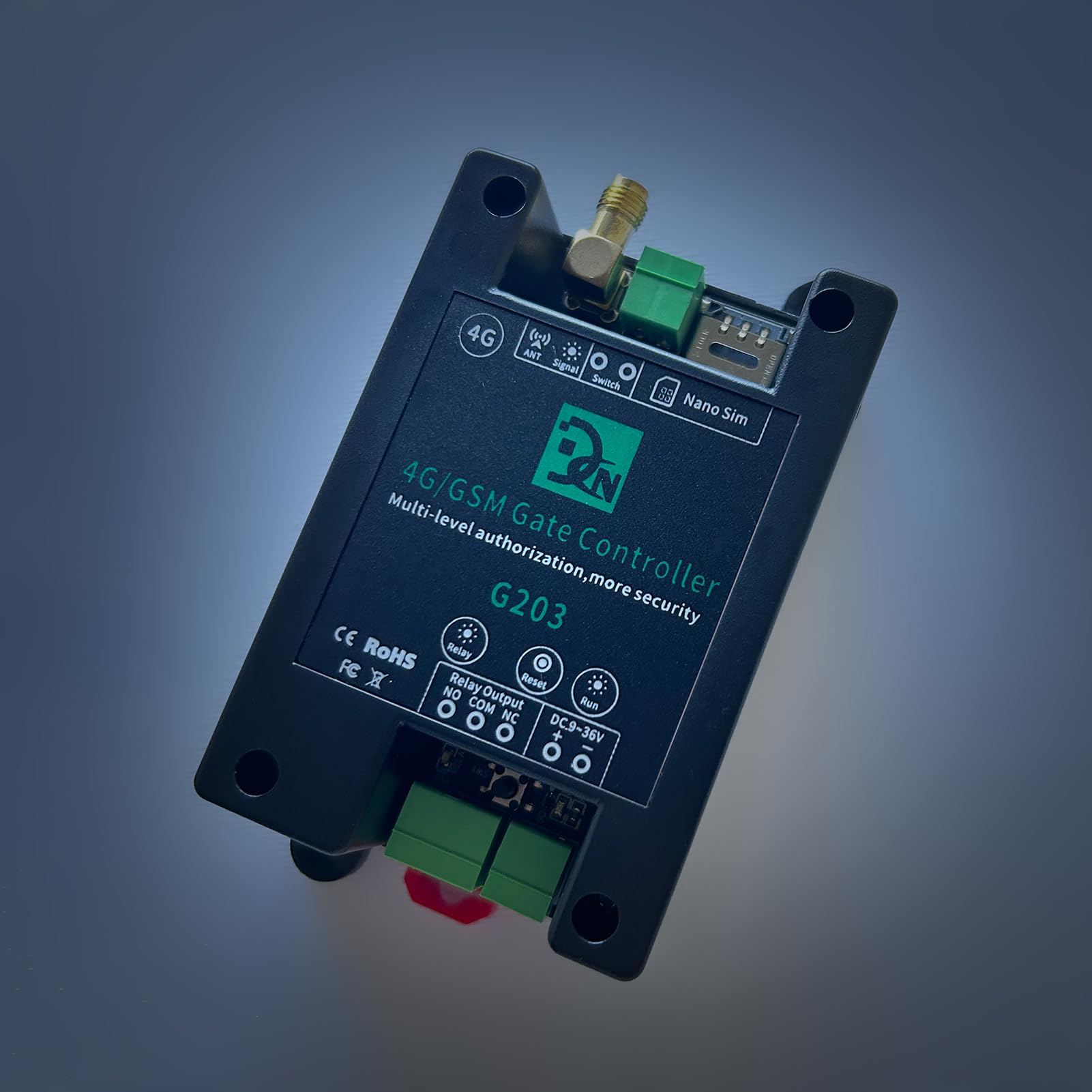
Obrázek 2: Nahoře view of the Fdit Gate Controller showing the Nano SIM card slot and antenna connection.
2. Připojení antény:
- Connect the provided 50 Ω SMA antenna to the "ANT" port on the controller.
- Ensure the antenna is securely tightened for optimal signal reception.
3. Připojení napájení:
- Connect a DC 9V-36V/1A power supply to the "DC 9-36V" terminals. Observe polarity: "+" to positive, "-" to negative.
4. Relay Output Wiring:
The controller features a relay output with Normally Open (NO), Common (COM), and Normally Closed (NC) terminals. Wire the relay according to your application's requirements.

Figure 3: Wiring diagram for connecting an AC load (e.g., a light) to the relay output. The AC power supply connects to the relay's COM and NO terminals, and the load is connected in series.

Figure 4: Wiring diagram for connecting a DC load (e.g., a keypad or other access device) to the relay output. The DC power supply and the load are connected to the relay's COM and NO terminals.
Poznámka: Ensure all wiring is performed by a qualified professional and adheres to local electrical codes.
Návod k obsluze
1. Počáteční zapnutí:
- After connecting the SIM card, antenna, and power supply, the device will power on.
- Observe the "Signal" and "Run" indicator lights for status. A stable signal light indicates network connectivity.
2. Callny Control App:
The Callny Control app provides a user-friendly interface for managing the gate controller.
- Stáhněte si aplikaci: Scan the QR code provided with the product or search for "Callny Control" in your device's app store.

Figure 5: Image showing the Fdit Gate Controller alongside a smartphone displaying a QR code for downloading the Callny Control App.
- Párování zařízení: Follow the in-app instructions to pair your gate controller with the Callny Control app.
- Oprávnění uživatele: Use the app to add, modify, or delete authorized users. The controller supports up to 1001 users.
- Dálkové ovládání: The app allows for remote activation/deactivation of the relay, checking signal status, and other functions.

Figure 6: Screenshot of the Callny Control app interface, showing various control options such as Free Calling, ON/OFF, Relay Status, Check Signal, Authorize Users, and more.
3. SMS and Call Control:
Authorized users can control the gate controller by sending specific SMS commands or by making a call to the SIM card number installed in the device.
- SMS příkazy: Refer to the Callny Control app or supplementary documentation for a list of valid SMS commands for relay activation, user management, and status checks.
- Ovládání hovorů: When an authorized user calls the device's number, the controller will activate the relay (e.g., open a gate) and then terminate the call. No call charges are incurred for this operation.
- Zpětná vazba: The device will send an SMS confirmation for successful operations or error messages.
Údržba
- Pravidelný úklid: Keep the device clean and free from dust and debris. Use a soft, dry cloth for cleaning. Do not use liquid cleaners.
- Kontrola antény: Periodically check the antenna connection to ensure it is secure and undamaged for optimal signal strength.
- Aktualizace softwaru: The device supports remote software updates. Ensure your device's software is up-to-date for optimal performance and security. Updates can typically be initiated via the Callny Control app or by contacting support.
- Platnost SIM karty: Ensure the installed SIM card remains active and has sufficient credit (if prepaid) for SMS and call functions.
Odstraňování problémů
| Problém | Možná příčina | Řešení |
|---|---|---|
| Device not responding to calls/SMS |
|
|
| Relé se neaktivuje |
|
|
| Callny Control App not connecting |
|
|
Záruka a podpora
Informace o záruce:
Specific warranty details are typically provided with your purchase documentation or can be obtained from your retailer. Please retain your proof of purchase for warranty claims.
Technická podpora:
For technical assistance, troubleshooting beyond this manual, or inquiries regarding software updates, please contact Fdit customer support or your authorized dealer. Contact information can usually be found on the product packaging or the official Fdit webmísto.
When contacting support, please be prepared to provide your product model number (G202PLUS, G203, CN302, CN303, CN305) and a detailed description of the issue.