
1. Úvod
The ATTACK SHARK G800 is a versatile wireless RGB gaming headset designed for an immersive audio experience across multiple platforms. It features tri-mode connectivity (2.4Ghz wireless, Bluetooth, and wired), 7.1 virtual surround sound, 50mm drivers, and a detachable AI noise-canceling microphone. This manual provides instructions for setup, operation, and maintenance to ensure optimal performance.
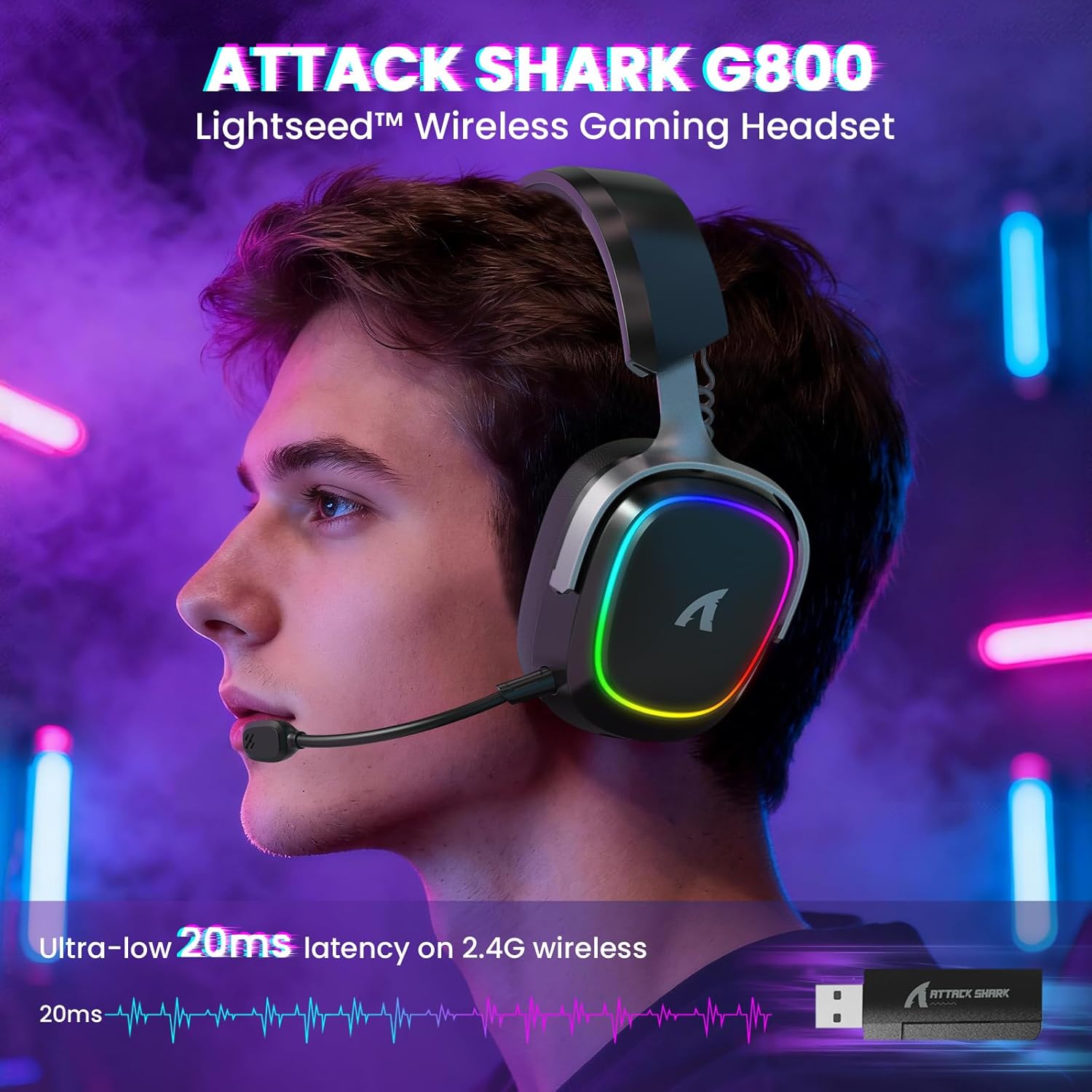
Image: The G800 headset in use, highlighting its RGB lighting and comfortable fit.
2. Co je v krabici
- ATTACK SHARK G800 Wireless RGB Gaming Headset
- Detachable AI Noise-Canceling Microphone
- 2.4Ghz Wireless USB-A + Type-C Dual-Head Receiver
- Nabíjecí kabel USB-A na USB-C
- Audio kabel USB-C na USB-C
- Uživatelská příručka (tento dokument)
3. Konec produktuviewOvládací prvky a porty
Familiarize yourself with the various controls and ports on your G800 headset for seamless operation.
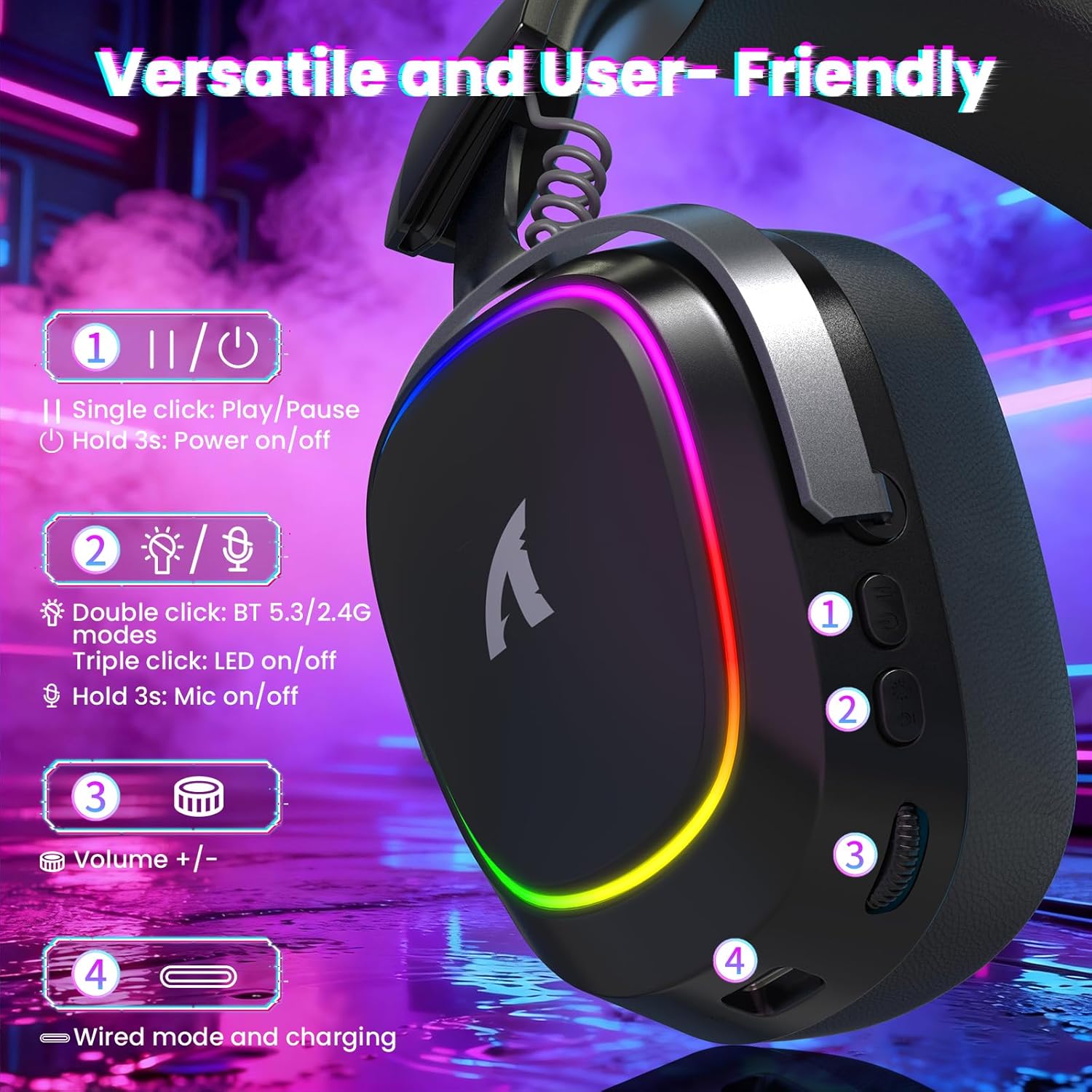
Obrázek: Podrobný view of the headset's left earcup with numbered controls and their functions.
- Play/Pause & Power Button: Single click for play/pause. Hold for 3 seconds to power on/off.
- Mode Switch & LED/Mic Control: Double click to switch between Bluetooth (BT 5.3) and 2.4Ghz wireless modes. Triple click to toggle RGB LED on/off. Hold for 3 seconds to toggle microphone on/off.
- Kolečko hlasitosti: Rotate to adjust audio volume up or down.
- Wired Mode & Charging Port: USB-C port for wired connection and charging.
- Konektor mikrofonu: Port for connecting the detachable microphone.
4. Nastavení a připojení
The G800 headset offers three connection methods: 2.4Ghz wireless, Bluetooth, and wired.
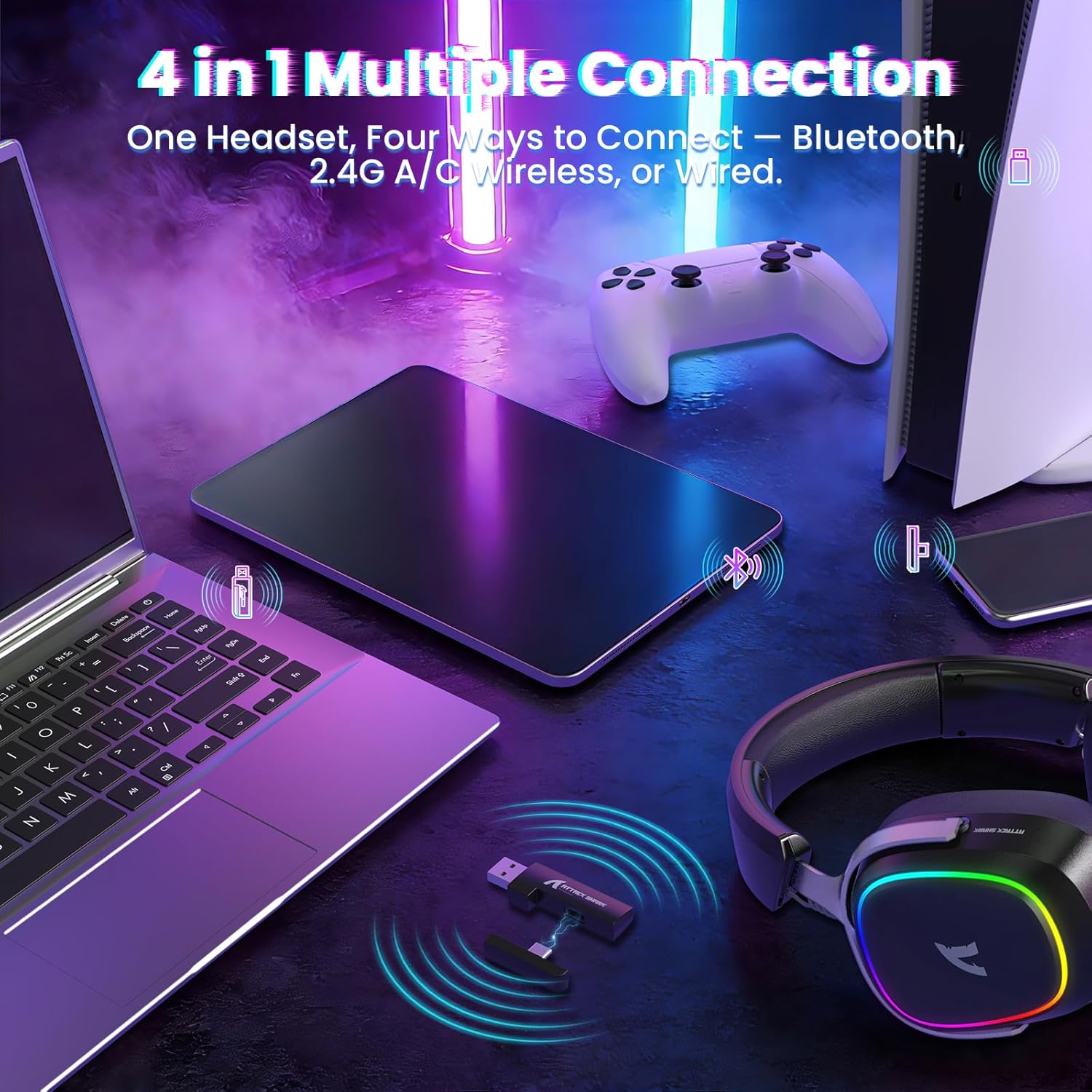
Image: The headset demonstrating its multi-platform connectivity options.
4.1. Bezdrátové připojení 2.4 GHz
- Insert the 2.4Ghz USB-A or Type-C dual-head receiver into an available USB port on your PC, laptop, or PS5.
- Power on the G800 headset by holding the Power Button (1) for 3 seconds.
- Double click the Mode Switch (2) until the headset indicates 2.4Ghz mode (usually via an LED indicator or voice prompt).
- The headset should automatically connect to the receiver. If not, ensure the receiver is properly inserted and the headset is in 2.4Ghz mode.
4.2. Připojení Bluetooth
- Power on the G800 headset by holding the Power Button (1) for 3 seconds.
- Double click the Mode Switch (2) until the headset indicates Bluetooth mode (usually via an LED indicator or voice prompt). The headset will enter pairing mode.
- On your device (e.g., mobile phone, tablet, PC), go to Bluetooth settings and search for available devices.
- Select "ATTACK SHARK G800" from the list to pair.
4.3. Kabelové připojení
- Connect one end of the USB-C audio cable to the Wired Mode & Charging Port (4) on the headset.
- Connect the other end of the USB-C audio cable to your device's compatible port.
- Sluchátka se automaticky přepnou do kabelového režimu.
4.4. Nabíjení náhlavní soupravy
The G800 headset is equipped with a 1000mAh battery for extended use.

Image: Visual representation of the headset's 1000mAh battery capacity.
- Connect the USB-A to USB-C charging cable to the Wired Mode & Charging Port (4) on the headset and to a USB power source (e.g., computer USB port, wall adapter).
- LED indikátor na sluchátkách bude ukazovat stav nabíjení.
- The headset includes charging over-voltage protection for safety.
- An auto-shutdown function activates after 5 minutes of inactivity to conserve power.
5. Návod k obsluze
5.1. Zvukový zážitek
The G800 features 50mm large-aperture biological diaphragm drivers and virtual 7.1 surround sound for an immersive audio experience.

Image: The 50mm audio drivers, responsible for high-fidelity sound.

Image: Demonstrating the 7.1 surround sound capability for precise audio positioning.
5.2. Použití mikrofonu
The detachable 360° AI Noise-Canceling Microphone ensures clear voice communication by filtering out background noise.
- Insert the detachable microphone into the dedicated microphone jack on the headset.
- Hold the Mode Switch (2) for 3 seconds to toggle the microphone on or off.
5.3. Ovládání RGB osvětlení
The headset features customizable RGB lighting.
- Triple click the Mode Switch (2) to toggle the RGB LED lighting on or off.
5.4. Přizpůsobení softwaru
Enhance your audio experience with the dedicated driver software.
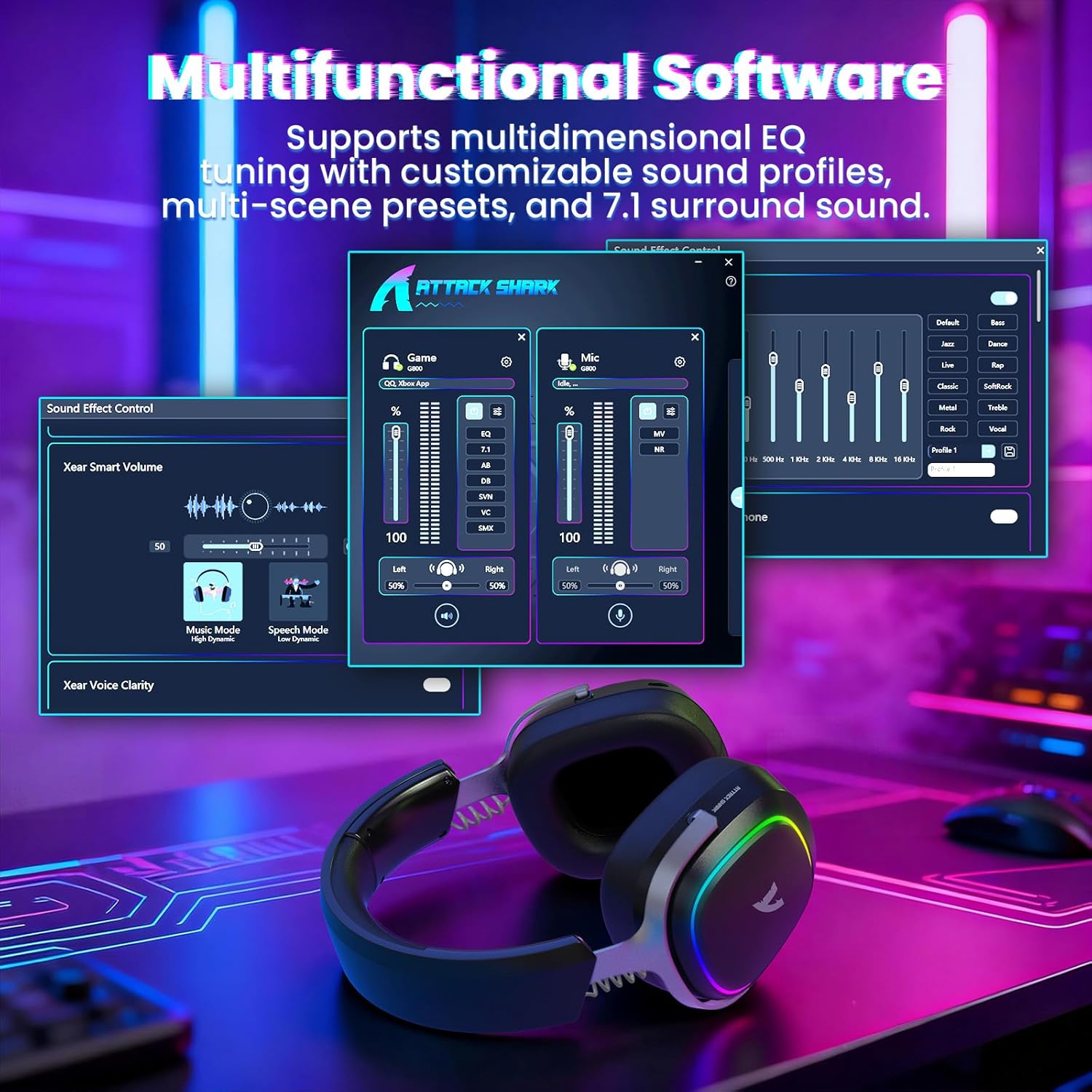
Image: The software interface for customizing audio settings.
- Download the official ATTACK SHARK G800 driver software from the manufacturer's webmísto.
- The software allows you to create custom EQ sound profiles and fine-tune 7.1 surround sound settings to match your preferences and game types.
6. Údržba
Proper maintenance ensures the longevity and performance of your G800 headset.
- Čištění: K čištění sluchátek s mikrofonem používejte měkký, suchý hadřík. Nepoužívejte tekuté čisticí prostředky ani abrazivní materiály.
- Skladování: Sluchátka skladujte na chladném a suchém místě mimo dosah přímého slunečního záření a extrémních teplot.
- Náušníky: The ear cushions are replaceable. Refer to the manufacturer's webstránky s náhradními díly a návody.

Image: Components of the headset, including replaceable ear cushions.
7. Řešení problémů
- Žádný zvuk:
- Zkontrolujte úroveň hlasitosti na sluchátkách i na připojeném zařízení.
- Ensure the correct audio output device is selected in your device's sound settings.
- Verify the headset is properly connected (2.4Ghz receiver, Bluetooth paired, or wired cable).
- Reboot the headset and your device.
- Mikrofon nefunguje:
- Ujistěte se, že je mikrofon bezpečně připojen k headsetu.
- Check if the microphone is muted (hold Mode Switch (2) for 3 seconds to toggle).
- Ověřte, zda je v nastavení zvuku vašeho zařízení vybráno správné vstupní zařízení mikrofonu.
- Pokud je to možné, vyzkoušejte mikrofon na jiném zařízení.
- Problémy s připojením:
- For 2.4Ghz, ensure the receiver is fully inserted and the headset is in 2.4Ghz mode.
- V případě Bluetooth se ujistěte, že jsou sluchátka v režimu párování a v dosahu vašeho zařízení. Zkuste zrušit párování a znovu spárovat.
- For wired, ensure the cable is securely connected to both the headset and your device.
- Vyhněte se zdrojům rušení (např. jiným bezdrátovým zařízením, mikrovlnným troubám).
- RGB světla nefungují:
- Triple click the Mode Switch (2) to toggle the RGB LED on/off.
- Ujistěte se, že je baterie sluchátek dostatečně nabitá.
8. Specifikace
| Funkce | Specifikace |
|---|---|
| Název modelu | G800 |
| Technologie připojení | Wired, Bluetooth (BT 5.3), 2.4Ghz Wireless |
| Typ zvukového ovladače | Dynamický měnič (50 mm) |
| Prostorový zvuk | Virtual 7.1 Spatial Audio |
| Mikrofon | Detachable 360° AI Noise-Canceling |
| Wireless Latency (2.4Ghz) | 20ms (Lightseed Wireless Technology) |
| Wireless Range (2.4Ghz) | Až 10 m / 32.8 XNUMX stop |
| Dosah Bluetooth | Až 30 m / 98.4 XNUMX stop |
| Kapacita baterie | 1000 XNUMX mAh |
| Umístění uší | Přes ucho |
| Materiál | Aluminum Alloy, Protein Leather, Memory Foam |
| Hmotnost | 1.1 liber (cca) |
| Kompatibilní zařízení | PC, Laptops, PS5, Mobile Devices |
9. Bezpečnostní informace
- Vyhněte se delšímu poslechu při vysoké hlasitosti, abyste předešli poškození sluchu.
- Nevystavujte sluchátka extrémním teplotám, vlhkosti ani kapalinám.
- Uchovávejte mimo dosah dětí.
- Nepokoušejte se rozebírat ani upravovat sluchátka. Zrušíte tak platnost záruky.
- Výrobek zlikvidujte zodpovědně v souladu s místními předpisy.
10. Oficiální video produktu
Video: Oficiální video s produktemasing the ATTACK SHARK G800 Wireless Tri Mode RGB Gaming Headset's features and design. This video is provided by the seller, UrWorthLtd US.
11. Záruka a podpora
For warranty information, technical support, or customer service, please refer to the documentation included with your purchase or visit the official ATTACK SHARK webUschovejte si doklad o koupi pro případ reklamace.