
1. Důležité bezpečnostní informace
Please read all instructions carefully before using this monitor. Keep this manual for future reference.
- Nevystavujte monitor dešti, vlhkosti ani extrémním teplotám.
- Zajistěte řádné větrání kolem monitoru, aby nedošlo k přehřátí.
- Používejte pouze napájecí adaptér dodaný s monitorem.
- Nepokládejte těžké předměty na napájecí kabel ani monitor.
- Pokud monitor nebudete delší dobu používat, odpojte napájecí kabel ze zásuvky.
- Nepokoušejte se monitor opravovat sami. Veškerý servis svěřte kvalifikovanému personálu.
2. Obsah balení
Ověřte, zda jsou v balení přítomny všechny položky:
- 27-inch QHD 210Hz Monitor (1 unit)
- Stojan na monitor (1 kus)
- Stručný průvodce (QSG) (1 jednotka)
- Kabel DP (1 kus)
- Power Adaptor (1 unit)
- Napájecí kabel (1 kus)
- Shielding Hood (2 units)

Video: KTC 27M1 27 Inch 210Hz Gaming Monitor. This video provides a visual overview of the monitor and its features.
3. Pokyny k nastavení
3.1 Sestavení stojanu monitoru
- Opatrně vyjměte komponenty monitoru a stojanu z obalu.
- Attach the stand base to the stand arm using the provided screw.
- Align the stand arm with the mounting slot on the back of the monitor and push until it clicks into place.
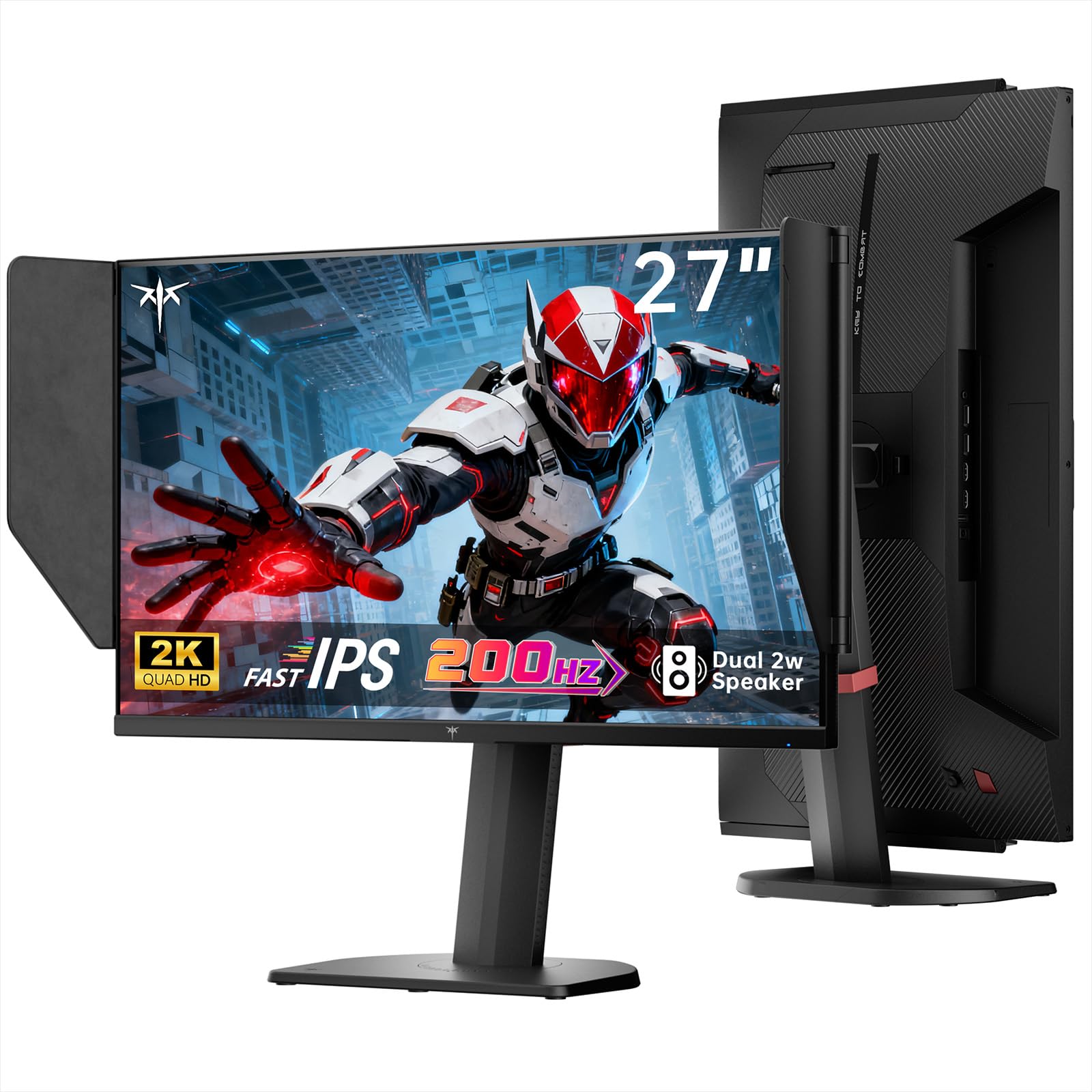
Image: The KTC 27M1 monitor with its stand fully assembled, ready for use.
3.2 Attaching the Shielding Hood
The shielding hood helps reduce glare and reflections for an optimal viewzkušenosti.
- Locate the two shielding hood pieces.
- Align each piece with the designated slots on the sides of the monitor and gently slide them into place until secure.

Image: The KTC 27M1 monitor shown with the shielding hood attached, designed to block reflected light.
3.3 Propojovací kabely
Připojte monitor k počítači nebo jiným zařízením pomocí příslušných kabelů:
- DisplayPort (DP): For 200Hz (overclockable to 210Hz) refresh rates, connect the DP cable from your graphics card to the monitor's DP 1.4 port.
- HDMI: For 144Hz refresh rates, connect an HDMI 2.0 cable from your device to one of the monitor's HDMI ports.
- Moc: Connect the power adapter to the DC input on the monitor, then plug the power cord into a wall outlet.
- Zvuk: Connect headphones or external speakers to the 3.5mm earphone jack if desired.

Obrázek: Detail view of the KTC 27M1 monitor's rear ports, including HDMI, DisplayPort, USB, and earphone jack.
4. Návod k obsluze
4.1 Zapnutí/vypnutí
Press the 5-way navigation joystick located on the back of the monitor to power it on or off.
4.2 Navigace v nabídce OSD
The 5-way navigation joystick is used to access and navigate the On-Screen Display (OSD) menu:
- Stisknutím joysticku otevřete nabídku OSD.
- Move the joystick Up/Down/Left/Right to navigate through menu options.
- Opětovným stisknutím joysticku vyberte možnost nebo potvrdíte nastavení.
- Move the joystick Left to go back to the previous menu or exit the OSD.
4.3 Úprava nastavení zobrazení
V nabídce OSD můžete upravit různá nastavení zobrazení:
- Jas/kontrast: Upravte celkovou úroveň jasu a kontrastu.
- Nastavení barev: Modify color temperature (Warm, Cool, User), gamma, hue, and saturation. The monitor offers 130% sRGB color gamut and ΔE<2 for accurate color reproduction.
- Nastavení hry: Enable/disable Adaptive Sync (FreeSync/G-Sync Compatible), adjust Overdrive (Ultra Fast recommended for gaming), and activate Game Assist features.
- Pokročilá nastavení: Toggle HDR (Auto/Off) and OverClock (to achieve 210Hz refresh rate).
- Vstup: Manually select the input source (DP, HDMI1, HDMI2).
- Systémová sada: Change OSD language, LED indicator, audio volume, and other system preferences.
4.4 Ergonomické úpravy
The monitor stand supports multiple ergonomic adjustments for comfortable viewing:
- Nastavení výšky: Adjust the monitor height by 150±5mm.
- Náklon: Tilt the screen from -5° to 35°.
- Otočný: Swivel the monitor ±60°.
- Pivot: Pivot the screen from -5° to 90° for vertical orientation.

Image: Visual representation of the KTC 27M1 monitor's tilt, swivel, elevate, and pivot adjustments.
5. Vlastnosti
- Zobrazit: 27-inch QHD (2560x1440) Fast IPS panel.
- Obnovovací frekvence: 200Hz, overclockable to 210Hz.
- Doba odezvy: 1ms (MPRT) for sharp visuals.
- Přesnost barev: 130% sRGB color gamut, 99% DCI-P3 coverage, ΔE<2, 450 cd/m² brightness, 1.07 Billion Colors, 1000:1 Contrast Ratio.
- Adaptivní synchronizace: FreeSync and G-Sync Compatible to eliminate screen tearing.
- Péče o oči: Flicker-free and low blue light modes for extended comfortable viewIng.
- Zvuk: Built-in dual 2W speakers.
- Konektivita: 2x HDMI 2.0 ports, 1x DisplayPort 1.4 port, 1x USB 2.0 port, 1x Earphone jack.
- Montáž: 100x100mm VESA mount compatible.
- Design: Includes a detachable shielding hood to block reflected light.

Image: The KTC 27M1 monitor displaying vibrant colors, highlighting its color accuracy and brightness features.
6. Specifikace
| Funkce | Specifikace |
|---|---|
| Značka | KTC |
| Číslo modelu | H27T8 (Marketed as 27M1) |
| Velikost obrazovky | 27 palce |
| Nativní rozlišení | 2560x1440 (QHD) |
| Technologie displeje | Téměř IPS |
| Obnovovací frekvence | 200 Hz (Overclockable to 210 Hz) |
| Doba odezvy | 1 milisekunda (MPRT) |
| Jas | 450 kandel (cd/m²) |
| Kontrastní poměr | 1000:1 |
| Barevný gamut | 130 % sRGB, 99 % DCI-P3 |
| Viewúhel | 178 stupňů |
| Podpora HDR | Ano |
| Adaptivní synchronizace | FreeSync, G-Sync Compatible |
| Vestavěné reproduktory | 2x 2W Speakers |
| Konektivita | 2x HDMI 2.0, 1x DisplayPort 1.4, 1x USB 2.0, 1x Earphone |
| VESA Mount | 100x100mm |
| Ergonomie | Nastavení výšky, náklonu, otočení, čepu |
| Spotřeba energie | 48 wattů |
7. Údržba a péče
- Čištění obrazovky: Jemně otřete obrazovku měkkým hadříkem, který nepouští vlákna. V případě odolných skvrn dampen the cloth with a mild, non-abrasive screen cleaner.
- Čištění Casing: K čištění monitoru používejte měkký, suchý hadřík casing. Nepoužívejte silné čisticí prostředky nebo abrazivní čisticí prostředky.
- Větrání: Ensure the ventilation openings on the monitor are clear and unobstructed to prevent overheating.
- Skladování: If storing the monitor for an extended period, disconnect it from power and store it in a cool, dry place.
8. Řešení problémů
8.1 Bez napájení
- Zkontrolujte, zda je napájecí kabel bezpečně připojen k monitoru a do elektrické zásuvky.
- Ověřte, zda zásuvka funguje správně, zapojením jiného zařízení.
- Ujistěte se, že je napájecí adaptér správně připojen.
8.2 No Signal/Blank Screen
- Confirm that the video cable (DP or HDMI) is securely connected to both the monitor and your computer/device.
- Press the OSD joystick to open the menu and manually select the correct input source.
- Ujistěte se, že je váš počítač/zařízení zapnutý a není v režimu spánku.
- Try using a different video cable or port to rule out cable/port issues.
8.3 Flickering/Distorted Image
- Zkontrolujte video kabel, zda není poškozený nebo uvolněná připojení.
- Adjust the refresh rate in your computer's display settings to match the monitor's native refresh rate (200Hz or 210Hz if overclocked).
- Enable Adaptive Sync (FreeSync/G-Sync Compatible) in the monitor's OSD menu and your graphics card settings.
- Ujistěte se, že máte aktuální ovladače grafické karty.
8.4 No Sound from Built-in Speakers/Earphone Jack
- Zkontrolujte nastavení hlasitosti v nabídce OSD monitoru a operační systém počítače.
- Ujistěte se, že je v nastavení zvuku počítače vybráno správné výstupní zvukové zařízení.
- Verify that the audio cable (if using external speakers) or headphones are properly connected.
9. Záruka a podpora
KTC is committed to providing quality service and support for your monitor.
- Záruka: Tento produkt je dodáván s 3letou zárukou kvality.
- Technická podpora: Lifetime technical support is available for all KTC products.
- Kontaktujte nás: If you have any questions or encounter issues, please contact KTC customer support. Solutions will be provided within 24 hours.