
Zavedení
Thank you for choosing the CCYLEZ 2.4G Wireless Keyboard and Mouse Combo. This manual provides essential information for setting up, operating, and maintaining your new wireless peripheral set. Please read these instructions carefully before use to ensure optimal performance and longevity of your product.
Obsah balení:
- 1 x bezdrátová klávesnice
- 1 x bezdrátová myš
- 1 x přijímač USB
- 1 x Uživatelská příručka
Bezpečnostní informace
Dodržujte prosím následující bezpečnostní pokyny:
- Udržujte zařízení mimo dosah vody, vlhkosti a extrémních teplot.
- Nepokoušejte se zařízení rozebírat ani opravovat sami. Pro servis se obraťte na kvalifikovaný personál.
- Use only AA batteries (not included) of the correct type and insert them with the correct polarity.
- Pokud zařízení nebudete delší dobu používat, vyjměte baterie.
- Zlikvidujte baterie v souladu s místními předpisy.
Nastavení
The CCYLEZ 2.4G Wireless Keyboard and Mouse Combo features a plug-and-play design, requiring no complex driver installation.
Instalace baterie:
- Vyhledejte přihrádku na baterie na spodní straně klávesnice i myši.
- Otevřete kryty přihrádky na baterie.
- Vložte jednu baterii typu AA do klávesnice a jednu baterii typu AA do myši a dbejte na správnou polaritu (+/-).
- Bezpečně zavřete kryty bateriového prostoru.

Obrázek 1: Mouse battery compartment and receiver storage.

Obrázek 2: Keyboard battery compartment.
Připojení přijímače:
- Vyhledejte USB přijímač, který se obvykle nachází v přihrádce na baterie myši.
- Zapojte USB přijímač do volného USB portu na vašem počítači (PC, notebook atd.).
- Váš operační systém automaticky rozpozná a nainstaluje potřebné ovladače. Tento proces může chvíli trvat.
- Once recognized, the keyboard and mouse are ready for use.

Obrázek 3: The shared USB receiver for both keyboard and mouse.
Návod k obsluze
Bezdrátové připojení 2.4G:
The keyboard and mouse utilize stable 2.4G wireless technology, providing a reliable connection up to 10 meters (approximately 33 feet) from the USB receiver. This allows for flexible placement and use without the constraints of wired connections.
Inteligentní režim spánku:
To conserve battery life, both the keyboard and mouse are equipped with an intelligent sleep mode. If there is no activity for 36 seconds, the devices will enter a low-power standby state. To wake them up, simply move the mouse or press any key on the keyboard. This feature helps to extend battery life and reduces the frequency of battery replacement.
Ergonomický design:
The keyboard features a high-low key layout, designed to conform to the natural shape of your hand. This ergonomic design aims to provide a comfortable typing experience, even during prolonged use.
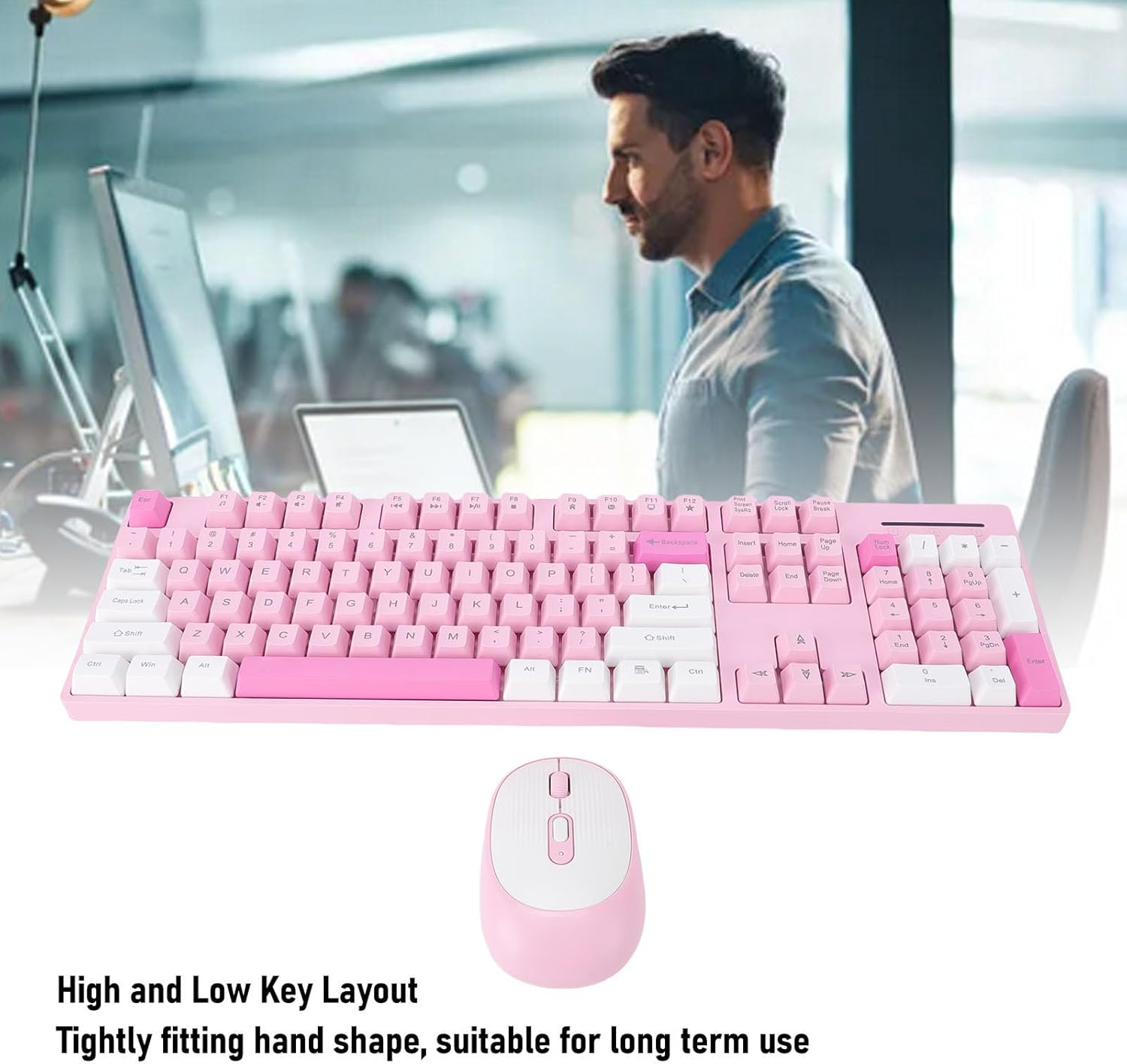
Obrázek 4: Keyboard with high and low key layout for ergonomic comfort.
Nastavitelné DPI myši:
The wireless mouse offers three levels of adjustable DPI (Dots Per Inch) settings: 800, 1200, and 1600. This allows you to customize the mouse sensitivity to suit your preferences for different tasks, such as precise work or faster navigation. To change the DPI, press the DPI button located on the top of the mouse, usually near the scroll wheel. Each press cycles through the available DPI settings.
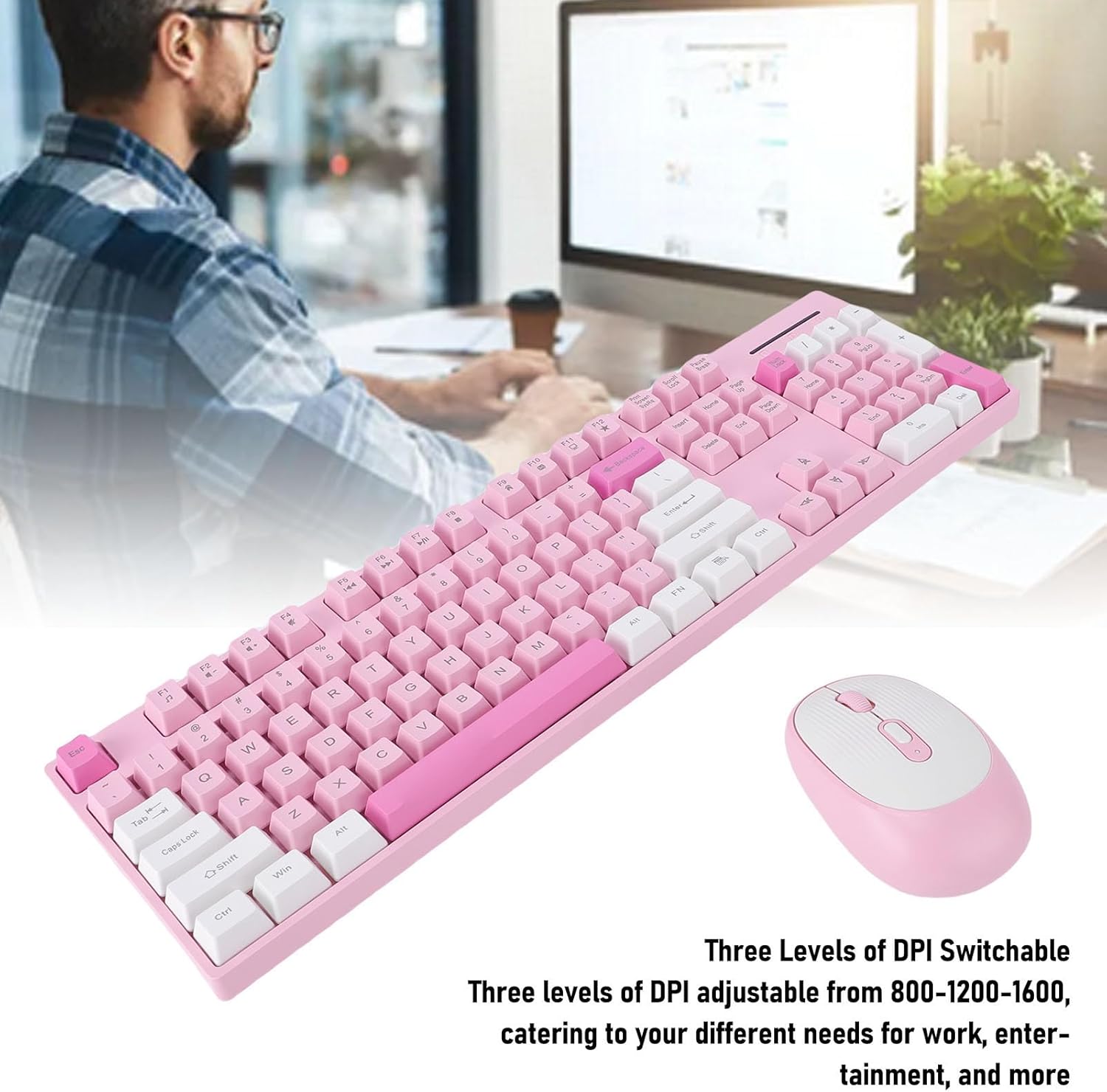
Obrázek 5: Mouse with adjustable DPI settings.
Durable Key Characters:
The characters on the keyboard keys are engraved, ensuring they are resistant to wear and damage. This design choice helps prevent fading over time, maintaining readability and the aesthetic appeal of the keyboard for long-lasting use.
Údržba
To ensure the longevity and optimal performance of your wireless keyboard and mouse, follow these maintenance tips:
- Čištění: K otření povrchů klávesnice a myši použijte měkký, suchý hadřík. V případě odolných nečistot použijte lehceamp Lze použít hadřík s jemným mýdlem, ale dbejte na to, aby se do zařízení nedostala žádná tekutina.
- Odstranění prachu: Use compressed air to remove dust and debris from between the keyboard keys and around the mouse sensor.
- Výměna baterie: Replace batteries when performance degrades or when the low battery indicator (if present) illuminates. Always use fresh AA batteries.
- Skladování: When not in use for extended periods, store the devices in a cool, dry place and remove the batteries to prevent leakage.
Odstraňování problémů
If you encounter issues with your CCYLEZ Wireless Keyboard and Mouse Combo, please refer to the following common solutions:
Zařízení nereaguje:
- Zkontrolujte baterie: Ensure that fresh AA batteries are correctly installed in both the keyboard and mouse.
- Zapnutí: Verify that the power switch on the mouse (usually on the underside) is in the 'ON' position. The keyboard typically does not have a separate power switch, relying on battery insertion.
- USB přijímač: Ensure the USB receiver is securely plugged into a working USB port on your computer. Try a different USB port if necessary.
- Vzdálenost: Make sure the keyboard and mouse are within the 10-meter operating range of the USB receiver and that there are no significant obstructions.
- Rušení: Other wireless devices operating on the 2.4GHz frequency might cause interference. Try moving the receiver or the devices away from other wireless equipment.
Zpoždění nebo přerušované připojení:
- Úroveň baterie: Low batteries can cause intermittent connection or lag. Replace them with fresh ones.
- USB port: Try plugging the USB receiver into a different USB port, preferably a direct port on the motherboard (for desktops) or a port on the opposite side of your laptop.
- Environmentální faktory: Large metal objects, walls, or other wireless signals can affect the connection. Try to minimize these factors.
Kurzor myši poskakuje nebo je nepřesný:
- Povrch: Ensure the mouse is used on a clean, non-reflective, and uniform surface. Avoid glass or highly reflective surfaces.
- Čistota senzoru: Check the optical sensor on the underside of the mouse for any dust or debris and clean it gently.
- Nastavení DPI: Adjust the DPI setting using the DPI button on the mouse to see if a different sensitivity improves accuracy.
Specifikace
| Značka | CCYLEZ |
| Model | Typ 1 |
| Režim připojení | Bezdrátové 2.4G |
| Klávesnice | 104 klíčů |
| Tlačítka myši | 4 klíčů |
| Nastavení DPI myši | 800, 1200, 1600 (Adjustable) |
| Typ baterie | 1 x AA Battery for Keyboard, 1 x AA Battery for Mouse (not included) |
| Materiál | ABS |
| Kompatibilní zařízení | PC, Laptop, Computer |
| Speciální funkce | Intelligent Sleep Mode, Ergonomic Design, Engraved Key Characters |
Záruka a podpora
This CCYLEZ product is covered by a manufacturer warranty for 90 days from the date of purchase. This warranty covers defects in materials and workmanship under normal use.
For warranty claims or technical support, please refer to the contact information provided with your purchase or visit the official CCYLEZ webwebu. Uschovejte si prosím doklad o koupi pro ověření záruky.