
Zavedení
This instruction manual provides detailed information on the setup, operation, and maintenance of your Kuephom CD Player Boombox with Cassette Player, Model CD-X2A. Please read this manual thoroughly before using the device to ensure proper functionality and to maximize your listening experience. Keep this manual for future reference.
Konec produktuview
The Kuephom CD Player Boombox is a versatile audio system designed for both modern and classic audio formats. It features CD, cassette, Bluetooth, FM/AM radio, USB, and AUX input capabilities.

This image displays the Kuephom CD Player Boombox, highlighting its versatile features including CD/MP3 playback, Bluetooth connectivity, Type I/II tape support, USB input, FM/AM radio, sleep timer, remote control, phone jack, AUX input, and tape recording capabilities.
Obsah balení

This image shows the items included in the product package: the CD Player Boombox, an AC Power Cord, the User Manual, and a Remote Control.
- Kuephom CD Player Boombox (Model CD-X2A)
- AC napájecí kabel
- Dálkové ovládání
- Uživatelská příručka
Nastavení
Napájení jednotky
Your Kuephom CD Player Boombox can be powered by either AC power or batteries.

This image illustrates the dual power options for the boombox: AC power for indoor use and battery power (6 C-size batteries, not included) for portable outdoor use.
AC Power (for Home Use)
- Ensure the boombox is turned off.
- Connect the AC power cord to the AC input jack on the back of the unit.
- Zapojte druhý konec napájecího kabelu do standardní zásuvky ve zdi.
Battery Power (for Outdoor/Portable Use)
- Ensure the boombox is turned off.
- Otevřete kryt prostoru pro baterie umístěný na spodní straně jednotky.
- Insert 6 C-size batteries (not included), ensuring correct polarity (+/-).
- Bezpečně zavřete kryt bateriového prostoru.
Nastavení antény
For optimal FM/AM radio reception, extend the telescopic antenna fully and adjust its position. For AM reception, rotating the unit itself may improve signal quality.
Návod k obsluze
Obecné ovládací prvky
Familiarize yourself with the main controls on the unit and the remote control for easy operation.

This image shows the Kuephom CD Player Boombox along with its remote control, demonstrating its convenience for operation from a distance.
Přehrávání CD

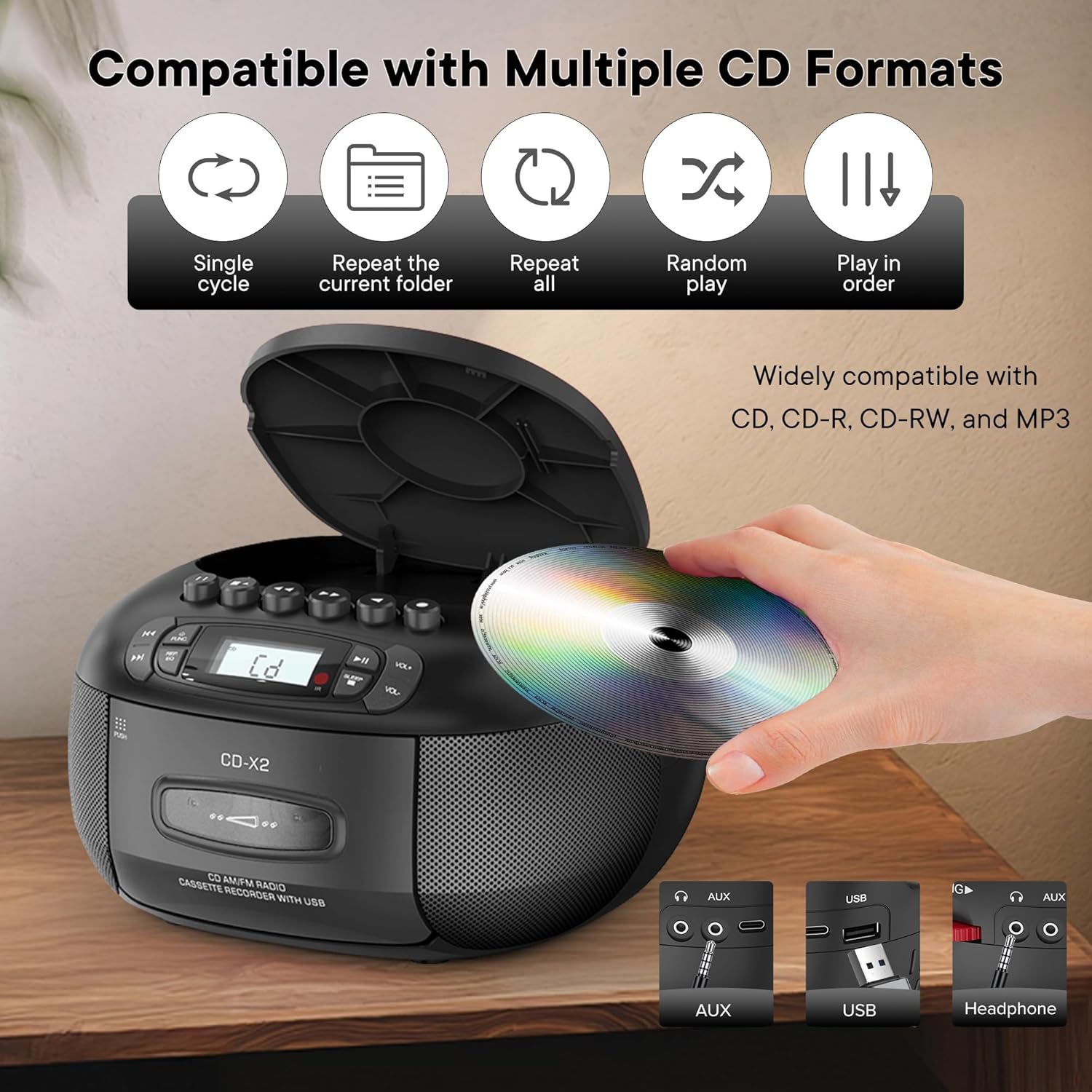
This image illustrates the CD compatibility of the boombox, supporting CD, CD-R, CD-RW, and MP3 formats. It also shows various playback modes: single cycle, repeat current folder, repeat all, random play, and play in order.
- Stiskněte tlačítko ZAMĚSTNANEC button to select CD mode. The display will show "CD".
- Open the CD compartment cover by pressing the OTEVŘÍT/ZAVŘÍT tlačítko.
- Vložte CD (CD, CD-R, CD-RW nebo MP3 CD) na vřeteno potištěnou stranou nahoru.
- Close the CD compartment cover. The unit will read the disc and display the total number of tracks.
- Stiskněte tlačítko PLAY/PAUSE tlačítko pro spuštění přehrávání.
- Použijte PŘESKOČTE dopředu or PŘESKOČIT ZPĚT tlačítka pro navigaci mezi skladbami.
- Stiskněte tlačítko REP/EQ button repeatedly to cycle through repeat modes (single track, repeat all, random play).
- Upravte hlasitost pomocí VOL+ a VOL- tlačítka.
Cassette Playback and Recording
This image shows a user inserting a cassette tape into the boombox, emphasizing its cassette playback and recording functions.
Přehrávání
- Stiskněte tlačítko ZAMĚSTNANEC button to select TAPE mode. The display will show "TAP".
- Stiskněte tlačítko TAM tlačítko pro otevření prostoru pro kazetu.
- Vložte kazetu otevřeným okrajem nahoru.
- Zavřete přihrádku na kazetu.
- Stiskněte tlačítko HRÁT button (usually indicated by a triangle symbol) to start playback.
- Použijte RYCHLE VPŘED or ZPĚT tlačítka pro rychlé procházení pásky.
- Stiskněte tlačítko STOP/EJECT button to stop playback or eject the tape.
Záznam
You can record audio from CD, Bluetooth, USB, or FM/AM radio onto a cassette tape.
- Vložte prázdnou kazetu do kazetového prostoru.
- Select the desired source (CD, Bluetooth, USB, or Radio) using the ZAMĚSTNANEC tlačítko.
- Start playback on the source (e.g., play a CD track, start Bluetooth streaming).
- Stiskněte tlačítko ZÁZNAM button (usually indicated by a red circle) on the boombox. The unit will begin recording the audio onto the cassette.
- Stiskněte tlačítko ZASTÁVKA tlačítko pro ukončení nahrávání.
Rádio FM/AM
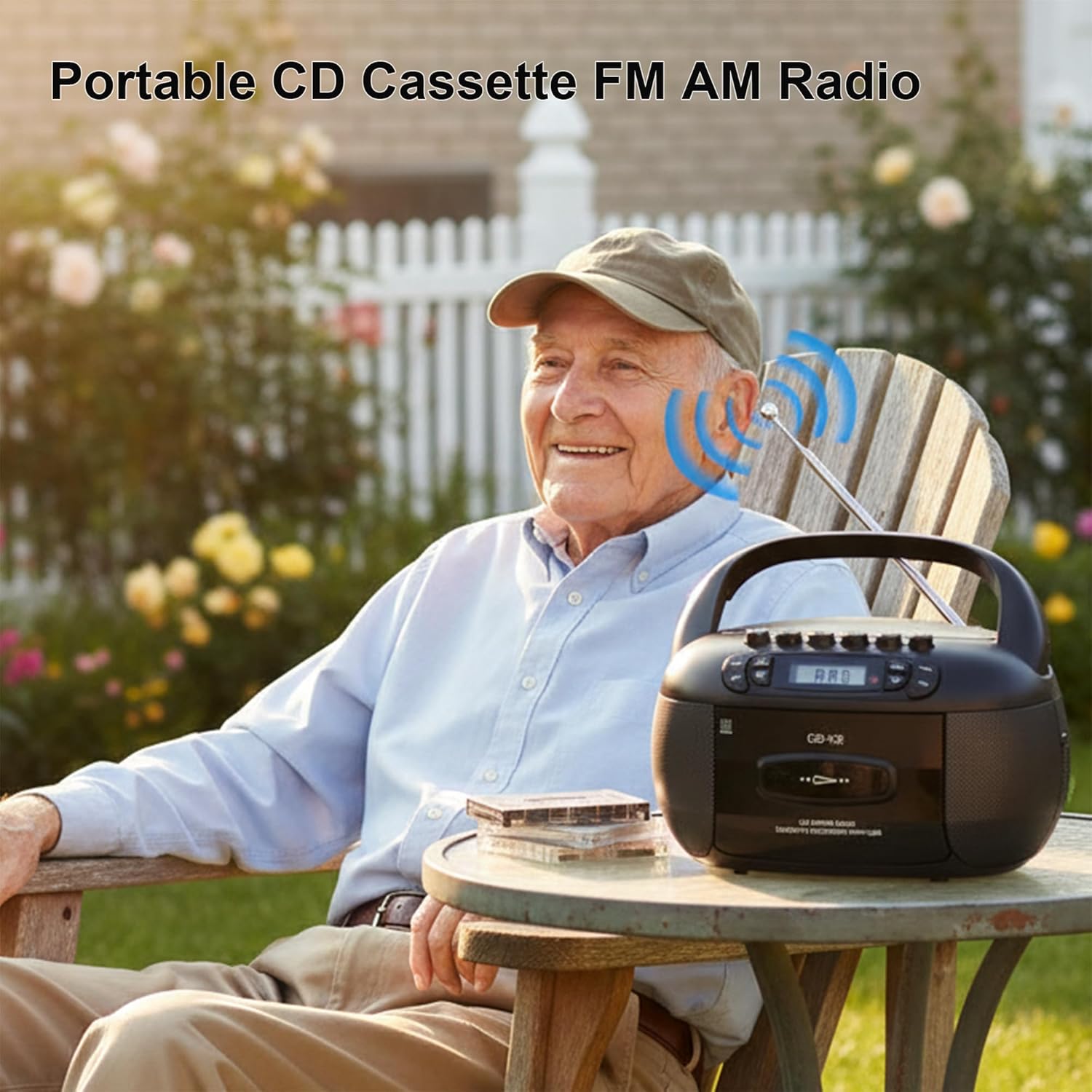
This image depicts a user enjoying the portable FM/AM radio function of the boombox outdoors, with the antenna extended for better reception.
- Stiskněte tlačítko ZAMĚSTNANEC button to select RADIO mode. The display will show "rAd".
- Extend the telescopic antenna for FM reception. For AM, adjust the unit's position.
- Použijte LADĚNÍ knoflík (nebo PŘESKOČIT buttons if available) to tune to your desired FM or AM station. The frequency will be displayed.
- Upravte hlasitost pomocí VOL+ a VOL- tlačítka.
Připojení Bluetooth

The image demonstrates the boombox's Bluetooth functionality, allowing wireless audio streaming from a smartphone.
- Stiskněte tlačítko ZAMĚSTNANEC button to select Bluetooth mode. The display will show "bt" and flash, indicating it's in pairing mode.
- Na smartphonu nebo jiném zařízení Bluetooth povolte Bluetooth a vyhledejte dostupná zařízení.
- Select "Kuephom CD-X2A" (or similar name) from the list of devices.
- Po spárování přestane indikátor „bt“ na displeji boomboxu blikat a zůstane svítit nepřetržitě.
- You can now play audio from your connected device through the boombox.
Přehrávání USB/MP3
- Stiskněte tlačítko ZAMĚSTNANEC button to select USB mode. The display will show "USB".
- Vložte USB flash disk do USB portu na jednotce.
- The unit will automatically detect and begin playing MP3/WMA files z USB disku.
- Použijte PLAY/PAUSE, PŘESKOČTE dopředua PŘESKOČIT ZPĚT tlačítka pro ovládání přehrávání.
Vstup AUX
- Stiskněte tlačítko ZAMĚSTNANEC pro výběr režimu AUX. Na displeji se zobrazí „AUX“.
- Connect an external audio device (e.g., smartphone, tablet, MP3 player) to the AUX input jack on the boombox using a 3.5mm audio cable (not included).
- Spusťte přehrávání na externím zařízení. Zvuk bude veden přes reproduktory boomboxu.
- Upravte hlasitost pomocí VOL+ a VOL- buttons on the boombox and/or your external device.
Časovač spánku

This image shows the boombox on a bedside table next to a sleeping person, highlighting the convenient sleep timer function that automatically stops playback.
- Během přehrávání stiskněte tlačítko SPÁT tlačítko.
- Each press will cycle through available sleep timer durations (e.g., 10, 20, 30, 60, 90 minutes).
- Select your desired duration. The unit will automatically power off after the set time.
Údržba
Čištění jednotky
- Otřete vnější část jednotky měkkým, damp tkanina. Nepoužívejte abrazivní čisticí prostředky nebo rozpouštědla.
- Pro čištění čočky CD použijte specializovanou sadu na čištění čoček CD. Nedotýkejte se čočky přímo.
- Keep the cassette head and pinch rollers clean to ensure optimal tape playback and recording quality. Use a cotton swab lightly dampzakončené isopropylalkoholem.
Skladování
Pokud přístroj delší dobu nepoužíváte, odpojte napájecí kabel a vyjměte baterie. Skladujte jej na chladném a suchém místě mimo dosah přímého slunečního záření a extrémních teplot.
Odstraňování problémů
| Problém | Možná příčina | Řešení |
|---|---|---|
| Žádná síla | Napájecí kabel není připojen; Baterie jsou vybité nebo nesprávně vložené. | Zkontrolujte připojení síťového kabelu; vyměňte baterie nebo zajistěte správnou polaritu. |
| Žádný zvuk | Příliš nízká hlasitost; Vybrán nesprávný režim; Připojena sluchátka. | Increase volume; Select correct source mode; Disconnect headphones. |
| CD se nepřehrává | CD inserted incorrectly; CD dirty or scratched; Disc format not supported. | Reinsert CD label side up; Clean or replace CD; Ensure CD is supported format (CD, CD-R, CD-RW, MP3). |
| Špatný příjem rádia | Anténa není vysunutá; Slabý signál; Rušení. | Extend and adjust FM antenna; Rotate unit for AM; Move away from electronic devices. |
| Párování Bluetooth se nezdařilo | Boombox není v režimu párování; Zařízení je příliš daleko; Bluetooth na zařízení je vypnutý. | Ensure boombox is in BT pairing mode; Move device closer; Enable Bluetooth on your device. |
| Kazeta se nepřehrává/nenahrává | Tape inserted incorrectly; Tape damaged; Cassette head dirty. | Reinsert tape correctly; Use a different tape; Clean cassette head. |
Specifikace
| Funkce | Detail |
|---|---|
| Značka | Kuephom |
| Číslo modelu | CD-X2A |
| Technologie připojení | Pomocný, Bluetooth, USB |
| Barva | Černý |
| Typ reproduktoru | Stereo |
| Rozměry položky (D x Š x V) | 8.39 x 4.8 x 8.54 palce |
| Zdroj napájení | Corded Electric, Battery (6 C-size) |
| Wattage | 12 wattů |
| Podpora Bluetooth | Ano |
| Počet reproduktorů | 2 |
| Odstup signálu od šumu | 80 dB |
| Režim zvukového výstupu | Stereo |
| Hmotnost položky | 1.57 kg |
Záruka a podpora
Kuephom products are manufactured with attention to quality and performance. For any questions, technical assistance, or warranty claims, please refer to the contact information provided with your purchase or visit the official Kuephom webwebu. Uschovejte si prosím doklad o koupi pro účely záruky.