
1. Konec produktuview
The OTTOCAST Mini Pico is a compact wireless adapter designed to convert existing factory-wired CarPlay and Android Auto systems into wireless functionality. It provides a seamless and stable connection for a smarter, cleaner, and more connected driving experience.
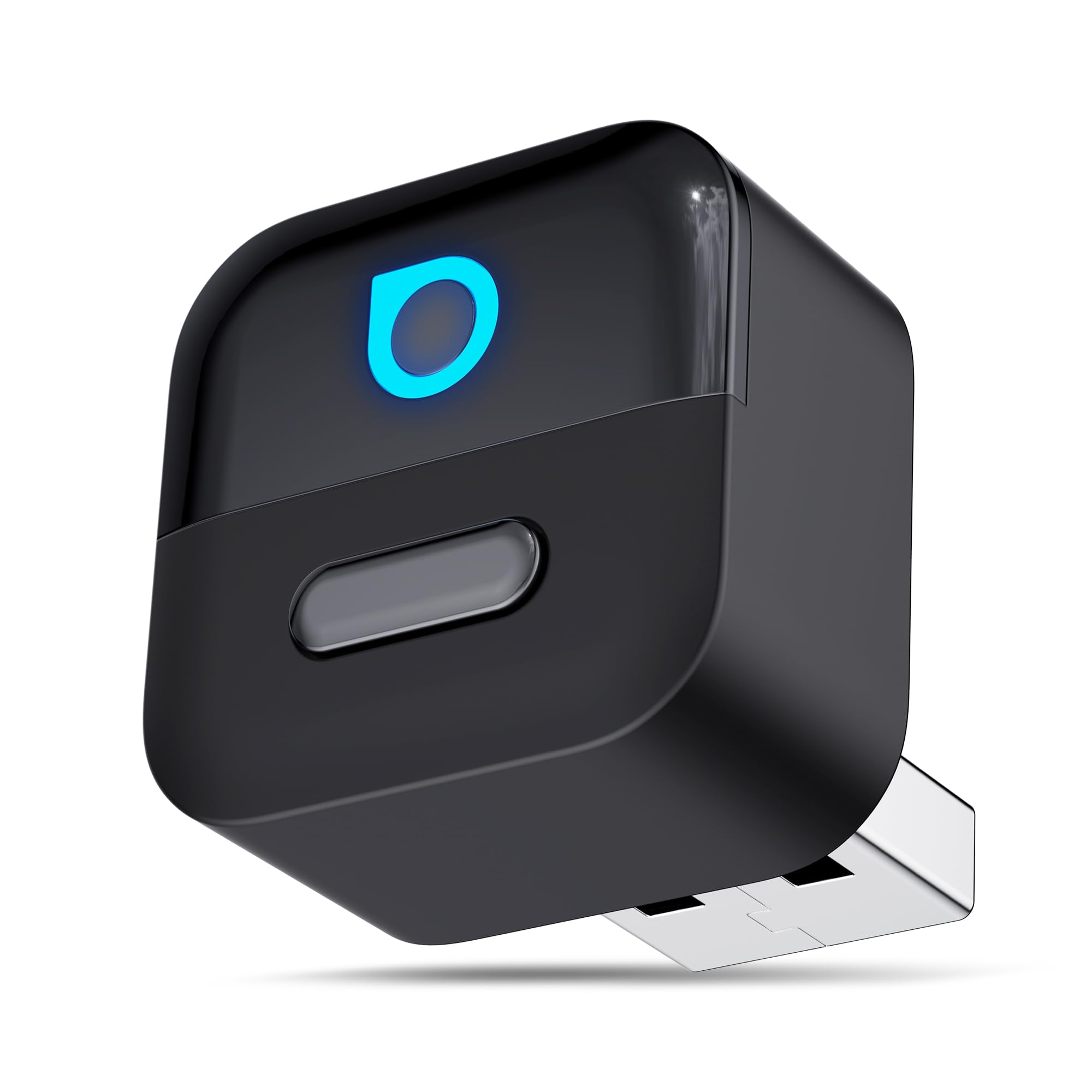
Image: The OTTOCAST Mini Pico adapter, showcasinjeho kompaktní design.
Klíčové vlastnosti:
- Bezdrátová konverze: Transforms wired CarPlay and Android Auto into wireless.
- Pokročilé připojení: Equipped with Wi-Fi 6 and Bluetooth 5.4 for faster data transfer, lower latency, and enhanced signal stability.
- Funkce inteligentní paměti: Automatically recognizes and reconnects to your phone upon car startup.
- One-Touch Disconnect: Allows instant termination of a CarPlay session for easy switching between users.
- Kompaktní design: Sits flush with your car's USB port, maintaining a tidy dashboard.
- Original Car Control Retention: Supports touch screen, steering wheel, and knob controls.
2. Kontrola kompatibility
Before using the OTTOCAST Mini Pico, ensure your vehicle and smartphone meet the following compatibility requirements:
- Kompatibilita vozidla: Your car must have a factory-installed wired CarPlay or Android Auto system and be equipped with a touch display.
- Kompatibilita se smartphony:
- iPhone: iOS 10 or later (iPhone 6 or newer).
- Android: Android 11 nebo novější.
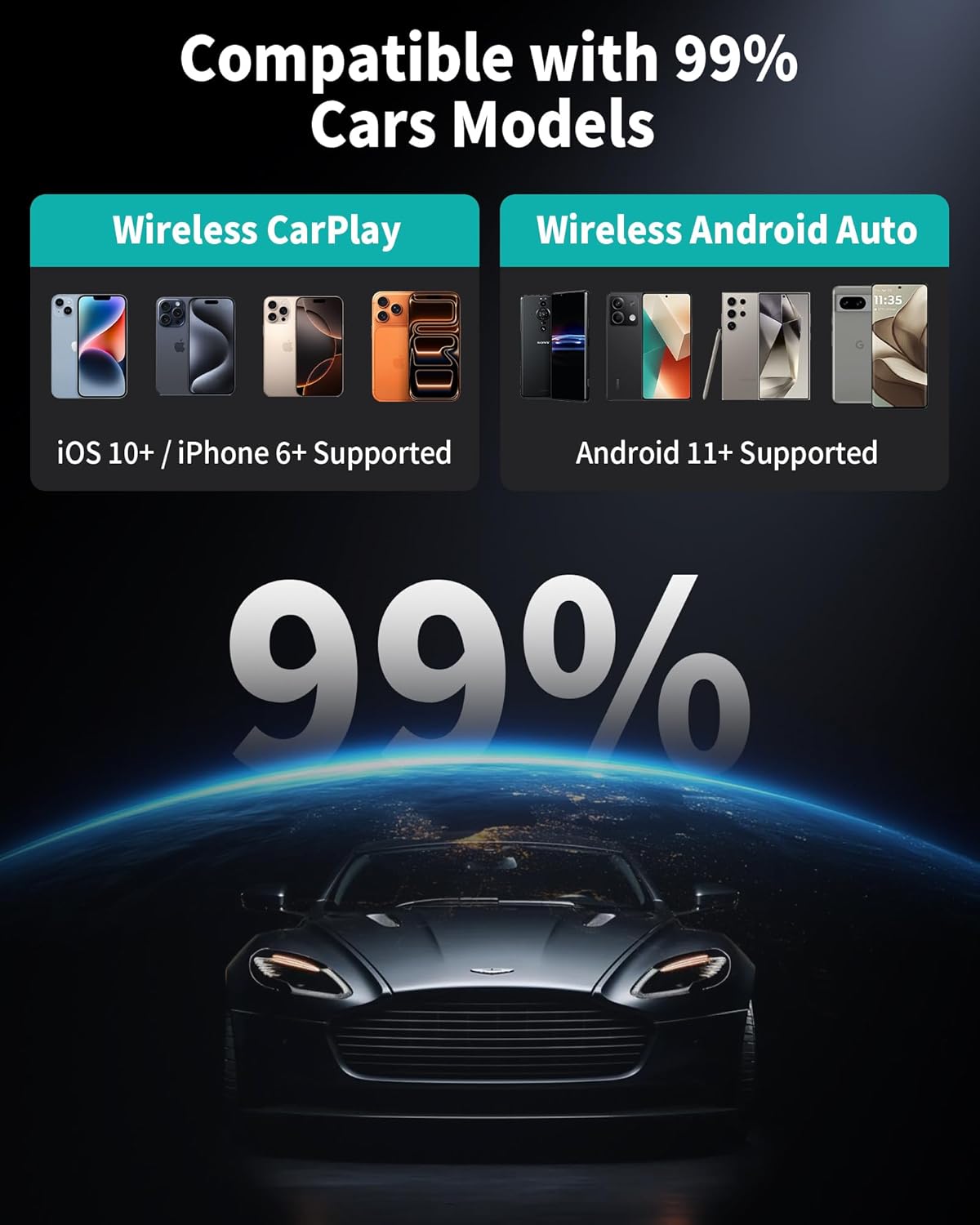
Image: Visual representation of smartphone compatibility for the OTTOCAST Mini Pico.
3. Pokyny k nastavení
Follow these simple steps to set up your OTTOCAST Mini Pico adapter:
- Zapojte adaptér:
Connect the OTTOCAST Mini Pico to your car's USB port. The package includes a free USB-A to USB-C adapter for versatile connection options.
- Turn On Bluetooth & Wi-Fi:
Na smartphonu povolte Bluetooth i Wi-Fi. Hledat and pair with the device named "CAR2-XXXX" (the specific name will be displayed on your car's screen or the adapter's indicator).
- Bezdrátové připojení:
Once paired, select the device on your car's display to initiate the wireless CarPlay or Android Auto connection.

Image: A visual guide illustrating the three simple steps to connect the adapter.
Automatické připojení:
The Mini Pico features smart memory functionality. After the initial setup, it will automatically recognize and reconnect to your phone every time you start your car, eliminating the need for manual pairing.

Image: The adapter facilitating an automatic wireless connection to the car's display.
4. Návod k obsluze
Bezdrátové CarPlay a Android Auto:
Once connected, your car's display will show the CarPlay or Android Auto interface wirelessly. You can access navigation, music, calls, and other compatible applications directly from your car's screen.

Image: The OTTOCAST Mini Pico supporting both wireless CarPlay and Android Auto.
One-Click Disconnect:
The Mini Pico features a physical button for quick disconnection. Pressing this button will instantly end your current CarPlay or Android Auto session, allowing another driver to connect their device without removing the adapter.

Image: Demonstrating the one-click disconnect feature for user switching.
Maintaining Original Car Controls:
The adapter is designed to work seamlessly with your car's existing control methods, including:
- Dotyková obrazovka
- Ovládání na volantu
- Ovládací knoflíky
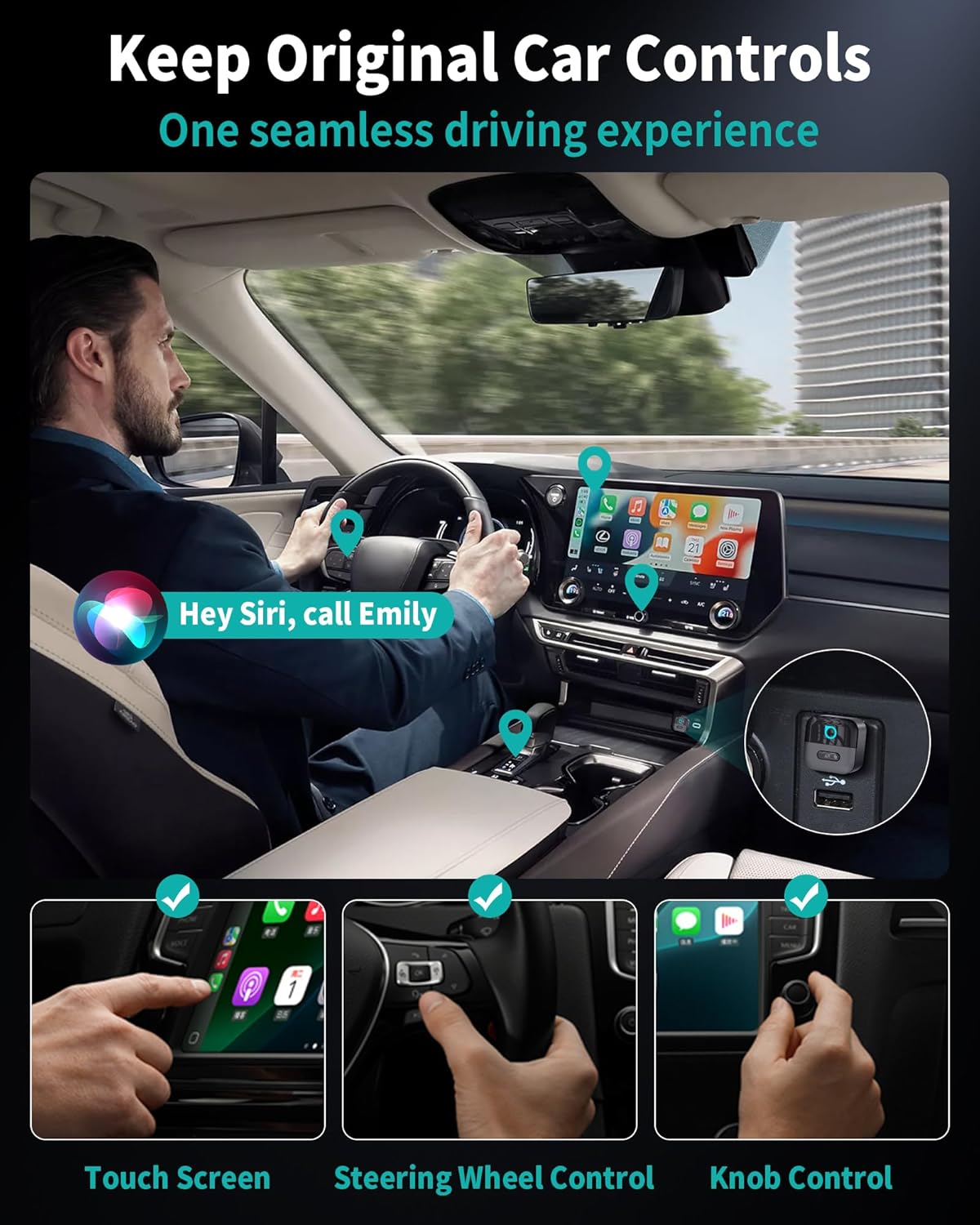
Image: A driver interacting with the car's original controls while using wireless CarPlay.
5. Údržba
The OTTOCAST Mini Pico requires minimal maintenance. To ensure optimal performance and longevity:
- Udržujte zařízení čisté a bez prachu a nečistot.
- Nevystavujte zařízení extrémním teplotám nebo vlhkosti.
- Ensure proper handling to prevent physical damage.
6. Řešení problémů
If you encounter issues with your OTTOCAST Mini Pico, consider the following:
Problémy s připojením:
- Žádné připojení/Časté výpadky:
- Před připojením adaptéru se ujistěte, že je kabelový systém CarPlay/Android Auto ve vašem voze funkční.
- Verify that Bluetooth and Wi-Fi are enabled on your smartphone and correctly paired with the adapter.
- Try restarting your car's infotainment system and your smartphone.
- Ensure the adapter is securely plugged into the USB port.
- Check for any physical obstructions or interference near the adapter or your phone.
- Slow Connection/Lag:
- The Mini Pico uses Wi-Fi 6 and Bluetooth 5.4 for optimal speed. Ensure your phone's Wi-Fi is active and not just relying on cellular data for the connection to the adapter.
- Zavřete nepotřebné aplikace ve smartphonu, abyste uvolnili zdroje.
Audio/Control Issues:
- Skipping Audio/Distortion:
- Check your phone's audio settings and ensure no other Bluetooth devices are interfering.
- Ensure a strong Wi-Fi signal between the adapter and your phone.
- Car Controls Not Responding:
- Restart the adapter by unplugging and replugging it.
- Ensure your car's infotainment system software is up to date.
Obecná rada:
- Always refer to the latest firmware updates for the OTTOCAST Mini Pico, if available, to improve performance and resolve known issues.
- If problems persist, contact OTTOCAST customer support for further assistance.
7. Specifikace
| Funkce | Detail |
|---|---|
| Název modelu | Mini Pico |
| Technologie připojení | Bluetooth 5.4, Wi-Fi 6 (2.4 GHz/5 GHz) |
| Zdroj napájení | Car USB Port |
| Materiál | Akrylonitrilbutadienstyren (ABS) |
| Rozměry (D x Š x V) | 23 x 25 x 23 milimetrů |
| Typ instalace | Plug & Play |
| Kompatibilní zařízení | Smartphones (iOS 10+, iPhone 6+, Android 11+), Cars with wired CarPlay, Cars with wired Android Auto |
| Podporované aplikace | CarPlay, Android Auto |
| Hardwarové rozhraní | Bluetooth 5, USB 3.0 Type B, USB 3.0 Type C |
| Typ konektoru | USB typu A, USB typu C |
| Typ zvukového výstupu | Car's factory audio system (Stereo) |
| Kontrolní metoda | Ovládání aplikací, dotykové ovládání |
8. Bezpečnostní informace
This product operates on wireless frequencies and may interfere with other wireless devices. Always ensure proper handling and disposal to avoid potential hazards. Do not operate while driving unless safely parked.
9. Záruka a podpora
OTTOCAST offers a comprehensive 2-letá záruka for the Mini Pico adapter, covering manufacturing defects and malfunctions under normal use. Additionally, professional doživotní technickou podporu is provided to assist with any operational or technical queries.
Služby zákazníkům:
Our dedicated customer service team is available through various channels, including phone, email, and official online support. We guarantee responses within 24 hours to ensure your complete satisfaction.
For support, please visit the official OTTOCAST webwebu nebo se podívejte na kontaktní informace uvedené na obalu produktu.
Dostupnost náhradních dílů v EU:
Spare parts for the OTTOCAST Mini Pico are available for a duration of 2 years within the EU.