
Espressif EchoEar Development Board
Espressif EchoEar Development Board User Manual
Model: EchoEar Development Board
Značka: Espressif
1. Úvod
The EchoEar Development Board is an intelligent AI development kit designed for voice interaction products. It integrates an ESP32-S3-WROOM-1 module, a 1.85-inch QSPI circular touch screen, and a dual microphone array. This board supports offline voice wake-up and sound source localization algorithms, enabling full-duplex voice interaction, multimodal recognition, and intelligent agent control when combined with large model capabilities from platforms like OpenAI, Xiaozhi AI, and Gemini. It provides a robust foundation for developing edge-side AI applications.
2. Obsah balení
Ujistěte se, že jsou všechny položky přítomny a v dobrém stavu po vybalení:
- 1 x EchoEar Development Board (Blue)
- 1 x Chip (as included component)
- 1 x A battery (included)
- (Additional accessories may vary by package)
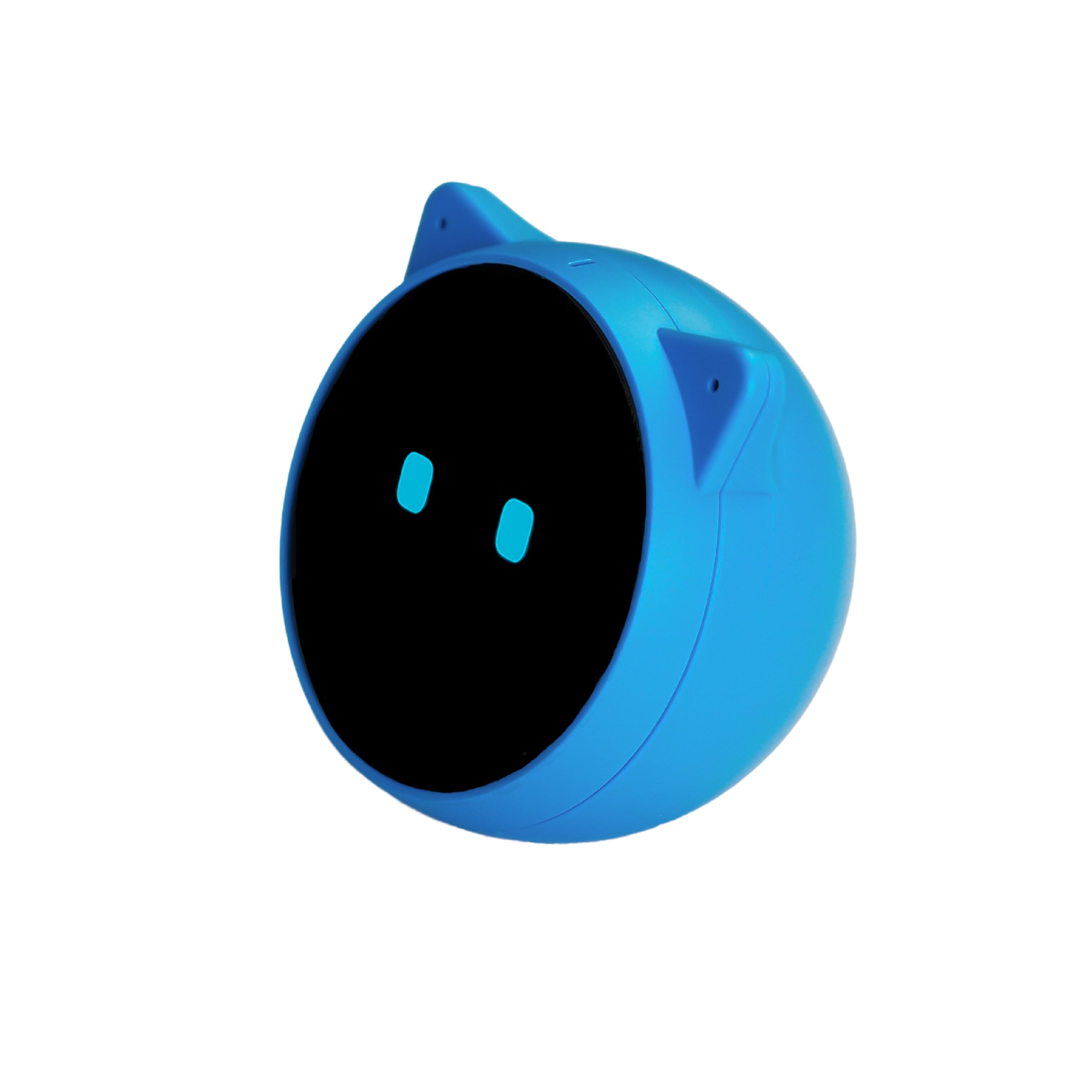
Figure 1: EchoEar Development Board. This image shows the compact blue development board with its various components and connectors.
3. Klíčové vlastnosti
- ESP32-S3-WROOM-1 Module: Integrated for robust wireless connectivity and processing power.
- 1.85-inch QSPI Circular Touch Screen: Provides an interactive visual interface for applications.
- Duální mikrofonní pole: Enables advanced audio input for voice interaction and sound processing.
- Offline Voice Wake-up: Supports local voice command processing without requiring cloud connectivity.
- Sound Source Localization Algorithms: Allows the device to identify the direction from which a sound originates.
- Large Model Capabilities: Designed for integration with AI models from providers like OpenAI, Xiaozhi AI, and Gemini for advanced intelligent functions.
- Full-Duplex Voice Interaction: Facilitates natural, two-way voice communication.
- Multimodal Recognition: Supports processing and understanding of various input types beyond just voice.
- Intelligent Agent Control: Enables the development of sophisticated AI agents for device control.
4. Fyzický overview
The EchoEar Development Board is a compact unit designed for easy integration into various projects. Below is a visual representation and description of its main components.
Obrázek 2: Nahoře view of the EchoEar Development Board. Key components visible include the ESP32-S3-WROOM-1 module, the circular touch screen, and the dual microphone array.
4.1. Identifikace součásti
- ESP32-S3-WROOM-1 Module: The central processing unit for Wi-Fi and Bluetooth connectivity.
- QSPI Circular Touch Screen: Located on the board, providing visual output and touch input.
- Duální mikrofonní pole: Positioned for optimal audio capture and sound source localization.
- Port USB-C: For power and data communication.
- Piny GPIO: Exposed pins for connecting external sensors, actuators, and other peripherals.
4.2. ESP32 Module Overview
The core of the EchoEar board is the ESP32-S3-WROOM-1 module. This video provides a general overview of an ESP32 module, demonstrating its physical characteristics and common usage scenarios in development.
Video 1: Konecview of an ESP32 module. This video demonstrates the physical handling and connection of an ESP32 development board, similar to the core module found in the EchoEar. It highlights the compact size and pin layout.
5. Pokyny k nastavení
- Připojení napájení: Connect the EchoEar Development Board to a power source using the USB-C port. A standard 5V USB power adapter or a computer's USB port can be used.
- Instalace ovladače: Depending on your operating system, you may need to install USB-to-serial drivers (e.g., CP210x or CH340/CH341) for your computer to recognize the board. Refer to the Espressif documentation for specific driver requirements.
- Nastavení vývojového prostředí: Install the necessary development tools, such as the ESP-IDF (Espressif IoT Development Framework) or Arduino IDE with ESP32 board support. Follow the official Espressif guides for detailed installation steps.
- First Program Upload:
- Open your chosen IDE (ESP-IDF or Arduino IDE).
- Select the correct board model (ESP32-S3 Dev Module) and COM port.
- Upload a basic "Hello World" or "Blink" example to verify the setup.
- Počáteční konfigurace: Once powered and programmed, the board's touch screen may display initial boot information or a default application. Follow any on-screen prompts for basic configuration.
6. Návod k obsluze
6.1. Hlasová interakce
- Wake-up Word: The board supports a configurable offline wake-up word. Refer to the example code or documentation for how to set and use it.
- Hlasové příkazy: After wake-up, the dual microphone array will listen for voice commands. Implement your desired command recognition logic within your application.
- Sound Source Localization: Utilize the built-in algorithms to determine the direction from which a sound originates, enhancing interactive experiences.
6.2. Použití dotykové obrazovky
- Výstup displeje: The 1.85-inch QSPI circular touch screen can display graphical user interfaces (GUIs), sensor data, or status information.
- Dotykový vstup: Interact with your applications by touching the screen. Develop touch event handlers in your code to respond to user input.
6.3. GPIO Control
The General Purpose Input/Output (GPIO) pins allow for extensive customization and connection to external hardware. Consult the board's pinout diagram for specific pin functions and capabilities.
- Digitální I / O: Control LEDs, read button states, or interface with other digital components.
- Analogový vstup: Read data from analog sensors.
- Komunikační protokoly: Utilize pins for I2C, SPI, UART, and other communication protocols to connect various modules.
7. Technické specifikace
| Funkce | Detail |
|---|---|
| Značka | Espressif |
| Model | EchoEar Development Board |
| Hlavní modul | ESP32-S3-WROOM-1 |
| Zobrazit | 1.85-inch QSPI Circular Touch Screen |
| Zvukový vstup | Duální mikrofonní pole |
| Hlasové funkce | Offline Voice Wake-up, Sound Source Localization |
| Schopnosti AI | Full-duplex voice interaction, Multimodal recognition, Intelligent agent control (with external large models) |
| Operační systém | Linux (kompatibilní) |
| Technologie paměti RAM | LPDDR4X |
| Hmotnost položky | 8.8 unce |
| Rozměry produktu | 2 x 2.4 x 2 palce |
| Barva | Modrý |
| Počet procesorů | 1 |
| Baterie | Vyžaduje 1 A baterii (součástí balení) |
| Kompatibilní zařízení | Voice interaction products (smart speakers, toys, etc.) |
8. Řešení problémů
- Deska nebyla počítačem rozpoznána:
- Ensure USB-C cable is securely connected and functional.
- Verify that the correct USB-to-serial drivers are installed for your operating system.
- Zkuste jiný port USB nebo počítač.
- Program Upload Fails:
- Zkontrolujte, zda je ve vašem IDE vybrána správná deska a COM port.
- Ensure the board is in programming mode (if applicable, some ESP32 boards require pressing a BOOT button while resetting).
- Ověřte, zda se váš kód zkompiluje bez chyb.
- Hlasové příkazy nereagují:
- Check microphone connections and ensure they are enabled in your software.
- Verify the wake-up word and command recognition logic in your application.
- Ensure ambient noise levels are not excessively high.
- Touch Screen Not Responding/Displaying:
- Check display connections and power supply.
- Verify display initialization code and ensure it matches the screen model.
- Recalibrate the touch screen if touch input is inaccurate.
9. Údržba
- Čištění: Use a soft, dry cloth to clean the board. Avoid using liquids or abrasive materials. For the touch screen, use a screen-safe cleaner if necessary.
- Skladování: Store the board in a dry, anti-static environment when not in use. Keep it away from extreme temperatures and humidity.
- Aktualizace firmwaru: Regularly check the Espressif official website or your chosen development framework's repository for firmware updates to ensure optimal performance and security.
- Kontrola součástí: Periodically inspect the board for any loose connections, damaged components, or signs of overheating.
10. Záruka a podpora
For warranty information, technical support, and additional resources, please refer to the official Espressif webnebo se obraťte na prodejce. Uschovejte si doklad o koupi pro případ reklamace.
Online zdroje:
Ask a question about this manual
Ask about setup, troubleshooting, compatibility, parts, safety, or missing instructions. Manuals+ will review the question and use this page’s manual context to help answer it.