
1. Konec produktuview
The NDYIN D80 is a portable Bluetooth thermal tattoo stencil printer designed for creating crisp, high-definition tattoo stencils. This device supports both tattoo transfer paper and standard thermal paper, offering versatility for professional and everyday printing needs. It features wireless connectivity via Bluetooth for iOS and Android devices, and USB connectivity for Windows, macOS, and Linux computers. The printer is lightweight, portable, and includes a 2600mAh battery for extended use.

Image: NDYIN D80 Tattoo Stencil Printer highlighting its key features.
2. Co je v krabici
Upon unboxing your NDYIN D80 printer, you should find the following items:
- 1x NDYIN D80 Tattoo Printer
- 10 pcs Tattoo Transfer Paper
- 1x USB kabel
3. Specifikace
| Funkce | Detail |
|---|---|
| Značka | NDYIN |
| Název modelu | D80 |
| Technologie připojení | Bluetooth, USB |
| Technologie tisku | Tepelný |
| Speciální funkce | Bluetooth, Inkless, Lightweight, Portable, Wireless |
| Barva | Černý |
| Tiskový výstup | Monochromatický |
| Hmotnost položky | 0.78 kg |
| Rozměry produktu | 11.02"H x 2.32"Š x 1.72"V |
| Maximální velikost média | Letter (8.5 x 11 inches) |
| Rezoluce | 203 DPI (Max Copy Resolution Black and White) |
| Maximální kapacita listů | 10 |
| Zdroj napájení | Baterie 2600mAh |
4. Pokyny k nastavení
Follow these steps to set up your NDYIN D80 printer for use:
- Nabití tiskárny: Connect the printer to a power source using the provided USB cable. Ensure the printer is fully charged before initial use for optimal performance.
- Download the Nada Print App: For wireless operation, download the "Nada Print" app from your device's app store (iOS or Android). For PC connection, ensure necessary drivers are installed (refer to the Quick Start Guide).
- Zapnutí: Press and hold the power button on the printer until the indicator light illuminates.
- Connect via Bluetooth (for mobile devices):
- Ujistěte se, že je na vašem mobilním zařízení povoleno Bluetooth.
- Do NOT connect the printer through your phone's Bluetooth settings directly.
- Open the Nada Print app. The app will detect nearby D80 printers.
- Select your D80 printer from the list within the app to establish a connection. The app will indicate a successful connection.
- Load Tattoo Transfer Paper:
- Remove the white protective paper from the tattoo transfer sheet.
- Carefully peel off the yellow backing paper, ensuring the adhesive part remains intact.
- Open the printer cover. Insert the transfer paper into the paper tray with the blue transfer side facing up, allowing it to overhang approximately 1 cm. The printer will automatically feed the paper.
- Zavřete kryt tiskárny.
Video: Demonstrates the process of connecting the printer via the Nada Print app and loading tattoo transfer paper.

Image: Visual guide for paper preparation and printer connection.
5. Návod k obsluze
Once your NDYIN D80 printer is set up and connected, you can begin printing:
- Select a Design: Open the Nada Print app. You can choose from various pre-loaded tattoo templates, use line-art filters to convert photos into stencils, or import your own designs (PDF/Word/Excel/image formats).
- Edit and Adjust (Optional): The app allows you to combine multiple patterns, crop, scale, and rotate your designs to fit your requirements.
- Nastavení tisku: Before printing, ensure you select "Tattoo Transfer Paper" in the app's settings to optimize print quality for stencil paper.
- Zahájení tisku: Tap the "Print" or "Start Printing" button within the app. The printer will feed the paper and print your selected design onto the transfer sheet.
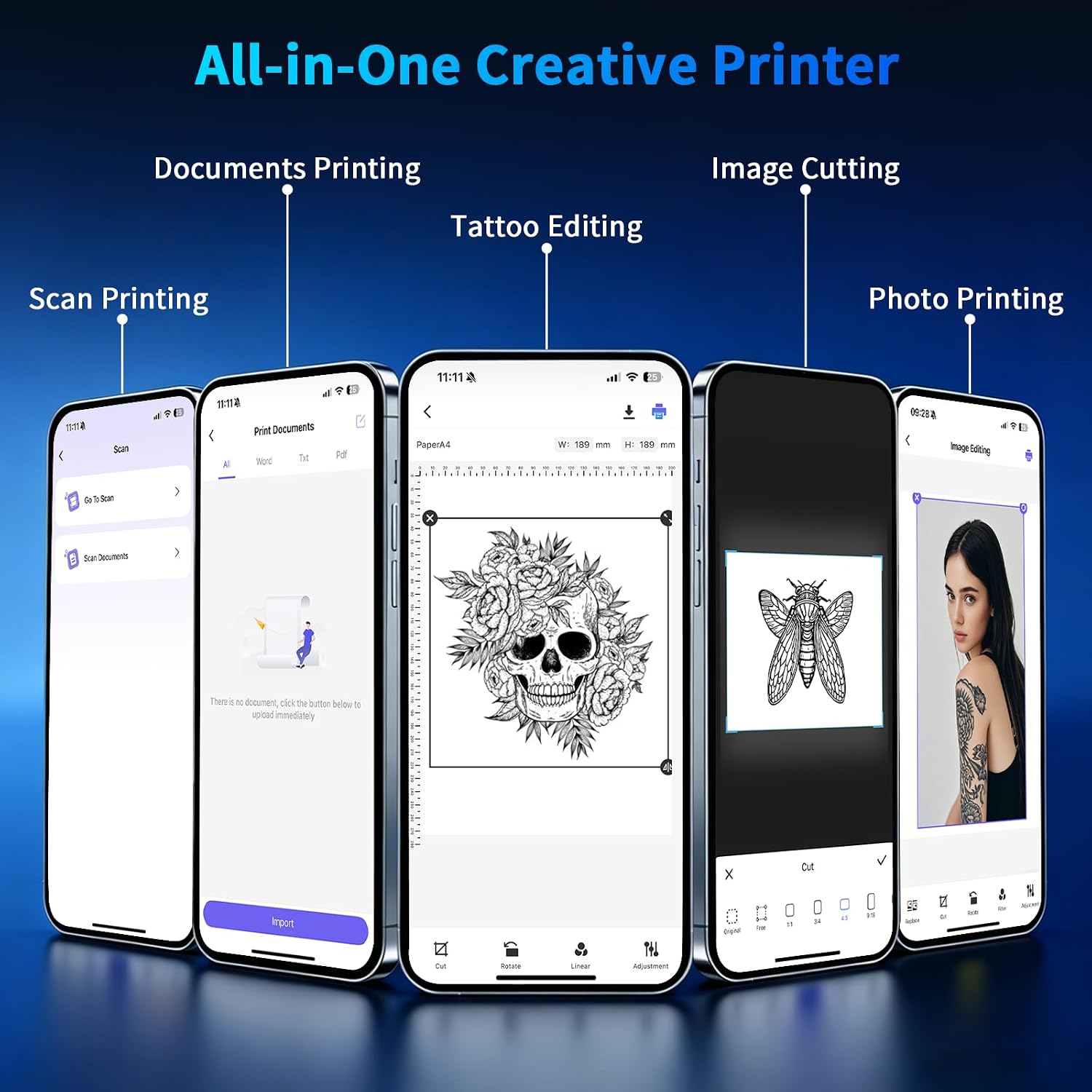
Image: Nada Print app interface demonstrating various design and printing functions.

Image: Printer connected to devices, illustrating Bluetooth and USB connectivity.
6. Údržba
The NDYIN D80 is a thermal printer, which means it operates without ink cartridges, reducing maintenance needs. To ensure longevity and consistent performance:
- Čištění: Pravidelně otírejte vnější povrch tiskárny měkkým, suchým hadříkem. Nepoužívejte agresivní chemikálie ani abrazivní materiály.
- Dráha papíru: Ensure the paper path is free from dust or debris. If paper jams occur, gently remove any obstructions.
- Skladování: Tiskárnu skladujte na chladném a suchém místě mimo dosah přímého slunečního záření a extrémních teplot.
- Typ papíru: Only use thermal paper or tattoo transfer paper specifically designed for thermal printers. Using incorrect paper types can damage the print head.
7. Řešení problémů
If you encounter issues with your NDYIN D80 printer, consider the following common solutions:
- Tiskárna se nepřipojuje:
- Ujistěte se, že je tiskárna zapnutá a plně nabitá.
- Ověřte, zda je na vašem zařízení povoleno Bluetooth.
- Confirm you are connecting through the Nada Print app, not directly via your device's Bluetooth settings.
- Restartujte tiskárnu i zařízení a poté se zkuste znovu připojit.
- Špatná kvalita tisku:
- Check that the tattoo transfer paper is loaded correctly (blue side up).
- Ensure "Tattoo Transfer Paper" is selected in the Nada Print app settings.
- The print head might be dirty. Refer to the maintenance section for cleaning instructions.
- Ensure the design resolution is adequate.
- Papír se nepodává:
- Check for any paper jams in the paper path.
- Ensure the paper is inserted straight and not at an angle.
- Verify the paper is not creased or damaged.
- Tiskárna nereaguje:
- Perform a hard reset by turning the printer off and then on again.
- If using USB, try a different USB port or cable.
8. Záruka a podpora
Informace týkající se záruky na produkt, vrácení zboží nebo technické podpory získáte od oficiálních prodejců výrobce. website or contact their customer service directly. Details can typically be found in the packaging or on the product's dedicated support page online.